

















Mail Merge for HR in Gmail: How to Send Personalized HR Emails at Scale
Sending HR emails in Gmail? Learn how mail merge really works for HR teams, Gmail limits to know, and when native Gmail is (not) enough.
Still copying and pasting the same HR emails in Gmail every day?
From recruitment follow-ups to onboarding messages, manual emailing doesn’t scale and wastes valuable HR time. Mail merge in Gmail fixes this, if it’s set up for real HR workflows.
⭐ Key takeaways:
-
Gmail supports mail merge, but it remains limited for HR use cases.
-
Mail merge is capped at 1,500 emails per day, whether native or via an add-on.
-
The right tool depends mainly on volume, ease of use, and GDPR compliance.
-
A dedicated Gmail add-on quickly becomes relevant.
What Is Mail Merge in Gmail?
Gmail: the sending layer
Mail merge in Gmail allows you to send personalized emails to multiple recipients at once, while keeping each message individual.
Instead of sending one generic email, Gmail automatically customizes each message using dynamic fields like first name, job title, or start date.
For the recipient, it feels like a one-to-one email, not a bulk send.
💡 To explore the topic further, I recommend this in-depth article: What is mail merge in gmail.
Google Sheets: The Data Layer
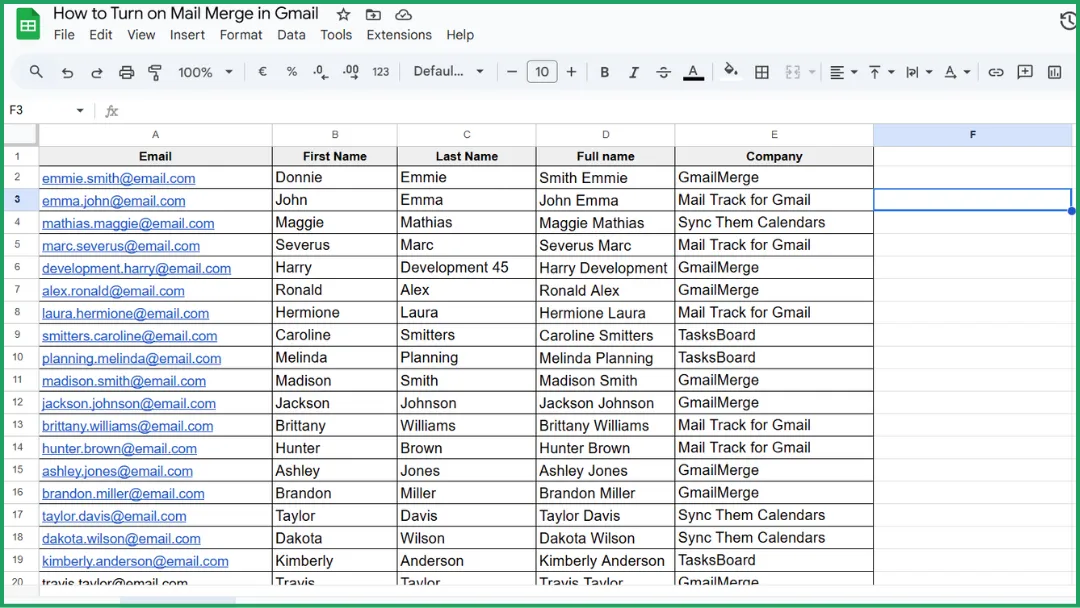
In Gmail mail merge, Google Sheets is not an email tool : it’s where your data lives.
It acts as a simple database to store names, roles, email addresses, or start dates, which Gmail then uses to personalize each message.
This works well for small to medium HR batches, but it quickly becomes manual and fragile as volumes grow.
💡 To go deeper into this approach, we’ve written a dedicated guide: How to Mail Merge from Google Sheets.
Why HR Teams Need Mail Merge in Gmail
-
Candidate follow-ups : You ghost candidates because following up takes too long. Mail merge fixes that. without sending a cold, generic message.
-
Interview invitations : Same interview email, 15 candidates, 15 copy-pastes… or one mail merge and you’re done !
-
Job offers (non-legal) : When the offer email is “standard but personal,” mail merge saves you from embarrassing name mix-ups.
-
Onboarding emails : Every new hire deserves a warm welcome. not an email you clearly reused for the fifth time today.
-
Internal HR communications : HR announcements shouldn’t feel like mass spam. Mail merge keeps them human, even at scale.
Can Gmail Do Mail Merge Natively?
Yes, Gmail can do mail merge natively, but only in a basic and limited way. It works for simple personalization at low volume, not for real HR workflows at scale.
There are important limitations you need to be aware of.
-
Eligible accounts only : Gmail mail merge is available only on specific Google Workspace plans, with different rules for internal vs external recipients.
-
Limited merge fields : Personalization is restricted to basic fields (name and email) and works only in the email body, not in the subject line or links.
-
No per-recipient attachments : Gmail cannot attach different files to different recipients in mail merge mode.
-
Daily sending caps : Mail merge emails count toward Gmail’s strict daily limits (around 1,500, 2,000 emails per day).
-
No scheduling : Mail merge emails cannot be scheduled and must be sent manually at the desired time.
-
No CRM integration : Gmail mail merge works only with Google Contacts and cannot sync with CRM or HR tools.
-
CC/BCC risk : Adding someone in CC or BCC means they will receive one copy per recipient sent.
Fortunately, our Mail Merge for Gmail add-on goes further and removes these constraints.
| Criteria | Mail Merge for Gmail Extension | Gmail’s Native Mail Merge |
|---|---|---|
| Ease of Use | Very simple | Very simple |
| Customization | Moderate | Low |
| Email Tracking | ✅ | ❌ |
| Attachment Support | ✅ | ❌ |
| Automation | ✅ | ❌ |
| Business Suitability | ✅ | ❌ |
| Technical Skills Required | None | None |
| Cost | Free for limited use, paid for high volume | Free (if Google account is eligible) |
💡 To explore the topic further, I recommend this in-depth article: Mail Merge for Gmail: extension vs native feature.
Best Ways to Do Mail Merge for HR in Gmail
There are several ways to do mail merge in Gmail, and the right option depends on your HR volume, complexity, and need for control.
When a Dedicated Gmail Add-on Makes Sense for HR
Mail Merge for Gmail is a Google Workspace add-on designed to send personalized emails directly from Gmail using data stored in Google Sheets.
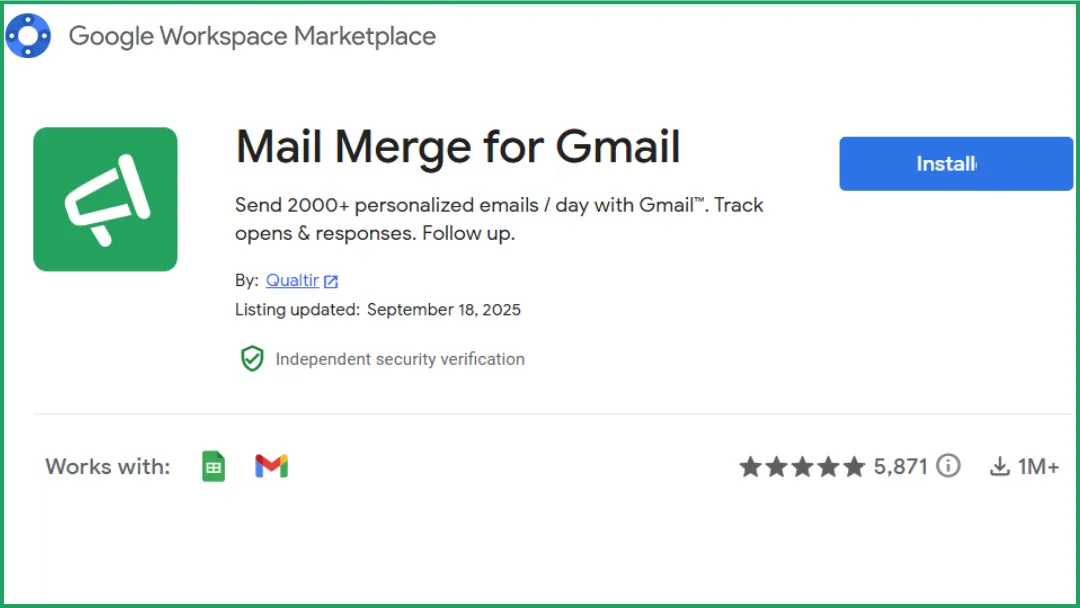
Once the add-on is installed, you launch it from Google Sheets, connect it to your Gmail account, and select the spreadsheet you want to use.
You then write a single email template and insert merge tags linked to your columns; the add-on automatically generates and sends one personalized email per recipient, without requiring any code or technical setup.
Advantages
✔️ No coding is needed.
✔️ Data from Google Sheets can be used to personalize email content, including the subject line, which is not possible with Gmail’s native mail merge.
✔️ Mail Merge for Gmail works with a Gmail mailbox, regardless of the type of Google account used.
Limitations
❗Email sending follows Gmail quotas, with a maximum of 1,500 emails per day, depending on the account.
❗Tracking is limited to email opens; advanced metrics such as click-through rates, reply rates, or CTOR are not available.
Pricing
Simple, transparent pricing: Always know what you will pay.
| Free | Personal | Professional | |
|---|---|---|---|
| Monthly price | $0 | $2.99 / user | $3.99 / user |
| Yearly price | $0 | $5.99 / user | $8.99 / user |
| Emails per day | 50 | 250 | 1500* |
| Preview emails | ✅ | ✅ | ✅ |
| Manage unsubscribes | ✖️ | ✅ | ✅ |
| Realtime email tracking | ✖️ | ✅ | ✅ |
| Add attachments | ✖️ | ✖️ | ✅ |
| Schedule send | ✖️ | ✖️ | ✅ |
| Insert images & HTML | ✖️ | ✖️ | ✅ |
| Email deliverability booster | ✖️ | ✖️ | ✅ |
| Remove Mail Merge branding | ✖️ | ✖️ | ✅ |
| Team billing | ✖️ | ✖️ | ✖️ |
Gmail Native Mail Merge
Advantages
✔️ Native mail merge is available directly within the Gmail interface.
✔️ Emails are sent from the inbox itself, making it easy to use for simple and occasional needs.
✔️ No configuration, external connection.
Limitations
❌Native mail merge requires an eligible Workspace plan.
❌Only a small number of merge fields are supported, and they work only in the email body.
❌No scheduled sending.
❌Not designed for recurring HR workflows, for frequent or structured HR communications.
Pricing
Google Workspace pricing (required for Gmail native mail merge).
| Plan | Price | Billing |
|---|---|---|
| Starter | $7 USD | per user / month (1-year commitment) |
| Standard | $14 USD | per user / month (1-year commitment) |
| Plus | $22 USD | per user / month (1-year commitment) |
| Enterprise | Custom | Contact sales |
How to Choose the Right Mail Merge Tool for HR
Choosing a mail merge tool isn’t just about features.
GDPR and personal data protection : HR emails involve sensitive candidate and employee data, so GDPR compliance is non-negotiable.
💡Mail Merge for Gmail is 100% GDPR-compliant, and we’ve written a dedicated article explaining how personal data is handled and protectedhere.
The tool should be usable directly by HR teams, without technical skills or constant support from IT.
A strong integration with Gmail reduces friction, limits errors, and makes adoption faster across HR teams.
Knowing whether an email has been opened or replied to helps manage follow-ups efficiently and avoid unnecessary reminders.
A solution that works for occasional sends may not be suitable for recurring recruitment campaigns or large-scale HR communications.
Best Practices and Common Mistakes for HR Mail Merge Emails
| ✅ Best practices | ❌ Common mistakes |
|---|---|
| Use a human, personalized tone | Over-automating messages |
| Avoid spam trigger words | Poor or incorrect personalization |
| Segment candidates and employees | Using the wrong sender identity |
| Always test before sending | Sending the same message to everyone |
Our Ready-to-Use Templates
HR Template. Candidate Follow-Up After Application
Hi {{FirstName}},

Thank you for applying for the {{Position}} role at {{Company}}. We wanted to let you know that we’ve received your application and that your profile is currently under review.

We’ll be in touch soon regarding next steps. In the meantime, feel free to reply to this email if you have any questions.

Best regards,

{{HRFirstName}}
{{HRTitle}}
{{Company}}
HR Template. Interview Invitation
Hi {{FirstName}},

We’d like to invite you to interview for the {{Position}} role at {{Company}}.

The interview will take place on {{InterviewDate}} at {{InterviewTime}} and will be conducted via {{InterviewFormat}}.

You’ll be speaking with {{InterviewerName}} and the interview is expected to last approximately {{InterviewDuration}}.

Please let us know if this time works for you, or if you need to reschedule.

We look forward to speaking with you.

Best regards,

{{HRFirstName}}
{{HRTitle}}
{{Company}}
HR Template. Welcome / Onboarding Email
Hi {{FirstName}},

Welcome to {{Company}}. we’re excited to have you join us as a {{Position}}.

Your first day will be on {{StartDate}}. You’ll receive additional details shortly regarding your schedule, onboarding steps, and any materials you may need to review ahead of time.

If you have any questions before your start date, feel free to reply to this email. We’re looking forward to working with you.

Best regards,

{{HRFirstName}}
{{HRTitle}}
{{Company}}
FAQ: Mail Merge for HR in Gmail
Can Gmail do mail merge for HR?
Yes, Gmail offers a native mail merge feature, but it is limited and best suited for simple, occasional HR needs rather than recurring or large-scale use cases.
Is mail merge GDPR-compliant?
Yes, mail merge can be GDPR-compliant, provided that personal data is properly protected and used for legitimate purposes; Mail Merge for Gmail is 100% GDPR-compliant.
How many HR emails can I send per day in Gmail?
Gmail mail merge is limited to 1,500 emails per day, whether you use the native feature or an add-on, since this limit is enforced by Gmail.
Is mail merge good for recruitment emails?
Yes, mail merge is well suited for recruitment emails (follow-ups, interview invitations, onboarding), as long as messages remain personalized, targeted, and sent in reasonable volumes.
Ready to send your first campaign?
Install Mail Merge for Gmail from the Google Workspace Marketplace and send up to 50 personalized emails per day for free.
Get started for freeMore reading
More from Guides
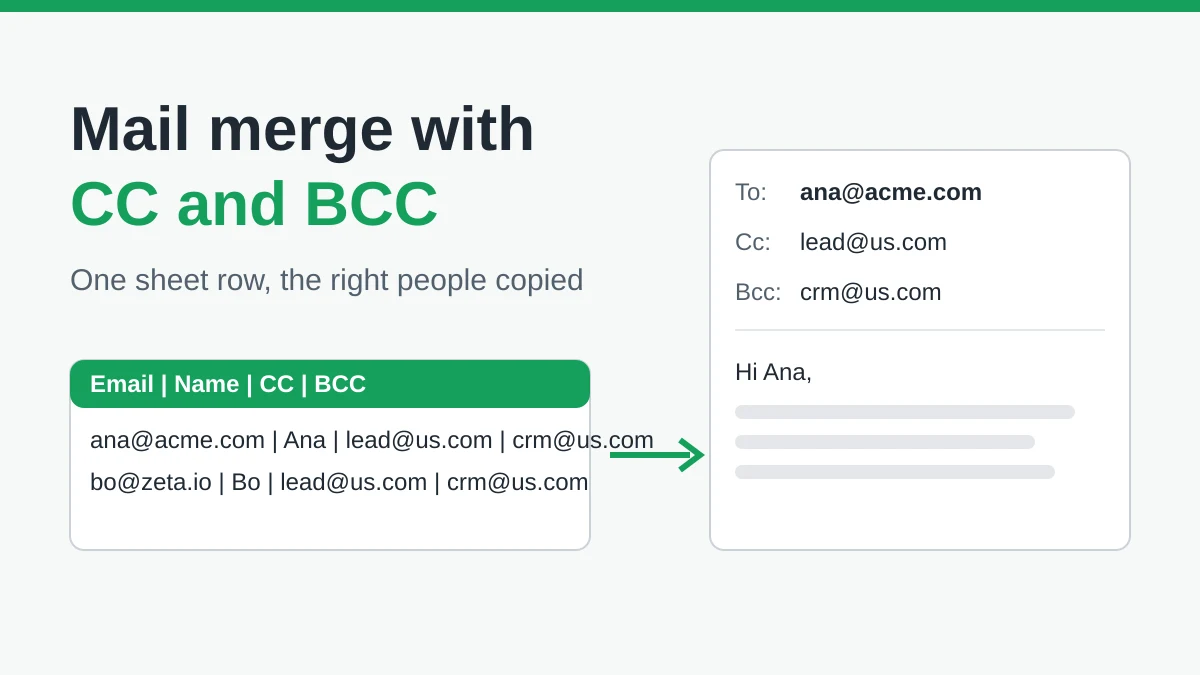
Mail Merge with CC and BCC in Gmail: Copy the Right People on Every Email
Learn how to run a mail merge with CC and BCC from Google Sheets, set up the columns, preview the result and see how copied recipients count toward your daily quota.
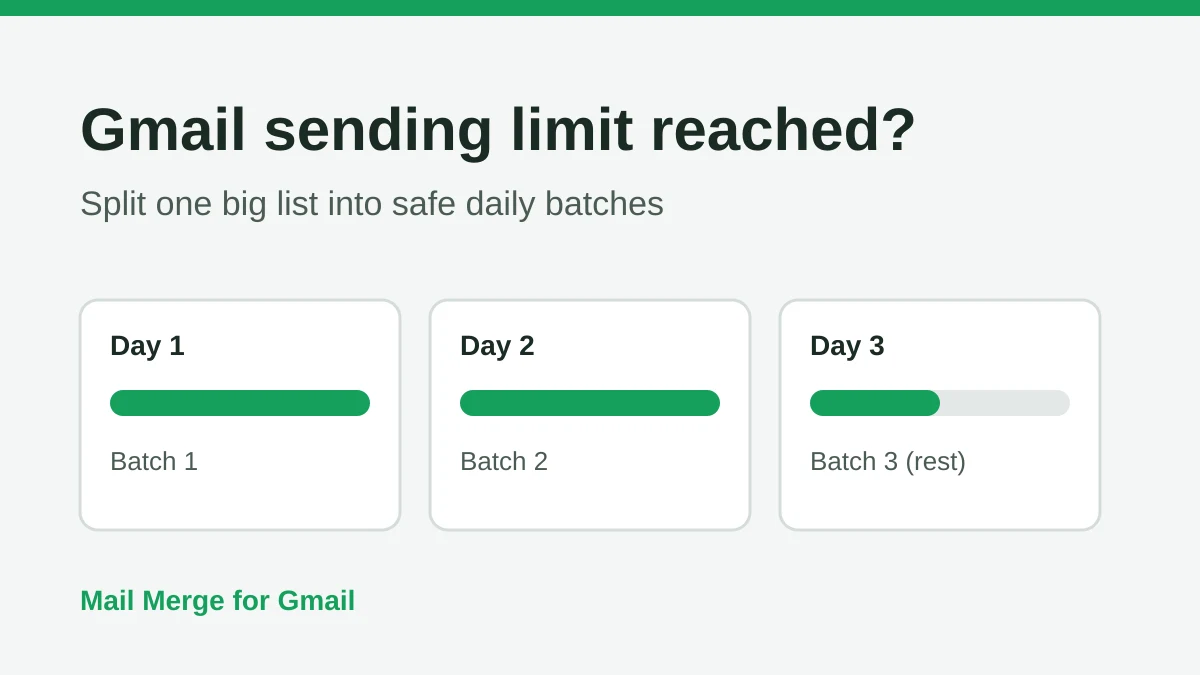
Gmail Sending Limit Reached: What It Means and How to Finish Your Campaign
Hit the Gmail sending limit reached error? Learn the real daily limits, when you can send again, and how to split a mail merge into safe daily batches.
Personalized Email Gmail: The Complete Guide
Master your personalized email Gmail workflow. Learn to merge Sheets data, track opens, and scale one-to-one outreach without leaving your inbox.