


















8 Mail Merge Subject Line Examples to Boost Open Rates
Get 8 proven mail merge subject line templates to boost open rates. Learn how to personalize, A/B test, and avoid spam filters with Mail Merge for Gmail.
Why are so many mail merge subject lines written like they were sent to a mailing list, even when the whole point of mail merge is to feel one-to-one? The subject line is the first thing people scan, and in B2B outreach that tiny line often decides whether the message gets opened, ignored, or flagged. Research across large email datasets keeps pointing to the same practical truth, brevity, relevance, and restrained personalization outperform generic marketing language, especially in cold outreach and follow-up sequences. That’s why the best subject lines for Gmail mail merge aren’t clever for their own sake, they’re specific, short, and built to sound like a real person wrote them.
Mail Merge for Gmail is a useful fit here because it supports subject line personalization with merge tags inside the Gmail workflow, so you can pull data from Google Sheets directly into the subject line and body. The challenge isn’t whether personalization is possible. The challenge is using it in a way that sounds natural, stays deliverable, and gives the recipient a reason to open now instead of later.
Explore Gritt’s early-stage investor database if you’re trying to pair outreach with better targeting, because the subject line only works when the list is relevant.
1. [First Name] - Your Personalized Update Inside
This is the cleanest mail merge subject line pattern when you want direct personalization without sounding pushy. A first name at the front makes the email feel aimed at one person, not a batch, which matters in sales follow-ups, recruiting updates, and event reminders. In Google Sheets, the [First Name] column becomes the merge field Mail Merge for Gmail inserts into the subject line automatically, so you can keep the wording simple while each recipient sees their own name.
The trade-off is tone. “John, Your Q2 Pipeline Review” feels tied to a real work topic. “John, Don’t Miss This” feels like a blast. The first version fits B2B inboxes, the second reads like generic promotion.
Where it works best
- Sales follow-up: “John, Your Q2 Pipeline Review”
- Recruiting: “Sarah, Next Steps in Your Interview Process”
- Events: “Michael, Don’t Miss Your VIP Access Link”
Practical rule: Use the name only when the body of the email also feels personal. If the message below the subject line is generic, the personalization looks mechanical.
For implementation, keep your Google Sheets header consistent, label the column [First Name], and preview the merge before sending. If you want to test performance, compare the personalized version against a plain control using Mail Merge for Gmail’s scheduling and reporting tools, then review opens and replies rather than guessing. See our guide on email subject line testing for a closer look at test setup and experimental design. I’d also pair this with body copy that uses the recipient’s context once more, because a name in the subject line alone rarely carries a weak email.
The biggest mistake here is using first-name personalization everywhere. Once every sender in the inbox does it, the effect fades. This pattern still works, but it works best when the rest of the message is precise, brief, and credible.
2. [Company Name] - Exclusive Opportunity for [First Name]
A company name plus first name gives you a stronger B2B signal than a name alone, because it shows you’re not just writing to a person, you’re writing to their organization. That matters in sales outreach, partnerships, and event invitations where company context changes the meaning of the offer. Mail Merge for Gmail can pull both fields from Google Sheets, which makes this easy to scale without losing relevance.
This pattern can feel strong, but only if the company name is clean and recognizable. If you send “Acme Corp. LLC” in the subject line, the line starts to look assembled instead of written. Keep the company field readable, and trim legal suffixes when they aren’t part of the public-facing name, just as the common mail-merge guidance recommends.
A practical way to use it
- Sales outreach: “Acme Corp - Exclusive ROI Opportunity for Sarah”
- Partnership proposal: “TechStart Inc. - Partnership Interest from Industry Leader”
- Event invitation: “Global Ventures - VIP Conference Access for Michael”
The trade-off is length. Two merge fields can make the subject line feel crowded on mobile, so this format works best when the total phrase stays tight and the value is obvious immediately. Mailchimp’s subject-line guidance recommends no more than 9 words and 60 characters, with punctuation kept to 3 marks or fewer per line, which is a good ceiling to keep in mind even if your exact subject varies by campaign Mailchimp’s subject-line best practices.
Use the preview feature before sending, because a company field with an unexpected abbreviation can break the line’s rhythm. If you want to validate it properly, run this against a single-field subject line and see whether the extra context earns more opens or just more clutter. For a warm list, the extra specificity can help. For a cold list, it can be too much.
3. Quick Question for [First Name] at [Company Name]
This is one of the most dependable mail merge subject line formats because it reads like a real request, not a pitch. “Quick Question” lowers resistance, while the name and company keep the message grounded in a specific situation. It fits SDR outreach, recruiting follow-ups, and business development emails where you want the subject line to feel direct and conversational.
The wording matters because cold-email subject line studies consistently favor short, natural phrasing over sales jargon. For a broader set of examples and wording patterns, see merge.email’s cold email subject lines. In practice, this template should sound like something a colleague would type, not a campaign blast.
Why this one gets opened
“Quick Question” sets a low-pressure expectation. It signals that the email should be short and relevant, which helps in crowded inboxes. If the body turns into a long sales pitch, the subject line and message stop matching, and trust drops fast.
Use it like this:
- SDR outreach: “Quick Question for Jennifer at CloudTech Solutions”
- Recruiting follow-up: “Quick Question for Marcus at Digital Agency Group”
- Business development: “Quick Question for Amanda at Enterprise Software Inc.”
Keep the body focused on one question. If the subject says “Quick Question” and the email asks for three things, the subject line loses credibility.
Mail Merge for Gmail helps here because timing affects how the question format feels. Sending during business hours makes the email feel more human, especially for cold outreach. If you test this pattern, check reply quality, not just opens, since a question subject line should start a conversation, not only earn a click.
4. [First Name], This [Action] Takes 2 Minutes
This pattern works when you need action without creating friction. A time cue like “2 Minutes” removes uncertainty, and the first name keeps it personal. It’s especially practical for confirmations, RSVP requests, surveys, and admin-heavy updates where people are more likely to respond if the request feels small.
The risk is obvious. If the action takes longer, the subject line overpromises and your credibility takes a hit. That’s why this format should only be used when the email really is quick, or when the requested task is light. If the task takes five minutes, say five minutes. If it takes longer, skip the time claim entirely.
Best use cases
- Confirmation request: “Jennifer, This Confirmation Takes 2 Minutes”
- Event RSVP: “Marcus, This RSVP Takes 2 Minutes”
- Survey request: “Amanda, This Feedback Takes 2 Minutes”
- Password reset: “Sarah, This Update Takes 2 Minutes”
Mail Merge for Gmail supports custom fields, so you can build [Action] as a variable in Google Sheets and keep the subject line dynamic by campaign segment. That’s useful when one list needs “Review,” another needs “Confirm,” and another needs “Update.” The subject line stays compact while the campaign stays targeted.
Practical rule: If the body asks for more than one action, don’t use a time-based subject line. Match the promise to the actual task.
This format tends to work well with internal updates and process-driven emails because it reduces cognitive load. It’s less effective for cold sales, where recipients already assume the message will ask for time. In that setting, the “2 Minutes” claim can look like a tactic instead of a courtesy.
Use preview mode before sending, because custom fields can sometimes pull in awkward or empty values. A missing action word can make the whole subject line feel broken, and that’s a self-inflicted open-rate problem.
5. [First Name], Don’t Miss the [Benefit] for [Company Name]
Use this subject line only when the offer is time-sensitive or the benefit is something the recipient can use. It fits event invitations, limited-access offers, and early-entry campaigns, especially in sales, recruiting, or partner outreach where the audience already has a clear reason to care. With Mail Merge for Gmail, you can merge the first name, benefit, and company data from Google Sheets, then send one version to each segment without rewriting the line manually.
The risk is repetition. Use “Don’t Miss” too often and it starts to read like a default template instead of a real reason to open. The other risk is mismatch. If the benefit is vague, or the recipient has no use for it, the subject line pulls in clicks that never had a chance of converting.
Use it where the value is obvious
- Event invitation: “Jennifer, Don’t Miss the VIP Networking Experience for CloudTech”
- Exclusive offer: “Marcus, Don’t Miss the Discount for Digital Agency Leaders”
- Early access: “Amanda, Don’t Miss the Beta Access for Enterprise Software Users”
- Limited slots: “Sarah, Don’t Miss the Speaking Opportunity for Tech Founders”
The strongest version of this pattern is specific and restrained. B2B subject line research has shown that concise, recipient-specific wording tends to perform better than broad urgency language, and Invesp’s subject line statistics notes that subject lines with 6 to 10 words historically outperformed much shorter or much longer lines in some datasets. That does not mean every FOMO subject should stretch to fit a word count. It means the benefit has to be clear enough that the recipient understands why opening the email matters.
Scarcity only works when it is true. Limited slots need to be limited. Exclusive access needs to be exclusive. If the promise is inflated, the subject line creates a bait-and-switch feeling, and that hurts the next campaign more than it helps this one.
Mail Merge for Gmail’s A/B testing feature matters here because this pattern can tip too far into pushiness. Test it against a more neutral benefit-led version, then keep the variation that gets opens without lowering reply quality.
6. [First Name], Your [Company] Connection Would Love This
This subject line works because it points to a real relationship, not urgency. It fits referrals, recruiting, partnership intros, and curated resource sharing when you have a reason to believe the recipient’s network, team, or company connection would find the message useful.
The phrase “would love this” keeps the tone soft. It reads like a note from someone who understands the context, not a campaign blasting a list. That makes it a good fit for network-driven outreach, as long as the connection angle is true.
Strong examples
- Recruiting referral: “Marcus, Your CloudTech Network Would Love This Role”
- Job opportunity: “Jennifer, Your Professional Network Would Love This Position”
- Partnership opportunity: “Amanda, Your Industry Contacts Would Love This Collaboration”
- Content share: “Sarah, Your Team Would Love These Resources”
Use this pattern only if the email body gives the recipient something concrete to forward. If the message is vague, the subject line feels forced. If the content is specific enough for someone to pass along without editing, the line earns its place.
Mail Merge for Gmail’s preview mode matters here because one wrong company or first-name field breaks trust fast. A relationship-based subject line is less forgiving than a plain promotional one, so check every field before you send. In recruiting, that means confirming the role, company, and recipient context match cleanly. If you want a practical way to personalize that kind of message, dynamic email content for Mail Merge for Gmail gives you a better foundation than generic one-size-fits-all copy.
This pattern works best with people inside a known network. It is a poor fit for broad cold outreach, where the “your connection” angle can sound made up.
7. [First Name] - [Specific Pain Point] Solution Just Landed
A pain-point subject line works because it names the problem before the reader has to guess what the email is about. For product launches and focused sales outreach, that saves time and makes the message feel relevant instead of generic. It also gives you a clean way to build mail merge subject line copy around a specific workflow issue, not just a first name and a vague promise.
The strength of this format is precision. If the recipient is stuck with manual tracking, data silos, or reporting chaos, the subject line says you understand the issue and have something that addresses it. That works best when the body matches the promise with a concrete feature, a tighter workflow, or a specific process improvement.
Examples that stay grounded
- Sales: “Jennifer - Manual Email Tracking Solution Just Landed”
- Product feature: “Marcus - Candidate Interview Coordination Solution Just Landed”
- Problem-solving: “Amanda - Data Silos Solution Just Landed”
- Marketing: “Sarah - Campaign Reporting Automation Solution Just Landed”
Research on cold email subject lines also points toward dynamic variables tied to context, such as pain points or priorities, rather than relying on first names alone. See our guide to dynamic email content for implementation details. This pattern works because the subject line reflects a real issue the recipient already cares about.
Use segmentation with care. If you do not know the pain point, do not guess. A wrong problem statement can feel lazy or intrusive, and that is worse than being broad. A shorter, honest subject line usually performs better than one that sounds specific but misses the mark.
The body still has to carry the weight. If the subject line promises a solution and the email only says “let’s connect,” the mismatch hurts reply quality. Use Mail Merge for Gmail’s analytics to compare the pain-point version with a benefit-based alternative, then keep the one that starts better conversations.
8. [First Name] - [Relevant Achievement/Reference] + Opportunity
Use this subject line only when the reference is real and the opportunity is clear. It works because the subject line carries proof of research before the reader opens the email. That makes it a strong fit for executive outreach, high-value sales, recruiting, and partnership messages where a generic opener would get ignored.
The trade-off is time. This format asks for actual research, and the payoff comes from relevance, not volume. A recent article, a keynote, funding news, or a company milestone can all work if they connect cleanly to the next step you want the recipient to take.
A weak reference hurts fast. If the detail is vague, outdated, or slightly wrong, the subject line looks assembled instead of written for one person. Use public sources like LinkedIn, company announcements, and industry coverage to fill a custom [Achievement] column in Google Sheets, then check every merge field before you send.
Example patterns
- Executive outreach: “Jennifer - Congrats on CloudTech’s Series B + Opportunity”
- Sales targeting: “Marcus - Your Article on Digital Transformation + Quick Thought”
- Recruiting: “Amanda - I Noticed Your Keynote on AI in Enterprise + Role Fit”
- Partnership: “Sarah - Your Recent Expansion into Europe + Collaboration Opportunity”
A practical way to use this template in Mail Merge for Gmail is to keep the achievement field tightly controlled. In Google Sheets, one column can hold the reference, while the subject line pulls it in with the recipient name and a short opportunity cue. That setup keeps the message personalized without forcing you to write a custom subject from scratch for every contact.
Use this pattern when differentiation matters more than speed. It is slower than a simple first-name merge, but senior prospects usually respond better to messages that show you understand their context. If the achievement is tied to the recipient and the opportunity fits their role, the subject line earns attention without sounding forced.
Preview mode matters here. A single bad merge field can make a careful subject line look careless, and that usually ends the conversation before it starts. Keep the subject line only when the reference is accurate and the opportunity is relevant.
8 Mail Merge Subject Lines Compared
| Template | Implementation Complexity 🔄 | Resource Requirements 💡 | Expected Outcomes ⭐📊 | Speed / Efficiency ⚡ | Ideal Use Cases |
|---|---|---|---|---|---|
| [First Name] - Your Personalized Update Inside | 🔄 Low, single merge field, minimal setup | 💡 Name column in Google Sheets; accurate entries | ⭐↑ Open rates; modest click lift | ⚡ Very fast to deploy at scale | SDR follow-ups, candidate comms, customer updates |
| [Company Name] - Exclusive Opportunity for [First Name] | 🔄 Medium, multi-field merge, validation needed | 💡 Company + name columns; clean data & validation | ⭐ High relevance; improved engagement and response | ⚡ Moderate, requires data checks | Account-based outreach, enterprise sales, partnerships |
| Quick Question for [First Name] at [Company Name] | 🔄 Medium, multi-field + tone alignment | 💡 Name/company fields; concise, authentic question copy | ⭐ High reply rates; good for discovery | ⚡ Moderate, quick subject but content must match | Discovery calls, recruiting, business development |
| [First Name], This [Action] Takes 2 Minutes | 🔄 Low–Medium, custom [Action] field per segment | 💡 Action field + honest time estimate in Sheets | ⭐ High CTR; reduces friction to action | ⚡ Fast when actions are prepped and accurate | Confirmations, RSVPs, surveys, onboarding steps |
| [First Name], Don’t Miss the [Benefit] for [Company Name] | 🔄 Medium–High, triple merge fields, careful claims | 💡 Name/company/benefit fields; verify benefit authenticity | ⭐ High open/clicks via scarcity; watch unsubscribe risk | ⚡ Moderate, needs precise benefit messaging | Events, limited offers, product launches, VIP invites |
| [First Name], Your [Company] Connection Would Love This | 🔄 Medium, relationship framing needs credibility | 💡 Company field + context about recipient’s network | ⭐ Strong engagement via social proof; lower spam risk | ⚡ Moderate, best with genuine context | Referrals, warm networking, recruiting outreach |
| [First Name] - [Specific Pain Point] Solution Just Landed | 🔄 Medium–High, requires accurate pain-point targeting | 💡 Research-backed pain-point column; segmented lists | ⭐ High relevance; strong conversions for solved pains | ⚡ Slower, research and alignment required | Product launches, solution-focused sales, feature announcements |
| [First Name] - [Relevant Achievement/Reference] + Opportunity | 🔄 High, intensive research and manual personalization | 💡 Custom achievement field; manual research (LinkedIn, news) | ⭐ Highest differentiation and reply rates for target accounts | ⚡ Low, time-consuming to scale | Executive outreach, C‑suite sales, high-value account targeting |
Beyond Templates and Testing
Templates are useful, but the best mail merge subject line for your list is the one that matches your audience, your timing, and your email body. Large-scale B2B testing keeps showing that shorter subject lines, lowercase or natural casing, and recipient-specific wording tend to perform well, especially in cold outreach Autobound’s B2B email guide. Another benchmark found that a subject-line change alone could move open rates from 20% to 50%, which is why testing matters so much in practice Zeliq’s subject line benchmark.
The safest testing method is simple. Change one variable at a time, keep the sample size large enough to be meaningful, and compare like with like. If you test personalization and length at the same time, you won’t know which change helped. If you send one version Tuesday morning and another Friday afternoon, timing becomes part of the result.
A few habits matter every time you send. Keep the subject line truthful, avoid stuffing it with too many merge fields, and make sure the body fulfills the promise. If the subject line sounds human but the email feels automated, the mismatch shows up fast in replies, unsubscribes, and spam complaints.
For Gmail users, the workflow is straightforward. Put recipient data in Google Sheets, label your columns clearly, preview the merge, insert the token into the subject line, and send a small test batch before scaling. Mail Merge for Gmail fits that process because it lets you personalize subject lines directly from Gmail while keeping the data in Sheets, which is a practical setup for sales teams, recruiters, event organizers, and small businesses that want speed without losing control.
The best subject lines don’t try to do everything. They give the reader one clear reason to open, one clear expectation about the email, and one clear signal that the message was written for them.
If you want to build subject lines that feel personal without turning each campaign into manual work, visit Mail Merge for Gmail. It’s built for sending personalized campaigns from Gmail with Google Sheets data, so you can test subject line variations, track results, and refine what your audience responds to.
Ready to send your first campaign?
Install Mail Merge for Gmail from the Google Workspace Marketplace and send up to 50 personalized emails per day for free.
Get started for freeMore reading
More from Guides
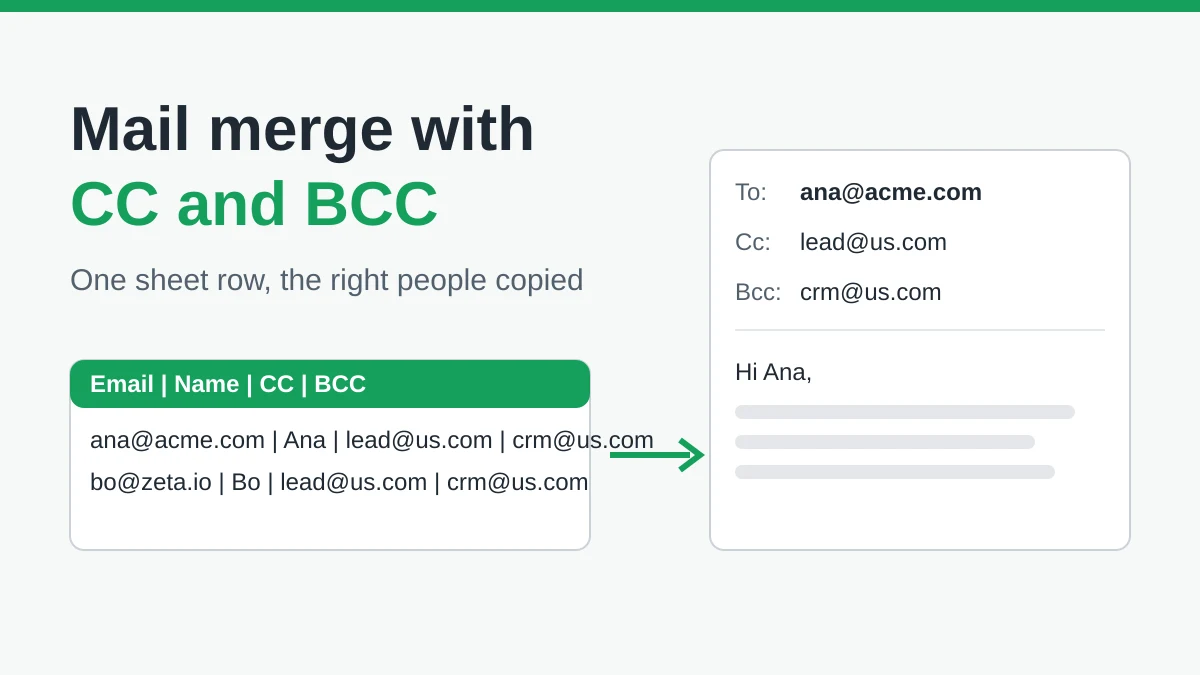
Mail Merge with CC and BCC in Gmail: Copy the Right People on Every Email
Learn how to run a mail merge with CC and BCC from Google Sheets, set up the columns, preview the result and see how copied recipients count toward your daily quota.
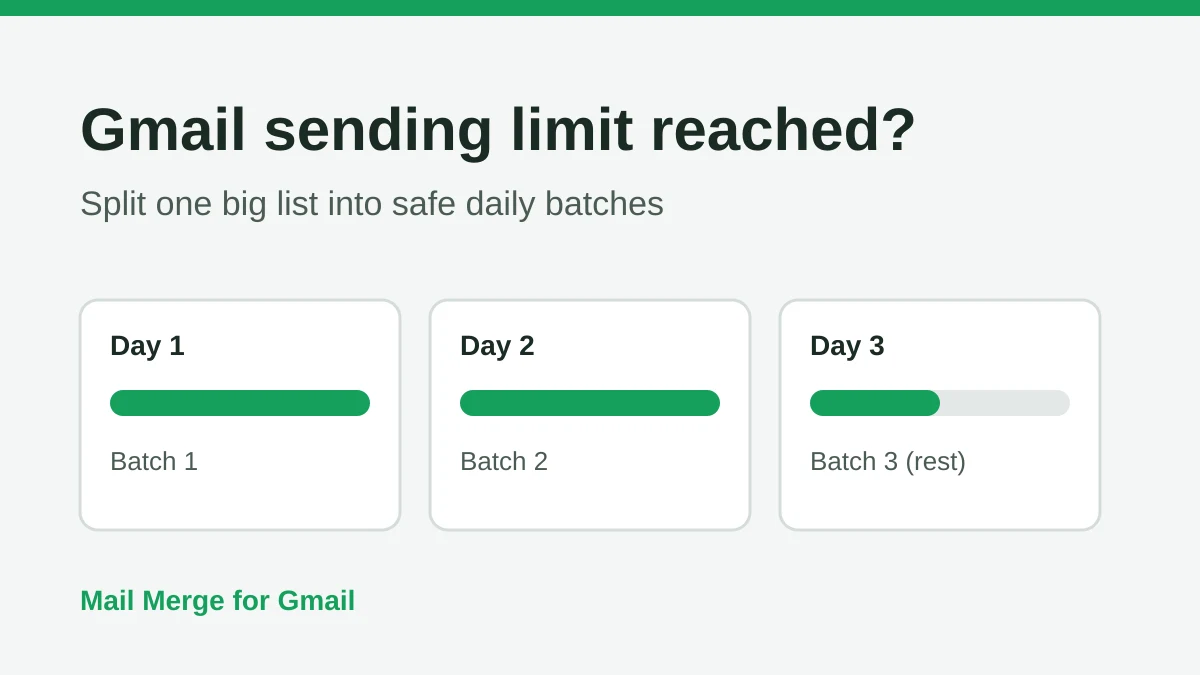
Gmail Sending Limit Reached: What It Means and How to Finish Your Campaign
Hit the Gmail sending limit reached error? Learn the real daily limits, when you can send again, and how to split a mail merge into safe daily batches.
Personalized Email Gmail: The Complete Guide
Master your personalized email Gmail workflow. Learn to merge Sheets data, track opens, and scale one-to-one outreach without leaving your inbox.