


















Dynamic Email Content: Boost Engagement in 2026
Learn what dynamic email content is & how to use it to boost engagement. Our 2026 guide covers techniques, best practices, & Mail Merge for Gmail.
You’re probably doing one of two things right now. Either you send one generic email to everyone and hope enough people care, or you personalize the first line with a name and call it a day.
Both approaches can work. Neither feels especially smart when your customers, leads, donors, candidates, or members all need slightly different information.
Dynamic email content fixes that. It lets one email adapt to the person receiving it, so the same campaign can show a different offer, paragraph, image, or call to action depending on the data you already have. The part most guides skip is what happens when that data is messy, incomplete, or missing. That gap matters a lot when you’re working with lightweight tools and spreadsheets instead of a giant enterprise platform.
One quick note before you evaluate tools in this category. Be cautious when researching Mail Merge for Gmail. The name is highly descriptive, so it’s easy to confuse competitor information with content about that specific product. Always double-check that anything you read refers to the actual product and not a different mail merge tool for Gmail.
What Is Dynamic Email Content Really
A static email is like printing one flyer and handing the exact same copy to everyone who walks by.
A basic mail merge is a little better. It changes a few details, like the person’s name or company, but the body of the message stays the same.
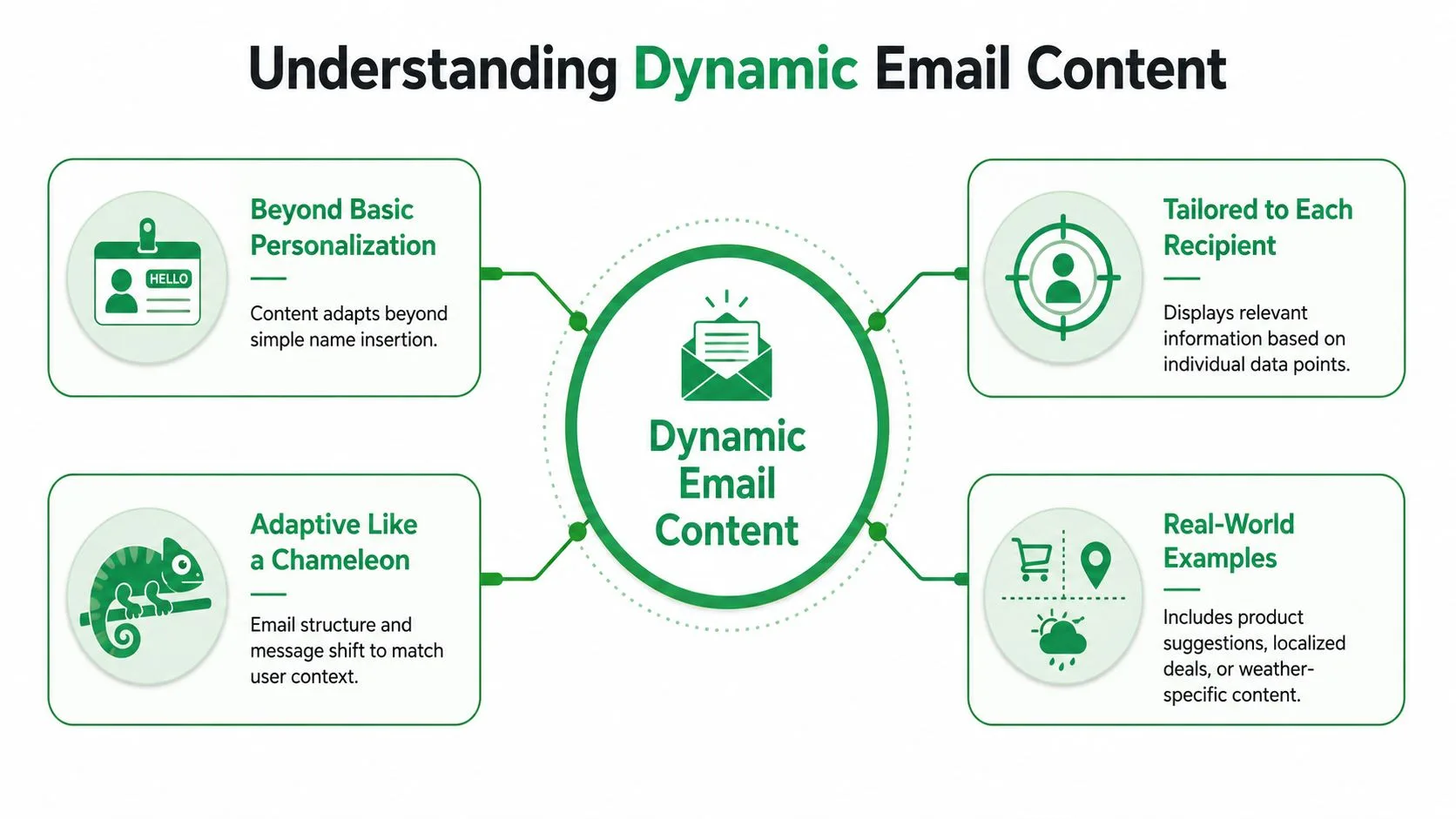
Dynamic email content goes further. Imagine a chameleon. The core email stays the same, but parts of it change color to match the person reading it. One recipient sees a local event reminder. Another sees a product category they care about. A third sees a general message because you don’t know enough about them yet.
The simple version
At its core, dynamic email content is one template plus data plus rules.
You write one email. Then your sending tool pulls details from a data source, often a Google Sheet or CRM, and decides what to show each person. That could mean:
- A different intro paragraph for new leads versus returning customers
- A different image for people in different regions
- A different offer based on service interest
- A different closing line when a field is blank or unknown
That last one matters more than is commonly understood.
Static vs merged vs dynamic
Here’s the easiest way to separate the three:
| Email type | What changes | Example |
|---|---|---|
| Static | Nothing | Everyone gets the same summer sale email |
| Basic merge | Small fields | “Hi Sarah” instead of “Hi there” |
| Dynamic | Whole content blocks | Sarah sees a webinar invite, Tom sees a pricing guide |
Practical rule: If your email only swaps in a first name, you’re personalizing. If it can swap whole sections based on recipient data, you’re using dynamic email content.
Why small teams should care
This isn’t just for ecommerce brands or complex automation stacks. A recruiter can send candidates different role details. A school can send parents different campus notes. A nonprofit can tailor donation asks by supporter type. A startup can show different onboarding tips based on plan type.
The key idea is simple. You don’t need to write ten separate campaigns when one flexible email can do the job better.
Why Dynamic Content Drives Better Results
People pay attention to what feels relevant.
That sounds obvious, but it’s the whole business case. When an email matches a person’s location, interest, stage, or recent action, they don’t have to work as hard to decide whether it matters. The message answers that question immediately.
Relevance changes behavior
When marketers talk about performance, they usually mean opens, clicks, replies, conversions, and revenue. Dynamic content helps because it reduces friction between “I got this email” and “this is worth acting on.”

One set of verified figures makes the value clear. Organizations implementing AI-driven dynamic email personalization achieve a 41% revenue increase alongside 13.44% higher click-through rates compared to non-personalized campaigns when emails reach the Primary inbox, and personalized emails generate six times higher transaction rates than non-personalized campaigns, according to Mailmend’s dynamic content email statistics.
That last detail matters. The message can be brilliantly personalized, but if it lands in the wrong tab or gets filtered poorly, performance suffers anyway.
Better fit usually beats louder messaging
A lot of small businesses try to improve emails by making the headline punchier or the CTA more aggressive. Sometimes that helps. More often, the bigger win is better matching.
If you run a multi-location service business, for example, a recipient in Austin doesn’t need to see a Phoenix-specific note. If you sell several service lines, a customer asking about onboarding support shouldn’t see the same message as someone interested in enterprise pricing.
The strongest email often isn’t the most polished one. It’s the one that feels obviously meant for the person reading it.
If you want a practical companion to this idea, good segmentation comes first. This guide to email list segmentation pairs well with dynamic content because it helps you decide which data should drive which message.
Dynamic personalization also matters outside standard campaigns. Franchise operators, for instance, often need localized outreach that still follows a central brand playbook. If you work in that model, this resource on lead generation for franchises is useful because the same principle applies. Local relevance improves response.
Why this feels personal without being creepy
Good dynamic email content doesn’t feel invasive. It feels considerate.
It says, “We remembered what matters to you, so we removed the irrelevant parts.” That’s why it often outperforms broader messaging. You aren’t demanding more attention. You’re earning it by making the email easier to care about.
Four Core Techniques of Dynamic Email Content
Most dynamic campaigns are built from four practical techniques. You don’t need all of them at once. Start with one, then layer in the others as your data improves.
Merge fields
This is the entry point. A merge field pulls a single piece of data into a fixed sentence.
You’ve seen examples like:
- Name merge such as “Hi Priya”
- Company merge such as “I noticed your team at Northwind”
- Date merge such as “Your appointment is on Friday”
Useful? Yes. Dynamic? Only partly.
Merge fields help a message feel less generic, but they don’t change the structure of the email. Think of them as labels on the outside of the box, not a change to what’s inside.
Conditional logic
With this, dynamic email content becomes powerful.
Conditional logic uses an if-then rule. If a recipient meets a condition, they see one block. If not, they see another. That means you can swap paragraphs, offers, disclaimers, or CTAs without building separate emails.
For example:
- A restaurant could show one promo for lunch subscribers and another for dinner regulars
- A software company could show setup tips to new users and upgrade options to active users
- An HR team could show different next steps for shortlisted candidates versus applicants still under review
Here’s a plain-language example:
| Recipient data | What the email shows |
|---|---|
| City is Boston | Winter service reminder |
| City is Miami | Storm prep checklist |
| City is blank | General seasonal maintenance email |
This is also where mistakes happen if you don’t plan fallback content.
Dynamic images and attachments
Sometimes the image should change before the copy does.
A travel company might swap beach imagery for one audience and city imagery for another. A nonprofit might attach a local event flyer only for people near that region. A recruiter might include a role overview PDF for engineering candidates but a culture deck for operations applicants.
Visual changes are easy to understand because recipients notice them instantly. They also let you personalize without rewriting the whole message.
A dynamic image works best when it reinforces the message already in the email. It shouldn’t carry the entire meaning by itself.
Localization
Localization means adapting the message to the reader’s context. That can include language, spelling, currency style, date format, time references, or regional details.
A customer in the UK and a customer in the US may both want the same update, but not in exactly the same presentation. Even small changes improve clarity:
- Dates written in the familiar local format
- Regional offers that match the person’s market
- Language choices that sound natural to the audience
This technique is especially useful for small teams that serve multiple cities, regions, or countries but don’t want to duplicate every campaign manually.
How to Send Dynamic Emails from Gmail
You don’t need an enterprise automation platform to start using dynamic email content. If you already work in Google Sheets and Gmail, you can build a simple workflow that covers most small-business use cases.
Start with your spreadsheet
Your Google Sheet is the control panel. Each row is a recipient. Each column holds a piece of information that your email can use.
A simple setup might include:
- FirstName
- City
- ServiceInterest
- CustomerType
- FallbackOffer
If you’re new to this workflow, this walkthrough on how to mail merge from Google Sheets helps with the mechanics.
The big idea is to store only the fields you’ll use. A cluttered sheet creates confusion fast.
Write one email that can adapt
Inside Gmail, draft your message like a normal email first. Then replace the parts that should vary.
Basic merge tags might look like this:
Hi {{FirstName}},

Thanks for your interest in our {{ServiceInterest}} services.
That handles the simple personalization. To make the email dynamic, identify the sections that shouldn’t be the same for everyone.
For example, your email may need:
- one paragraph for consulting leads
- another for support requests
- a generic paragraph when interest is unknown
You can sketch that logic before you build it:
If ServiceInterest = "Consulting"
Show consulting paragraph

If ServiceInterest = "Support"
Show support paragraph

Else
Show general introduction
Build for readability first
Many people overcomplicate dynamic emails by trying to personalize every sentence. Don’t.
Keep the shared backbone stable. Change only the parts that gain value from changing. Usually that means the intro, one proof point, one offer block, and the CTA.
A clean structure might look like this:
- Greeting
- Relevant intro based on interest
- One common explanation everyone needs
- Offer or next step based on recipient type
- Fallback close if important data is missing
That structure is easier to test and far less likely to break.
Preview before you send
Previewing isn’t optional with dynamic content. It’s the moment you catch the awkward errors.
Check recipients with:
- complete data
- one missing field
- several missing fields
- unusual values
- blank optional fields
Look for clunky lines like “Hi,” or “We created this for your interest in .” These are small mistakes, but they make a brand look careless.
Here’s a helpful walkthrough if you want to see the workflow in action:
Keep your tool research precise
When you research add-ons for Gmail, naming confusion is common. Mail Merge for Gmail is a descriptive product name, and many articles use similar wording for the category itself. Verify that a guide, review, or tutorial is about that specific product, not a competitor with a similar label.
That one habit prevents a lot of setup mistakes.
Best Practices for Deliverability and Fallbacks
Most tutorials teach the happy path. They assume every recipient has perfect data, every rule resolves cleanly, and every inbox renders the message exactly as intended.
That’s not how real email lists behave.
Why fallback logic matters
In lightweight environments like Gmail add-ons, 20–30% of recipients often lack complete profile data, which can lead to broken personalization or awkward fallback experiences that damage trust, as noted in Leave Me Alone’s explanation of dynamic email.
That number changes how you should think about personalization. Missing data isn’t an edge case. It’s normal.
A simple fallback framework
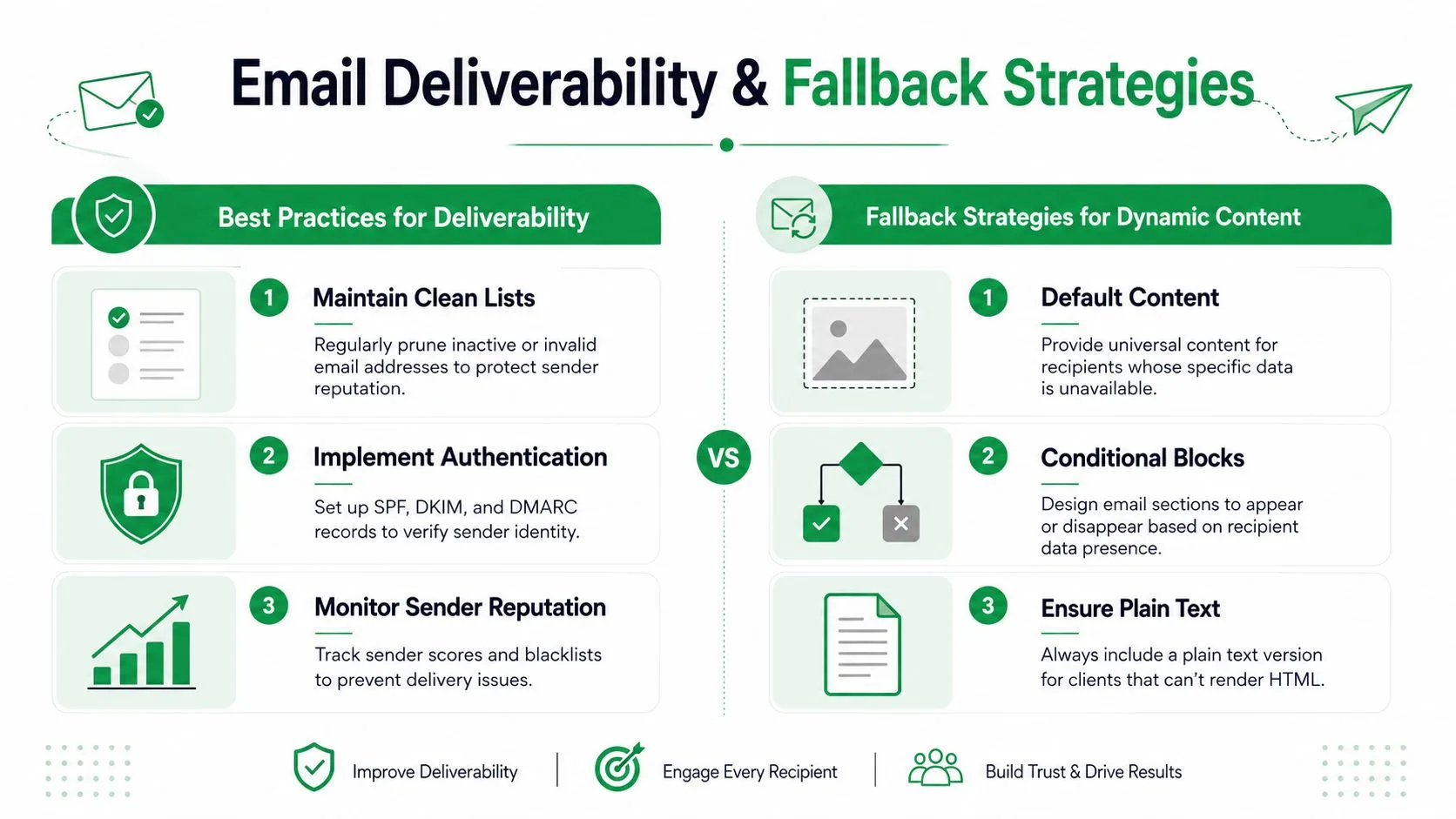
Use this four-part check before you send any dynamic campaign:
-
List your critical fields
Ask which fields must exist for the email to make sense. Usually that’s first name, offer type, location, or stage. -
Assign a safe default
If a value is missing, show general but polished content. Don’t leave a blank. Don’t force a guess. -
Hide blocks that depend on weak data
If you don’t know the person’s product interest, remove the recommendation block and keep the message broad. -
Read the fallback version out loud
A human-readable generic sentence is always better than a clever broken one.
Here’s what that looks like in practice:
| Data field | Risk if missing | Safe fallback |
|---|---|---|
| First name | Awkward greeting | “Hi there” |
| City | Wrong local reference | National or general message |
| Purchase history | Irrelevant recommendation | General offer |
| Account type | Wrong CTA | “Reply and we’ll point you in the right direction” |
Check this first: Every dynamic block should have an “if missing” answer before it has an “if present” rule.
Deliverability basics still matter
Personalization doesn’t override inbox fundamentals. If your list is stale or your sending habits are sloppy, dynamic content won’t save the campaign.
A few habits help:
- Keep lists clean: Remove invalid, outdated, or clearly disengaged records when appropriate.
- Send consistent content: Sudden changes in tone, structure, or frequency can create trust issues with recipients and filters.
- Test rendering: Check how the final email appears in different inboxes and devices.
- Watch message quality: Broken tags, malformed HTML, and odd formatting create both reader friction and delivery risk.
If deliverability is a current concern, this guide on how to prevent email from going to spam is worth reading alongside your personalization plan.
What good fallback content sounds like
Bad fallback:
“We thought you’d love our recommendations based on your past purchases.”
Good fallback:
“We picked a few popular options to help you get started.”
The second version still works even when you know very little. That’s the standard to aim for.
Frequently Asked Questions About Dynamic Content
Once people understand the setup, the next questions usually aren’t technical. They’re about measurement, risk, and where this tactic fits.
How do I measure the ROI of dynamic blocks
This is one of the hardest parts.
According to Constant Contact’s discussion of dynamic email content, 68% of marketers admit they cannot attribute revenue specifically to dynamic blocks, and the effect in cold email is negligible, below 2%, unless paired with deep behavioral triggers.
That tells you two things. First, don’t assume a dynamic section caused the result just because the campaign performed well. Second, cold outreach is not the best place to expect dramatic gains from complex dynamic logic.
A practical approach is to compare:
- A control version with basic personalization only
- A test version with one dynamic block added
- A clear success metric such as replies, booked calls, or qualified clicks
Change one meaningful thing at a time. If you add dynamic intros, dynamic CTAs, and new offers all in one test, you won’t know what moved performance.
Does dynamic content hurt deliverability
It can if the implementation is messy.
The problem usually isn’t personalization itself. It’s poor data hygiene, broken rendering, overly complex templates, or irrelevant content that lowers engagement over time. Clean logic and careful previews reduce that risk.
If you’re sending cold email, keep the dynamic layer light. In nurturing or lifecycle emails, you can usually be more ambitious because you already have better context.
Is this only useful for ecommerce
Not at all. Dynamic email content works anywhere one group needs different details than another group.
Examples outside ecommerce:
- Sales teams: Show different case-study blocks by industry
- HR and recruiting: Tailor interview steps by role type
- Schools and educators: Send campus-specific reminders from one template
- Nonprofits: Change donation language based on supporter history
- Events: Show different timing, venue notes, or tracks based on ticket type
What should I personalize first
Start with the part that reduces confusion fastest.
That’s often:
- the intro paragraph
- the main offer block
- the CTA
Leave the rest alone until your data is reliable. A half-dynamic email with smart fallbacks beats an overengineered one every time.
Keep the personalization where it changes the decision, not just where it changes the wording.
What’s the biggest beginner mistake
Trying to sound hyper-personal while relying on weak data.
If you only know a first name and city, don’t pretend you understand intent, urgency, or buying stage. Use the data you trust. Fall back gracefully when you don’t have enough.
If you want to put this into practice without leaving Gmail, Mail Merge for Gmail gives small teams a simple way to send personalized campaigns from Google Sheets, preview variations before sending, and track results back in the spreadsheet. It’s a practical fit when you want dynamic outreach without adopting a heavyweight email platform.
Ready to send your first campaign?
Install Mail Merge for Gmail from the Google Workspace Marketplace and send up to 50 personalized emails per day for free.
Get started for freeMore reading
More from Guides
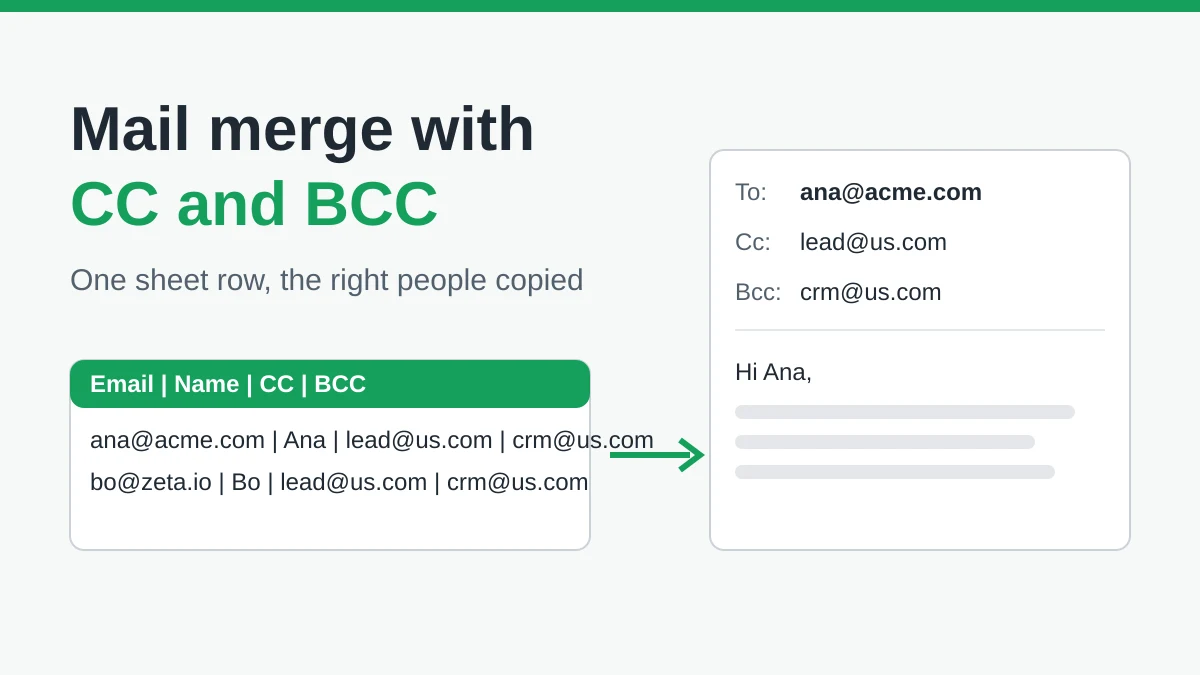
Mail Merge with CC and BCC in Gmail: Copy the Right People on Every Email
Learn how to run a mail merge with CC and BCC from Google Sheets, set up the columns, preview the result and see how copied recipients count toward your daily quota.
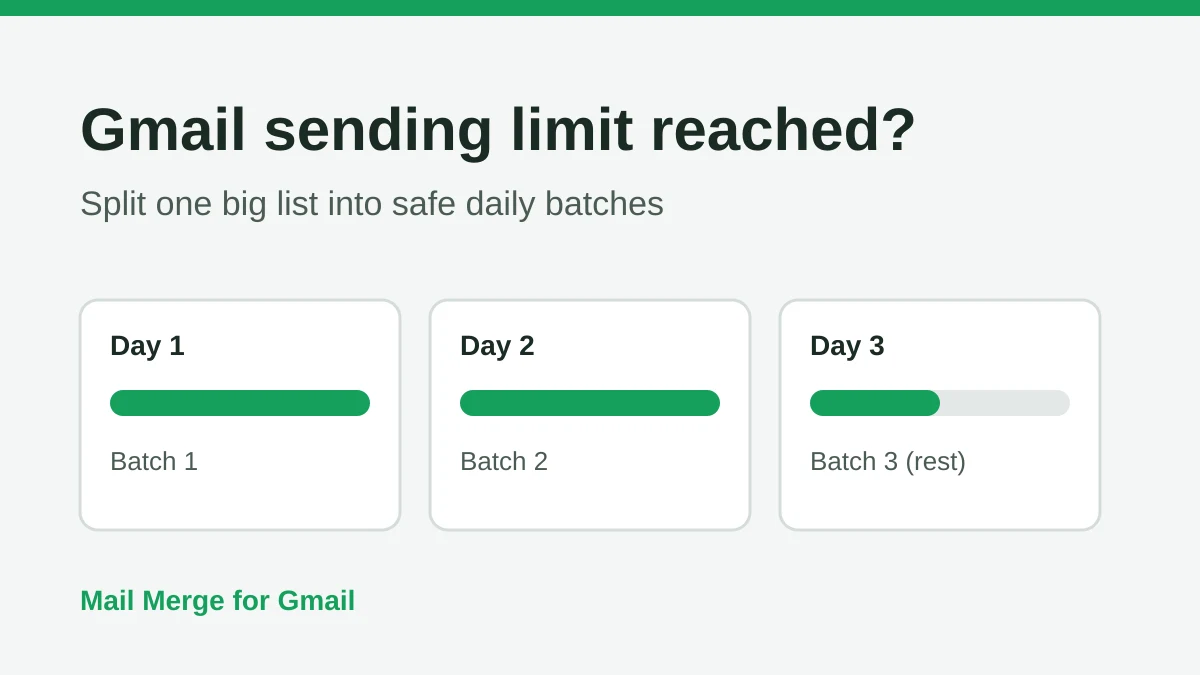
Gmail Sending Limit Reached: What It Means and How to Finish Your Campaign
Hit the Gmail sending limit reached error? Learn the real daily limits, when you can send again, and how to split a mail merge into safe daily batches.
Personalized Email Gmail: The Complete Guide
Master your personalized email Gmail workflow. Learn to merge Sheets data, track opens, and scale one-to-one outreach without leaving your inbox.