












Wedding Save the Date Emails: The Complete 2026 Guide
Plan, write, and send beautiful wedding save the date emails with our step-by-step guide. Includes templates, etiquette, and a foolproof Mail Merge workflow.
You’re probably in the phase where wedding planning still feels oddly abstract. You have a date, maybe a venue hold, a notes app full of half-decisions, and a growing sense that every small task is secretly attached to five other tasks.
That’s why wedding save the date emails are such a good place to start. They’re one of the first things you can finish without having every last detail locked down. You don’t need your full invitation suite, final timeline, or menu. You just need the essentials, a clean guest list, and a send process that won’t create chaos later.
Done well, email save-the-dates are not the “less fancy” option. They’re a practical upgrade. They’re less expensive, easier to update, and more environmentally friendly than paper mailings, and wedding-planning guides now explicitly recommend using an email service provider for personalization and tracking rather than sending one giant blast by hand, as noted in this guide to save-the-date emails. The part most couples miss is that the key win isn’t just digital delivery. It’s building a workflow you can reuse for reminders, invitations, and follow-ups.
Why Email Save the Dates Are Your First Wedding Win
Early wedding planning has a weird bottleneck. You can’t finalize everything, but you also don’t want to sit still. Save-the-dates solve that. They give guests a clear heads-up, and they give you momentum.
Email works especially well because it fits how couples plan now. Guest lists live in spreadsheets. Details change. People are spread across cities, states, and countries. An editable, searchable, sendable format is easier to manage than stacks of paper cards and address labels.
The practical upside
A good save-the-date email does three useful things at once:
-
It reduces friction: you can send quickly once your date and location are set.
-
It keeps options open: if your hotel block, travel notes, or schedule changes, your wedding website can carry the updates.
-
It lowers stress later: once your guest spreadsheet exists, you can reuse it for every future wedding email.
Practical rule: The simpler your save-the-date process is, the more likely you are to send it on time.
There’s also a tone shift that helps. A save-the-date is not a mini invitation. It’s an early notice. That means you don’t need to over-design it, over-write it, or wait for everything to be perfect.
The couples who have the easiest time with wedding save the date emails usually make one smart decision early. They treat the email as part of a system, not as a one-off announcement. If your names, date, location, website link, and guest list are organized now, the rest of your wedding communication gets much easier.
Planning Your Announcement Timing Etiquette and Guest List
Timing matters more than design here. Guests can forgive a plain email. They can’t magically create extra notice for flights, hotel bookings, or time off work.
When to send
Etiquette guidance consistently lands in the same place. Send save-the-dates 6 to 8 months before the wedding, or 9 to 12 months ahead for destination weddings, and send one save-the-date per household to everyone who will receive an invitation, according to this wedding save-the-date timing guide.
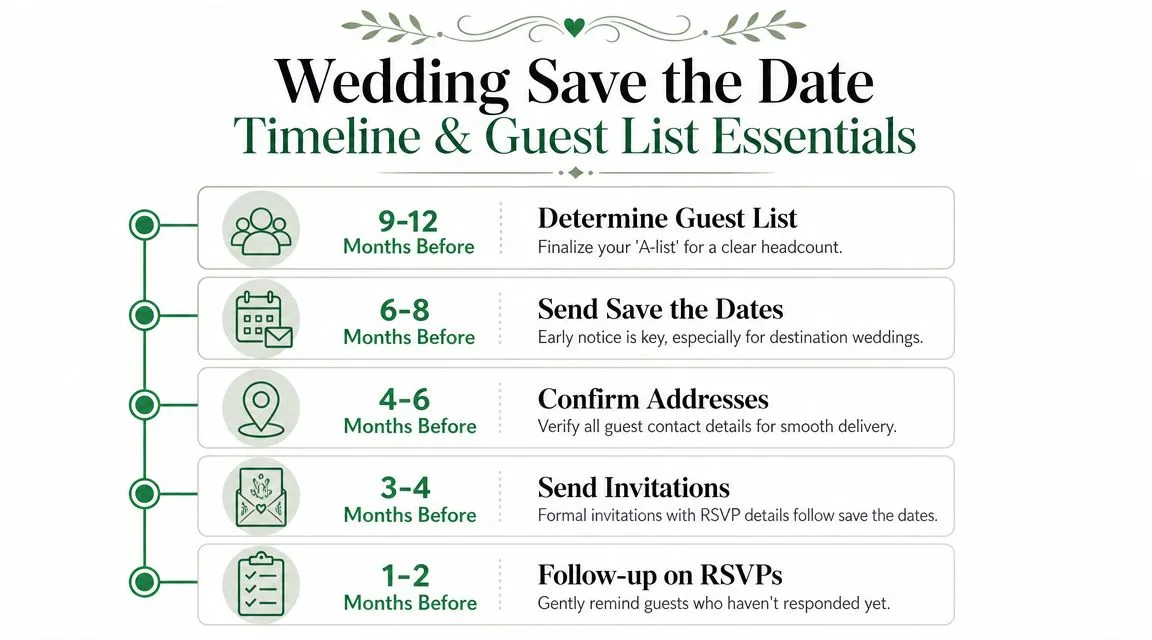
That timing isn’t about being formal for the sake of formality. It gives people space to plan. If your wedding involves travel, school schedules, or a holiday weekend, early notice is one of the kindest things you can do for your guests.
A useful perspective to consider:
| Wedding type | Good send window | Why it helps |
|---|---|---|
| Local or regional | 6 to 8 months before | Guests can block the date and start planning |
| Destination | 9 to 12 months before | Guests need longer for travel and lodging |
Who should get one
Only send save-the-dates to people you fully intend to invite. This isn’t the place for a “maybe” list.
The household rule makes the list cleaner. One household gets one save-the-date email. That means married couples, partners living together, or family units don’t need duplicate announcements cluttering everyone’s inbox.
Use that rule to simplify your spreadsheet:
-
One row per household: this keeps sending logic clean.
-
One primary email address: use the person most likely to manage logistics.
-
One invitation decision: if they’re getting a save-the-date, they belong on the actual invite list.
Send the save-the-date to everyone who will receive an invitation. If you’re unsure about someone, wait until you decide.
How to gather guest emails without making it weird
This is the least glamorous part, but it’s where most wedding save the date emails get delayed. The issue usually isn’t wording. It’s missing contact info.
Three approaches work well:
-
Use your wedding website form
If your site has a contact or guest details form, use it. Keep it short. Ask for names, household email, and mailing address if you’ll need invitations later. -
Text close family first
Parents, siblings, and close friends can usually fill gaps quickly. They often already know who has changed emails, moved, or prefers a different inbox. -
Send a direct outreach note
Keep it light: “We’re getting our wedding guest list organized and want to make sure we have the best email for you and your household.” That feels normal because it is normal.
Don’t wait until your design is finished to collect emails. Build the list first. The send itself becomes much easier once your spreadsheet is solid.
Crafting the Perfect Save the Date Email Content and Design
Most save-the-date emails go wrong in one of two ways. They either say too little and feel abrupt, or they say too much and start acting like invitations.
The sweet spot is lean, warm, and easy to read.
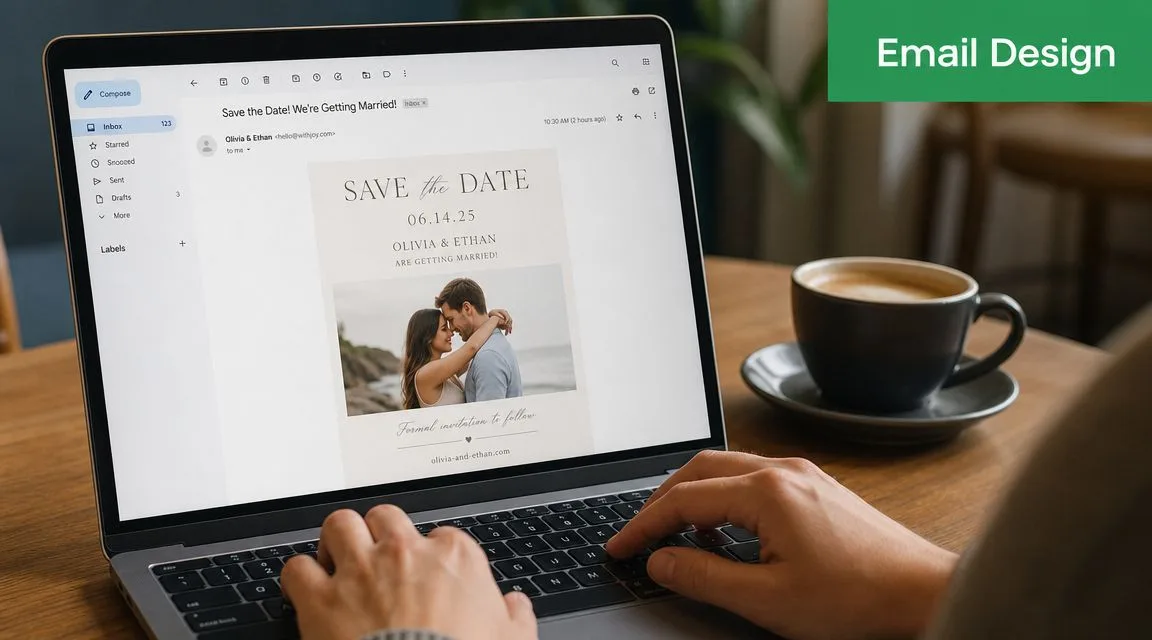
What belongs in the email
The core content is intentionally sparse. The essentials are the couple’s names, the wedding date, the location, and a note that a formal invitation will follow. A wedding website link is also a useful add-on when you want a place for changing details.
A simple body can look like this:
Save the Date
Ava and Daniel
September 18, 2026
Asheville, North Carolina
Formal invitation to follow
Visit our wedding website for updates
That’s enough. You do not need hotel recommendations, your registry, a long engagement story, or a full weekend schedule.
Subject lines that feel natural
Your subject line should be obvious at a glance. This isn’t the place for mystery.
A few workable options:
-
Save the Date | Ava & Daniel
-
Mark Your Calendar for Our Wedding
-
Ava & Daniel Are Getting Married
-
Save Our Date
-
Wedding Save the Date for September 18
If you want the body copy to sound more personal, spend your energy there. Even one warm opening line can make a plain email feel thoughtful. If you need help finding wording that doesn’t sound stiff, this roundup of email opening lines for different situations is useful for adapting tone without overdoing it.
PDF image or HTML
Digital etiquette turns into email reality. A lot of wedding advice stops at aesthetics. It doesn’t ask whether the email displays well on a phone or whether a giant image causes problems in the inbox.
That trade-off matters. As noted in this discussion of evite format tradeoffs, many guides ignore deliverability and mobile rendering, even though couples often choose between a PDF, image, or HTML email and need something readable and trackable across devices.
Here’s the practical comparison:
| Format | What works | What often doesn’t |
|---|---|---|
| Single image | Looks polished, fast to create | Can feel broken if images are blocked or scale badly on phones |
| PDF attachment | Keeps your design intact | Adds friction because guests have to open something |
| HTML email | More readable, clickable, and adaptable across screens | Takes a bit more setup |
If you love a designed card, use it. Just don’t make the entire message depend on one oversized image. A safer setup is a short text introduction, a designed visual, then your key details in live text underneath. That gives guests multiple ways to understand the message even if their email app behaves badly.
The Ultimate Workflow Sending Emails with Mail Merge
If you’re sending to more than a handful of households, manual Gmail composition gets messy fast. Names get misspelled. Couples get duplicated. You lose track of who got what. Mail merge fixes that by turning one organized spreadsheet into individualized emails.
For this workflow, the most straightforward setup is Gmail plus Google Sheets plus a mail merge add-on. One option is Mail Merge for Gmail, which sends personalized emails from Gmail using recipient data stored in Google Sheets and writes delivery or engagement statuses back to the sheet.
Build your guest sheet first
Your spreadsheet is the primary engine here. Keep it boring and clean.
A practical layout:
| Column | Purpose |
|---|---|
| FirstName | Primary guest first name |
| LastName | Primary guest last name |
| Main household email | |
| PartnerName | Optional second name for couples |
| HouseholdName | Optional label like “The Patel Family” |
| WebsiteURL | Optional if you want a merge field |
If you’re inviting by household, the row should represent that household. Don’t create separate rows for people who live together unless you have a strong reason to send separate emails.
A few setup tips that save time:
-
Use real capitalization: fix “aunt linda” now, not in the draft.
-
Choose one naming style: either first names only or full household names.
-
Add yourself as a test row: send to your own inbox before anyone else sees it.
Write one email that personalizes itself
This is the part people overcomplicate. You don’t need to hand-write every message. You need one good message with a few merge fields.
Your draft might look like this:
Subject: Save the Date for Our Wedding
Hi {{FirstName}},
We’re so excited to share that we’re getting married.
Save the date: September 18, 2026
Asheville, North Carolina
Formal invitation to followDetails and updates: {{WebsiteURL}}
If you’re inviting couples by household, you can use a household greeting instead of trying to make every combination elegant. “Hi Johnson Family” or “Hi Maya and Chris” works better than trying to invent perfect etiquette code for every edge case.
The biggest mail merge win is not fancy personalization. It’s removing repetitive typing without making the email feel automated.
If you want a more detailed walkthrough of the spreadsheet-to-Gmail setup, this guide on how to mail merge from Google Sheets covers the mechanics clearly.
Test before you send anything
Always send test emails to yourself first. Then open them in at least two places: your phone and your desktop inbox.
Check these five things:
-
The subject line
Does it look like a wedding email immediately? -
The greeting
Did the merge field populate correctly, or did you just email yourself “Hi {{FirstName}}”? -
The image rendering
Is the design readable without zooming? -
The live text underneath
Can someone still get the key details if the image doesn’t load? -
The link behavior
Does your wedding website open correctly?
A test email catches almost every preventable mistake. It’s the fastest quality control step in the whole process.
Schedule the campaign like a normal person not a stressed person
Most couples write the email late at night, stare at it too long, then either send it impulsively or postpone it for another week. Scheduling is better.
Pick a send time. Load the list. Schedule it. Then create the reminder while you’re still in planning mode.
That last part matters. When you have your spreadsheet open and your wording fresh, you’re much more likely to build the follow-up correctly. If you tell yourself you’ll “remember to do it later,” you probably won’t.
A calm workflow looks like this:
-
Draft the email
-
Test it on your devices
-
Fix formatting
-
Schedule the main send
-
Create the reminder draft immediately
Later, when you move on to invitation emails or follow-ups, this same structure still works.
Here’s a quick demo for the general send process:
Tracking Responses and Sending Smart Reminders
A lot of couples treat save-the-dates like paper mail. Send them and hope for the best. That mindset doesn’t make much sense once you’re using email.
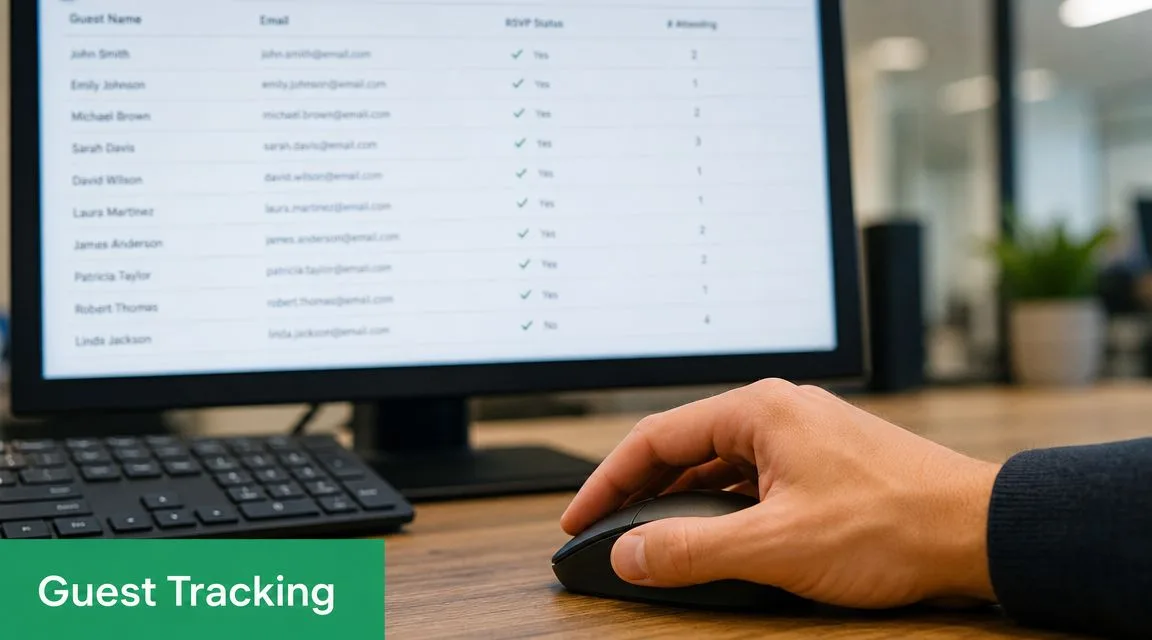
With a tracked workflow, your guest sheet becomes a live coordination tool instead of a static list.
Why send and forget does not work
After your campaign goes out, look at the sheet. If your mail merge tool writes status data back to each row, you can quickly spot who opened, who clicked, and which households may need a second nudge.
That helps in very practical ways:
-
Unopened email: maybe the address is old or buried in a crowded inbox.
-
Opened but no click: they likely saw it, but didn’t visit your wedding site.
-
Repeated engagement: this household is paying attention and probably planning.
You don’t need to obsess over every row. You do want enough visibility to catch problems while they’re easy to fix.
The reminder timing trick that actually helps
This is the single most useful lesson from doing save-the-date and event follow-up emails at scale: set the reminder when you build the original email, and schedule it before the deadline, not after.
It’s typical to wait until the deadline. That’s normal. A reminder sent just before the date gives them the nudge while they still feel on time. A reminder sent after can accidentally read like they already missed their chance.
Reminder logic: people often respond when a deadline feels close, not when it feels expired.
Keep the reminder short and friendly. Something like:
Hi {{FirstName}},
Just a quick reminder to check our wedding details when you have a moment. We’re excited to celebrate with you.
[Wedding website link]
If you want examples of reminder phrasing that sound polite instead of nagging, this guide to writing a follow-up email is a helpful reference.
The main thing is to remove future-you from the equation. Build the reminder while you still remember everyone exists.
Frequently Asked Questions About Digital Save the Dates
What if some relatives do not use email
Use a hybrid approach. Send wedding save the date emails to the digital majority, then send a small batch of printed cards to older relatives or anyone who rarely checks email.
That keeps your overall process simple without forcing every guest into the same channel. It also avoids the awkward situation where one aunt hears about the wedding only because someone forwarded her a screenshot.
Should save-the-dates collect RSVPs
Usually, no. Save-the-dates are for awareness, not commitment.
You’re giving people the date and location early so they can plan ahead. Formal invitations handle RSVP timing and fuller logistics. If you try to make the save-the-date do both jobs, the message gets muddier and guests may treat an early response as final even if their plans change later.
Are email save-the-dates okay for a formal wedding
Yes, in most modern weddings they’re completely acceptable. The more formal the event, the more important your design and wording become, but the digital format itself isn’t the issue for most guests.
If your families are highly traditional, one compromise works well: send email save-the-dates for speed and planning, then follow with formal printed invitations later. That gives you the convenience of digital communication and the ceremonial feel of paper where it counts.
Should both people in a couple get the email
If you’re following standard etiquette, one save-the-date per household keeps things cleaner. It also prevents duplicate reminders and split communication threads.
What matters most is that the household clearly understands who is invited. If your wording or greeting makes that obvious, one email is usually enough.
What if I need to change details later
That’s one of the strongest arguments for digital in the first place. Keep the save-the-date itself minimal, and place evolving details on your wedding website.
If hotel notes, travel suggestions, or local recommendations change, update the site instead of resending a corrected announcement. Guests still have the original date and location, and you avoid confusion from multiple versions floating around.
If you want a repeatable way to send personalized wedding save the date emails from Google Sheets, track opens and clicks, and schedule reminders without leaving Gmail, Mail Merge for Gmail is a practical place to start.
Ready to send your first campaign?
Install Mail Merge for Gmail from the Google Workspace Marketplace and send up to 50 personalized emails per day for free.
Get started for freeMore reading
More from Guides
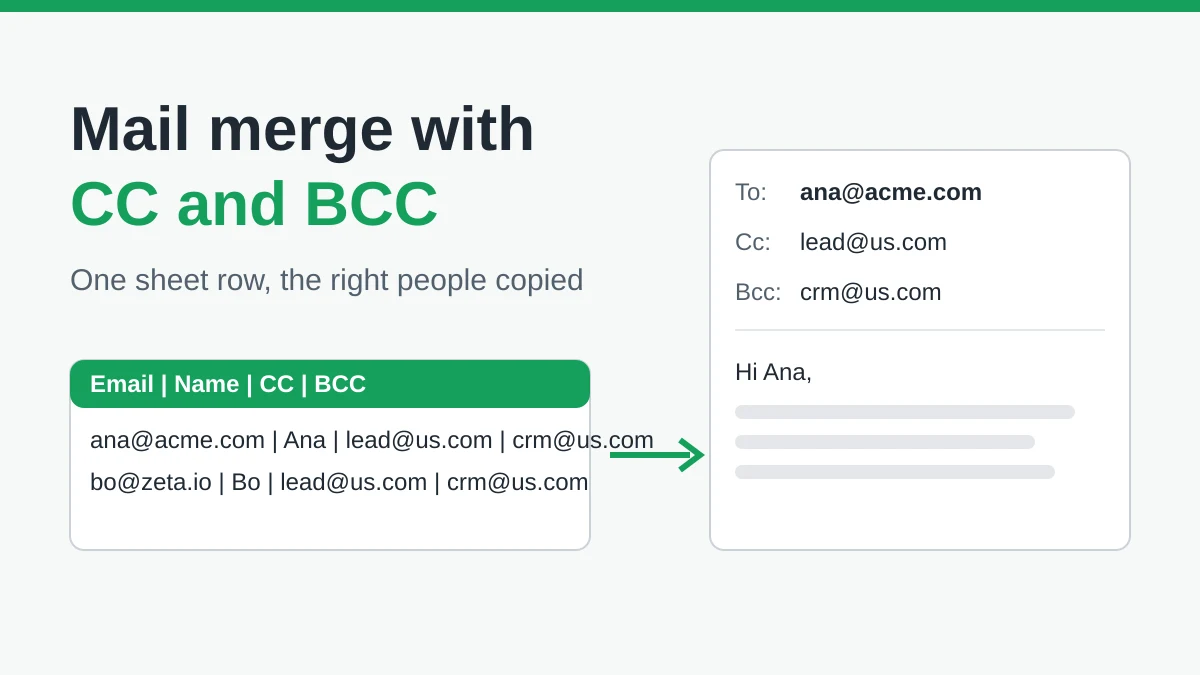
Mail Merge with CC and BCC in Gmail: Copy the Right People on Every Email
Learn how to run a mail merge with CC and BCC from Google Sheets, set up the columns, preview the result and see how copied recipients count toward your daily quota.
Gmail Sending Limit Reached: What It Means and How to Finish Your Campaign
Hit the Gmail sending limit reached error? Learn the real daily limits, when you can send again, and how to split a mail merge into safe daily batches.
Personalized Email Gmail: The Complete Guide
Master your personalized email Gmail workflow. Learn to merge Sheets data, track opens, and scale one-to-one outreach without leaving your inbox.