










What Is an Email Campaign: A Guide for 2026
Discover what is an email campaign, its types, components, and key KPIs. Our 2026 guide helps you launch effective email strategies today!
An email campaign is a coordinated series of emails built around one goal, not a one-off blast, and marketers value it because email can return $44 for every $1 spent. The strongest results tend to come from structured campaigns, especially segmented, targeted, and triggered ones, which account for 77% of email ROI.
If you’re a small business owner, this probably feels familiar. You want to follow up with leads, welcome new customers, remind people about an event, or re-engage quiet subscribers, but you don’t have time to write every message by hand. You also don’t want to sound robotic, spammy, or overly technical.
That’s where the idea of an email campaign helps. Instead of thinking, “I need to send an email,” think, “I need to guide someone from interest to action.” That’s a conversation. And like gardening, it works better when you stop scattering seeds randomly and start planting with a purpose.
A healthy garden doesn’t grow because you dumped everything in one patch of soil and hoped for the best. You choose what to plant, where to plant it, when to water it, and how to tell whether it’s growing. Email campaigns work the same way. You build a list, group people by what they need, send useful messages over time, and measure what happens.
From One-Off Blasts to Strategic Conversations
A one-off blast says, “Here’s my message.” A campaign says, “Here’s the next step in a conversation.”
That difference matters more than most beginners realize. If someone just joined your list, they need a welcome. If they downloaded a guide, they may need follow-up education. If they stopped opening emails, they may need a re-engagement note. Sending the same message to everyone is like planting shade flowers, tomatoes, and herbs in the same spot and hoping they all thrive.

Email still deserves attention because the audience is already there. An industry compilation estimates 4.48 billion email users globally, and the same source notes that 53% of small business owners in the U.S., U.K., Canada, and Australia used email marketing as their most frequent strategy for finding and retaining customers in 2024, according to Constant Contact, as summarized by Emailchef’s updated email marketing statistics.
Here’s the practical shift. Stop thinking about email as a broadcast tool and start thinking about it as a scalable conversation. You write once, but you structure the message so different people get the right version, at the right time, for the right reason.
Practical rule: If your email has no clear next step for the reader, it’s probably a message. If it moves the reader toward one defined outcome, it’s a campaign.
A bakery gives a good example. One email blast would send the same weekend promotion to everyone. A campaign would separate new subscribers, loyal customers, and lapsed buyers. New subscribers might get a welcome series. Regulars might get a seasonal pre-order reminder. Quiet customers might get a “we miss you” note. Same business, same inbox, much better fit.
That’s why asking “what is an email campaign” isn’t really about software first. It’s about intent. A campaign is how you turn scattered outreach into a repeatable system.
The Anatomy of a Successful Email Campaign
An email campaign has a few moving parts, but they aren’t mysterious. If you can picture a garden, you can picture the system.
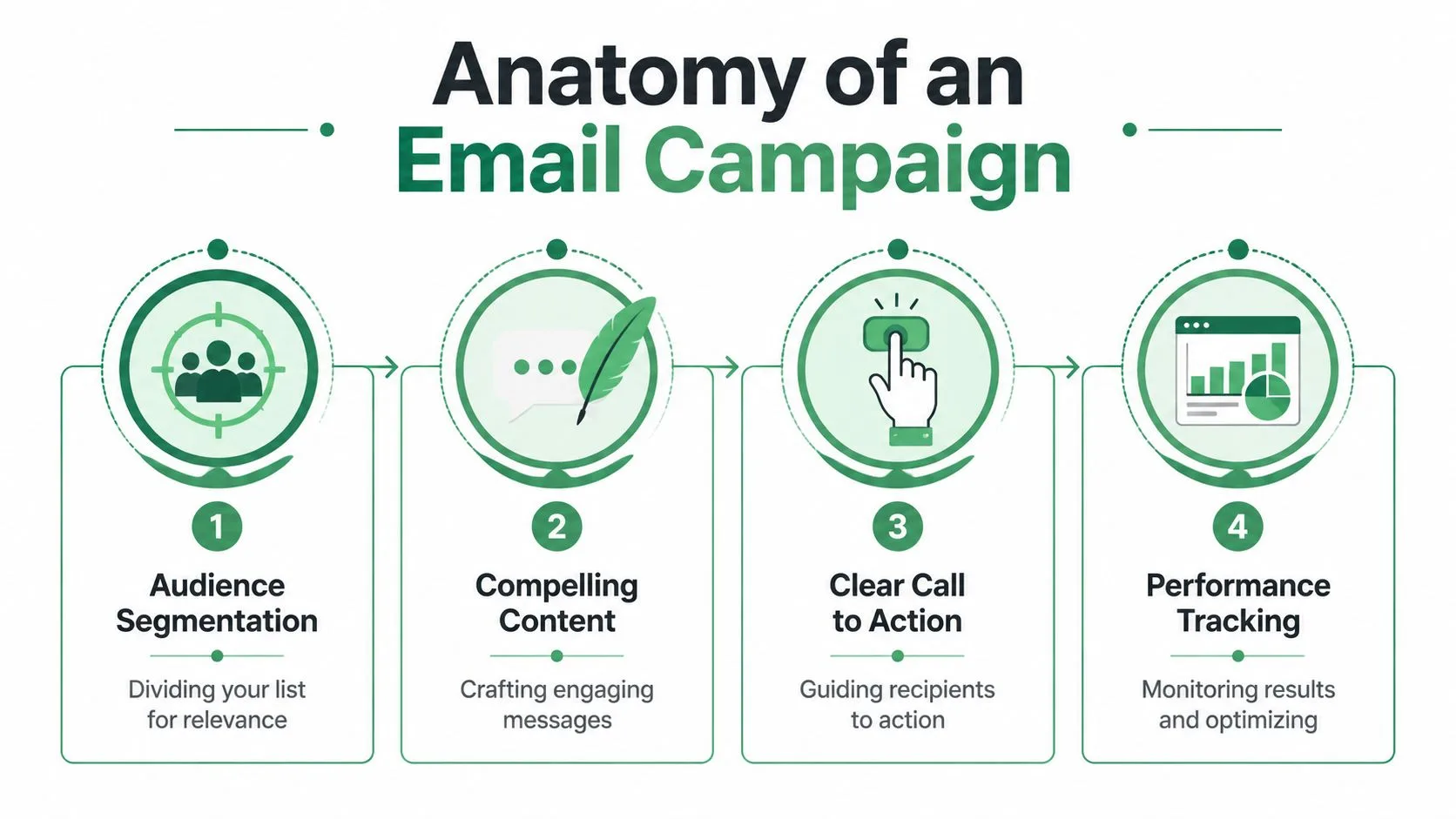
The audience is your soil
Everything starts with the email list. Not just a pile of contacts, but a list you understand.
A healthy list usually contains different groups of people at different stages. Some are brand new. Some are warm leads. Some have bought before. Some care about one service and not another. To address this, segmentation becomes essential. Segmentation means dividing your list so your emails stay relevant.
A simple small-business version might look like this:
-
New subscribers: People who need an introduction to your business
-
Current customers: People who benefit from updates, support, or upsell offers
-
Past customers: People who may be ready to return
-
Leads from outreach: People who need trust-building follow-up before they act
Salesforce defines an email campaign as a coordinated sequence built around one objective, and notes that advanced campaigns use segmentation, personalization, and A/B testing so messages can adapt to audience behavior over time in its guide to email campaigns.
The message is what you plant
Once you know who you’re emailing, you decide what each email should do. Teach? Invite? Remind? Confirm? Ask for a reply?
Many campaigns falter because the writer packs too much into one email. A better approach is to plant one thing per message. One idea. One ask. One clear action.
If you’re working on outreach, the subject line often determines whether the rest of the message gets a chance. A practical resource on cold email subject lines can help if you’re trying to earn opens without sounding gimmicky.
Later in the section, it’s worth seeing how this looks in motion:
Personalization is how you tend the garden
Personalization doesn’t mean pretending you wrote every email from scratch. It means using what you know to make the message fit.
That can be as simple as using someone’s name, company, signup source, or interest area. It can also mean changing the order of emails based on behavior. Someone who clicked your pricing link may need a different next message than someone who ignored the last two emails.
Personalization works best when it changes relevance, not just wording.
A/B testing fits here too. You can test a subject line, a call to action, or a message angle. The point isn’t to obsess over tiny tweaks. The point is to learn what your audience responds to.
The sending engine is your irrigation system
You also need a way to send, schedule, and track. That usually means an ESP or a workflow layer. In plain language, that’s the tool that delivers the emails, automates sequences, and reports what happened.
Without that layer, you’re left guessing. With it, you can send a welcome series automatically, pause follow-ups when someone replies, or compare how different segments behave. That’s what turns email from manual labor into a manageable system.
Choosing the Right Campaign for Your Goal
When people ask what is an email campaign, they often expect one universal format. There isn’t one. Different goals need different campaign shapes.
A good way to think about it is this. In a garden, you don’t use the same tool for watering seedlings, pruning branches, and harvesting vegetables. Email works the same way. The campaign structure has to match the job.
Different campaign types for different jobs
Some campaigns build familiarity over time. Others ask for action now. Some are triggered by behavior, while others are scheduled around a date or announcement.
ActiveCampaign makes this point clearly in its explanation of email campaign structure and business goals. A sales team may need a sequence optimized for replies and meetings, while a nonprofit or HR team may care more about attendance, awareness, or candidate response rates than direct purchases.
That means the “right” campaign isn’t the prettiest one. It’s the one built for the outcome you want.
Common email campaign types and their uses
| Campaign Type | Primary Goal | Common Use Case |
|---|---|---|
| Newsletter | Build familiarity and keep people informed | Sharing updates, articles, product news, or community highlights |
| Promotional campaign | Drive a direct action | Launches, sales, seasonal offers, limited-time announcements |
| Transactional email | Deliver essential information | Receipts, confirmations, password resets, account notices |
| Nurture or drip campaign | Build trust step by step | Welcoming new subscribers, onboarding leads, educating prospects |
| Re-engagement campaign | Wake up quiet contacts | Reconnecting with inactive subscribers or old customers |
| Cold outreach campaign | Start a conversation | Prospecting, partnerships, recruiting, sales outreach |
| Announcement campaign | Spread timely information | Event updates, service changes, hiring news, public notices |
A few examples make this easier to apply:
-
Use a newsletter when you want regular contact without asking for an immediate purchase.
-
Use a promotional sequence when the timing matters, such as a launch window or event registration push.
-
Use a nurture campaign when people need context before they commit.
-
Use cold outreach when the relationship doesn’t exist yet and your first job is to earn a reply.
-
Use transactional messages when someone expects critical information right away.
If your audience comes from events or webinars, follow-up usually works better as a sequence than a single recap email. This guide to drip campaign strategies for webinar follow-up is a useful example of how one event can turn into several timely touchpoints.
A campaign type is really a promise. It tells the reader what kind of relationship you’re creating and what kind of action you’re asking for.
Small teams often make one common mistake here. They pick a format they saw another company use and force it onto every goal. That’s like using a watering can when you need a shovel. Start with the business need, then choose the campaign shape.
How to Measure Your Campaign’s Performance
You can’t improve a campaign by memory alone. You need signals.
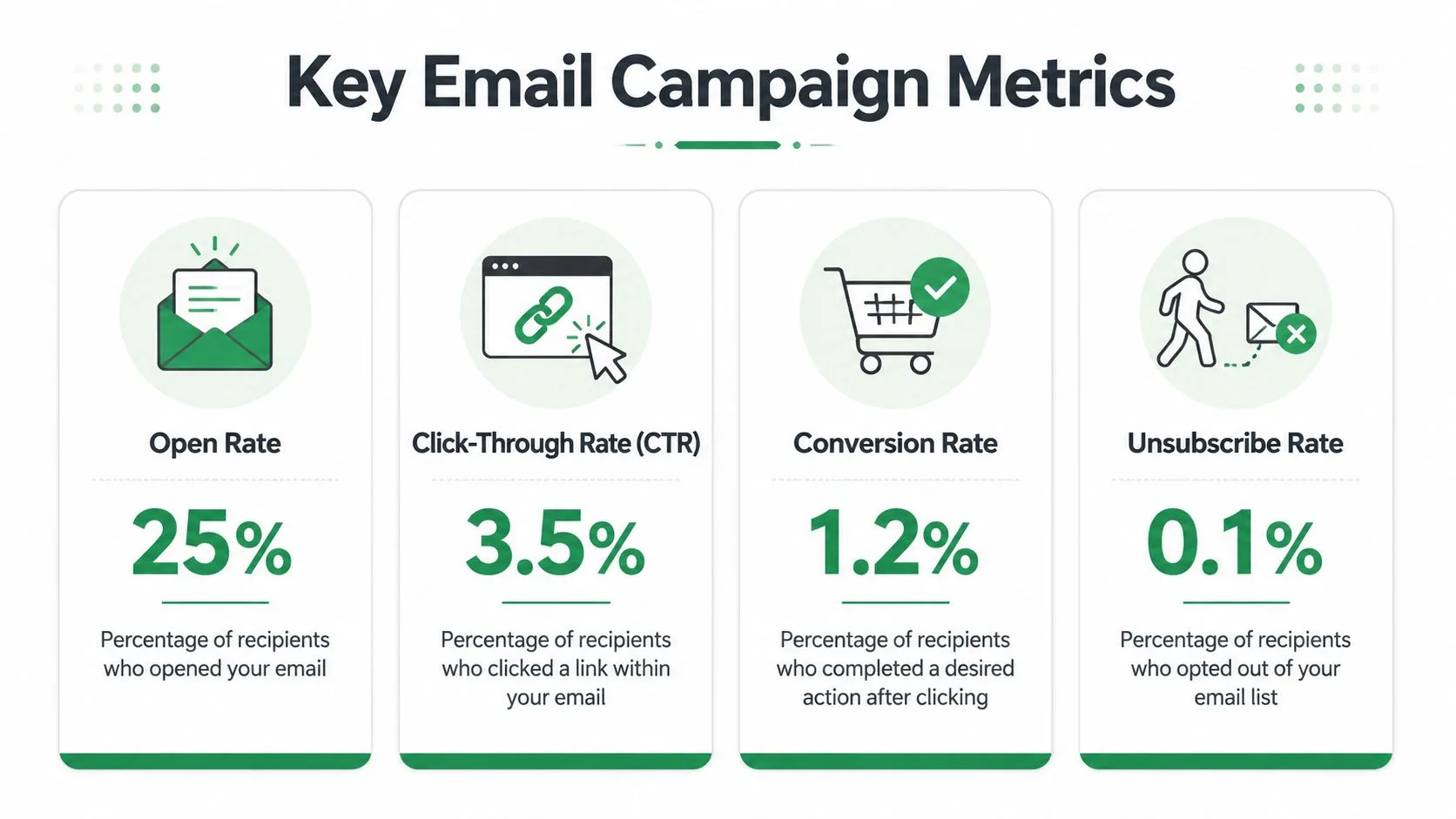
Campaign Monitor reports an average return of $44 for every $1 spent, and notes that 77% of email ROI comes from segmented, targeted, and triggered campaigns in its roundup of email marketing stats and benchmarks. The same source points to metrics such as open rate, click-through rate, and deliverability, and notes that average open-rate benchmarks are often reported in the low-20% to mid-30% range.
What the main metrics actually tell you
Think of metrics like signs of plant health. They don’t tell the whole story, but they tell you where to look.
-
Open rate: This tells you whether the subject line and sender identity made people curious enough to open.
-
Click-through rate: This shows whether the message and call to action were strong enough to move people forward.
-
Bounce rate: This can signal list-quality problems or outdated contacts.
-
Unsubscribe rate: This tells you whether your message fit the audience’s expectations.
-
Deliverability and spam rate: These indicate whether your emails are reaching the inbox or getting filtered out.
If you’re new to the difference between click metrics, this explanation of click rate vs click-through rate is helpful because those terms often get mixed up.
How to turn metrics into decisions
A number by itself doesn’t tell you what to do. The pattern does.
If opens are weak, start with the subject line and the match between sender and audience. If opens are healthy but clicks are low, your content may be too broad, your offer may be unclear, or your call to action may be buried. If clicks are good but conversions lag, the issue may sit on the landing page or next step rather than in the email.
Watch for the break point. The metric that drops first usually points to the real problem.
This is also where segmentation earns its keep. When you compare performance by audience group, you can spot which part of the garden needs more light, more water, or less clutter.
Best Practices and Common Pitfalls to Avoid
A lot of email advice sounds fussy until you see the consequences. Poor list practices hurt trust. Weak mobile design frustrates readers. Missing unsubscribe options make people mark your emails as spam instead of opting out.
The American Marketing Association’s overview of what email marketing requires in practice emphasizes a defined email list, an ESP or workflow layer, and measurable KPIs. It also stresses that list hygiene, explicit consent, unsubscribe handling, and responsive design directly affect deliverability, spam placement, and conversion efficiency.
Good habits that improve deliverability
These habits are the gardening basics. They aren’t flashy, but they keep the whole system healthy.
-
Get clear consent: Email people who asked to hear from you. That creates better expectations from the start.
-
Keep your list clean: Remove bad addresses, stale contacts, and people who never wanted the emails.
-
Design for phones first: A large share of email reading happens on mobile, so short paragraphs, clear buttons, and simple layouts matter.
-
Make the unsubscribe link easy to find: This protects your sender reputation and respects the reader’s choice.
-
Use one clear call to action: Too many options scatter attention.
If you’re trying to improve how often people engage after opening, Trackingplan’s guide to email CTR offers practical ways to think about click behavior without treating every campaign the same.
Mistakes that hurt trust fast
Some problems look small from the sender’s side but feel large to the reader.
A subject line that promises one thing and delivers another creates disappointment. A wall of text makes the email hard to scan. Sending too often without enough value makes readers tune out. Sending too rarely can also backfire because people forget who you are.
Here are the common traps:
-
Buying or scraping lists: These contacts don’t know you, and that usually shows in poor engagement and complaints.
-
Over-personalizing: Using too much personal detail can feel creepy instead of relevant.
-
Ignoring replies: If a campaign invites conversation, someone needs to monitor responses.
-
Stuffing every update into one email: Readers need a simple path, not a crowded bulletin board.
Good email etiquette isn’t just polite. It protects your ability to reach the inbox in the future.
The general rule is simple. Send messages people expect, in a format they can read quickly, with an easy way out if they no longer want them.
Start Your First Campaign Today Right from Gmail
A lot of guides make email campaigns sound like you need a full marketing stack before you begin. You don’t. If your list is modest and your process is straightforward, Gmail and Google Sheets can be enough to get started.
That makes sense for founders, recruiters, consultants, local businesses, and lean teams. You’re already in Gmail. Your contact list may already live in a spreadsheet. The easiest first campaign is often the one you can launch without learning a completely new platform.
A simple starting workflow
Start with a sheet that includes your contacts and the fields you want to personalize, such as first name, company, appointment date, event name, or offer type. Then write one email with one goal. Keep it short, natural, and easy to scan.
From there, use a sending tool that works inside your existing workflow. Mail Merge for Gmail is one option. It lets you send personalized, trackable campaigns from Gmail using data stored in Google Sheets. If you want the setup steps, this guide on how to mail merge from Google Sheets walks through the process.
For a first campaign, keep it simple:
-
Choose one audience: New leads, past customers, event attendees, or newsletter subscribers.
-
Pick one outcome: Reply, book, register, read, or buy.
-
Write a short sequence: Often a first email plus a follow-up is enough to begin.
-
Track the response: Look at opens, clicks, replies, and unsubscribes.
-
Adjust after one send: Don’t wait for perfection before you learn.
What matters most is starting with a clear goal and a manageable system. That’s how an email campaign stops being an abstract marketing term and becomes a practical tool you can use.
If you want a simple way to run personalized email campaigns from the tools you already use, Mail Merge for Gmail helps you send from Gmail with contact data in Google Sheets, track engagement, and keep the workflow easy for a small team.
Ready to send your first campaign?
Install Mail Merge for Gmail from the Google Workspace Marketplace and send up to 50 personalized emails per day for free.
Get started for freeMore reading
More from Tutorials
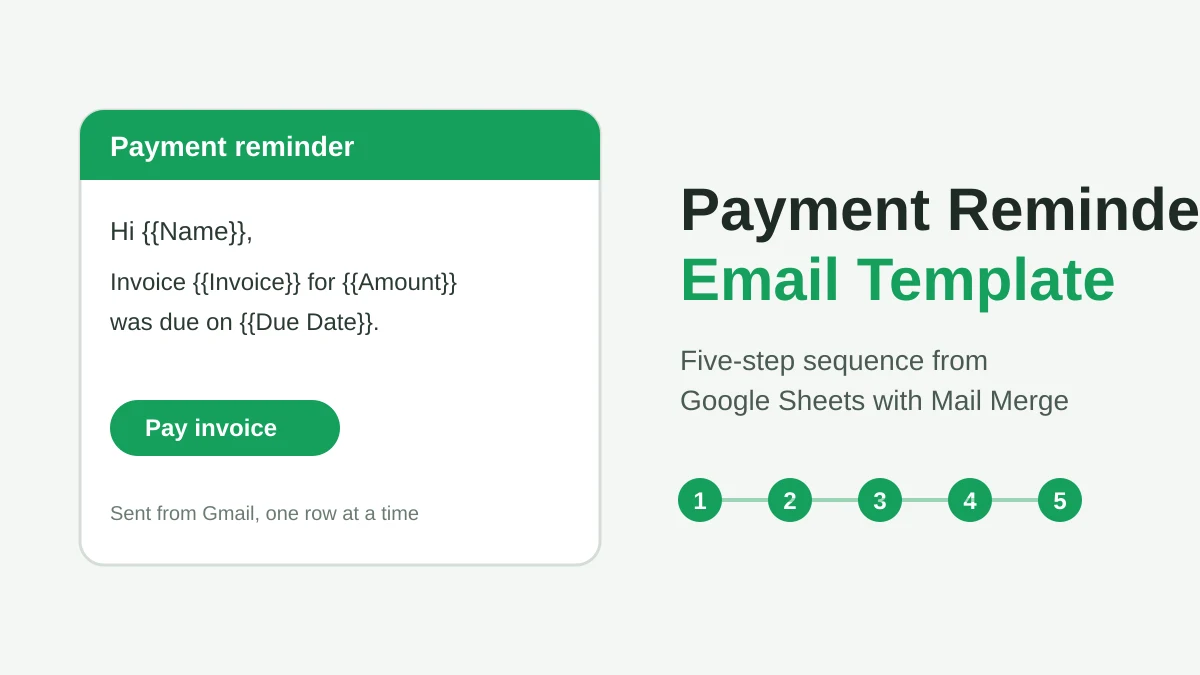
Payment Reminder Email Template: Five Messages You Can Send from Google Sheets
Copy a payment reminder email template for each stage of an overdue invoice, then send every reminder from Google Sheets through Gmail with personalized merge fields.
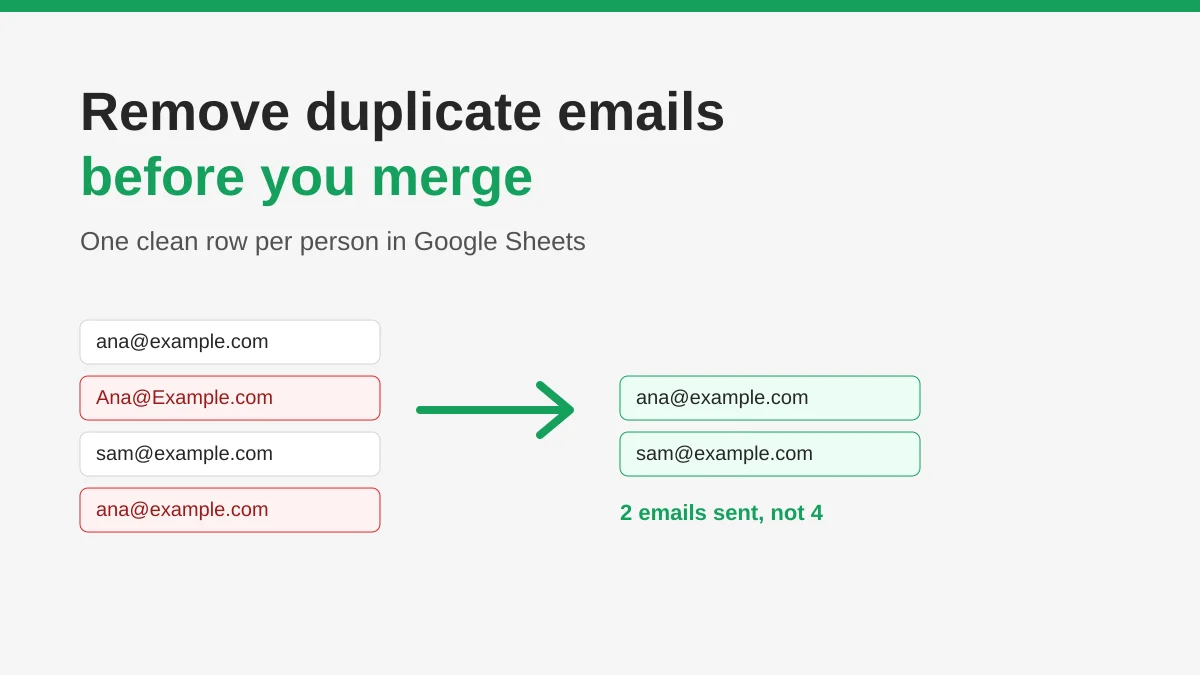
How to Remove Duplicate Emails in Google Sheets Before a Mail Merge
Learn how to remove duplicate emails in Google Sheets before a mail merge with Remove duplicates, UNIQUE and COUNTIF, so no contact gets the same message twice.
How to Build Targeted Email Lists That Actually Convert
Learn how to build targeted email lists that drive opens, clicks, and replies. Practical steps for sourcing, segmenting, cleaning, and GDPR-compliant outreach.