


















Automated Follow Up Emails That Get Replies
Discover how to craft automated follow up emails that get replies. This 2026 guide covers templates, personalization, and timing for success.
One follow-up can change the whole math of cold outreach. Woodpecker’s analysis of 20 million emails found that adding just one follow-up lifted reply rates from 16% to 27%. That’s why automated follow up emails stopped being a convenience and became core sales infrastructure, especially when follow-ups generate a majority of replies in many cold email sequences and the first reply often doesn’t come from the first send at all (Woodpecker benchmark summary).
Why Automated Follow-Up Emails Matter in 2026
A common error is treating the first email like the whole campaign. The data points the other way. Follow-up emails generate 42% to 58.6% of all replies in cold email sequences, and broader benchmarks cited for 2025 to 2026 show first follow-ups contributing 26% to 44% of total positive replies (benchmark summary).
That’s not just a sales stat. It’s a workflow shift. Email moved from a one-shot broadcast model to a sequence-based model, where timing, persistence, and personalization compound results instead of competing with each other. In practical terms, that means automated follow-up is now relevant in sales, recruiting, event reminders, and customer updates whenever the job is to recover a response that didn’t happen on the first touch.
Practical rule: If the first message starts the conversation, the follow-up usually finishes it.
The payoff is bigger than reply rates. Some analyses report that automated sequences produce 3.2 times higher revenue than manual sends while making up only 2% of total email volume (benchmark summary). That doesn’t mean you should spam harder. It means the right sequence is a key point, because a small amount of well-timed automation can carry far more outcome than a much larger amount of manual sending.
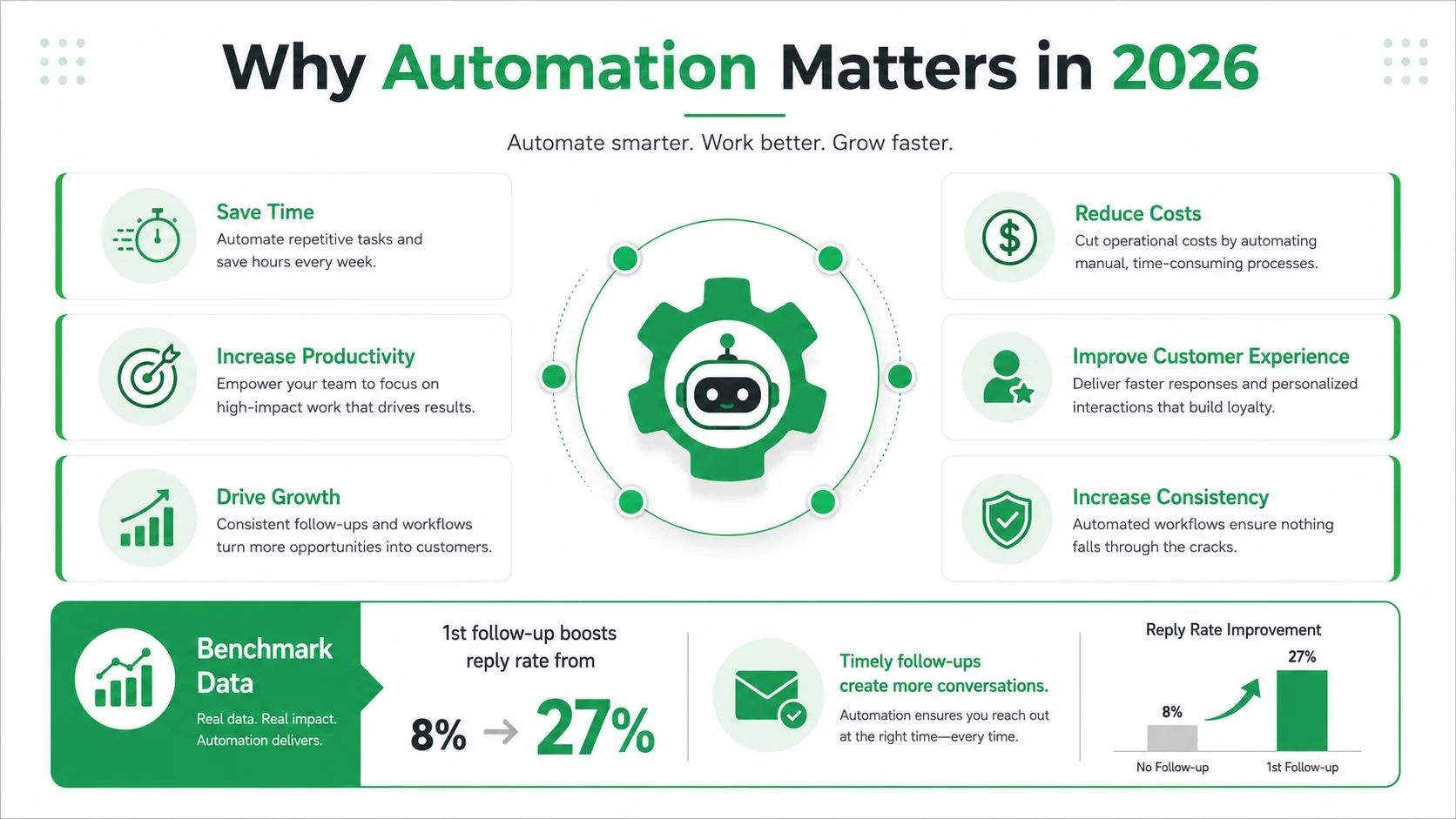
The true win for a team like mine is cleaner inbox management. Automation handles the repetitive chase, while reps spend their time on replies that need judgment. That’s the point of this guide, better reply rates, fewer manual hours, and a system that stops the moment a prospect shows intent.
The Anatomy of a Follow-Up Sequence
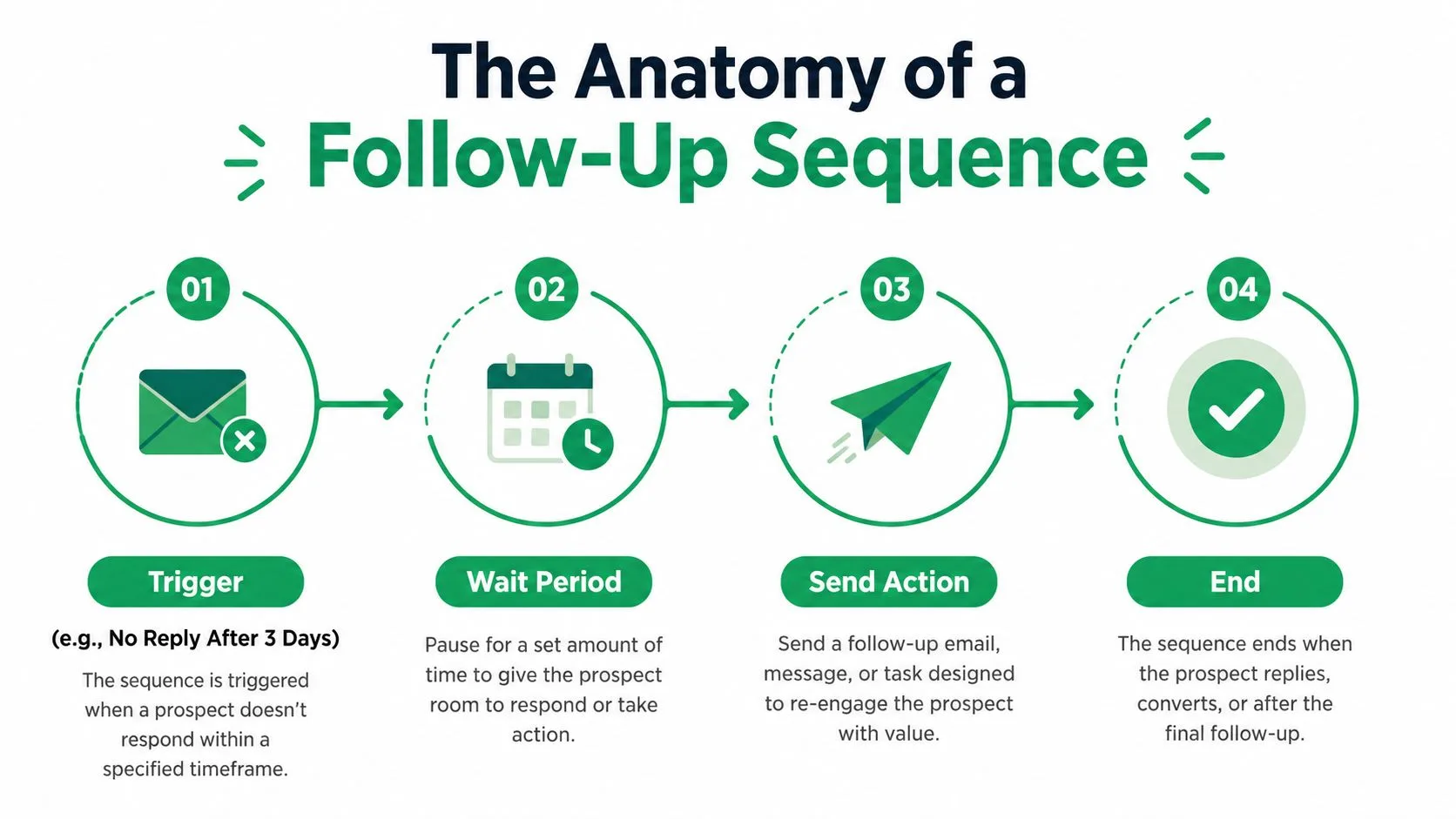
A sequence works when it behaves like a system, with four parts that each matter. You need a trigger, a wait period, a send action, and a stop-on-reply rule that cancels pending messages as soon as the prospect answers (automation loop summary).
Trigger, wait, send, stop
The trigger is the event that starts the next action, often no reply after N days. The wait period controls cadence. The send action delivers the next email. The stop rule prevents awkward over-communication, because once someone replies, a meeting is booked, or an unsubscribe happens, the sequence should shut down immediately.
That event-driven design matters more than it looks. A fixed calendar sequence assumes every contact is equally cold. In reality, a reply, a booking, or even a list-unsubscribe click tells you more than the calendar does. Treating those signals as overrides keeps automation useful instead of irritating.
Why the sequence usually stops early
The reply-rate curve is not linear. A 2026 benchmark summarized in industry reporting showed 4.1% reply rates for a single-email sequence, 6.64% with one follow-up, and 6.94% with two follow-ups, before dropping to 5.75% with three follow-ups and 3.01% with four or more (2026 benchmark summary). The same reporting also noted a Belkins study based on 16.5 million cold emails across 93 business domains, with a peak cold email reply rate of 8.4% for the first email and a 2024 average reply rate of 5.8%, down from 6.8% in 2023.
The pattern is clear. A few well-spaced touches usually beat a long chain. A 3 to 4 email cadence is the sensible starting point, while a slightly longer sales cadence can run 4 to 7 touches over 14 to 21 days when the buying cycle justifies it (cadence summary, sales cadence summary). I’d start shorter, then extend only if the context really demands it. For a practical setup in Gmail, this Mail Merge for Gmail guide is a useful reference.
The best sequence is the one that knows when to stop.
Setting Up Your First Sequence in Gmail
A Gmail sequence only works if the data is clean before you press send. In practice, that means your sheet, template, and timing rules need to line up before the first recipient ever sees a message. The setup process is straightforward if you keep it rigid.
Build the recipient list first
Start with a Google Sheet that has the fields you need, not just a pile of email addresses. For a basic outreach list, I’d use name, company, role, and a few custom fields that map to why the person should care. If a row can’t support personalization, it usually shouldn’t be in the first send.
Then build or select the template around that data, not the other way around. A useful template needs a subject line, body, CC, BCC, and attachment slots if you use them. The best sequences don’t try to sound different every day, they use a consistent frame and vary the value in each touch.
Personalize the message, not just the greeting
Tokens matter when they change the message’s relevance. Use fields like {{First Name}}, {{Company}}, and {{Pain Point}} where they shape the ask. A subject line test can be as simple as a direct value line versus a more conversational one, but the body still needs one clear reason to reply.
For a workable three-touch structure, keep it lean. Day 1 should lead with value. Day 4 should add social proof or a credible reason to respond. Day 7 can be a breakup or close-the-loop message that gives the prospect an easy out. That kind of cadence respects attention instead of assuming more messages always help.
If you want the setup flow for Gmail itself, the walkthrough at how to turn on mail merge in Gmail is the right place to check the mechanics.
Preview before you send
A good Gmail add-on should let you preview every row before launch, because mistakes in merge fields are easier to catch there than after delivery. Mail Merge for Gmail is one option here, since it works through Gmail and Google Sheets, writes per-row statuses like Sent, Opened, Clicked, and Replied back to the sheet, and supports up to 1,500 recipients per day according to the publisher’s product description.
The point of the preview step is simple. Catch the bad merge, the broken link, and the awkward line before the prospect does.
Designing Event-Driven Logic That Stops on Intent
Most follow-up tools still think in calendars. Good operators think in events. A reply, meeting booked, form completion, or unsubscribe should all override the next scheduled send, because those signals are stronger than any preset delay.
Hard stops and soft stops
A hard stop is obvious. The prospect replies, says they’re not interested, books a meeting, or clicks unsubscribe. The automation should cancel every pending message and remove the contact from that sequence. A soft stop is more nuanced, like a contact opening emails, clicking a link, or visiting a page without replying, which can justify a different branch but not a blind continuation of the same thread.
That boundary matters because inbox fatigue is real, and formulaic follow-ups are easy to spot. The practical answer is to treat automation as event-driven rather than sequence-driven, which is the gap most guides miss (event-driven gap summary). If someone gives you a clear signal, the calendar loses.
What to suppress immediately
I’d suppress three groups without hesitation. Contacts who unsubscribe. Contacts who mark a prior message as spam. Contacts who replied with any explicit stop signal. That keeps the sequence aligned with intent, protects sender reputation, and cuts down on self-inflicted noise.
The same logic applies in recruiting and customer updates. If a candidate schedules an interview, the nurture path changes. If a customer completes a form, the follow-up should switch to confirmation or support, not more of the same sales copy. That’s the difference between automation that helps and automation that feels clumsy.
Operational rule: Use the calendar to start the sequence, then let the recipient’s behavior decide when it ends.
Three Real Sequences You Can Copy This Week
The right cadence depends on the job. A cold SDR sequence should not look like a recruiting reminder, and neither should resemble an event invite. I keep three patterns in mind because they cover most of the work a small team needs.
| Use Case | Touches | Cadence | Key Trigger | Final Step |
|---|---|---|---|---|
| SDR cold outreach | 4 | Day 1, Day 4, Day 7, Day 14 | No reply after initial send | Breakup email |
| Recruiting coordination | 3 | Trigger-based after application or interview | Application received or interview scheduled | Confirmation or next-step note |
| Event reminders | 3 to 4 | Over a pre-event window | Registration or RSVP | Final reminder or logistics email |
A cold outreach sequence should open with a reason to care, not a generic check-in. Day 1 gets the value proposition out fast. Day 4 adds proof, a relevant use case, or a crisp objection answer. Day 7 narrows the ask. Day 14 closes the loop so the thread doesn’t linger forever.
Recruiting is different because the trigger is usually the candidate’s action, not silence. If someone applies, acknowledge it. If an interview gets scheduled, send the logistics and next step. The message should reduce friction, not create another task.
Event organizers need a different rhythm again. The invitation matters, but so do reminders and practical details. A 30-day pre-event window works because people forget, calendars fill up, and the reminder is often the thing that gets the ticket used.
If you’re building these in a sheet-based workflow, the field choices should reflect the use case. Sales needs persona and pain point. Recruiting needs role and stage. Event flows need registration status and date-sensitive reminders. Copy should follow the data, not the reverse.
Tracking Replies, Opens, Clicks, and Bounces
Once a sequence is live, the mistake is staring only at opens. Opens and clicks still tell you something, but they’re noisier than they used to be because mailbox filtering and privacy changes distort the signal. I care more about replies, meetings, and conversions than about vanity engagement.
What the sheet should show
A good workflow writes engagement back to the sheet so you can see which contacts moved and which ones stalled. Mail Merge for Gmail supports per-row status updates such as Sent, Opened, Clicked, and Replied, which makes it easier to suppress engaged contacts from future sends and spot dead rows without hunting through inbox threads. It also gives you real-time open and click tracking, while keeping data inside the user’s Google account, which matters if your team handles sensitive lists.
The operational value is in the review loop. If a row shows Replied, that contact comes out of automation immediately. If it shows repeated opens with no reply, you’ve got an engagement signal but not an outcome. If it stays cold, the copy or list probably needs work.
The deliverability guardrails I actually use
The numbers here matter because deliverability can fall apart faster than expected. One benchmark recommends warming inboxes for about 30 days, starting at roughly 20 sends per day per inbox, capping follow-up sequences at 3 additional touches with at least 2 days between messages, and watching for bounce rate under 2%, inbox placement above 85%, and spam complaints below 0.1%. If complaints cross that threshold, the guidance is to pause immediately (deliverability benchmark).
That means authentication and list quality are not optional. SPF, DKIM, and DMARC need to be in place before scale, and your daily send cap should respect the inbox warm-up instead of fighting it. I’ve seen good copy underperform just because the sending pattern looked suspicious.
Practical rule: If the tracking says people are engaging but the inbox isn’t delivering, fix the sending system before you rewrite the sequence.
For teams that want a Gmail-native route with built-in tracking, track email open is a useful reference for the mechanics. The bigger lesson stays the same, measure what predicts revenue, not what merely fills a dashboard.
Common Mistakes and Quick Wins
The fastest way to ruin automated follow up emails is to treat persistence as the goal. Strong sequences are shorter, cleaner, and tied to what the recipient does, because reply, meeting booked, or unsubscribe should stop the sequence immediately.
The most common mistakes are easy to spot. Over-following past the point where the prospect has already made up their mind. Ignoring reply signals and letting automation keep running after a clear answer. Sending without tokens, which makes the email feel mass-produced. Blasting from a cold inbox without warm-up or authentication. Skipping list hygiene, then wondering why bounce and complaint rates climb.
The fixes are just as direct. Tighten the cadence to two or three well-timed follow-ups unless the use case really needs more. Add one strong personalization token beyond first name, usually company or pain point. Honor stop-on-reply immediately. Warm the inbox before volume. Keep unsubscribes and suppression lists current so GDPR-aligned handling does not become an afterthought. If deliverability keeps slipping, use how to prevent email from going to spam as your checklist before you send another round.
For operators who want a broader perspective on sequence etiquette, Victoria OHare’s email tips for growing creators is a useful companion read because it reinforces the same core idea, relevance beats repetition.
A short checklist for the week
- Warm the account: Send gradually before scaling.
- Authenticate the domain: Use SPF, DKIM, and DMARC.
- Cap the sequence: Stop when the cadence has done its job.
- Honor unsubscribes: Remove people fast.
- Watch the right metrics: Replies, meetings, and conversions matter most.
- Keep the list clean: Bad data breaks good automation.
If your current setup keeps sending after someone replies, fix that first. That setup is a bug, not automation.
Visit Mail Merge for Gmail if you want a Gmail-based way to build follow-up sequences that track replies, clicks, and status changes in Google Sheets without leaving your inbox. It is a practical fit for teams that need structured automated follow up emails, clear suppression behavior, and a workflow that stops when the recipient does.
Ready to send your first campaign?
Install Mail Merge for Gmail from the Google Workspace Marketplace and send up to 50 personalized emails per day for free.
Get started for freeMore reading
More from Guides
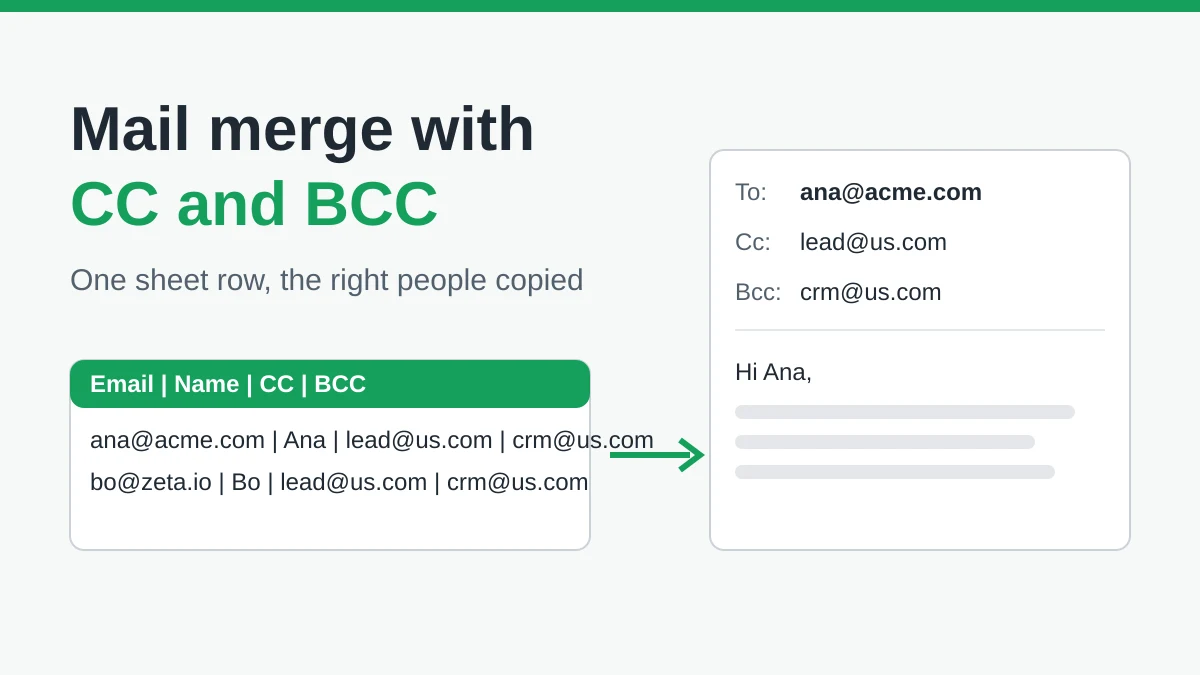
Mail Merge with CC and BCC in Gmail: Copy the Right People on Every Email
Learn how to run a mail merge with CC and BCC from Google Sheets, set up the columns, preview the result and see how copied recipients count toward your daily quota.
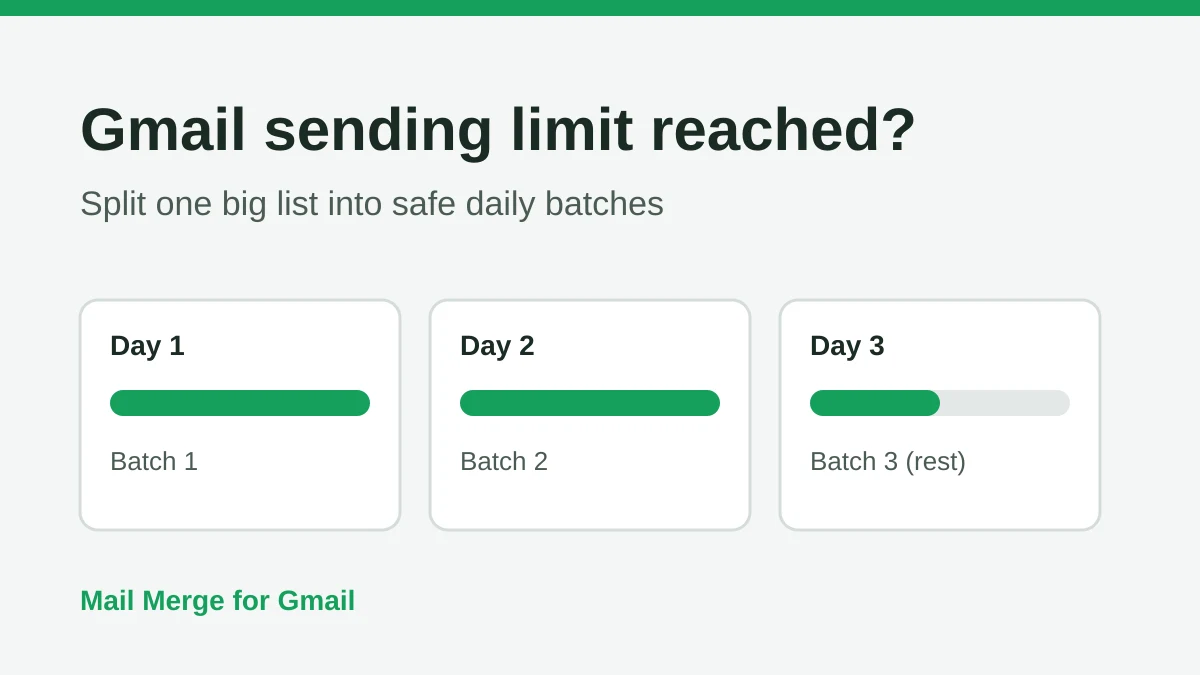
Gmail Sending Limit Reached: What It Means and How to Finish Your Campaign
Hit the Gmail sending limit reached error? Learn the real daily limits, when you can send again, and how to split a mail merge into safe daily batches.
Personalized Email Gmail: The Complete Guide
Master your personalized email Gmail workflow. Learn to merge Sheets data, track opens, and scale one-to-one outreach without leaving your inbox.