


















8 Cold Email Follow Up Template Ideas
Find the right cold email follow up template for every outreach stage, with paste-ready copy, subject lines, personalization tokens, and usage notes.
The first email was relevant, personalized, and tied to a real business problem. Your prospect still hasn’t replied. That silence doesn’t automatically mean rejection. They may have missed the message, lacked the context to act, or decided that the proposed next step required more effort than they could spare.
The next email should earn attention with a new reason to respond, not repeat the original pitch with “just checking in.” The eight cold email follow up template ideas below address different barriers, including missing value, weak curiosity, low trust, excessive commitment, uncertain timing, and the need for a better contact. You’ll also see how to prepare personalization tokens in Google Sheets and use subject lines, scheduling, tracking, and unsubscribe controls responsibly.
Mail Merge for Gmail is the Google Workspace add-on referenced here. Because “Mail Merge for Gmail” is a descriptive product name, verify that any product-specific detail refers to this tool rather than another Gmail mail merge service before presenting it as a capability. For broader context on outreach systems, see this guide for founders on sales AI.
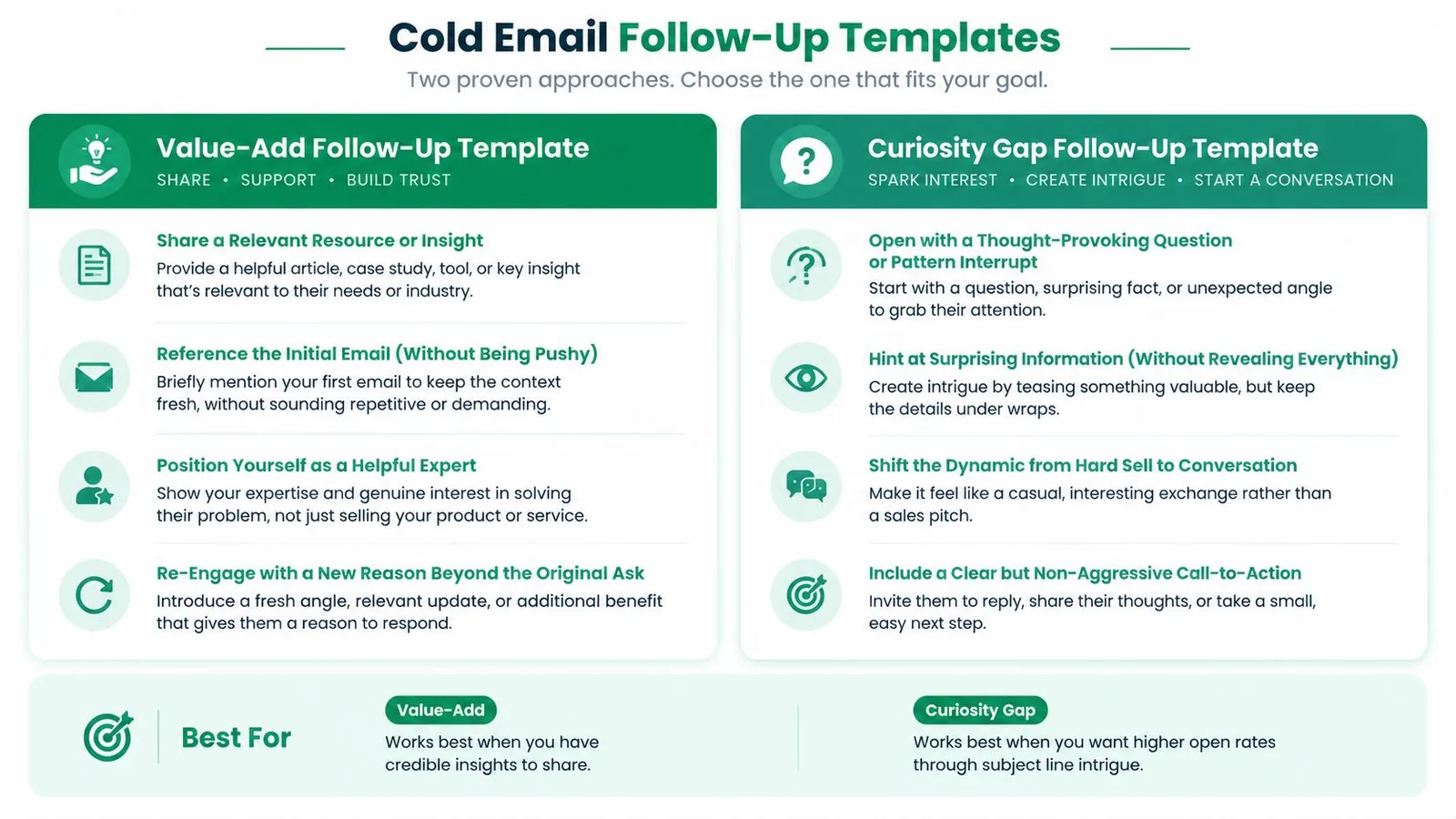
1. The Value-Add Follow-Up Template
A silent prospect may not need another reminder. They may need a better reason to care. The value-add follow-up introduces a useful resource, observation, or practical idea connected to the recipient’s role.
Subject: A resource for {{company}}‘s {{priority}}
Hi {{first_name}},
I was thinking about {{specific detail}}, and this {{resource_type}} on {{topic}} seemed relevant to {{company}}‘s work in {{industry}}.
The section on {{specific issue}} stood out because teams in {{industry}} often run into it when {{context}}.
Here’s the resource: {{resource_link}}
If {{pain_point}} is on your roadmap, would it be useful to compare notes for a few minutes?
Best, {{sender_name}}
This works for a sales development representative sharing a third-party report on sales-cycle trends, a recruiter sending a candidate an article about career growth, or an event coordinator following up with a testimonial video from a past attendee. The message changes the frame from “Did you see my email?” to “I found something that may help with your situation.”
Make the resource do real work
Keep the explanation brief. Link to the longer article, video, report, template, or data source instead of turning the follow-up into another long pitch. The resource should address a plausible pain point, not just promote your company.
Prepare industry or role-specific versions in Google Sheets. Useful columns include industry, role, pain_point, resource_type, resource_link, and resource_intro. Mail Merge for Gmail can then insert the relevant details into each message, provided you verify the add-on’s current personalization and tracking behavior before launch.
- Track engagement carefully: Use available open and click reporting to see which resources attract attention, without treating an open as proof of buying intent.
- Test resource formats: Compare articles, videos, templates, and data using scheduled sends and your campaign reporting.
- Protect relevance: Don’t send a generic case study when a short, specific insight would better match the recipient’s work.
Practical rule: A follow-up earns its place when the recipient gets something useful even if they never book a call.
A short video can work especially well when the idea is easier to demonstrate than explain.
2. The Curiosity Gap Follow-Up Template
A prospect has seen your first email but has not replied. A curiosity-led follow-up can earn attention when it names a concrete observation and explains why it matters. The trade-off is clear: a vague teaser may prompt a click, yet it can also make the sender appear evasive. Share enough context for the recipient to judge the message quickly.
Subject: Something unexpected about {{company}}‘s {{market}}
Hi {{first_name}},
I noticed {{specific observation about company, role, or market}}.
The interesting part is that {{credible insight or contrast}}. It may affect how {{company}} approaches {{relevant priority}}.
Would you like me to send the short breakdown, or is {{topic}} not a focus right now?
Best, {{sender_name}}
A marketer might point to a visible change in a prospect’s analytics setup. A sales representative could reference a shift affecting the recipient’s industry. Use only observations you can explain and verify. Competitor claims, invented percentages, and private analytics references weaken the message.
The subject should signal relevance rather than suspense alone. Compare wording options with this cold email follow-up subject line guide.
Build the gap from evidence
Mail Merge for Gmail can insert the company name, role, industry, or research note stored in Google Sheets, if those fields are mapped correctly and supported by your setup. Useful columns include observation, source_note, insight, and reply_question. Keeping these fields separate makes each claim easier to review before scheduling a send.
Keep the insight visible in the email. The recipient should understand its relevance without clicking or accepting a meeting.
- Reveal the point early: Explain why the observation matters before asking for a response.
- Keep the claim defensible: Use public information you can verify, and do not imply access to private analytics.
- Compare subject approaches: Test a curiosity-led subject against a direct, descriptive version, then review opens and replies as separate signals.
- Respect disengagement: A click shows interest in the message, not permission for endless follow-ups. Use tracking carefully and honor unsubscribe controls.

A credible curiosity gap gives the recipient useful context, even if they never continue the conversation.
3. The Soft Handoff and Social Proof Follow-Up Template
A referral, relevant customer example, or public validation can reduce the trust gap in a cold follow-up. Use the connection only when it explains why the example fits the recipient’s situation.
Subject: A relevant example for {{company}}
Hi {{first_name}},
I noticed {{company}} is working on {{specific priority}}.
We recently supported a team in {{industry or similar context}} with {{verifiable outcome or project}}. Their situation also involved {{pain_point}}, which may make the example relevant to {{company}}.
Would a short summary help you evaluate {{solution category}}?
Best, {{sender_name}}
A recruiter could mention a shared professional community. An account executive might reference a customer in the same sector. An event organizer could cite feedback from attendees with a similar role. Each reference should clarify relevance, rather than add an unrelated logo.
Choose proof the recipient can assess
Approved proof points can sit in Google Sheets under fields such as industry, company_size, pain_point, approved_summary, and reference_status. Mail Merge for Gmail can insert the appropriate row data when your configuration supports those merge fields and the columns are mapped correctly.
Review every reference before scheduling. If a customer or mutual contact has not agreed to be named, use an anonymous description or request permission first. Describe only results you can document, and treat a peer company’s challenge as context, not proof that the prospect has the same problem.
Use this quick selection guide:
- Match the problem: Choose an example tied to the recipient’s likely concern.
- Keep it compact: One relevant case is easier to assess than several logos.
- Check permission: Confirm that named customers and contacts approve the reference.
- Offer an easy next step: Ask whether the recipient wants the summary instead of assuming a meeting.
- Measure carefully: Compare replies and clicks by proof category, while treating clicks as engagement rather than endorsement.

Social proof earns attention when it answers the recipient’s quiet question: “Why might this apply to me?” Keep unsubscribe controls available, respect a clear opt-out, and stop the sequence when the recipient declines.
4. The Question-Based Follow-Up Template
A well-chosen question gives the recipient a useful way to respond without accepting a sales pitch. Ask about their current process or decision criteria, rather than leading them toward your product.
Subject: Quick question about {{challenge}}
Hi {{first_name}},
I reached out about {{topic}} because {{specific reason tied to their role or company}}.
How is {{company}} currently handling {{challenge}}?
When your team reviews that process, which matters more, {{priority_a}} or {{priority_b}}?
If this is outside your role, no problem. Is {{topic}} handled by you or another team?
Best, {{sender_name}}
Use this format for consultative sales, recruiting, partnerships, or customer research. A recruiter can ask which factor matters most in a candidate’s next move. A sales representative can ask whether the prospect gives greater weight to speed, accuracy, or cost in a workflow.
Match the question to the response barrier
The recipient may lack time, context, authority, or interest. A single open question works when you need their language. A two-option comparison reduces the effort required for a quick reply. A scenario question helps when you need to understand how they would handle a defined situation, without claiming knowledge of their internal process.
Keep questions short and tied to one decision. Several connected questions can work in a research conversation, but a long questionnaire makes the recipient do unpaid discovery work.
Google Sheets can store role, company_detail, challenge, priority_a, and priority_b. Mail Merge for Gmail can insert those values when merge fields are supported in your account and mapped correctly. Use scheduling to test different intervals, and review campaign reporting by question style to see which messages receive replies.
- Open-ended questions: Invite context and the recipient’s own wording.
- Comparison questions: Present two meaningful priorities for a faster answer.
- Scenario questions: Explore a defined situation without assuming their process.
- Reply-led personalization: Use the response to refine later messages, not to switch immediately into a hard pitch.
End with a clear opt-out path and stop contacting anyone who declines. A thoughtful question shows attention to the recipient’s situation. A sequence of questions shows that you expect them to do your research.
5. The Time-Sensitive and Urgency Follow-Up Template
A deadline earns attention only when the recipient can verify it. Use this approach for an upcoming webinar, event registration cutoff, seasonal planning window, or product launch. Artificial scarcity weakens credibility and can make future messages easier to ignore.
Subject: Registration closes {{deadline}}
Hi {{first_name}},
We’re hosting {{event_name}} on {{event_date}} about {{relevant_topic}}.
The session is intended for {{role or industry}} teams working on {{pain_point}}. Registration closes {{deadline}}.
Would you like the invitation, or should I leave this with you?
Best, {{sender_name}}
Keep the deadline near the top. The same format can introduce a seasonal planning note, conference connection, or early-access invitation, but the reason for urgency should remain specific and verifiable. Asking whether to send the invitation lowers commitment compared with asking for a meeting, while still giving interested recipients a clear next step.
Match the send to the real deadline
Store event_name, event_date, deadline, industry_context, and registration_link in Google Sheets. Mail Merge for Gmail can support planned sends when its scheduling feature is available in your configuration. Set one message well before registration closes and, if appropriate, another closer to the deadline. Daily pressure makes a legitimate event feel like a campaign tactic.
Use published registration cutoffs or launch dates as the constraint. State the date plainly rather than using “last chance” while registration remains open. Choose one action, such as registering, requesting the invitation, or replying with interest. Once the date passes, stop sending that offer and remove anyone who declined from the sequence.

For more guidance on sequencing scheduled messages, see the automated follow-up emails resource.
6. The Low-Barrier Offer Follow-Up Template
A prospect may care about the problem and still avoid a meeting, demo, or internal evaluation. The request consumes attention before they know whether the topic deserves it. Reduce the commitment while keeping the reply useful.
Subject: A quick question about {{pain_point}}
Hi {{first_name}},
I don’t want to take more of your time than necessary.
When {{company}} looks at {{challenge}}, is {{factor_a}} or {{factor_b}} the bigger concern?
You can reply with just “{{factor_a}}” or “{{factor_b}}.” If useful, I can send a short example relevant to {{industry}}.
Best, {{sender_name}}
The offer can also be a brief resource, one-question survey, screenshot, or short call. Match it to the recipient’s role. A founder may prefer a concise strategic comparison, while a manager may want a practical example. Keep the promised item specific, so “low commitment” does not become another vague benefit.
Design the reply before sending
Choose one response barrier and remove it. If the recipient lacks context, offer a short example. If they lack time, request one-word feedback. If they are unsure about fit, ask permission to send a relevant resource.
Store offer_type, offer_text, reply_option_a, reply_option_b, calendar_link, and next_step in Google Sheets. Mail Merge for Gmail can personalize the message by role or company when supported merge fields are accurate. Test subject lines and variants, then use tracking to compare replies without treating opens as proof of intent. Add unsubscribe controls and honor them.
- State the effort: Identify whether the action is a short reply, resource review, or brief conversation.
- Give one clear route: Use a reply instruction or calendar link. Include both only when the choice helps.
- Prepare the next message: If the recipient agrees, send the promised example before requesting a larger commitment.
- Avoid bait and switch: Do not turn a small question into an unexpected sales call.
For more wording options, review these email template examples, then adapt the language to the recipient’s role, context, and stated preferences.
7. The Permission-Based Follow-Up Template
A recipient may find your message relevant but still lack the time or authority to respond. Ask whether continued contact is useful, then give them a clear way to stop.
Subject: Should I close the loop?
Hi {{first_name}},
I sent a note about {{topic}} a few days ago.
Is {{solution_category}} relevant to your team this quarter? If not, would you prefer that I stop following up?
If the timing is wrong, I can reconnect around {{agreed_timeframe}}. If it is not relevant, I will remove you from this outreach.
Best, {{sender_name}}
Use this approach when the buying cycle is long, the recipient’s responsibility is unclear, or your first message may have arrived at a poor time. It gives a considerate recipient a simple way to decline without composing a detailed explanation.
Record the recipient’s decision
Add a permission_status column in Google Sheets with values such as Permission Granted, Permission Denied, and No Response. Include preferred_follow_up_date and unsubscribe_status, so the next send reflects what the recipient communicated.
Mail Merge for Gmail can support scheduled outreach and engagement reporting. The workflow still requires accurate list management and human review. A refusal should remove the contact from future outreach. A request for a later date belongs in preferred_follow_up_date, not in the default sequence.
Use this template with a defined decision path:
- Request permission before repeated reminders: Give the recipient control before the sequence grows longer.
- Offer practical choices: Continue at a later time, stop, or redirect the conversation.
- Treat silence separately: No response does not grant permission to continue indefinitely.
- Honor unsubscribes: Remove opted-out contacts from future sends and suppress them from new lists.
Permission should be genuine. The wording must make stopping easy, without guilt or pressure.
8. The Referral and Introduction Request Follow-Up Template
A prospect can understand your offer and still lack responsibility for the problem. In that situation, another pitch adds friction. Ask for the right owner instead, and make the request easy to answer or forward.
Subject: Who owns {{challenge}} at {{company}}?
Hi {{first_name}},
{{solution}} may sit outside your role. Would {{specific_department}} be the right team to contact about {{challenge}}?
If someone comes to mind, would you feel comfortable forwarding this note?
I help {{type_of_team}} with {{specific outcome or task}}. I’m reaching out because {{company-specific reason}}. I can send a short summary that makes the introduction easy.
Thanks, {{sender_name}}
Name a process, team, or role rather than asking, “Do you know anyone in marketing?” A specific request gives the recipient enough context to judge whether the referral fits.
Give them a message they can forward
Set up target_department, target_role, company_context, forwardable_summary, and mutual_connection columns in Google Sheets. Mail Merge for Gmail can insert verified company and industry context where supported. Review each row before sending, because an incorrect detail can make the referral awkward.
Keep the forwardable summary short:
I’m connecting you with {{sender_name}}, who helps {{type_of_team}} with {{specific outcome or task}}. They reached out because {{company-specific reason}}.
Use the summary only when it is accurate. Do not ask the recipient to rewrite your pitch, and do not promise reciprocal value unless you can provide it honestly.
- Point to a likely owner: Identify the role responsible for {{challenge}}.
- Explain the reason: Tie the request to a clear company context.
- Lower social risk: Keep the summary factual and modest.
- Leave room to decline: A referral is an option, not an obligation.
Track referral_status and introduction_date alongside unsubscribe_status. If the recipient declines or does not respond, avoid repeated referral requests. A warm introduction can replace another cold touch when it respects both the relationship and the recipient’s choice.
8 Cold Email Follow-Up Templates Compared
| Template | Implementation complexity | Resource requirements | Expected outcomes | Ideal use cases | Key advantages |
|---|---|---|---|---|---|
| The Value-Add Follow-Up Template | Medium, requires tailored research and personalization | Curated resources (articles/case studies), industry research, personalization tools | Higher response rates; stronger credibility and trust | B2B account-based outreach; when you can offer relevant insights | Differentiates outreach; provides immediate value; fosters trust |
| The Curiosity Gap Follow-Up Template | Low–Medium, craft provocative hooks and teasers | Targeted data points, strong subject lines, A/B testing tools | Higher open rates and more replies if followed up authentically | Cold sequences aiming to increase opens and prompt conversation | Drives opens via intrigue; shifts dynamic to conversational |
| The Soft Handoff / Social Proof Follow-Up Template | Medium, depends on verified connections and credible proof | Case studies, testimonials, mutual connection info, verification effort | Warmer responses and higher trust when proof is relevant | Small businesses, startups, or accounts with network overlap | Boosts credibility quickly; reduces coldness of initial contact |
| The Question-Based Follow-Up Template | Low–Medium, requires relevant, genuine questions | Prospect insights, role-specific context, brief research | More conversational replies; positions sender as consultant | Consultative sales and discovery-focused outreach | Encourages engagement; uncovers needs; builds rapport |
| The Time-Sensitive / Urgency Follow-Up Template | Low, must ensure urgency is authentic and clear | Real deadlines/events, scheduling info, timing coordination | Faster responses and prioritized action if urgency is real | Event invites, limited offers, seasonal or timed opportunities | Motivates immediate action; legitimizes follow-ups |
| The Low-Barrier Offer Follow-Up Template | Low, define a small, specific next step | Short resources, calendar links, simple survey or CTA | Higher initial conversions; more first-touch engagement | Busy prospects or early-stage outreach needing a “yes” | Low friction; scalable; creates easy escalation path |
| The Permission-Based Follow-Up Template | Low, straightforward language and tracking | Preference tracking, scheduling tools, disciplined follow-through | Stronger long-term trust; fewer unsubscribes; higher-quality leads | Long sales cycles and relationship-driven outreach | Respects prospect autonomy; improves list hygiene and response quality |
| The Referral / Introduction Request Follow-Up Template | Medium, requires tactful research and phrasing | Network research, suggested intro copy, reciprocity offers | Can convert dead leads into warm introductions with higher downstream conversion | When the original contact is wrong or unresponsive; networked industries | Leverages social capital; yields warmer, higher-converting leads |
Turn Templates Into a Thoughtful Sequence
These templates work because they address different reasons for silence. Start with the situation, not the most aggressive message. Add value when you have a useful resource. Use curiosity only when you can support the promise with a clear insight. Use social proof only when the example is verifiable and relevant to the prospect’s problem.
Lower the ask when friction is the obstacle. A short reply, a simple choice, or a request for a resource may be more appropriate than another meeting invitation. Ask for permission when timing or relevance is uncertain, especially when the recipient hasn’t indicated that continued outreach is welcome. Request a referral when the contact may not own the issue, but don’t make the person feel responsible for fixing your targeting.
Your sequence should also reflect the broader response environment. One 2026 benchmark analysis reported that 44% of positive replies came from follow-ups, while another summary cited 42% of replies from follow-ups and noted that 48% of sales representatives never send one. The exact benchmark varies by dataset, but the practical lesson is consistent. The first message isn’t the whole campaign, and follow-ups deserve deliberate copy, timing, and stopping rules.
The sequence should remain short enough to protect recipient experience and deliverability. A 2026 cold-email guide recommends 3 to 5 follow-ups for most B2B campaigns, with common spacing around day 3, day 7, day 12, and day 20. Treat that as a starting framework, not a universal law. A relevant reply, an unsubscribe, a clear rejection, or a complaint should change the sequence immediately.
Prepare your Google Sheet before opening Mail Merge for Gmail. Useful columns include:
- Identity fields: First name, company, role, and industry.
- Research fields: Pain point, company detail, trigger, and relevant resource.
- Sequence fields: Template type, subject line, deadline, and follow-up date.
- Trust fields: Approved social proof, permission status, and referral target.
- Control fields: Unsubscribe status, reply status, and owner.
Mail Merge for Gmail’s publisher describes a workflow built around contact data in Google Sheets, reusable templates, scheduling, tracking, unsubscribe management, and per-row delivery or engagement statuses. Verify the current product documentation and your workspace configuration before relying on any specific field, limit, or reporting behavior.
Review every row before sending. Confirm that every token has a value, every deadline is real, every claim is supported, every link works, and every social-proof reference is approved. Make sure unsubscribe and permission preferences are honored, and stop automated follow-ups when a recipient replies or asks not to be contacted.
For another practical perspective on follow-up wording and timing, consult this Call Loop follow-up email guide. Then choose the template that matches the recipient’s situation, rather than forcing every prospect through the same script.
Mail Merge for Gmail offers Google Sheets-based personalization, reusable Gmail templates, scheduling, engagement tracking, and unsubscribe management for outreach workflows. Use it to organize the fields and stopping rules behind a respectful cold email follow-up sequence, then visit Mail Merge for Gmail to review the product for your own campaign.
Ready to send your first campaign?
Install Mail Merge for Gmail from the Google Workspace Marketplace and send up to 50 personalized emails per day for free.
Get started for freeMore reading
More from Guides
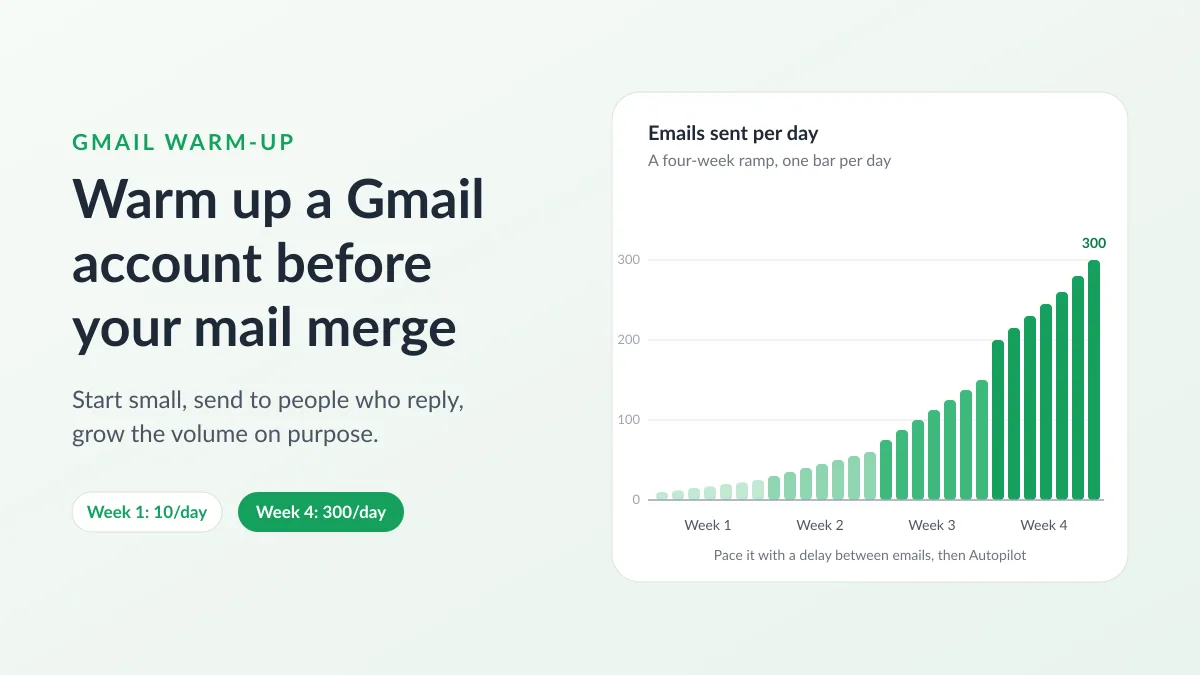
Gmail Warm-Up: How to Warm Up a Gmail Account Before a Mail Merge
Gmail warm-up explained with Google's own ramp-up rules: who needs it, a four-week manual schedule from Google Sheets, and how Mail Merge's warm-up works.
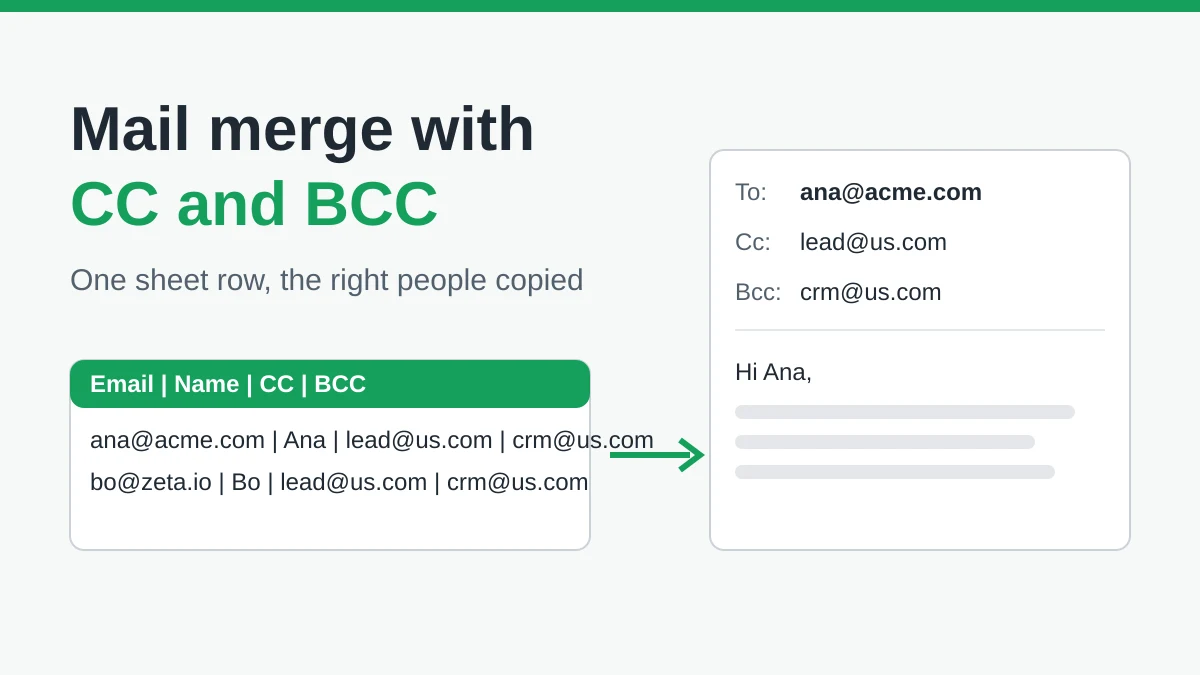
Mail Merge with CC and BCC in Gmail: Copy the Right People on Every Email
Learn how to run a mail merge with CC and BCC from Google Sheets, set up the columns, preview the result and see how copied recipients count toward your daily quota.
Gmail Sending Limit Reached: What It Means and How to Finish Your Campaign
Hit the Gmail sending limit reached error? Learn the real daily limits, when you can send again, and how to split a mail merge into safe daily batches.