


















10 Email Template Examples for Better Outreach
Explore 10 email template examples for outreach, follow-ups, onboarding, announcements, events, and more, with personalization tips and practical tactics.
A polished email template doesn’t work because it looks professional. The right message still needs the right recipient, a credible reason for contact, useful context, one clear action, and a plan for what happens after the send. A beautiful newsletter sent to the wrong segment is still irrelevant. A clever cold subject line without a specific point of connection still feels like bulk email.
The strongest email template examples are reusable frameworks, not scripts you copy unchanged. Email templates are pre-written, pre-formatted messages that can store layout, style, structure, and placeholders for details such as names, dates, prices, and links. A practical structure usually includes a subject line, greeting, brief context, main message, specific call to action, closing details, and sign-off, as outlined in this email template structure guide.
The examples below cover cold outreach, sales follow-ups, recruitment, newsletters, customer updates, events, win-back campaigns, partnerships, feedback requests, and learning materials. Each one includes copy direction, audience fit, personalization fields, timing, tracking signals, risks, and a practical way to use Mail Merge for Gmail with Google Sheets. Preview every merge before sending, and use only details you can verify.
1. Cold Email Outreach Campaigns
Cold outreach works best when the opening proves why this recipient, why now, and why your message deserves attention. Avoid generic praise such as “I love what your company is doing.” Replace it with a verifiable observation, such as a recent product launch, a relevant hiring move, a published article, or a mutual connection.
Subject: A question about [specific priority]
Hi [First Name],
I noticed [specific observation about Company]. Teams in [industry or role] often run into [specific problem] when [context].
We help [audience] with [narrow outcome or solution]. Based on [observation], would it be useful to compare how you’re handling [problem]?
If it’s relevant, are you open to a short conversation next week?
Best, [Name]
Use this format for SDR teams, agencies, and freelancers contacting people with no prior relationship. Store First Name, Company, Role, Research Note, Pain Point, and Relevant Resource in Google Sheets. Mail Merge for Gmail can place those fields in the subject and body, while delivery and engagement statuses can be reviewed per row.
A personalized subject line is worth testing, but personalization must be accurate. One benchmark summary reports promotional emails with personalized subject lines at a 19.5% open rate, compared with 15.1% without personalization, while triggered emails reached 29.2% versus 23.3% for non-personalized versions, according to Experian benchmark data summarized by Marketing Charts. Treat those figures as directional benchmarks, not a promise for your campaign.
Practical rule: Track replies as the primary next-step signal. An open can indicate attention, but a reply tells you whether the message created a conversation.
Send a small, carefully reviewed batch first. Avoid unsupported claims, excessive links, and pressure-heavy language. For more subject-line ideas, see these cold email subject lines.

2. Sales Follow-Up Email Sequences
A follow-up should add information, not merely announce that you’re following up. After a demo, consultation, or initial exchange, use a sequence that answers a likely objection, shares a relevant resource, clarifies the next step, and eventually closes the loop respectfully.
Subject: One resource for [specific priority]
Hi [First Name],
Thanks for discussing [topic] on [date]. You mentioned [specific challenge], so I’m sharing [resource or recommendation].
The relevant point is [brief insight]. If you’re still evaluating [category], would you like me to answer questions about [specific concern]?
Best, [Name]
A later message can say:
Subject: Re: [original subject]
Hi [First Name],
I wanted to add one detail about [objection or requirement]. [Concise answer or useful resource.]
Would [specific action] be useful, or should I close the loop for now?
Best, [Name]
This format suits B2B SaaS teams, real estate agents, and consulting firms. Use fields such as Last Interaction, Demo Topic, Objection, Resource Link, Next Follow-Up Date, and Owner. A Google Sheet gives the team a visible record of who received which version, while Mail Merge for Gmail supports scheduled sending and engagement tracking. The automated follow-up email guidance can help you separate reminders from useful sequence steps.
Space messages according to the recipient’s decision process, rather than sending a fixed stream without review. Stop the sequence when someone replies, asks not to be contacted, or clearly indicates that the project isn’t active. If you’re writing an internal career message rather than a prospect sequence, these written raise request tips use the same principle, clear context followed by a specific action.
Include one tracking question in your plan: did the recipient reply, click the resource, book time, or request a proposal? A high click count with no replies may mean the resource is interesting but the call to action is premature.
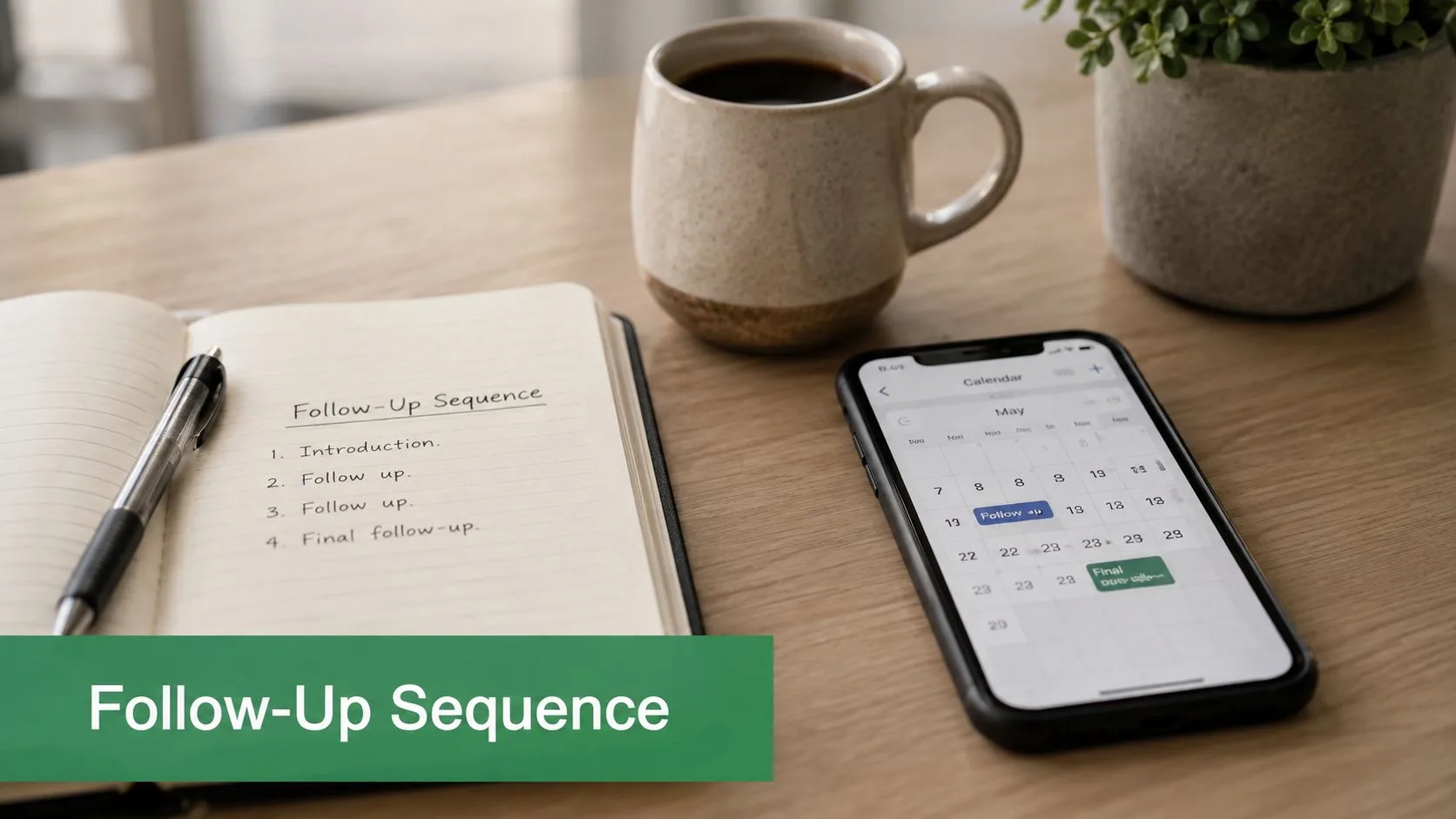
A short screen recording can show how the sequence is assembled and reviewed.
3. Recruitment and Candidate Communications
Recruitment templates must create consistency without making candidates feel processed. Candidates need to know what happens next, who they’ll meet, what preparation is expected, and when they’ll receive an update.
Subject: Interview invitation for [Role] at [Company]
Hi [Candidate First Name],
Thank you for your interest in the [Role] position. We’d like to invite you to an interview with [Interviewer Name], [Interviewer Role], on [Date] at [Time] [Time Zone].
The conversation will focus on [topics]. Please use [scheduling link] to confirm a suitable time, or reply with any accessibility requirements.
You can review [interview preparation resource] before the meeting. We’ll share the next update by [date].
Best, [Recruiter Name]
Use this template for recruiter outreach, interview invitations, offer communications, rejection messages, and onboarding instructions. Useful spreadsheet fields include Candidate Name, Role, Stage, Interviewer, Time Zone, Interview Link, Preparation Resource, Decision Date, and Next Step.
Personalization should be factual and respectful. Mention a candidate’s relevant experience only when it connects directly to the role. For rejection messages, specific feedback can preserve the relationship when company policy allows it, but a template shouldn’t imply individualized feedback if none is available. For offers, ensure the email doesn’t contradict the formal offer document. A related offer letter email resource can support that handoff.
Mail Merge for Gmail is useful when a recruiting team needs consistent communication across a roster while keeping status visible in Google Sheets. Preview every row, especially interview times, names, links, and attachments. A wrong time zone or broken meeting link creates more damage than a plain-looking email ever will.
Candidate experience depends on clarity: Every recruitment message should answer what happens next, who owns the next action, and when the candidate should expect an update.

4. Newsletter and Announcement Campaigns
Newsletters need an editorial promise. “Company updates” is too broad unless subscribers already understand what they’ll receive. A nonprofit might send donor impact notes, an educator might send course announcements, and a community group might send event reminders. Each audience deserves a different content rhythm and call to action.
Subject: [Month] update for [Community or Program]
Hi [First Name],
Here’s what matters this month:
What changed: [Short update]
Why it matters: [Reader benefit or impact]
What to do next: [One action link]
You can also read [supporting resource] or register for [event]. Thanks for being part of [organization or community].
Best, [Name]
Use First Name, Member Type, Program, Donation Context, Relevant Event, and Segment Link where those fields add useful context. Light personalization is usually safer than forcing a personal detail into every paragraph. A donor update might reference a verified contribution, while a class announcement might reference the student’s section.
Email operates at enormous scale. One source reports 361.6 billion emails received each day and an email marketing return of about $36 for every $1 spent, as summarized in these email statistics and template examples. That scale makes repeatable templates valuable, but it also makes irrelevant bulk sending costly to trust and attention.
Include a clear unsubscribe link in every newsletter and check that the campaign follows the rules applicable to your audience and location. Mail Merge for Gmail can help smaller organizations send from Gmail while using a Google Sheet for recipient data and individual engagement records. Don’t use it as a substitute for audience consent, list hygiene, or a proper newsletter strategy.
5. Customer Update and Announcement Emails
Customer announcements should lead with impact, not internal terminology. A feature release, billing notice, policy change, or service disruption matters because it changes what the customer can do, pay, access, or expect.
Subject: What [Change] means for your [Plan or Account]
Hi [First Name],
Starting [date], [change] will affect [account, plan, product, or region].
For your account, this means [specific impact]. You can [recommended action] by visiting [link]. If you need help, [support route] has the details.
Read the full explanation in [help document]. We’ll continue to share updates if anything changes.
Best, [Company or Team]
Use fields such as Customer Name, Account Number, Plan, Renewal Date, Region, Affected Feature, Upgrade Option, and Help Article. Segment customers when the impact differs by tier, location, or product configuration. A single universal announcement often forces customers to interpret what applies to them.
Transactional messages require extra care. Keep promotional copy separate from essential account information, and don’t bury a service disruption beneath a sales banner. Send when the support team is available to answer questions, especially if the change could prompt account or billing concerns.
Mail Merge for Gmail can merge account-specific details from Google Sheets, but the spreadsheet must be treated as sensitive operational data. Limit access, verify rows before sending, and avoid placing unnecessary personal information in the template. Track delivery, clicks, and replies, then route questions to the right owner instead of treating engagement as a marketing score.
The historical shift from plain-text email to designed HTML layouts began alongside mainstream webmail and desktop clients in the late 1990s. Accounts of that transition point to Hotmail’s 1996 launch, Netscape Navigator 2.0’s early HTML rendering, and Outlook 97’s broader HTML composition support in this history of email marketing statistics and templates. Rich design can improve scanning, but plain language still carries the message.
6. Event Invitation and Reminder Campaigns
Event email should answer four questions quickly: why attend, when is it, where is it, and what should the recipient do now? An invitation and a reminder have different jobs. The invitation sells the value of attendance, while the reminder removes friction.
Subject: Learn [topic] at [Event Name]
Hi [First Name],
Join us for [Event Name] on [Date] at [Time] [Time Zone].
You’ll learn [specific takeaway] from [Speaker or Host]. The session is designed for [audience], and you can participate through [format or location].
Reserve your place here: [Registration Link]
After registering, you’ll receive [confirmation detail]. We hope to see you there.
Best, [Organizer]
For registered attendees, use a shorter reminder:
Subject: Your [Event Name] details
Hi [First Name],
Your place is confirmed for [Event Name]. It starts at [Time] on [Date]. Join through [Event Link] and bring [preparation item, if needed].
Questions? Reply to this email.
Best, [Organizer]
Useful fields include First Name, Registration Status, Ticket Tier, Event Link, Session Choice, Location, Time Zone, and Speaker Preference. Mail Merge for Gmail can send invitation and reminder variations from a Google Sheet, while click tracking can identify people who viewed details but haven’t registered.
Use timing that matches the event’s complexity. A local meeting may need a shorter decision window than a conference requiring travel. Don’t send the same copy to registered and unregistered recipients. That mistake makes a confirmed attendee feel ignored and can confuse the person who still needs to register.
The strongest measurement plan connects clicks to action. Track registration clicks, completed registrations where available, reminder engagement, and replies requiring assistance. An open alone doesn’t tell you whether someone knows where to go.
7. Re-engagement and Win-Back Email Campaigns
A win-back email should give an inactive customer a reason to reconsider, not shame them for leaving. Start with the value that has changed since their last interaction, then offer a low-friction path back.
Subject: New ways to use [Product or Service]
Hi [First Name],
You haven’t used [Product or Service] recently, so I wanted to share what’s changed.
Since your last activity, we’ve added [verified improvement or new resource]. It may help with [previous use case or problem].
You can return by [simple action]. If your needs have changed, update your preferences here: [Preference Link].
Best, [Name]
For ecommerce, replace product changes with a relevant category or replenishment reminder. For subscriptions, explain whether the customer can restart, extend a trial, or choose a different plan. Avoid inventing a reason for inactivity. A person may have changed jobs, solved the problem elsewhere, or never wanted the messages.
Store Last Activity Date, Previous Product, Customer Tier, Relevant New Feature, Offer, Preference Link, and Suppression Status in Google Sheets. Mail Merge for Gmail can personalize the offer and track renewed clicks or replies. Keep incentive logic transparent. An offer tied to a previous purchase or membership level is more credible than an arbitrary discount.
Run a staged campaign rather than repeating the same message. The first email can highlight new value, the next can ask whether the customer still wants updates, and the final message can confirm preference management. Respect unsubscribes and suppress people who request no further contact.
Measure renewed activity, preference updates, replies, and unsubscribes. A click without meaningful return activity may indicate that the message or landing page attracted curiosity but didn’t restore a useful relationship.
8. Partnership and Collaboration Outreach
Partnership proposals fail when they describe only what the sender wants. A credible collaboration email names the shared audience, the complementary capability, and the exchange each party receives.
Subject: A collaboration for [Shared Audience]
Hi [First Name],
I’ve been following [specific company, project, or recent announcement]. Your work with [audience or capability] complements our work on [related capability].
I’d like to explore [specific collaboration], such as [integration, referral, co-created content, or event]. We can contribute [specific asset, distribution, expertise, or service], and your audience could gain [clear benefit].
Would a short conversation be useful? If this isn’t your area, who handles partnerships at [Company]?
Best, [Name]
Personalize Company, Partnership Type, Shared Audience, Recent Work, Your Contribution, Mutual Benefit, and Referral Contact. Research should improve relevance, not become a performance. Mention one genuine observation, then move quickly to the proposed exchange.
This format suits complementary agencies, SaaS integration prospects, affiliates, and creators planning cross-promotion. Mail Merge for Gmail can populate a research note and collaboration angle from Google Sheets, but the sender should review each row manually. A strange or outdated reference signals automation immediately.
Track replies, qualified conversations, introductions, and agreed next steps. Clicks can show interest in a proposal document, but they don’t establish partnership fit. Follow up with people who engaged but didn’t respond only when you have something new to add, such as a clearer pilot idea or a revised audience benefit.
The main risk is overpromising access, reach, revenue, or technical compatibility. Keep the first email exploratory and make claims you can substantiate.
9. Customer Feedback and Survey Request Emails
Feedback requests perform a practical service when they ask about a real interaction and make the response easy. They become burdensome when customers receive a long questionnaire without knowing why their answers matter.
Subject: How was your [Product or Service] experience?
Hi [First Name],
Thanks for choosing [Product or Service]. We’d value your feedback on [specific purchase, project, or feature].
Could you answer a short survey about [topic]? Your responses will help us improve [specific area].
Share your feedback here: [Unique Survey Link]
If you’d rather reply directly, tell us what worked and what didn’t.
Thank you, [Name]
Use First Name, Product Name, Purchase Date, Project Name, Feature Used, Unique Survey Link, and Customer Owner. A unique link lets the team connect responses to the right interaction without asking the customer to repeat information. Keep the survey focused. The plan may call for only a few questions, but the right number depends on the decision you’re trying to make.
Send the request while the experience remains clear, then separate review requests from product research. A customer who had a billing problem shouldn’t receive a cheerful testimonial request before the issue is resolved. Likewise, don’t hide a commercial offer inside a feedback request unless the customer understands the exchange.
Mail Merge for Gmail can draw individualized links from Google Sheets and write click or reply statuses back to the corresponding row. Use those signals to send one considerate reminder to non-respondents, not an endless sequence. Track completed surveys, useful qualitative themes, review submissions, and opt-outs rather than treating opens as the outcome.
If you offer an incentive, state the terms clearly and avoid suggesting that positive feedback is required. The credibility of the request matters more than decorative design.
10. Personalized Course or Learning Material Distribution
Education emails should reduce uncertainty for students. A student needs to know what material applies to them, what they’ve completed, what to do next, and when the next requirement is due.
Subject: Your [Week or Module] learning materials
Hi [First Name],
You’re enrolled in [Course Name], [Section or Level]. Your next materials are:
Read: [Resource]
Complete: [Assignment or Activity]
Submit by: [Deadline and Time Zone]
You’ve completed [verified progress detail]. To continue, open [Course Link] and follow the instructions under [Module or Lesson].
If you need support, reply to [Instructor or Support Contact].
Best, [Instructor or Training Team]
For certificates or next-level recommendations, use a separate message with the achievement and action clearly stated. Useful fields include Student Name, Course, Section, Level, Completed Assignment, Next Module, Deadline, Certificate Link, and Support Contact.
Mail Merge for Gmail fits educators, corporate trainers, and nonprofit coordinators who already maintain a Google Sheets roster. It can personalize distribution while keeping a row-level record of delivery and engagement. Attach detailed documents when appropriate, but keep the email itself focused on instructions. Students shouldn’t have to search a dense paragraph to find a deadline.
Schedule sends around the course calendar and account for time zones. Preview attachments and links for representative rows, especially when different groups receive different materials. Don’t expose another student’s name, progress, grade, or enrollment information through an incorrect merge.
Track clicks to the learning portal, replies requesting help, submitted work where the system supports that data, and delivery issues. An opened message doesn’t confirm comprehension, so use a clear completion action when you need evidence that students received and understood the instruction.
Comparison of 10 Email Template Types
| Title | 🔄 Implementation complexity | ⚡ Resources & speed | ⭐ Expected outcomes | 📊 Ideal use cases | 💡 Key advantages / tips |
|---|---|---|---|---|---|
| Cold Email Outreach Campaigns | Medium, templates + prospect research; deliverability management | Moderate resources (lists, Gmail+Sheets); fast scalable sends with reputation build time | ⭐⭐⭐, higher replies when well-researched; variable by list quality | Sales/SDRs, agencies, freelancers targeting cold prospects | Personalize reason for outreach; keep 50–75 words; monitor opens; honor unsubscribes |
| Sales Follow-Up Email Sequences | Medium–High, multi-step logic and timing per prospect | Requires sequence setup and tracking; automates follow-ups to save rep time | ⭐⭐⭐⭐, increases close rates; reveals best-performing touches | B2B sales teams nurturing post-demo; SDR pipelines | Space touches 3–5 days; reference prior interactions; stop on reply |
| Recruitment and Candidate Communications | Medium, conditional messaging (offer vs rejection), scheduling | Needs accurate candidate data, attachments for offers; timely sends for interviews | ⭐⭐⭐, consistent, professional comms; reduces manual drafting | HR/recruiting teams managing interview pipelines | Merge interview slots; personalize rejection feedback; keep data current |
| Newsletter and Announcement Campaigns | Low–Medium, template + simple segmentation; limited automation | Low resources for small lists (≤1,500); quick to produce but not for very large lists | ⭐⭐⭐, strong engagement for smaller, engaged audiences | Nonprofits, educators, community groups with modest subscriber lists | Personalize greetings; test subject lines; include clear unsubscribe link |
| Customer Update and Announcement Emails | Medium, account-specific merges and HTML templates | Requires up-to-date customer data; supports scheduled simultaneous delivery | ⭐⭐⭐, consistent reach and targeted relevance; tracks missed opens | Small businesses, customer success teams announcing updates | Lead with impact; include help links; segment by tier/region |
| Event Invitation and Reminder Campaigns | Medium, unique RSVP links, multiple reminders and timing | Needs precise schedule data and links; reminders automate attendance boosts | ⭐⭐⭐⭐, personalized invites lift RSVPs; reminders reduce no-shows | Event organizers, webinar hosts, meetups | Send initial invite 3–4 weeks out; reminders 1w/3d/1d; track clicks |
| Re-engagement and Win-Back Email Campaigns | Medium, segmentation, time-sensitive offers and messaging | Requires behavioral data and offer codes; moderate setup and scheduling | ⭐⭐⭐, cost-effective reactivation for some segments; mixed retention | SaaS, e-commerce, subscription services reactivating lapsed users | Acknowledge lapse; offer targeted incentives; avoid over-mailing |
| Partnership and Collaboration Outreach | High, deep research and bespoke proposals per prospect | Resource-intensive per prospect; slower cadence but high potential value | ⭐⭐⭐, low volume but high-value outcomes if personalized well | Business development, agencies, SaaS seeking integrations | Show mutual value; cite recent achievements; follow up after opens |
| Customer Feedback and Survey Request Emails | Low, merge unique survey links and timing fields | Low resources; requires survey platform; quick to deploy at scale | ⭐⭐⭐, improved response when personalized; watch for survey fatigue | Customer success, product teams collecting reviews/feedback | Send 1–2 weeks post-interaction; keep surveys short; offer incentives |
| Personalized Course / Learning Material Distribution | Low–Medium, merge student-specific content and attachments | Needs clean roster data; scalable for typical class sizes under daily limits | ⭐⭐⭐, increases engagement and completion with personalization | Educators, trainers, online course creators | Reference progress; schedule to course calendar; attach materials for clarity |
Turn the Best Template Into a Repeatable System
The best template depends on the relationship with the recipient and the action you need next. A cold prospect needs a credible reason to reply. A candidate needs a clear process. A customer needs an accurate explanation of impact. A student needs instructions that match their enrollment and schedule. Choosing a template by appearance alone ignores the operational job the message must perform.
Personalization should make the email more useful, not merely more familiar. A first name is easy to merge, but a relevant product, event, deadline, pain point, or account detail often does more work. Store only the fields you need in Google Sheets, and define what happens when a value is missing. A blank merge field can turn a professional template into an obvious automation error.
Preview every row before sending. Check names, subject lines, links, dates, time zones, attachments, account details, and unsubscribe handling. For sensitive customer, candidate, or student communications, limit spreadsheet access and use the minimum necessary information. Mail Merge for Gmail is a Google Workspace add-on that works with Gmail and Google Sheets, but the workflow still depends on disciplined data management.
Measurement should follow the campaign’s real objective. Track replies for outreach, registrations for events, completed feedback for surveys, confirmed interviews for recruitment, and meaningful portal activity for learning materials. Opens and clicks provide useful signals, but they’re not interchangeable with a completed business outcome. A case-study email, for example, should connect email-level metrics such as open, click-through, and reply rates with downstream measures such as trial-to-paid conversion or revenue impact, as recommended in this case study email template guide. The guide’s examples include an 18% increase in expansion revenue, a reduction in weekly reporting time from 6 hours to 45 minutes, a 22% improvement in trial-to-paid conversion, and a 31% reduction in support tickets. These are example result statements from the guide, not results to claim without your own evidence.
Make the system smaller before making it larger
Start with one audience and one template. Send a controlled batch, review the rows and responses, then revise the copy or data fields. Adding more segments before the first workflow is reliable creates more places for outdated information, broken links, and conflicting follow-ups.
Mail Merge for Gmail is relevant when the campaign benefits from a Google Sheets workflow, Gmail-based delivery, personalization, scheduling, tracking, unsubscribe management, or shared team analytics. The publisher describes a three-step process, import recipients, build or select a template, then preview and send, with support for personalization across subject lines, body content, CC/BCC, attachments, and custom HTML templates. It also records statuses such as Sent, Opened, Clicked, and Replied back to the spreadsheet.
Before launch, use this concise review:
- Audience: Is every recipient eligible and correctly segmented?
- Subject line: Does it accurately reflect the message and recipient context?
- Copy: Is the value or information clear without jargon?
- Call to action: Is there one obvious next step?
- Compliance: Are consent, unsubscribe, privacy, and suppression requirements handled?
- Preview: Did you inspect every merge field, link, date, attachment, and fallback?
- Send timing: Does the schedule match the recipient’s context and time zone?
- Follow-up: What signal triggers the next action, and when does the sequence stop?
A template is ready when another team member can understand its purpose, verify its fields, send it safely, and interpret the result. Keep the reusable structure, but let the recipient’s situation determine the final message.
Mail Merge for Gmail helps you send personalized, trackable campaigns from Gmail using recipient data in Google Sheets, with templates, merge fields, scheduling, unsubscribe management, and row-level engagement statuses. Review the workflow for your next outreach, update, invitation, or follow-up campaign at Mail Merge for Gmail.
Ready to send your first campaign?
Install Mail Merge for Gmail from the Google Workspace Marketplace and send up to 50 personalized emails per day for free.
Get started for freeMore reading
More from Guides
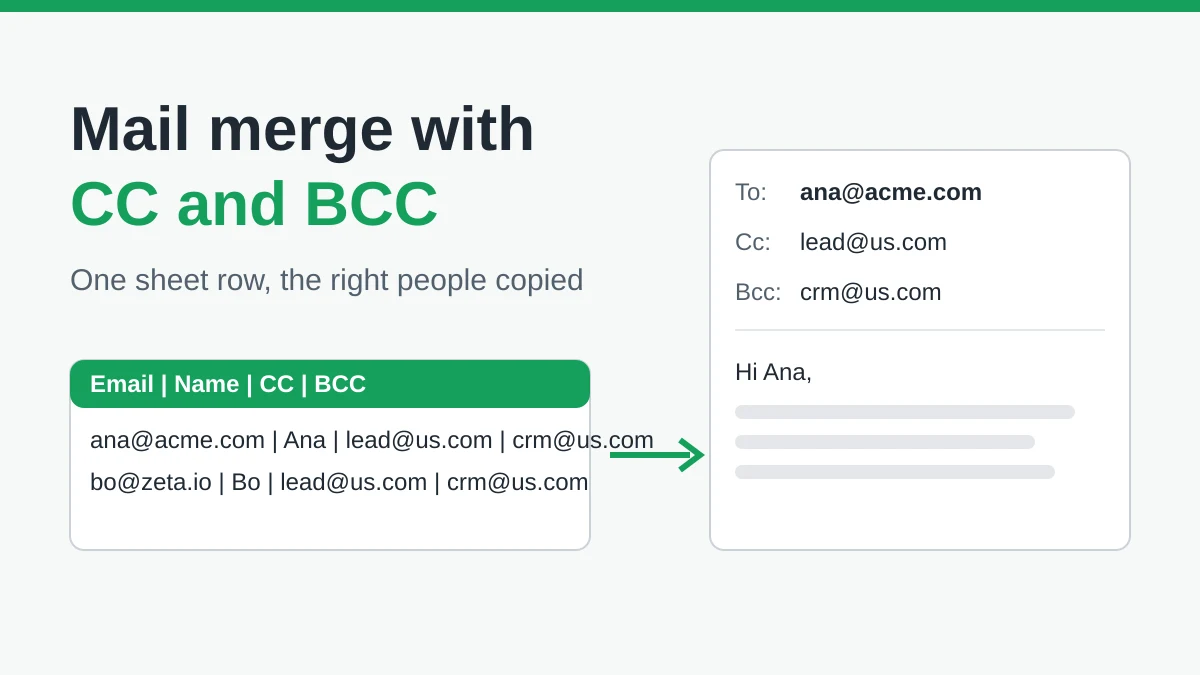
Mail Merge with CC and BCC in Gmail: Copy the Right People on Every Email
Learn how to run a mail merge with CC and BCC from Google Sheets, set up the columns, preview the result and see how copied recipients count toward your daily quota.
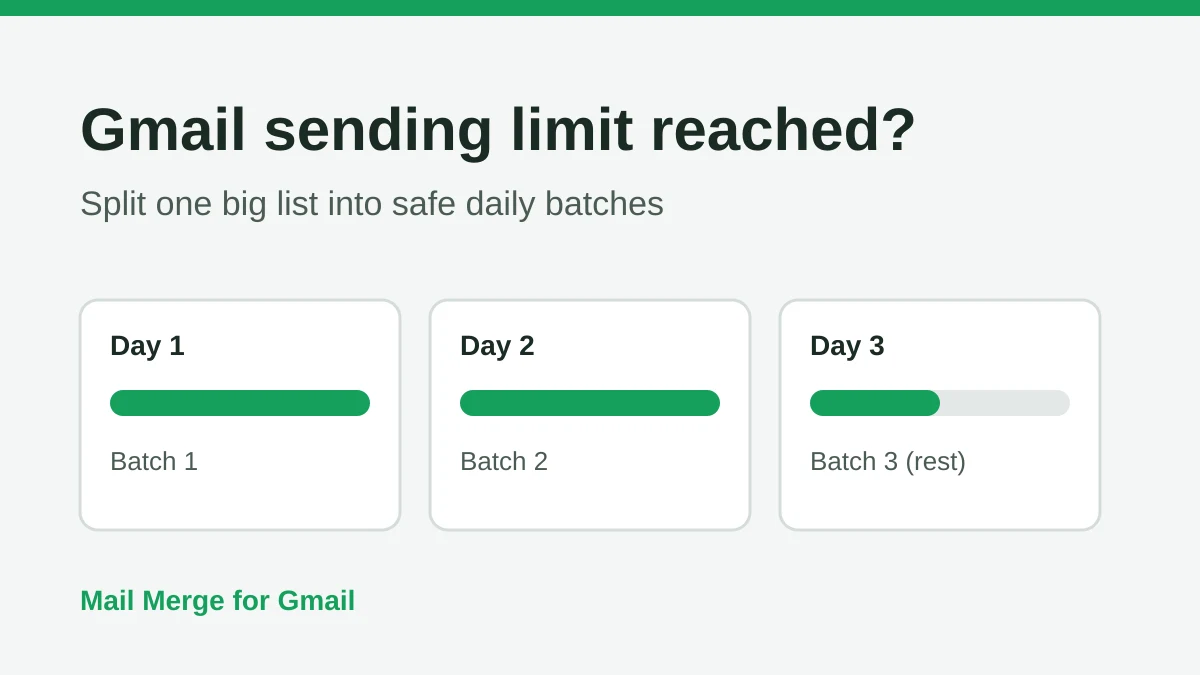
Gmail Sending Limit Reached: What It Means and How to Finish Your Campaign
Hit the Gmail sending limit reached error? Learn the real daily limits, when you can send again, and how to split a mail merge into safe daily batches.
Personalized Email Gmail: The Complete Guide
Master your personalized email Gmail workflow. Learn to merge Sheets data, track opens, and scale one-to-one outreach without leaving your inbox.