


















Offer Letter Email: Templates to Win Top Talent
Learn how to draft and send a high-converting offer letter email. Includes templates, subject lines, and tracking workflows.
81% of formal offers were accepted in Ashby’s 2023 sample, but the median time from verbal decision to delivered offer letter was still 4.7 business days, and manually prepared letters carried an 18% error rate in the 2026 recruiting automation research. That combination is why an offer letter email isn’t an admin formality, it’s the last conversion step before a candidate signs, asks for changes, or drifts away.
The teams that do this well treat the email like a controlled handoff, not a freeform note. They keep it clear, send it fast, attach the legal terms, and remove every avoidable reason for hesitation. They also know that a vague subject line, a missing start date, or a compensation paragraph stuffed with too much text can create exactly the kind of back-and-forth that slows acceptance.
Why Offer Letter Emails Are Conversion Documents
A strong offer letter email sits at the point where hiring becomes decision-making. Ashby’s 2023 talent trends report puts the average offer acceptance rate at 81% for 2023 and 78% across the three-year period it analyzed, which is a useful reminder that even solid hiring teams lose candidates at the final step when the message is slow, unclear, or incomplete (Ashby offer acceptance rate report). Those are not just HR numbers, they’re funnel behavior.
The operational side matters just as much. SHRM-based data cited in 2026 recruiting automation research reports a median 4.7 business days from verbal decision to delivered offer letter, rising to 6.3 days when legal review is required, and an 18% error rate in manually prepared letters. That’s enough delay and rework to interrupt momentum, especially when candidates are juggling multiple processes and comparing offers quickly (recruiting offer letter automation research).
Practical rule: every extra question you force a candidate to ask is another chance for the process to stall.
The best recruiters think about the offer email the same way they think about candidate experience. If you’re measuring how people move through the process, it’s worth pairing offer performance with broader evaluating candidate experience metrics, because the same friction that hurts responsiveness also hurts trust.
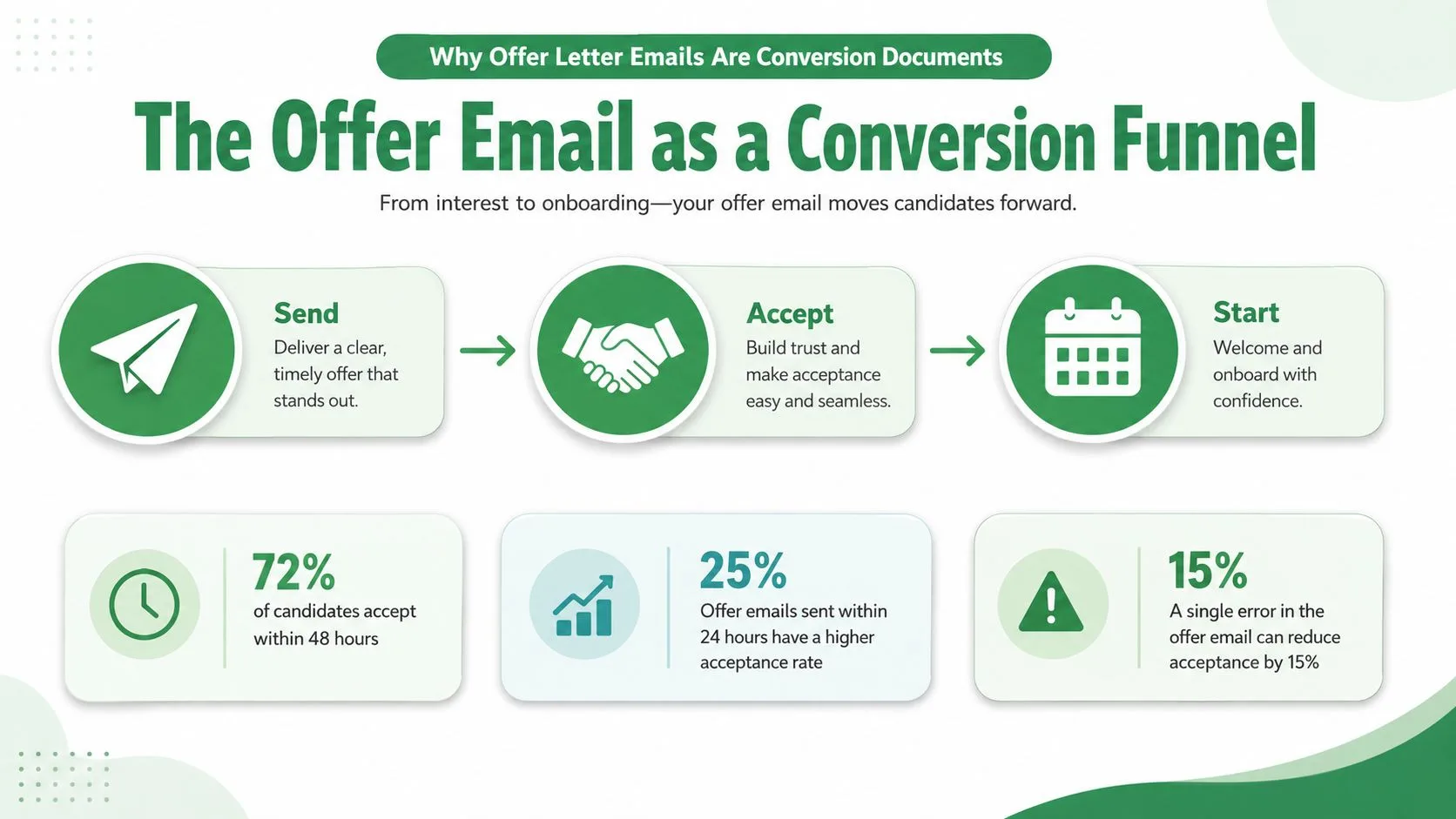
The email itself has to do three jobs at once. It has to confirm the decision, make the terms easy to scan, and keep the candidate moving toward acceptance. When those jobs are split cleanly between a concise message and a formal attachment, the process feels professional instead of clunky.
Anatomy of a High-Converting Offer Letter Email
The strongest offer letter email body is brief on purpose. Workable’s guidance recommends a clear subject line, a short transmittal message, and the formal legal terms in the attached document so the candidate can scan quickly without losing the enforceable details (Workable offer letter guidance). That structure is easier to read, easier to route internally, and easier to accept without confusion.
What belongs in the subject line and body
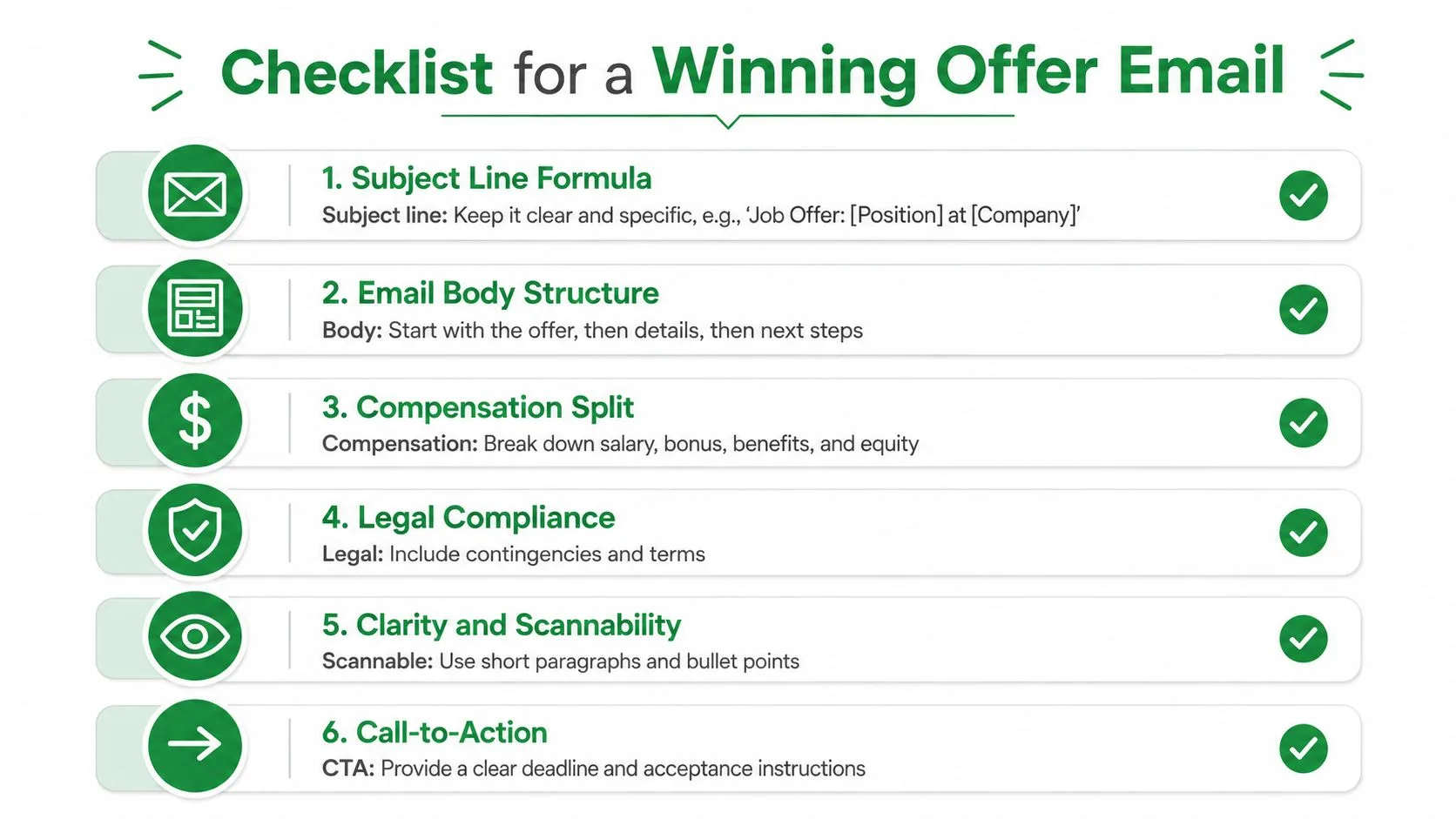
A practical subject line formula is simple, specific, and unembellished. Something like Job Offer, [Title] at [Company] does the job because it tells the candidate what’s inside before they open it. The body should confirm the offer, mention the attachment, and tell the candidate exactly how to respond.
A useful minimum content set includes the job title, compensation, benefits, start date, reporting line, work arrangement, contingencies, and acceptance deadline. HR guidance commonly recommends a decision window of 3 to 5 business days, and some best-practice guides allow 5 to 7 business days for senior or more complex roles (offer letter guidance, offer letter best practices). If the deadline is buried in a long paragraph, people miss it. If it’s explicit, the next step is obvious.
How to split compensation so it’s easy to read
Candidates compare offers faster than most hiring teams expect. That’s why compensation should be broken into distinct pieces, not blended into one dense sentence. Spell out base pay, pay frequency, bonuses or commission, equity, benefits, and any signing bonus separately so the value is legible at a glance.
For a senior engineer, that usually means separating cash, equity, and any variable compensation. For an entry-level role, the same clarity still helps, even if the package is simpler. The point is not more words. The point is fewer doubts.
Send the attachment for the legal terms, not the whole conversation.
A second practical detail matters here. The formal letter should carry the exact terms, while the email should act as the transmittal note and response path. If you keep that division clean, candidates know where to look for the answer and whom to contact if something’s missing.
Offer Letter Email Templates for Every Scenario
A good template saves time, but a good template still has to feel specific. The best offer letter email versions are the ones that reduce ambiguity for the exact role and working arrangement you’re hiring for. If you copy one into Gmail or a mail merge flow, the customization points should be obvious from the start.
Senior-level offer with equity
Subject: Job Offer, Senior Product Manager at Acme
Body:
Hi [Candidate Name],
We’re pleased to offer you the Senior Product Manager role at Acme. Attached is your formal offer letter with full terms, including compensation, benefits, equity, start date, reporting line, and acceptance details.
Please review the attachment and reply by [deadline] if you’re ready to accept. If you’d like to discuss any part of the package, reply to this email and we’ll set up a call.
Best, [Sender Name]
Use this when equity, variable pay, or a more detailed approval chain is involved. It keeps the message tight while signaling that the attached document holds the complete terms.
Junior or entry-level offer
Subject: Job Offer, Marketing Associate at Acme
Body:
Hi [Candidate Name],
We’re excited to offer you the Marketing Associate position at Acme. Your formal offer letter is attached, and it includes your compensation, benefits, start date, and next steps.
Please review and respond by [deadline]. If you have questions, just reply here.
Best, [Sender Name]
This version works because it avoids over-explaining a straightforward package. The tone stays warm, but the message still points straight to the attachment and deadline.
Remote role offer
Subject: Job Offer, Remote Customer Success Specialist at Acme
Body:
Hi [Candidate Name],
We’re happy to offer you the Remote Customer Success Specialist role at Acme. The attached offer letter includes your compensation, work arrangement, start date, and any equipment or onboarding details that apply.
Please review the attachment and confirm by [deadline]. If you want to clarify location expectations or equipment logistics, reply here and we’ll help.
Best, [Sender Name]
Remote offers need extra clarity because location, schedule, and equipment questions can otherwise sprawl across emails. Make those terms easy to find in the attachment, then keep the email itself short.
For roles that depend on verification steps, it helps to align your language with a separate process note like background check email guidance, so the candidate doesn’t confuse a conditional offer with a final, unconditional one.
Conditional offer pending checks
Subject: Conditional Job Offer, Finance Analyst at Acme
Body:
Hi [Candidate Name],
We’re pleased to extend a conditional offer for the Finance Analyst role at Acme. The attached letter outlines the role, compensation, start date, and the conditions that must be completed before your start date.
Please review the attachment carefully and reply by [deadline] with any questions. Once you’re ready, let us know how you’d like to proceed.
Best, [Sender Name]
Conditional language should never feel hidden. If the offer depends on checks, the candidate needs to see that clearly before they decide how to respond.
Sending Personalized Offer Emails with Mail Merge for Gmail
At scale, the hard part isn’t writing one offer letter email. It’s sending dozens without breaking attachments, missing names, or mixing up start dates. That’s where a spreadsheet-driven workflow matters, because it lets you keep one approved template while still personalizing the parts that matter.
A practical setup starts in Google Sheets. Put the candidate’s name, role, compensation fields, start date, and attachment reference into separate columns, then build the email template with merge tags so each message can be populated per row. If you’re using a tool like Mail Merge for HR Gmail, the workflow is built around those same three steps, import recipients, choose a template, preview and send.
What to control before you send
Attachments deserve special attention. A wrong file name, a stale version, or a mismatched letter can create confusion instantly. If the role requires a different document per candidate, use row-level attachment handling so the right offer letter goes to the right person.
Open and click tracking help you separate silence from engagement. If a candidate opens the email but doesn’t reply, that’s a different situation from someone who hasn’t seen it at all. Tracking also gives recruiters a cleaner way to decide when to follow up instead of guessing.
The delivery details matter too. Sending from a company-domain address, using a clear subject line, and avoiding vague wording all help the message feel legitimate. That’s especially important when the offer is tied to a formal hiring decision and the candidate is already scanning for signs of trust.
The fastest send isn’t always the best send, but the slowest send almost always creates extra friction.
If you want the workflow to stay personal at scale, Mail Merge for Gmail is one option that sends personalized email campaigns from Gmail using data in Google Sheets, and it can include per-row attachments and delivery tracking. Used well, that kind of setup keeps the tone human without forcing recruiters to rewrite every note by hand.
Follow-Up Cadence and Tracking Candidate Engagement
Once the offer is sent, the work shifts from drafting to reading signals. A candidate who opens the email, clicks the attachment, and replies quickly is moving differently from one who opens several times and goes quiet. The follow-up cadence should match that behavior instead of treating every recipient the same.
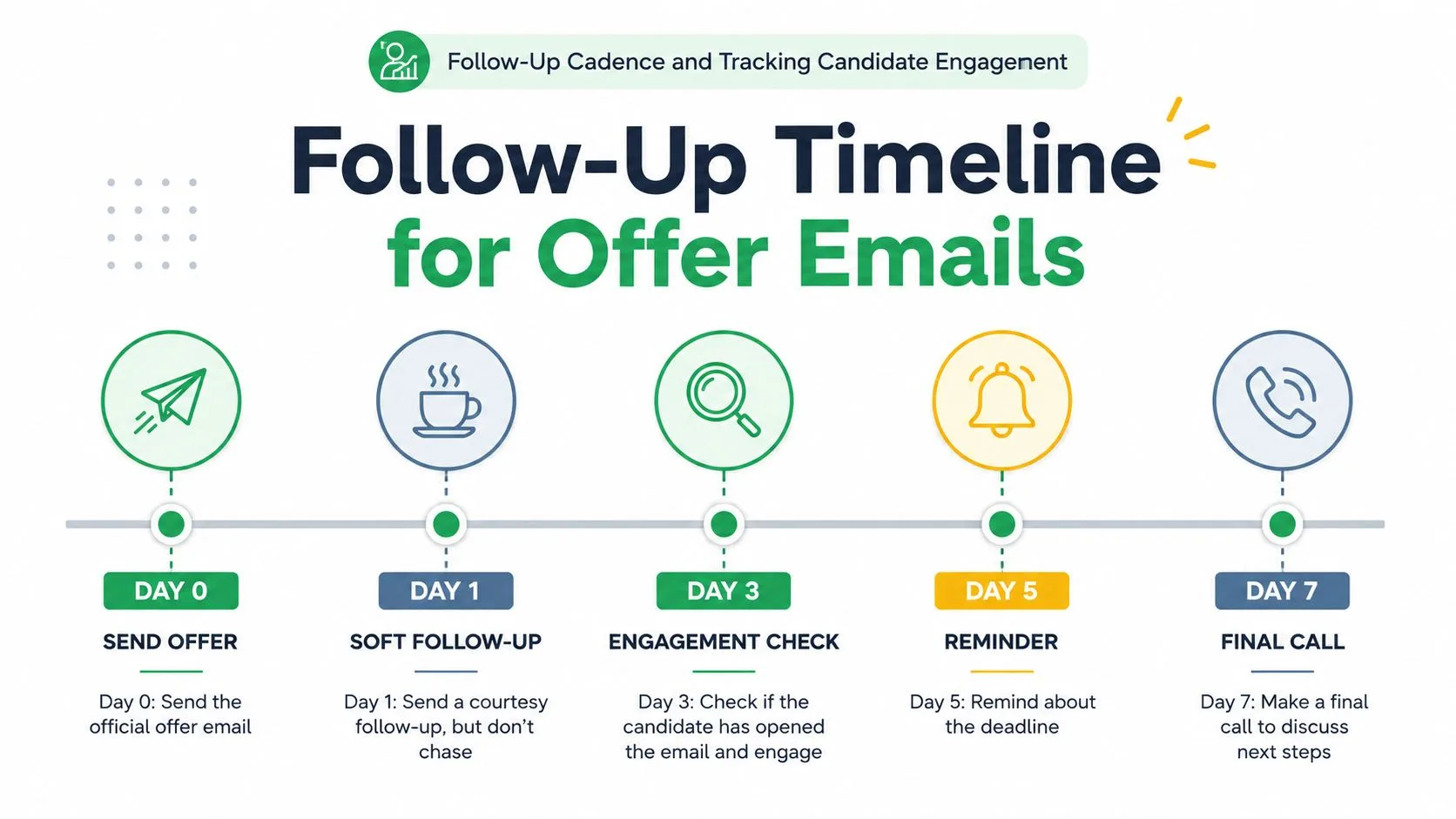
A practical seven-day rhythm
Day 0 is the send. The email should go out cleanly, with the attachment, deadline, and reply path visible.
Day 1 can be a soft courtesy check if the candidate hasn’t replied. Keep it light, because a nudge is useful and a chase is not.
Day 3 is the point to look at engagement data. If the candidate has opened the message multiple times, it’s often a sign they’re reviewing details or looping in someone else.
Day 5 is the place for a direct reminder about the deadline. By then, the candidate should know the clock is real.
Day 7 is the final call or final email, depending on how your team handles the decision window. If the candidate needs more time, this is when a structured extension conversation happens.
The legal side of tracking deserves care. Open and click data should support better timing and cleaner follow-up, not turn candidate communications into surveillance theater. Keep the process transparent, use trusted sender identity, and make sure the candidate knows exactly what the attachment means and what happens next.
If you want to automate the reminders without making them sound robotic, automated follow-up emails can help when they’re built around the same respectful cadence you’d use manually. The key is to follow the candidate’s pace without losing control of the process.
Common Mistakes and How Candidates Handle Ambiguous Offers
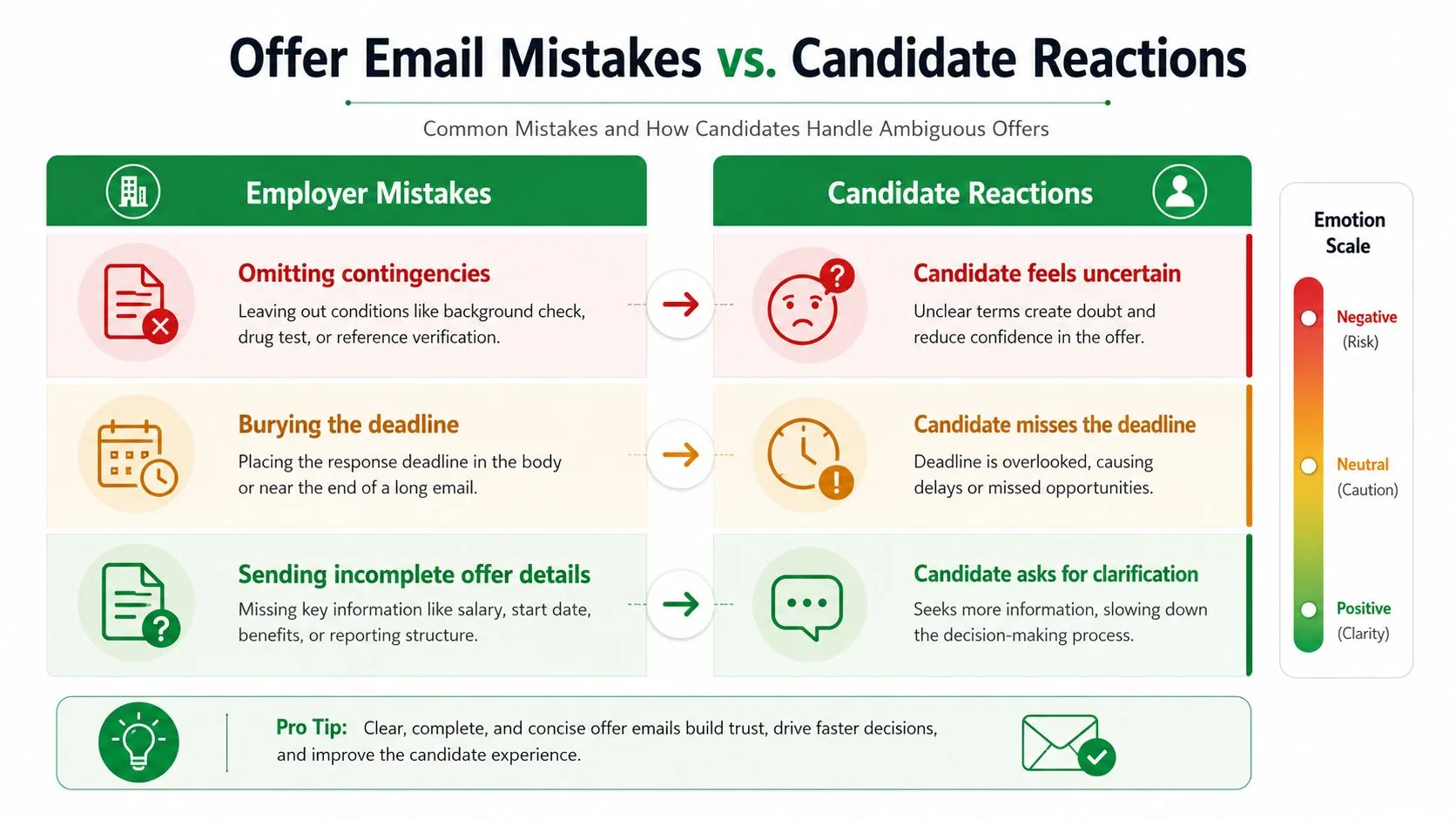
The mistakes that cause the most drag are usually small on the sender’s side and expensive on the candidate’s side. Missing contingencies, buried deadlines, incomplete PDFs, and vague subject lines all create uncertainty where you wanted momentum. Those errors don’t just slow the process, they change how trustworthy the offer feels.
What usually goes wrong
An omitted contingency leaves the candidate guessing about whether the offer is final. A buried deadline makes it too easy to miss the response window. An incomplete attachment forces the candidate to ask a follow-up question before they can make a real decision.
The candidate side is more practical than most employer guides admit. If the email is accept-ready, the response can be short and direct. If salary, start date, or conditions are unclear, the right move is to ask for clarification first instead of pretending the ambiguity isn’t there.
A useful decision rule is simple. If the message confirms the role, compensation structure, start date, and any contingencies, it’s ready to accept. If any of those pieces are missing, the candidate should reply with a clarification request and avoid locking themselves into a misunderstanding.
If a candidate has to decode the offer, the email isn’t finished yet.
That’s why the best hiring teams write for the person who’s reading it on a phone, between meetings, and probably comparing it with another offer. Clarity is not a stylistic preference. It’s what keeps the process moving.
If you need a cleaner way to send personalized, trackable offer letter email messages from Gmail, Mail Merge for Gmail can help you build templates, merge candidate fields from Sheets, and keep attachments aligned to each recipient. It’s a practical way to protect speed and consistency when every offer still needs to feel like it was written for one person.
Ready to send your first campaign?
Install Mail Merge for Gmail from the Google Workspace Marketplace and send up to 50 personalized emails per day for free.
Get started for freeMore reading
More from Guides
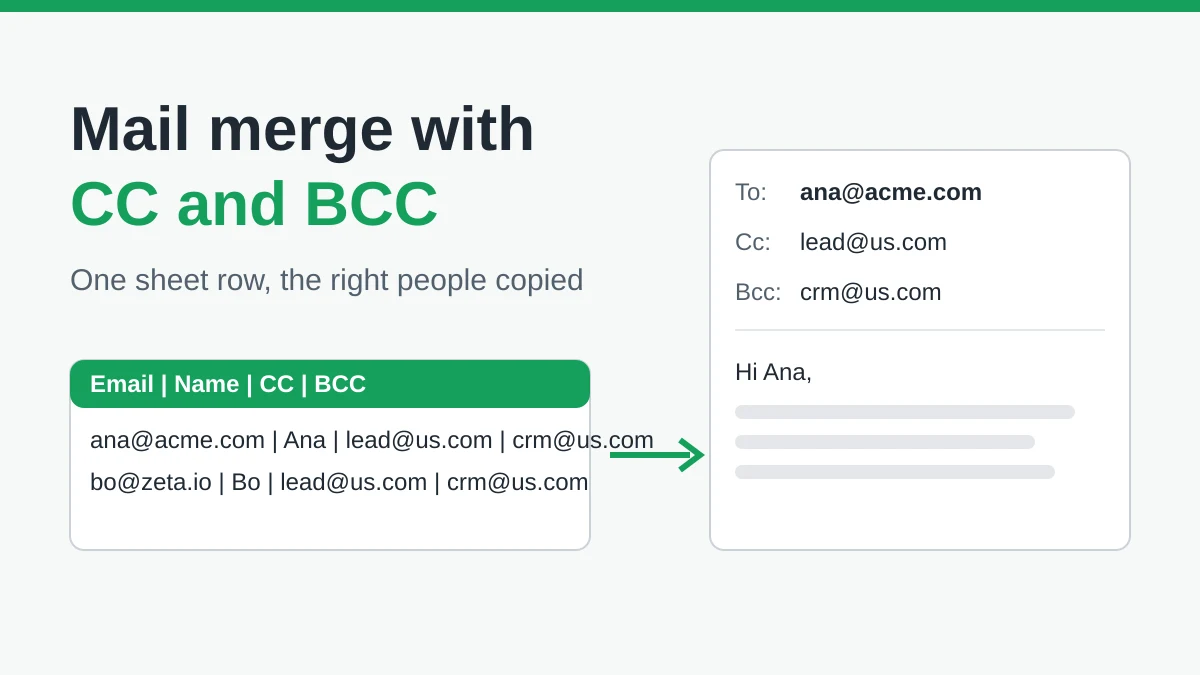
Mail Merge with CC and BCC in Gmail: Copy the Right People on Every Email
Learn how to run a mail merge with CC and BCC from Google Sheets, set up the columns, preview the result and see how copied recipients count toward your daily quota.
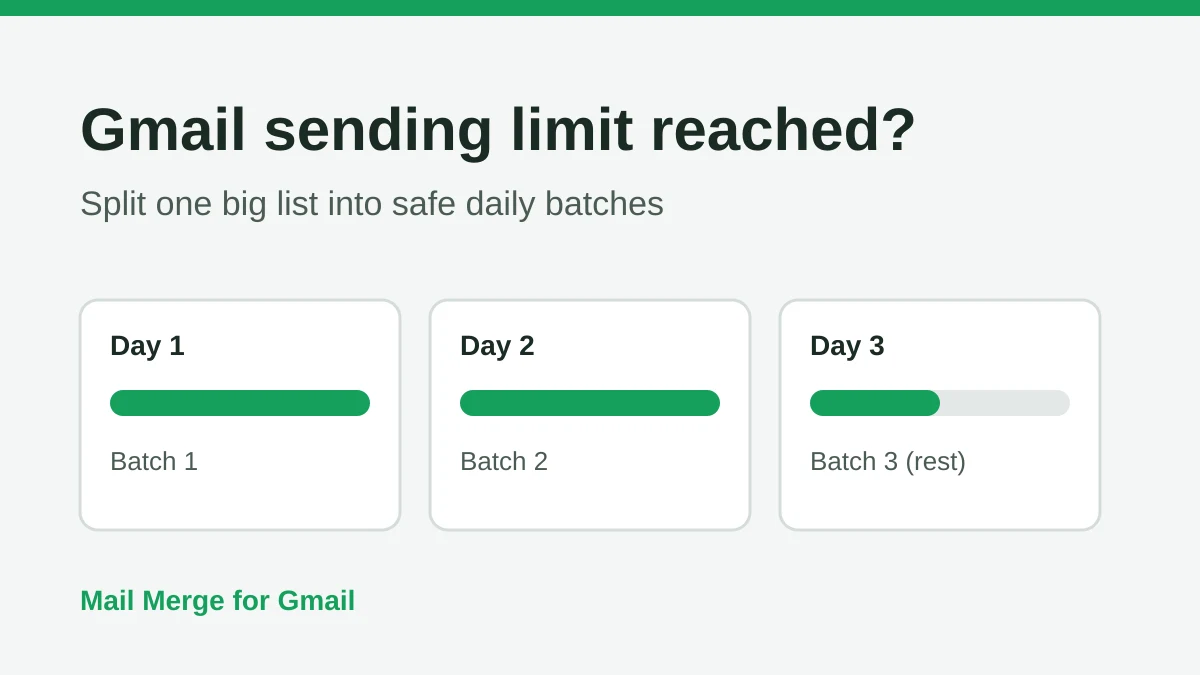
Gmail Sending Limit Reached: What It Means and How to Finish Your Campaign
Hit the Gmail sending limit reached error? Learn the real daily limits, when you can send again, and how to split a mail merge into safe daily batches.
Personalized Email Gmail: The Complete Guide
Master your personalized email Gmail workflow. Learn to merge Sheets data, track opens, and scale one-to-one outreach without leaving your inbox.