

















Email Compliance Software: The Definitive 2026 Guide
Stay compliant in 2026 with our guide to email compliance software. Understand GDPR, CAN-SPAM, and key features to avoid costly fines and protect your business.
In 2023, GDPR fines reached €2.1 billion in the EU. Add per-recipient penalties under some US state laws, and a small email mistake can become an expensive one.
For small businesses, the actual risk is not just sending one bad campaign. It is assuming software will cover decisions the business still has to own. Email compliance software can log consent, process unsubscribes, keep audit trails, and apply rules consistently. Your team still has to collect contacts lawfully, set a valid legal basis, write accurate disclosures, and decide who should not be emailed in the first place.
That shared-responsibility model matters even more for SMBs using lightweight tools and Gmail-based workflows. A mail merge tool can help enforce process. It cannot turn a purchased list into permission, repair missing records, or answer a regulator on your behalf. Software works like a seatbelt. It reduces risk when the driver follows the rules, but it does not make reckless driving legal.
This guide focuses on that boundary. What the software automates. What stays with the business. And how to choose a setup that reduces compliance risk without making day-to-day sending harder. Good compliance practice often improves deliverability too, especially if your team is also working on keeping legitimate emails out of spam folders.
The High Stakes of Modern Email Compliance
144 countries now have data protection and privacy laws on the books, according to UNCTAD’s global data protection map. For a small business, that matters because email lists rarely stay local. A Gmail-based campaign can reach customers, leads, or partners in several jurisdictions in one send.
The practical risk is rarely a dramatic compliance failure. It is the ordinary shortcut. An employee uploads an old spreadsheet, combines it with trade show contacts, then sends a batch email without checking what those people agreed to receive. If a complaint comes in, the business needs more than good intentions. It needs records.
What regulators actually look for
In my experience, regulators and counterparties ask boring questions first. Those questions decide the outcome.
They want to see:
- How the address was collected
- What notice the person saw at the time
- Whether consent was required, and if so, whether you captured it
- When the person opted out or changed preferences
- Whether your team stopped sending after that request
- Who inside the business could access or export the data
That is why compliance software matters. It creates structure around evidence. It can log consent events, preserve suppression lists, and standardize unsubscribe handling. It cannot tell you whether your list was collected lawfully in the first place.
Practical rule: If you cannot explain, in plain English, why someone is on your list and what you told them when you collected their data, do not email them.
The cost of getting casual
A lot of small teams reduce email compliance to a footer and an unsubscribe link. That is only part of the job. The harder part is process: collection, retention, access, and proof.
The shared-responsibility issue starts here. Software can automate the mechanics, but your business still owns the decisions. If you use a mail merge tool for Gmail, the tool may help you send consistently and suppress opted-out contacts. Your team still has to decide whether a partner list, conference scan, or old CRM export should be used at all.
There is also a business cost beyond fines. Poor list hygiene and weak permission practices increase complaints, bounces, and mistrust. Those problems affect inbox placement, which is why compliance work often overlaps with basic deliverability discipline such as keeping legitimate emails out of spam folders.
Email compliance software lowers risk. It does not transfer legal responsibility away from the sender.
Decoding Email Compliance Software
Analysts at Varonis found that many organizations have thousands of sensitive files open to every employee. Email creates the same problem in a smaller, messier form. A business can send messages quickly, but still have no clean record of who consented, who opted out, who approved a campaign, or who had access to the data behind it.
That gap is what email compliance software addresses. It adds controls around sending so the business can show its work later. Your email platform delivers messages. Compliance software records the events, applies rules, and preserves evidence.

What the software actually does
A useful compliance layer usually handles four jobs well.
- Captures proof: It stores opt-in records, preference updates, suppression events, and user activity logs.
- Applies rules consistently: It standardizes unsubscribe processing, retention settings, approval steps, and access permissions.
- Reduces avoidable errors: It replaces scattered spreadsheets, inbox searches, and memory-based decisions with a repeatable system.
- Supports reviews: It helps your team export records when a customer, auditor, platform provider, or regulator asks questions.
For small businesses, those functions matter most when email is sent from tools that were built for outreach, not legal recordkeeping. A Gmail mail merge setup can be efficient, but it needs guardrails. If your team runs prospecting campaigns, this guide to cold emailing and email regulations explains where those rules start to matter.
What the software does not do
Software does not choose your legal basis for processing personal data. It does not write a truthful privacy notice, fix vague consent language, or make an old purchased list safe to use. It also does not train staff to recognize when a contact should be suppressed, deleted, or handled differently because of geography or contract terms.
That is the shared-responsibility model in plain terms. The tool automates mechanics. The business remains responsible for the underlying decision.
I see small teams get this wrong in predictable ways. They buy a platform with consent logs and assume that means every contact in the database is now defensible. It is not. If the original collection process was weak, the software only gives you a cleaner record of a weak process.
Software can document a lawful process and enforce it day to day. Your business still owns the policy, the data source, and the judgment call.
Where it fits in a small business stack
For an SMB, the right setup is usually narrower than a full governance suite. The baseline is simple: capture consent clearly, honor opt-outs quickly, limit access to contact data, and keep records you can retrieve without a scramble.
If you send through Gmail or Google Workspace, the compliance layer often sits inside the existing workflow. That approach is practical because staff keep using familiar tools while the business adds approval trails, suppression controls, and audit history around them. For teams working through GDPR questions, this email GDPR compliance guide is a useful reference alongside your own legal review.
Understanding Key Email Regulations
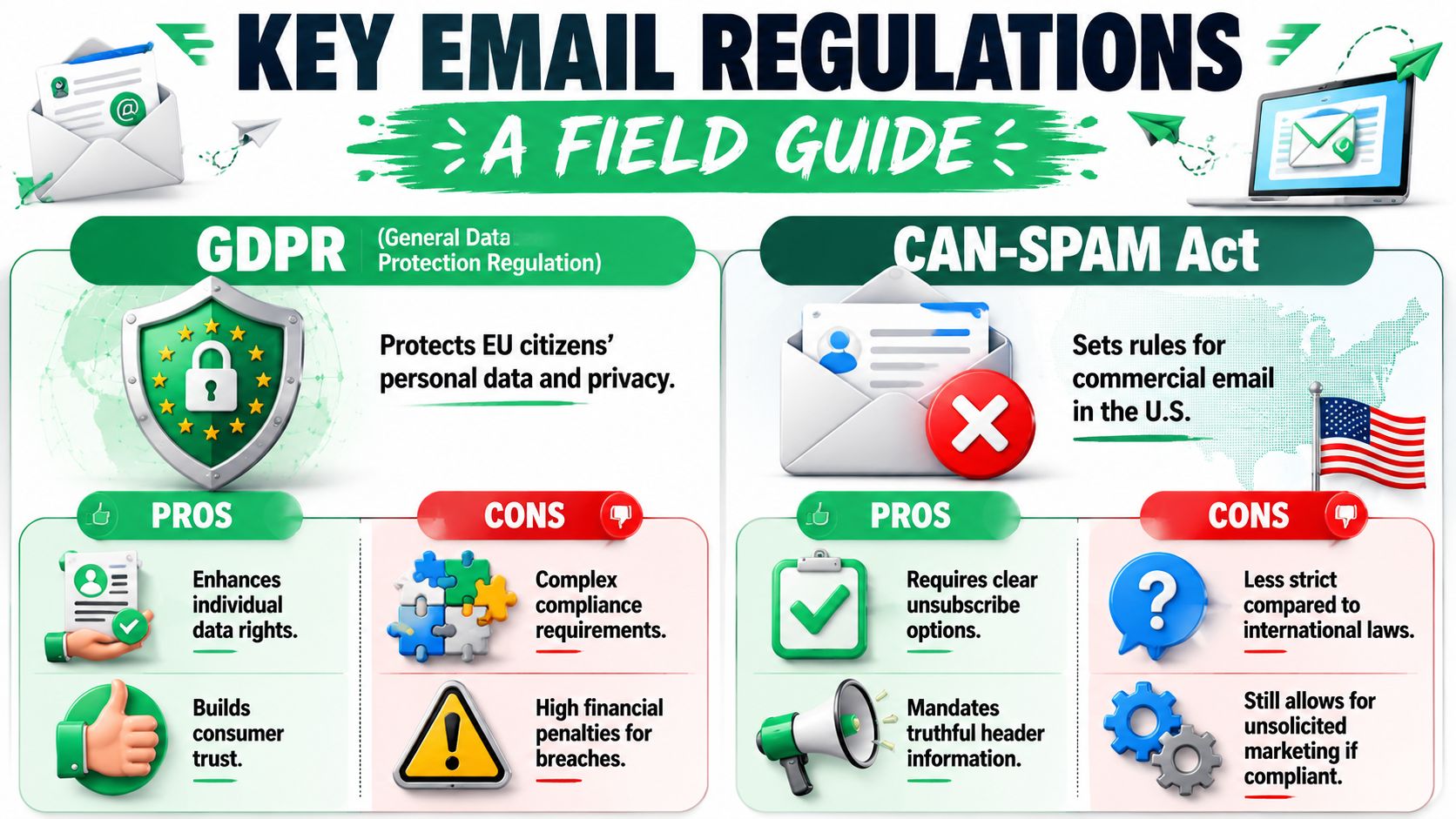
Most business owners don’t need a law degree. They need a field guide. The practical question is simple: what must you do before you send, what must appear in the message, and what records should you keep afterward?
GDPR in practice
GDPR affects any business handling personal data of people in the EU. For email, the most important practical concept is explicit consent. Verified guidance in the data provided defines this as a requirement that subscribers actively click a checkbox to opt in, and that consent can’t be bundled with other terms.
That means these approaches are weak or risky:
- Pre-checked boxes
- Buried consent inside a general terms agreement
- Assuming silence means permission
- Keeping contacts without proof of how they joined
A better approach is plain and specific. Tell people what they’re signing up for, separate that consent from unrelated terms, and keep a record.
For a more detailed breakdown of how this applies to campaigns and list management, this email GDPR compliance guide is a useful companion read.
CAN-SPAM in practice
CAN-SPAM is often misunderstood because it’s less consent-heavy than GDPR. People take that to mean “anything goes if I include unsubscribe.” That’s wrong.
In practical terms, commercial email under CAN-SPAM should include:
- Accurate sender identity
- Truthful header information
- A clear way to opt out
- Honest message presentation
The law is more permissive than GDPR, but it still expects you to behave transparently. If your subject line suggests one thing and the body does another, or your unsubscribe process is hidden or broken, you’re creating exposure.
If your outreach includes prospecting, the compliance details get even more nuanced. This guide to cold emailing and regulations is worth reviewing before you build your sequence.
CASL and the consent standard
Canada’s framework is known for its stronger emphasis on consent. The useful operational distinction is between implied consent and express consent. If your team works across markets, the safest habit is to build systems that can document stronger consent standards rather than trying to operate at the loosest allowed edge.
If you market internationally, build to the strictest realistic standard your business can support. It’s easier to relax a workflow for a lower-risk case than to rebuild one after a complaint.
The common thread across regulations
Different laws use different language, but most of them push you toward the same habits:
| Principle | What it means in practice |
|---|---|
| Consent | Know why the person is on your list and keep proof where required |
| Transparency | Use clear sender identity and explain what recipients will get |
| Control | Make opting out easy and honor preferences quickly |
| Accountability | Keep records that show what your business did and when |
The software features make more sense once you see these rules as operational requirements instead of legal abstractions.
Essential Features of Compliance Software
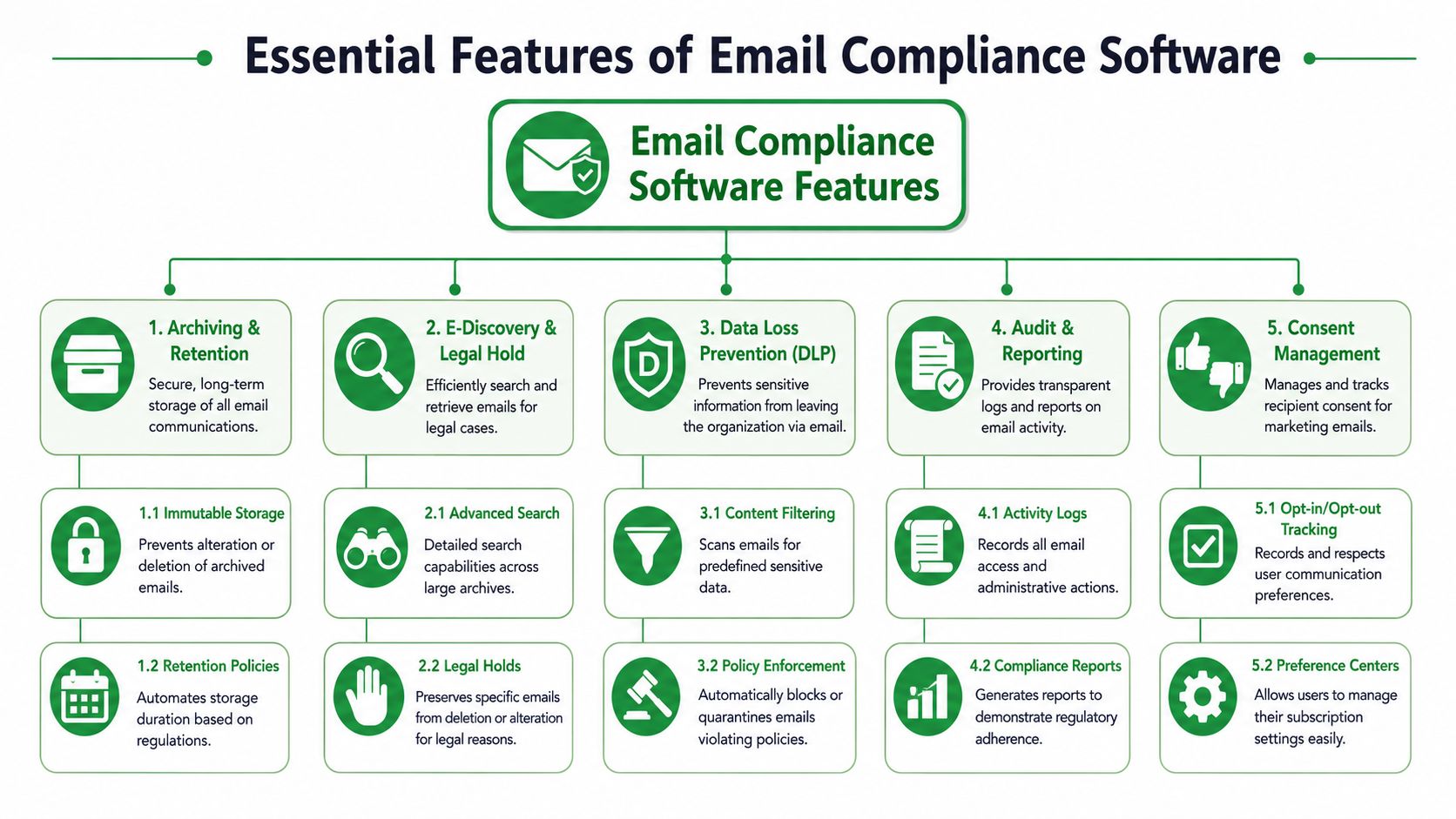
Good compliance software should reduce avoidable mistakes, preserve evidence, and enforce repeatable controls. It should not promise to solve the legal judgment calls for you. That distinction matters, especially for small businesses using Gmail-based outreach tools where one spreadsheet error can overwrite a suppression list or strip out consent notes.
Core controls
These are the functions I would treat as required before looking at nicer workflow features.
-
Consent records with usable proof
The software should log how a contact was added, what form or source was used, and when that happened. If someone asks why they received your email, your team needs more than “they were on the list.” You need a record you can actually retrieve. -
Audit logs
Good tools show who imported contacts, who changed fields, who edited segments, and who processed opt-outs. That matters during complaints, internal reviews, and simple cleanup after a staff handoff. -
Unsubscribe and suppression management
The opt-out link needs to be visible, and the back-end handling needs to work every time. A proper system suppresses future sends reliably, including when contacts are re-imported from a CSV or synced back from another tool. -
Retention and archiving controls
Your business should be able to keep records according to policy and pull them back when needed. For a small company, this often matters less for litigation than for proving what happened after a customer complaint, a regulator inquiry, or an internal dispute about who approved a campaign. -
Role-based access
The person drafting a newsletter should not automatically have permission to export the full database or remove suppressions. Basic permission controls prevent a lot of preventable damage.
Features that solve day-to-day compliance problems
Once the core controls are covered, the next question is practical. Will this tool hold up under normal business use, with rushed campaigns, shared inboxes, list imports, and staff turnover?
Centralized administration helps because scattered systems create blind spots. If unsubscribes live in one tool, consent notes live in a CRM, and campaign drafts live in a spreadsheet, someone will miss a step. One control panel for list status, logs, and permissions is far easier to review.
Reporting that supports action is more useful than pretty charts. The right dashboard answers operational questions. Which imports are missing source data? Which lists changed this week? Which users exported contacts? Compliance reporting should help a manager spot a problem before the next send goes out.
Integrations that keep metadata intact are often underestimated. Contact data moves through forms, CRMs, Sheets, and sending tools. Every transfer is a chance to lose the reason a person was added, the date of consent, or the fact that they already opted out. Software should keep that history attached to the record, not leave it behind in a previous system.
That is where a lot of small businesses get caught. The sending tool works, but the evidence trail breaks.
One small feature with outsized impact
Unsubscribe handling is a good example of the shared-responsibility model in practice. The software can place the link, write the header, and record the opt-out. Your business still has to make sure the message type, recipient source, and list management process were appropriate in the first place.
For Gmail-based sending, technical details matter too. Support for headers such as List-Unsubscribe-Post, List-Unsubscribe, and List-Id can improve how mailbox providers process opt-out requests. That does not make a campaign compliant by itself, but it does show whether the vendor understands the mechanics that reduce friction and risk.
Sender trust settings belong in the same review. If your domain setup is weak, compliance records may be fine while deliverability still suffers. This guide to email authentication for bulk sending covers the setup checks worth reviewing alongside your compliance workflow.
Beyond Software The Shared Responsibility Model
A software tool can automate opt-outs in seconds and still leave your business exposed if the list should never have been used. That is the core mistake I see with small teams using email compliance software, especially in Gmail-based workflows. The software manages steps. Your business remains responsible for the legal basis, the source of the contact data, and the internal rules around who can send what.
Regulators frame this in practical terms. The UK ICO explains that using a service provider does not transfer your data protection duties. If a vendor sends messages or stores personal data on your behalf, you still need a lawful basis, a contract, and controls over how that data is used and protected (ICO guidance on controllers and processors).
What the software can handle well
Software earns its keep on repeatable tasks. It can:
- insert unsubscribe links consistently
- record opt-out requests
- sync suppression status back to a sheet or CRM
- log user actions and list changes
- apply retention settings or access rules you have configured
- flag obvious sending errors before a campaign goes out
That reduces manual mistakes. It also gives you records you can review later.
What your business still owns
The harder questions stay with the business:
- Do we have a valid reason to email this person?
- Does that reason cover this specific type of message?
- Can we prove where this contact came from?
- Did someone import a partner list without checking permission terms?
- Who is allowed to upload, export, or segment contacts?
- How long do we keep consent records, complaint records, and suppression records?
For small businesses, list provenance is often the weak point. A contractor hands over a CSV. A sales rep exports contacts from a past event. An agency adds names gathered for one purpose and uses them for another. The software may process all of it perfectly. That does not make the use lawful.
Mail Merge for Gmail makes this distinction especially important. The tool can send from your mailbox, personalize fields, and write back unsubscribe status. It cannot decide whether your spreadsheet was built with proper notice, valid consent, or a lawful business purpose. That judgment belongs to the business owner and the team running the campaign.
A practical split of responsibility
Use this table as a quick check before you send:
| If the question is about… | Usually owned by… |
|---|---|
| Delivery settings and send controls | The software and your setup |
| Lawful basis to email | Your business |
| Consent wording on forms | Your business |
| Unsubscribe processing | Shared |
| Recordkeeping and audit evidence | Shared |
| User permissions and approvals | Your business |
| Vendor security and system uptime | The vendor, with your review |
Shared responsibility is not a 50/50 split. It works more like renting a commercial kitchen. The landlord maintains the building systems. You still decide what ingredients come in, who handles food, and whether the process passes inspection.
What tends to work, and what usually breaks
The setups that hold up under review are rarely fancy. They use standard intake forms, plain consent language, restricted import permissions, one source of truth for suppression, and a written rule that third-party contacts need documentation before upload.
The setups that fail are just as predictable. Shared spreadsheets with no owner. Old CSV files imported without review. Verbal assumptions about consent. Manual unsubscribe handling. A tool with decent controls, but no one assigned to check whether the controls match the actual workflow.
A clean unsubscribe process does not fix a list that was collected the wrong way.
A short walkthrough can help make that concrete:
How to Select the Right Compliance Vendor
Most vendors sound reassuring. That’s not enough. You need to test whether the product fits your sending model, your legal exposure, and your team’s actual habits.
If you’re a small business, don’t start with the feature grid on the pricing page. Start with your workflow. Are you sending newsletters, sales outreach, recruiting updates, internal notices, or partner communications? The right tool for a broker-dealer archive is not the right tool for a startup running Gmail-based outreach.
Email Compliance Software Evaluation Checklist
| Evaluation Criterion | What to Look For | Why It Matters |
|---|---|---|
| Supported use case | Clear fit for marketing, sales, recruiting, support, or regulated records | A mismatch creates process gaps even if the feature list looks strong |
| Consent tracking | Ability to record opt-ins, preference changes, and suppression status | You need usable evidence, not just a send button |
| Unsubscribe controls | Visible opt-out support and reliable suppression handling | This reduces manual failure and repeated-contact risk |
| Audit logging | User activity records, change history, and exportable logs | Reviewers will ask what changed, who changed it, and when |
| Retention support | Archiving and policy-based retention options where relevant | Compliance often depends on preserving records consistently |
| Access permissions | Role controls for imports, exports, and list editing | Too much access creates avoidable exposure |
| Integration fit | Works with Gmail, Google Workspace, Sheets, CRM, or your current stack | Compliance breaks when teams work around the system |
| Reporting quality | Reports that answer operational questions, not just campaign metrics | You need proof and oversight, not vanity charts |
| Shared-responsibility clarity | Honest explanation of what the tool does and doesn’t do | Vendors that promise total compliance usually create false confidence |
| Implementation burden | Setup that your team can maintain without constant specialist help | A perfect tool no one uses correctly is still a bad purchase |
Questions worth asking on a demo
Don’t ask, “Are we compliant if we use this?” That invites a fuzzy answer.
Ask these instead:
- How does the product record consent history?
- How are unsubscribes stored and surfaced to users?
- What evidence can we export during a review?
- How do you handle imported contacts from external sources?
- What controls stop users from re-emailing suppressed contacts?
- Which parts of compliance are outside your product’s scope?
The last question is often the most revealing. Serious vendors answer it directly.
Frequently Asked Questions about Email Compliance
Is B2B email exempt from compliance rules
No. B2B messages often follow different practical expectations from consumer marketing, but they aren’t outside compliance. You still need to think about lawful basis, transparency, and opt-out handling. The exact rule set depends on where recipients are located and what kind of message you’re sending.
If I use compliant software, can I send to a purchased list
That’s the wrong way to think about it. The software may help you send in a technically compliant way, but it does not validate that the list was lawfully collected. If you bought, borrowed, or received a list from a partner, the key question is whether you can prove how those contacts were obtained and what they consented to receive.
What’s the difference between an email platform with compliance features and dedicated email compliance software
An email platform helps you create and send campaigns. Email compliance software focuses on evidence, control, oversight, and policy enforcement. There is overlap, especially for small businesses using lightweight tools, but the difference shows up when you need to prove consent history, review user activity, manage retention, or document why a list was lawful to use.
What is the safest posture for a small business
Keep it simple. Collect consent clearly. Document where contacts came from. Make unsubscribe easy. Restrict who can import lists. Store enough evidence that you can answer questions later. Most compliance failures in small teams come from loose process, not from a missing enterprise feature.
If you send outreach from Gmail, Mail Merge for Gmail is built for the practical side of compliant sending. It lets you add an unsubscribe footer from the template editor, supports Gmail’s fast unsubscribe method through List-Unsubscribe-Post, List-Unsubscribe, and List-Id headers, and writes Unsubscribed back to the status column in your sheet so your suppression record stays visible inside the workflow your team already uses.
Ready to send your first campaign?
Install Mail Merge for Gmail from the Google Workspace Marketplace and send up to 50 personalized emails per day for free.
Get started for freeMore reading
More from Guides
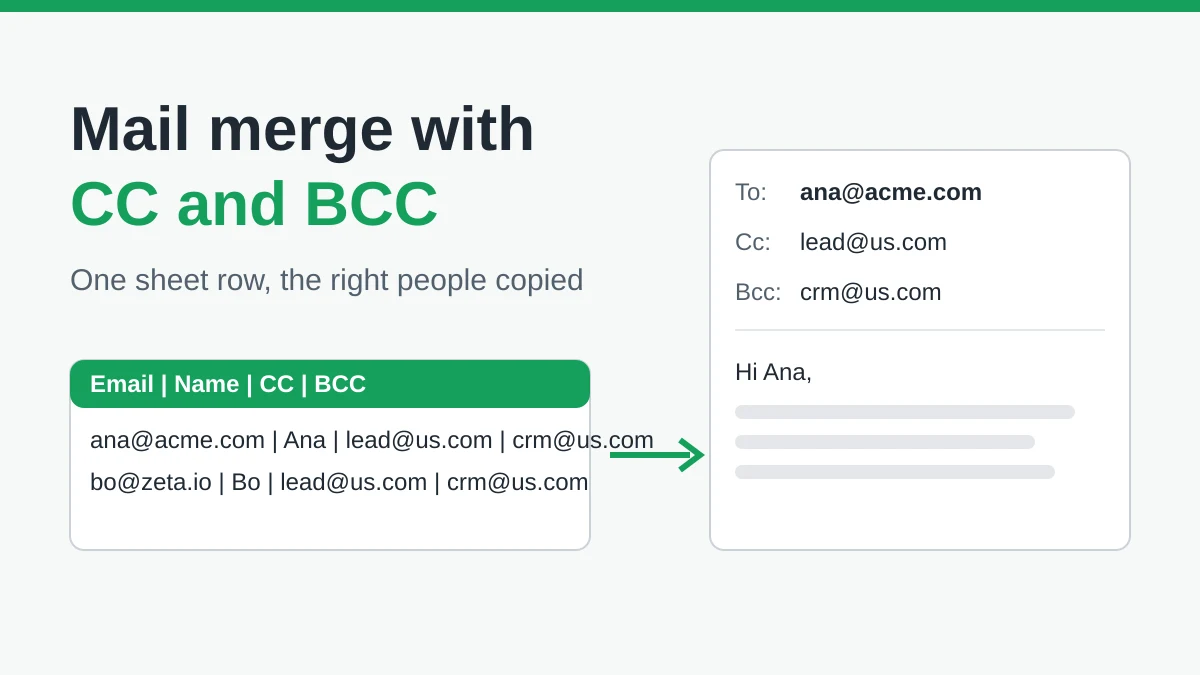
Mail Merge with CC and BCC in Gmail: Copy the Right People on Every Email
Learn how to run a mail merge with CC and BCC from Google Sheets, set up the columns, preview the result and see how copied recipients count toward your daily quota.
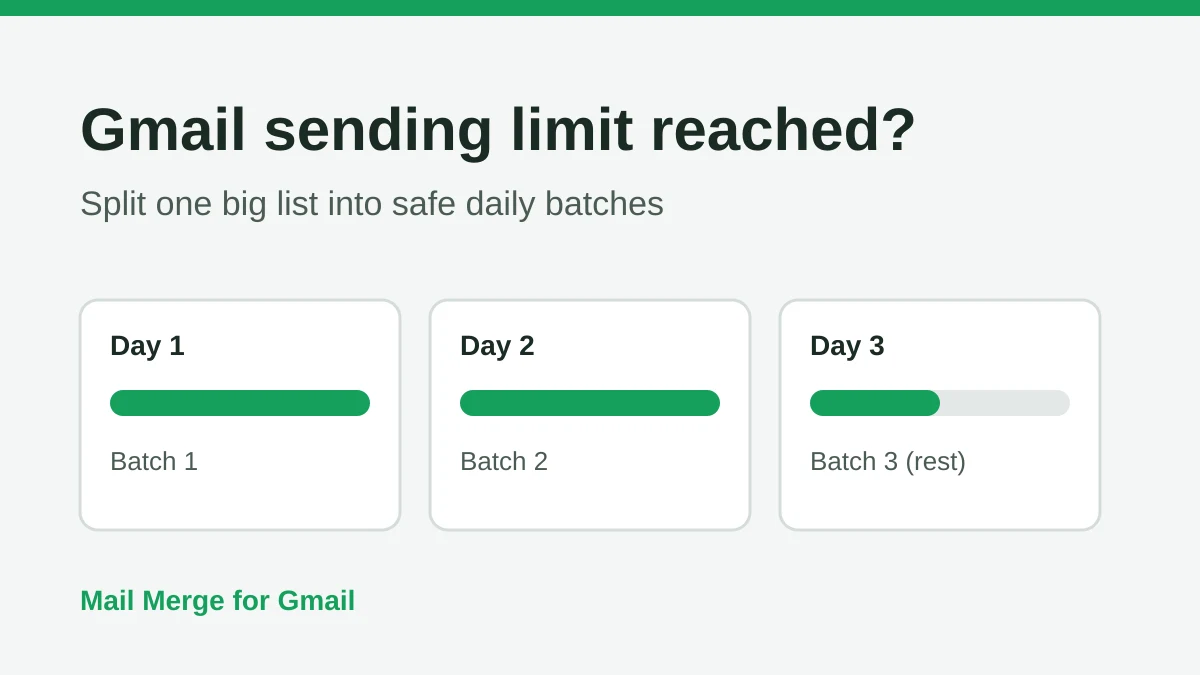
Gmail Sending Limit Reached: What It Means and How to Finish Your Campaign
Hit the Gmail sending limit reached error? Learn the real daily limits, when you can send again, and how to split a mail merge into safe daily batches.
Personalized Email Gmail: The Complete Guide
Master your personalized email Gmail workflow. Learn to merge Sheets data, track opens, and scale one-to-one outreach without leaving your inbox.