


















10 Email Scheduling Tools to Compare in 2026
Compare 10 email scheduling tools for sales, recruiting, events, and education, with pricing, privacy, deliverability, and Gmail workflow guidance.

You need to send four different kinds of email this week. One message should leave Gmail tomorrow morning, a personalized campaign needs to pull names and details from Google Sheets, a recruiting workflow needs follow-ups that stop when candidates reply, and a sales team wants coordinated sequences across several inboxes. Choosing one tool for all four jobs usually creates unnecessary cost, permissions, or operational complexity.
This comparison focuses on the workflow behind the schedule button. Each tool is evaluated by recipient source, personalization depth, follow-up logic, Gmail or Outlook fit, campaign volume, tracking, permissions, deliverability controls, privacy, integrations, and pricing structure. A simple send-later extension can be ideal for one message, while a mail-merge tool, CRM, or sales-engagement platform makes more sense for a campaign.
1. Mail Merge for Gmail
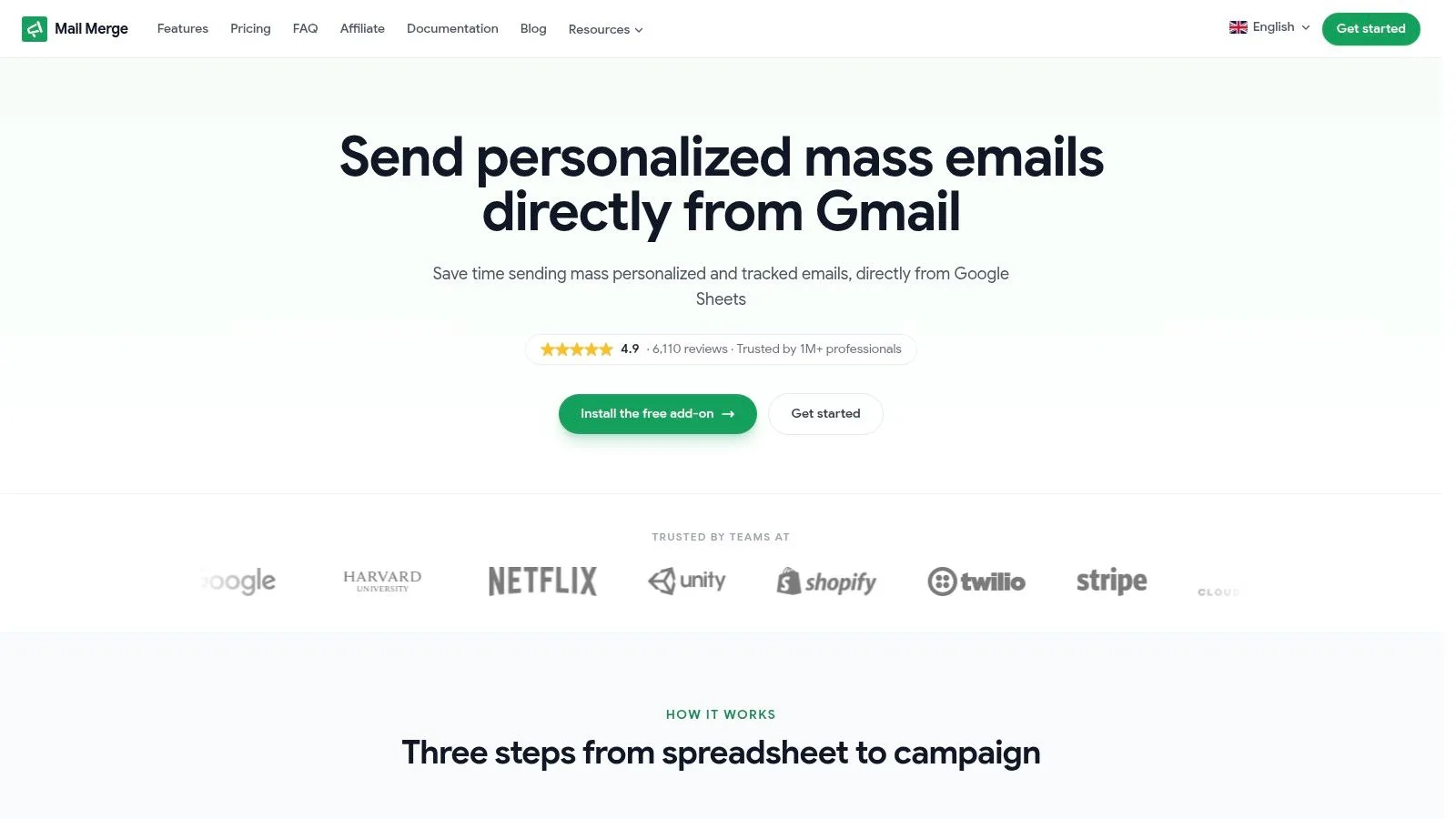
A coordinator working from a Google Sheet can build, review, and schedule a personalized Gmail campaign without importing contacts into a separate marketing platform. Mail Merge for Gmail is designed for that workflow, where the spreadsheet remains the recipient source and Gmail remains the sending environment.
Its main advantage is personalization depth. Templates can include subject lines, body content, CC and BCC fields, attachments, and custom HTML templates. Delivery and engagement status for each row, including Sent, Opened, Clicked, and Replied, can be written back to Sheets. That creates a usable campaign record for coordinators who do not need a separate CRM dashboard.
Scheduling is paired with unsubscribe handling, real-time open and click tracking, and shared team analytics. The stated privacy model is narrower than many outreach platforms: Mail Merge for Gmail says it doesn’t read your inbox and keeps data in your Google account. That can suit organizations limiting mailbox permissions, though teams should still review the add-on’s access requirements and Google Workspace policies before deployment.
Best fit and trade-offs
The published plans include Free at 50 sends per day, Personal at $2.99 per month for 250 per day, Professional at $3.99 per month for 1,500 per day, and Lifetime at a $149 one-time price for 1,500 per day. These allowances come from the product information supplied for this comparison. Gmail and Google policies may impose lower practical limits, so a plan allowance does not ensure that every account can send at its stated maximum.
This tool fits SMB outreach, recruiting, education, nonprofits, event invitations, customer updates, and personalized SDR campaigns that depend on spreadsheet control. It is less suitable when a team needs Outlook or multiple mailbox providers, branching follow-up sequences, CRM synchronization, or sales-engagement administration. Those workflows may justify the added cost, permissions, and operational setup of a broader platform.
A scheduled campaign still requires a clean, relevant recipient list. Unsubscribe handling and Gmail’s anti-spam controls affect whether queued outreach remains operationally safe.
For teams evaluating timing beyond fixed send slots, the send-time optimization guide provides further context. Mail Merge for Gmail keeps data, personalization, and status records close to Google Sheets. Broader schedulers offer more integrations and workflow logic, but they also introduce more infrastructure to configure and govern.
2. Boomerang for Gmail
Boomerang for Gmail is built around a question that basic scheduled send can’t answer: what should happen if the recipient doesn’t respond? Its Send Later feature supports date and time selection, while conditional delivery can send a message only when no reply arrives.
That logic makes Boomerang particularly useful for one-to-one sales conversations, recruiting outreach, client reminders, and personal follow-ups. Recurring messages, reminders, response and read tracking, click tracking, and Respondable AI writing guidance extend the tool beyond a simple timer. Inbox Pause also lets users batch incoming mail, which can help people protect focused work periods while scheduled messages continue moving.
Where it fits
Boomerang stays close to Gmail, so the learning curve is lower than with a sales-engagement platform. You aren’t importing a spreadsheet or configuring a multi-inbox campaign just to remind yourself about an unanswered message. That simplicity is also the limitation. Teams that need deep campaign reporting, cross-platform workflows, or extensive administrative controls may outgrow it.
Some advanced capabilities sit behind higher pricing tiers, so buyers should compare the exact plan requirements rather than assuming every scheduling feature is included. Privacy and permissions deserve the same review as functionality, particularly when tracking and automation require access to message activity.
For a deeper look at the difference between a reminder and a real follow-up workflow, see this guide to automated follow-up emails. Boomerang is the better choice when the sender owns the conversation and wants conditional nudges inside Gmail. It isn’t the natural first choice for a Sheets-driven campaign with row-level personalization.
3. Right Inbox
Right Inbox is a practical Gmail extension for senders who want fast scheduling without a new operating system. Its Send Later control includes time-zone-aware scheduling, which matters when a message should arrive during a recipient’s working hours rather than just leave at a convenient time for the sender.
The surrounding features are useful but restrained. Recurring emails, follow-up sequences, templates, signatures, and tracking cover the common needs of freelancers, small businesses, and individual salespeople. A user can schedule a proposal, create a reminder sequence, and reuse a proven template without introducing a CRM.
The trade-off is scope
Right Inbox feels native because it works within Gmail’s familiar interface. That makes it easier to adopt than a platform that asks users to manage contacts, sequences, reports, and permissions in a separate application. The cost is fewer team-oriented reporting and governance capabilities.
Its free plan has limited monthly actions, so light users may find it adequate while active senders need to examine the paid tiers. The tool is primarily Gmail-focused, which makes it less suitable for organizations that need Outlook parity or a shared cross-client workflow.
Right Inbox is a good answer to “How can I send this later and remember the next step?” It isn’t designed to replace a Google Sheets mail merge when each recipient needs different fields, attachments, or status reporting. It also won’t provide the same campaign-centered data model as a CRM or sales-engagement platform. For one-to-one correspondence, though, its small feature set is an advantage rather than a weakness.
4. Mixmax
Mixmax sits much further along the complexity curve. It combines scheduled sending with AI-recommended send times, automated follow-ups, calendar booking, CRM synchronization, and administrative reporting. Its Gmail and Outlook add-ins make it relevant to teams that can’t standardize on one mailbox ecosystem.
The workflow is sequence-oriented. A sales or recruiting team can schedule a message, define follow-up rules, pause automation when a prospect replies, and include an in-email meeting option. CRM synchronization then connects outreach activity to pipeline or candidate records, reducing the gap between the inbox and the team’s system of record.
Choose it for coordinated revenue workflows
Mixmax offers a strong balance between a familiar “send later” experience and more advanced automation. That makes it suitable for sales, SDR, recruiting, and customer-facing teams where follow-up discipline matters more than spreadsheet simplicity.
The same breadth creates real trade-offs. Solo users may pay for capabilities they won’t use, and pricing and administration become more complex as teams add users, reporting, and automation. Tracking and automated actions also require broader inbox permissions than a narrow scheduler that only controls send time.
Privacy review should therefore happen before rollout. Ask what the add-in can access, which team members can view activity, how CRM data is synchronized, and whether the tool’s automation rules match internal approval policies. Mixmax is better than a lightweight extension when the team needs a shared process. It’s excessive when the job is only scheduling a personal email for tomorrow.
5. Mailbutler
Mailbutler solves a different problem from Gmail-only schedulers: it supports Apple Mail, Gmail, and Outlook. That cross-client coverage can matter when a company has mixed personal preferences or hasn’t standardized its email environment.
Smart Send Later and Recipient-Optimized Scheduling let users select a future delivery time and, where supported by the product’s scheduling logic, time messages around recipient engagement patterns. Mailbutler also adds tracking, templates, notes, tasks, and automations, so it can serve as a broader productivity layer rather than only a delayed-send button.
Cross-client convenience has a permissions cost
The main advantage is interoperability. A user can keep working in a familiar mail client while retaining access to scheduling and productivity features. That’s valuable for distributed teams, consultants, and organizations that combine Apple Mail with Google or Microsoft accounts.
The starter or free tier adds a Mailbutler watermark to sent emails, which can be unsuitable for professional outreach. Some send-later functionality involves server-side processing and additional permissions, so privacy-conscious teams should inspect the authorization scope and data handling before connecting important mailboxes.
Mailbutler is a better fit than Mail Merge for Gmail when client diversity is the dominant requirement. It isn’t the strongest choice for a Google Sheets campaign where the spreadsheet acts as the audience database and each row needs detailed delivery statuses. Its strength is working across mail clients, not replacing a campaign data model.
6. Yesware
Yesware is aimed at sales teams that want scheduling, tracking, campaigns, and meeting booking in one Gmail or Outlook workflow. Send Later includes recipient time-zone options, while email, attachment, and link tracking help sellers understand activity around a message.
The campaign layer adds templates and automated sequences. An SDR can build repeatable outreach, schedule messages for appropriate local times, and use the in-email meeting scheduler to reduce friction after a prospect shows interest. That combination makes Yesware more operationally complete than a basic Gmail extension.
A sales-first choice
Yesware’s strongest advantage is clarity for sales users. The product is designed around conversations that need measurement, follow-up, and meetings, rather than around general personal productivity. Growing teams can therefore use it to standardize outreach without assembling separate scheduling, tracking, and booking tools.
The downside is specialization. Educators, nonprofits, and teams sending general announcements may find the sales framing and campaign features unnecessary. The best value often requires annual plans, so buyers should compare the commitment against actual usage and team growth.
Yesware makes more sense than Mail Merge for Gmail when a team needs sales analytics and automated sequences across Gmail and Outlook. Mail Merge for Gmail is the better fit when recipients live in Sheets and personalization is the primary requirement. Neither tool eliminates the need for list hygiene, consent controls, and sensible sending practices.
7. Streak for Gmail
Streak for Gmail turns Gmail into a CRM and adds mail merge, scheduling, and tracking inside that environment. The key difference is the pipeline. Instead of treating a scheduled email as an isolated event, Streak can connect the message to contacts, tasks, reminders, shared records, and stages in a workflow.
That structure is useful for teams managing candidate pipelines, sales opportunities, partnerships, or event coordination. Contact sharing and AI-assisted features extend the CRM experience, while Gmail-native operation reduces tab switching for users who want their inbox and pipeline in one place.
CRM value versus lightweight simplicity
Streak includes mail merge with scheduling and tracking, and its free tier has a mail-merge allowance of up to 50 per day, according to the product plan notes supplied for this comparison. The figure should be checked against the current plan before purchase because product tiers can change.
The CRM is the reason to choose Streak, not merely the schedule button. A small team that needs ownership, pipeline visibility, and shared follow-up tasks may benefit from the added structure. A sender who only wants to personalize messages from Sheets may find that structure heavy.
Pricing increases as advanced CRM capabilities become available, so the comparison should include the cost of the workflow, not just the cost of sending. Streak is especially compelling for Gmail-centered teams that need a CRM without leaving the inbox. It is less attractive for organizations that already have a CRM or want a minimal-permission campaign add-on.
8. Mailshake
Mailshake is designed for sales teams and agencies running multi-step cold-email campaigns across multiple inboxes. Its scheduling controls include campaign windows, daily caps, planned send times, throttling, and follow-up rules. That makes it materially different from a tool that delays one message.
The platform can pause a sequence after a reply, connect with other systems, provide reporting, and support agency workflows that manage several client mailboxes. Its scheduling calendar gives operators a clearer view of how messages will be distributed rather than leaving each sender to improvise.
Operational control matters at scale
Mailshake is a better fit when deliverability and coordination require explicit controls. Staggered delivery, sending windows, and daily limits can help teams avoid treating a large audience as one undifferentiated blast. Those controls don’t make unsolicited or irrelevant outreach safe, but they give administrators more visibility into the sending process.
The trade-off is complexity. A user who wants to send one customer update tomorrow doesn’t need campaign calendars, inbox management, or agency billing. Pricing depends on seat count and plan, and the appropriate tier can vary with the number of users and mailboxes.
For teams planning a gradual campaign, this guide to drip email campaigns provides useful context. Mailshake is the stronger choice when the schedule is part of a sales-engagement system. Mail Merge for Gmail is more efficient when the sender wants personalized spreadsheet rows, Gmail-native delivery, and simple status reporting.
9. GMass
GMass is a Gmail-native mail-merge and cold-email platform for power users who want campaign controls inside Gmail and Google Sheets. It supports scheduled merges, repeat campaigns, sequences, time-zone sending, real-time open, click, and reply analytics, and A/B testing.
The deep Sheets integration makes recipient sourcing straightforward. A campaign can begin with spreadsheet data, use merge fields, and continue through follow-ups without importing the list into a separate CRM. SMTP options and daily throttling controls provide more flexibility for high-volume workflows than a basic send-later extension.
Power requires operational discipline
GMass is well suited to professional campaign operators, agencies, and sales teams that need detailed timing and sending controls. Its interface can feel dense to first-time users because the product exposes more campaign decisions. That isn’t a flaw, but it raises the cost of setup and training.
Pricing skews toward professional and team tiers, so buyers should review the current plans carefully. Account limits still matter even when a platform offers throttling or SMTP options. Gmail’s Workspace documentation lists a daily per-user sending limit of 2,000 messages, reduced to 1,500 for mail merge and 500 for trial accounts, with recipient-based limits also applying, as detailed in Google’s Workspace sending-limit documentation.
GMass is the better choice when advanced campaign mechanics outweigh simplicity. Mail Merge for Gmail is the cleaner option for teams that want similar Sheets-and-Gmail proximity with a more lightweight, privacy-first workflow.
10. Mailmeteor
Mailmeteor combines mail merge and scheduling for Gmail and Outlook, with Google Sheets support and a web dashboard. It emphasizes minimal permissions, real-time tracking, reply and bounce detection, and a simple setup for users who don’t want a full sales-engagement platform.
A sender can schedule individual emails or a mail-merge campaign, then monitor delivery and engagement signals. The Gmail add-on, Google Sheets add-on, and web dashboard give teams flexibility in how they create and manage campaigns.
Good for light campaigns and mixed accounts
Mailmeteor is a strong option for educators, nonprofits, small businesses, and occasional campaign senders. Its lightweight permissions approach can be more comfortable for organizations that don’t want to grant broad inbox access to an automation platform.
The limits are equally clear. Advanced sales-engagement automation is less developed than in tools such as Mixmax, Yesware, Mailshake, or GMass. Daily sending capacity also depends on the connected Google or Microsoft account type, so the product’s campaign controls can’t override provider policies.
Mailmeteor and Mail Merge for Gmail occupy similar territory, but their priorities differ. Mailmeteor is attractive when Gmail and Outlook support or a web dashboard matters. Mail Merge for Gmail is the sharper choice for a Google Workspace team that wants data to stay in its Google account, detailed row-level statuses in Sheets, and a privacy model that doesn’t read the inbox.
Top 10 Email Scheduling Tools Comparison
| Product | Core features | UX & Rating | Pricing / Value | 👥 Target audience | ✨ Unique selling point |
|---|---|---|---|---|---|
| Mail Merge for Gmail 🏆 | Personalized mail merges, Sheets integration, per-row statuses, scheduling, tracking | ★★★★★ 4.9/5 (6,110+ reviews); native Gmail/Sheets | 💰 Free:50/day · Personal $2.99/mo (250/day) · Pro $3.99/mo (1,500/day) · Lifetime $149 | 👥 SMBs, startups, SDRs, recruiters, nonprofits, educators | ✨ Privacy-first, per-row analytics written to Sheets; GDPR compliant |
| Boomerang for Gmail | Send Later, conditional sends, recurring messages, reminders, Respondable | ★★★★ Mature, scheduling-focused UX | 💰 Free limited · paid tiers for advanced features | 👥 Professionals needing advanced send logic & inbox control | ✨ Conditional “send only if no reply” + Inbox Pause |
| Right Inbox | Send Later (TZ aware), recurring emails, sequences, templates, tracking | ★★★★ Very native & quick to learn | 💰 Free limited · affordable per-user plans | 👥 Solo users & small teams wanting simple scheduling | ✨ Fast, lightweight in‑Gmail scheduling |
| Mixmax | AI send-time, automated follow-ups, in-email scheduling, CRM sync | ★★★★ Feature-rich; Gmail/Outlook add-ins | 💰 Paid plans; scales with features and seats | 👥 Sales, recruiting teams needing sequences + calendar | ✨ Sequences + in-email meeting booking + CRM integrations |
| Mailbutler | Smart Send Later, recipient-optimized scheduling, tracking, templates, tasks | ★★★★ Cross-client UX (Apple Mail, Gmail, Outlook) | 💰 Free starter (watermark) · paid upgrades | 👥 Users across multiple mail clients | ✨ Rare multi-client support + recipient-optimized sends |
| Yesware | Send Later (TZ), tracking, campaigns, templates, meeting scheduler | ★★★★ Mature sales analytics & workflows | 💰 Paid (better value on annual plans) | 👥 Sales/SDR teams needing analytics + scheduling | ✨ Straightforward sales workflows and reporting |
| Streak for Gmail | Mail merge + scheduling inside Gmail, pipelines, reminders, AI features | ★★★★ True in‑Gmail CRM experience | 💰 Free limits (e.g., mail merge up to 50/day) · paid CRM tiers | 👥 Users wanting CRM workflows inside Gmail | ✨ Integrated CRM + mail merge without leaving inbox |
| Mailshake | Campaign scheduling windows, daily caps, throttles, multi-step sequences | ★★★★ Robust for teams & agencies | 💰 Paid per seat · agency plans available | 👥 Sales teams & agencies running multi-inbox outreach | ✨ Detailed scheduling + deliverability controls for agencies |
| GMass | Gmail-native merges, sequences, TZ sending, SMTP options, A/B testing | ★★★★ Power-user focused interface | 💰 Free trial · paid pro/team tiers (pro-oriented pricing) | 👥 Power users running high-volume Gmail campaigns | ✨ Deep Sheets integration and advanced sending controls |
| Mailmeteor | One-click scheduling, mail-merge for Gmail/Outlook, tracking, lightweight | ★★★★ Simple, privacy-minded UX | 💰 Strong free tier · paid for pro features | 👥 Educators, nonprofits, SMBs wanting easy scheduling | ✨ Minimal permissions + easy learning curve |
Choose by Workflow, Not by Feature Count
The best email scheduling tools aren’t interchangeable because they control different parts of the workflow. A native send-later tool handles one-off timing. A sequence platform manages automated sales or recruiting follow-ups. A CRM-centered product connects messages to pipeline ownership and tasks. A Sheets-connected mail-merge tool manages personalized campaigns where the spreadsheet is the source of truth.
Use this decision path:
- Choose a native send-later tool when one person needs to delay a message, set a reminder, or send a conditional follow-up from Gmail. Boomerang and Right Inbox fit this job better than a full campaign platform.
- Choose a sequence platform when the workflow includes multiple steps, automatic pauses after replies, time-zone delivery, booking links, or several inboxes. Mixmax, Yesware, and Mailshake are designed for that operational layer.
- Choose a CRM-centered tool when every message must connect to a pipeline, owner, stage, task, or shared contact record. Streak is the clearest fit among the tools here.
- Choose a Sheets-connected mail-merge tool when recipients, custom fields, attachments, and campaign status already belong in Google Sheets. Mail Merge for Gmail, GMass, and Mailmeteor fit this model, with different balances of simplicity, permissions, and campaign depth.
Mail Merge for Gmail is particularly straightforward when the workflow starts with a spreadsheet. Import recipients into Google Sheets, then create or select a template. Personalize fields across the subject, message body, CC or BCC fields, attachments, or HTML, preview the campaign, and choose whether to send immediately or schedule it. After delivery, review per-row statuses such as Sent, Opened, Clicked, and Replied in Sheets, then use unsubscribe handling and team analytics to manage the next action.
Another scheduler is better when the workflow begins somewhere else. Choose Mixmax or Yesware for CRM-linked sales activity, Mailshake for multi-inbox outreach with throttling and campaign windows, Streak for pipeline management, Mailbutler for mixed mail clients, or Boomerang for conditional one-to-one follow-up logic.
Before buying, check:
- Recipient time zones: Can the tool deliver according to the recipient’s local time, and can you verify how that setting works?
- Send limits: Do the plan allowance and the connected Gmail or Microsoft account support the intended campaign?
- Throttling: Can you stagger delivery, set daily caps, or control campaign windows?
- Unsubscribe handling: Does the workflow provide a clear way to stop future messages?
- Tracking permissions: Do open, click, attachment, and reply tracking require broader access than your team accepts?
- Inbox access: Does the tool read inbox content, or does it only control scheduled delivery?
- Data location: Where are recipient records, templates, tracking events, and campaign results stored?
- Pricing tier: Are essential features limited to annual, professional, team, or higher plans?
- Gmail and Sheets compatibility: Can the tool work where your audience data and daily email work already live?
- Team reporting: Do you need shared analytics, ownership, CRM synchronization, or only a personal sent folder?
A final operational check matters for every platform. Google Workspace documents a 2,000-message daily limit per user account, with lower limits for mail merge and trial accounts, while independent guidance also reports lower caps for personal Gmail and SMTP delivery. Gmail sending-limit guidance also highlights that account type, delivery method, and attachment size can affect whether a queued campaign sends successfully. Treat provider limits, recipient consent, list hygiene, and deliverability controls as part of the selection decision, not as technical details to solve after purchase.
Mail Merge for Gmail offers personalized, trackable scheduling from Gmail and Google Sheets, with deep merge fields, unsubscribe handling, row-level statuses, and a privacy-first design that doesn’t read your inbox. If your team wants campaign control without adopting a full CRM or sales-engagement platform, visit Mail Merge for Gmail and compare its workflow with the scheduling tool you use today.
Ready to send your first campaign?
Install Mail Merge for Gmail from the Google Workspace Marketplace and send up to 50 personalized emails per day for free.
Get started for freeMore reading
More from Comparisons

Soft Bounce vs Hard Bounce: Causes, Codes, and Fixes
Learn the real differences between soft bounce vs hard bounce, including SMTP codes, common causes, deliverability impact, and step-by-step remediation tactics.
Incoming Email Servers: A Practical Guide for 2026
Learn how incoming email servers work, compare IMAP vs POP3, and apply proven server settings to land more of your Gmail outreach in the primary inbox.
Top 9 YAMM Alternatives to Upgrade Your Email Marketing Strategy in 2025
Alternatives to YAMM: Discover why Mail Merge for Gmail is the #1 choice in 2025 to supercharge your email campaigns with ease and power.