

















Send Time Optimization: Maximize Email Engagement
Discover send time optimization. Our guide offers a step-by-step framework for testing & finding the best email send times to boost engagement.

You’ve probably done this before. The campaign is ready, the copy is solid, and someone on the team asks the question that always sounds simple and never is: “What time should we send it?”
So you pick a respectable default. Tuesday at 10 AM. Maybe Wednesday after lunch. Maybe first thing Monday because that’s when the sales team wants leads.
Then the results come back uneven. Some people opened right away. Others never saw the message because it landed under a pile of newer emails before they checked their inbox. The problem usually isn’t the email alone. It’s that a single send time assumes your audience behaves like one person.
That’s where send time optimization becomes useful. Not as a fancy feature name, but as a practical shift in how you think about delivery. Instead of asking for the best time for everyone, you start looking for the best time for each group, and eventually each individual. For smaller teams, you don’t need enterprise software to start doing this well. You need a testing habit, clean list structure, and a way to track outcomes consistently.
The Hidden Cost of One-Size-Fits-All Sending
Batch sending feels efficient because it is efficient for the sender. You choose a time once, press send once, and move on. The hidden cost shows up on the recipient side.
A founder checks email before breakfast. A recruiter catches up between interviews. A buyer in another time zone opens messages after dinner. When all three get the same campaign at the same moment, only one of them might receive it when they’re ready to read it.
That gap matters more than many realize. A good message sent at the wrong time often looks like a weak message. Marketers rewrite subject lines, change offers, and redesign templates when the underlying issue is simpler: the email arrived when the recipient was busy, asleep, commuting, or buried in work.
Why the old default breaks down
The classic “Tuesday at 10 AM” rule survives because it’s easy to remember, not because it fits modern inbox behavior. People read email in bursts. They switch devices. They check personal and work inboxes at very different times.
Practical rule: If your send schedule is built around your team’s convenience instead of your audience’s habits, you’re probably leaving engagement on the table.
This is even more obvious when you send to mixed audiences. B2B prospects, customers, volunteers, event attendees, and newsletter readers rarely behave the same way. One-size-fits-all sending flattens those differences and makes timing guesswork.
What better looks like
Send time optimization fixes the core mismatch. Instead of one universal launch moment, emails go out when the recipient is more likely to notice and act.
In a perfect setup, each subscriber gets the message at a different time based on their behavior. In a smaller-team setup, you can get surprisingly close by grouping contacts into cohorts and testing those cohorts with discipline. That’s the playbook that works without heavyweight tooling, and it’s far better than sticking to calendar folklore.
What Is Send Time Optimization
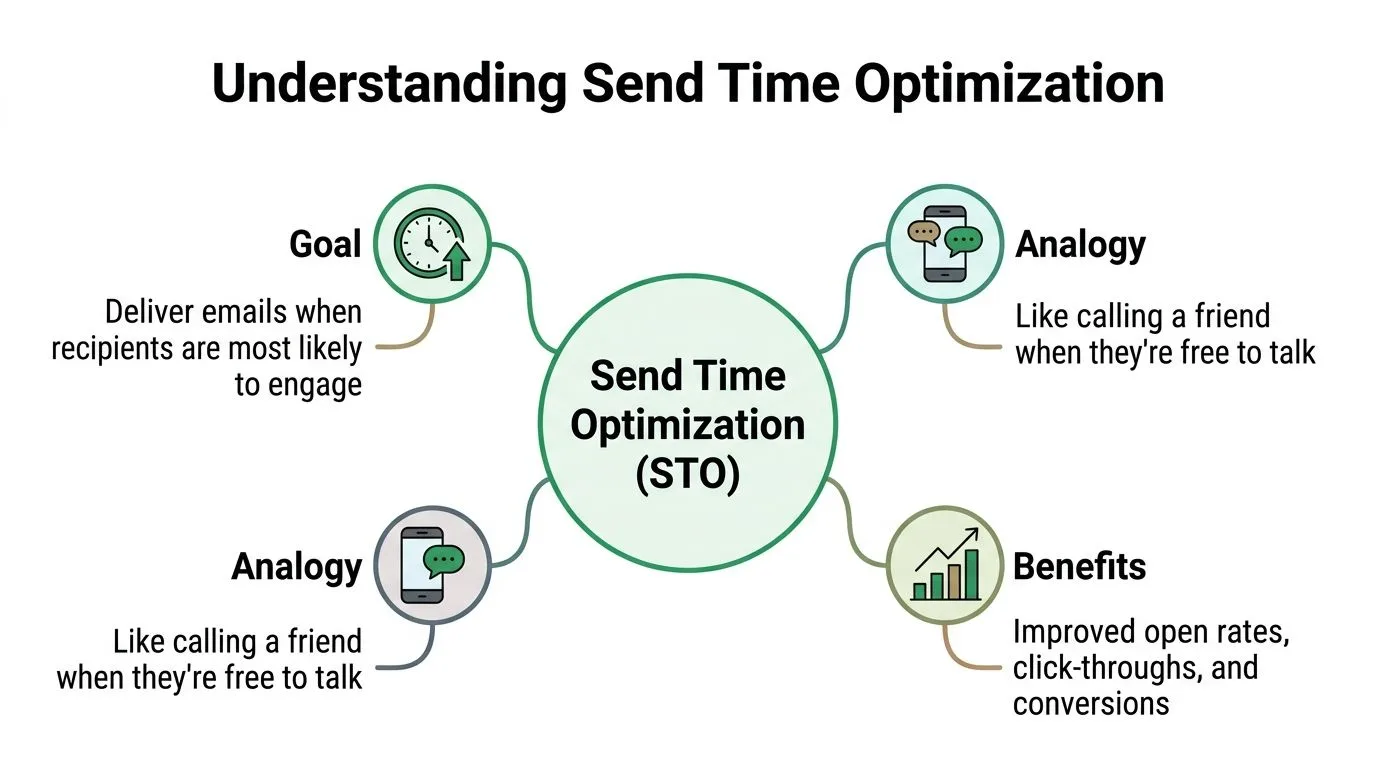
Send time optimization is the practice of delivering an email when each recipient is most likely to engage with it. The simplest analogy is calling a friend when you know they’re free, instead of calling when it suits you and hoping they answer.
That’s all STO is at its core. It’s timing based on recipient behavior, not sender preference.
How it works in practice
A real STO system watches for patterns across opens, clicks, and repeated campaign interactions. It doesn’t just note that someone opened one email at 8 AM once. It looks for stable habits over time.
The usual workflow looks like this:
- Collect engagement history from past emails.
- Build an individual pattern for each recipient, such as weekday mornings or weekend evenings.
- Predict a likely best window for future engagement.
- Deliver inside that window instead of sending to everyone at once.
In mature systems, this can mean one campaign reaches different people at very different moments. Sarah might get it in the morning. Mike gets it in the afternoon. Priya gets it in the evening. That’s the operational difference between STO and batch sending.
What kind of lift is realistic
The practical value is measurable, but it’s not magic. Send time optimization consistently delivers a 5–15% relative improvement in open rates and a 3–10% relative improvement in click rates across major platforms, according to the verified benchmark in this brief. That means STO usually creates a meaningful incremental lift, not a dramatic reinvention of a weak campaign.
That distinction matters. If your baseline email is poor, timing won’t rescue it. If your campaign is already solid, better timing can help more people see it.
Strong timing improves access to your message. It doesn’t replace a clear offer, relevant copy, or a reason to click.
Where STO fits for smaller teams
Most smaller teams don’t have enterprise orchestration platforms with built-in AI timing controls. That’s fine. The core principle still applies. You can approximate STO by testing send windows, segmenting by audience type or timezone, and tracking results at the row level in a spreadsheet.
If you want more context on how timing fits into a wider demand generation system, 100Signals agency growth resources has useful material on campaign planning and measurement.
The important shift is mental. Stop asking, “What’s the best time to send emails?” Start asking, “Which recipients tend to engage at which times, and how can I test that cheaply?”
A Simple Framework for Testing Your Send Times
Teams often don’t need a complicated experimentation program. They need a framework that stops random scheduling and produces usable answers.
The one I recommend has four parts: formulate, execute, analyze, refine. Keep it simple enough to repeat every month.
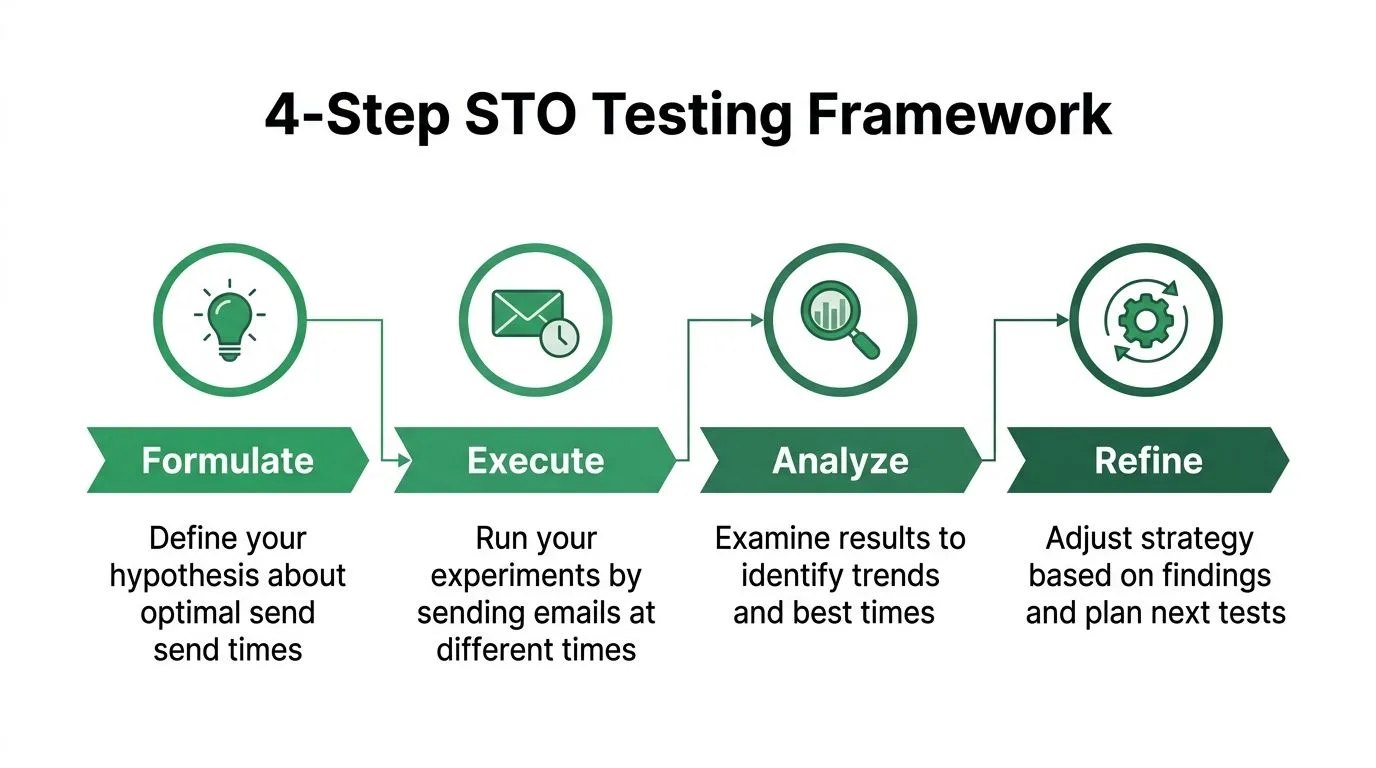
Formulate a hypothesis
Start with a specific belief you can test. Not “let’s see what happens,” but something like:
- Audience-based hypothesis Your customer list may engage better in the evening than your prospect list.
- Timezone hypothesis Recipients should perform better when they receive messages in their local morning.
- Content-based hypothesis Educational content may perform later in the day, while event reminders may work better earlier.
You don’t need certainty. You need a reason for the test.
Execute with controlled cohorts
Next, split your audience into comparable groups. Keep the email itself the same. Same subject line, same body, same CTA. Change the send time only.
A useful starting setup is A/B/n testing across three windows:
| Cohort | Send window | Best use |
|---|---|---|
| A | Morning | Workday-focused audiences |
| B | Afternoon | General business sends |
| C | Evening | Mixed or consumer-heavy audiences |
Email open rates can vary sharply by time and day, with peaks as high as 59% at 8 PM and strong Saturday morning performance, according to the verified benchmark in this brief. Old midweek, midday assumptions don’t hold for every audience anymore.
Analyze the right metrics
Open rate is the obvious first metric, but don’t stop there. A send time that gets curiosity opens but weak clicks may not be the true winner.
Track these outcomes:
- Open rate Useful for visibility and inbox timing.
- Click rate Better for measuring actual interest.
- Time to open Helpful for spotting whether a send time creates immediate attention.
- Replies or conversions Best when the campaign goal is direct response, not just traffic.
The winning send time is the one that supports the campaign’s job. For a newsletter, that might be opens. For outreach, it may be replies.
Refine instead of chasing one universal answer
A good test gives you a next move, not a permanent law. If evening wins for one segment, test different evening windows next. If mornings work for one region, break that region into smaller groups and keep going.
What works for a product update may fail for a webinar invite. What works for prospects may fail for customers. Send time optimization becomes valuable when your team accepts that timing is a variable to manage, not a rule to memorize.
How to Run STO Experiments with Mail Merge for Gmail
If you’re working inside Google Workspace, you can run clean send-time tests without adding a heavy platform. The practical setup is Google Sheets for segmentation, Gmail for sending, and a mail merge workflow that writes results back to the sheet.
One important caution before you research the tool itself: Mail Merge for Gmail is a descriptive product name, so it’s easy to confuse it with other mail merge tools for Gmail. When you look up documentation, examples, or reviews, double-check that the information specifically refers to this product and not a competitor with a similar name.
Build your test sheet first
Start with a Google Sheet that includes the fields you already use for outreach. At minimum, I’d include:
- First name
- Segment
- Cohort
- Timezone if you have it
- Status columns for delivery and engagement
The key field is Cohort. That’s where you assign each contact to a send-time test group such as Morning, Afternoon, or Evening. Keep the groups balanced and logical. Don’t put all warm leads in one cohort and cold leads in another unless that’s the variable you want to test.
If your team needs a refresher on the sheet-based workflow, this guide on how to mail merge from Google Sheets covers the mechanics well.
Schedule separate sends by cohort
Once your list is organized, duplicate the same campaign for each cohort and schedule each one at its assigned send time. The point is consistency. You want the send time to be the only meaningful difference.
Smaller teams often get sloppy, tweaking the subject line between cohorts, changing copy at the last minute, or excluding a few rows manually without documenting it. That ruins the test.
A cleaner process looks like this:
- Freeze the email copy before the first cohort goes out.
- Filter the sheet by cohort so each send uses the right rows.
- Schedule each batch for the intended time slot.
- Record the exact launch time in the sheet or a notes tab.
Respect Gmail volume limits
Timing experiments are still constrained by sending quotas. Google Workspace enforces a daily mail merge cap of 1,500 total recipients in a rolling 24-hour period, separate from the standard 2,000-message daily Gmail limit, as documented in Google Workspace Gmail sending limits.
That cap changes how you plan tests. If your audience is larger than the daily limit, run the experiment across several days with matched cohorts rather than forcing everything into one window. If you use CC or BCC in mail merge workflows, be careful because recipient counting can consume your quota faster.
Use row-level tracking as your feedback loop
The main advantage of a sheet-based process is visibility. When statuses write back to each row, you can inspect results contact by contact instead of relying only on summary dashboards.
That lets you answer practical questions fast:
- Who opened in each cohort
- Which segment clicked most often
- Whether timezone assumptions held up
- Which contacts never engage regardless of timing
Small teams don’t need perfect automation. They need a repeatable loop where every send teaches the next one.
That’s how you get close to send time optimization manually. Not by pretending you have enterprise AI, but by building a disciplined send, track, compare cycle with tools you already use.
Analyzing Your Results in Google Sheets
Once responses start writing back into the sheet, the temptation is to scan a few rows, spot a pattern, and declare a winner. Don’t do that. Sheets can give you a reliable answer if you structure the analysis.

Build a simple cohort summary
Create a new tab called Summary. Then calculate totals for each cohort using basic formulas.
A straightforward setup:
| Metric | Example formula idea |
|---|---|
| Total sent in Morning cohort | COUNTIF(CohortRange,"Morning") |
| Total opened in Morning cohort | COUNTIFS(CohortRange,"Morning",StatusRange,"Opened") |
| Total clicked in Morning cohort | COUNTIFS(CohortRange,"Morning",StatusRange,"Clicked") |
If your tool writes separate columns for sent, opened, clicked, or replied, adapt the formulas to those fields. The principle is the same: count outcomes by cohort, then divide engagement by total sent to compare like for like.
For example, an open-rate formula would be the count of opened rows in a cohort divided by the count of sent rows in that same cohort.
Look for decisions, not trivia
When I review send-time tests, I’m not looking for tiny differences first. I’m looking for usable differences. If one cohort wins on opens but another wins on clicks and replies, the campaign objective decides the winner.
Useful interpretation questions include:
- Did one time slot win across multiple metrics
- Did a segment behave differently from the full list
- Did the same cohort perform well across more than one campaign
- Was the winner tied to content type rather than time alone
This is also where reporting discipline matters. A campaign log makes future testing easier, especially when you track send date, audience, offer, subject line, and winning time slot in one place. If you want a cleaner structure for that workflow, this guide on campaign performance reporting is a solid reference.
Don’t chase a “best send time” after one campaign. Look for repeatable wins inside the same audience and message type.
Add context before you act
Google Sheets makes it easy to summarize numbers, but judgment still matters. If an evening cohort wins for promotional emails and loses for meeting-request outreach, that’s not a contradiction. It’s useful segmentation.
For teams that want a broader view of how to evaluate digital campaign performance, it helps to think beyond surface metrics and tie timing back to the actual outcome your campaign exists to produce.
The best spreadsheet analysis doesn’t just tell you what happened. It tells you what to try next.
Common STO Pitfalls and Advanced Tips
Most failed send time optimization efforts don’t fail because the idea is wrong. They fail because the setup is sloppy, the list is too thin, or the campaign type was never a good fit for timing optimization in the first place.
Pitfalls that distort the result
The biggest mistake is trying to infer individual timing patterns from too little history. Effective STO requires 3–6 months of historical engagement data to establish reliable behavior patterns, and without that depth, models struggle to separate real preference from noise, as noted in Monday.com’s send time optimization overview.
That same warning applies to manual testing. If your list is new, lightly engaged, or inconsistent, your timing conclusions will be shaky.
Other common failure points:
- Ignoring time zones A 9 AM send isn’t one moment if your audience spans regions.
- Changing multiple variables If timing, subject line, and CTA all change, you learn nothing.
- Testing urgent messages Password resets, operational notices, and time-critical updates should go now, not when an algorithm thinks engagement might be higher.
- Using bad tracking data If opens and clicks aren’t recorded cleanly, your test can’t support a real decision.
If engagement tracking itself needs tightening, this walkthrough on tracking email opens helps clarify the basics.
Advanced ways to improve the signal
Once your first tests are stable, move beyond “morning versus evening.”
Try these refinements:
- Optimize for the goal If your outreach depends on replies, judge send times by reply behavior, not just opens.
- Split by campaign type Newsletters, invites, follow-ups, and promotions often perform on different rhythms.
- Test day and time together A strong Saturday morning result may beat a weak weekday afternoon, depending on the audience.
- Separate B2B from B2C behavior Business buyers often engage in different windows than consumers, especially for non-urgent content.
Mature send time optimization is less about finding one perfect slot and more about matching each message type to the audience behavior that surrounds it.
That’s the point where timing becomes part of your operating system instead of an occasional experiment.
Conclusion Make Smart Sending Your Standard
Send time optimization isn’t reserved for teams with expensive automation stacks. The useful part of STO is the mindset. Stop broadcasting by habit and start sending with evidence.
For smaller teams, the practical version is enough. Segment your audience, stagger the sends, track outcomes in Google Sheets, and keep refining. That approach won’t mimic enterprise AI perfectly, but it will outperform blind batch scheduling if you stay disciplined.
The bigger opportunity is organizational. Once your team sees timing as a controllable variable, better decisions start spreading into subject lines, segmentation, and follow-up design too. If your workflow is expanding beyond email tests and into broader automation, tools that help teams deploy AI agents with Hermes can also support more structured operational playbooks around campaign execution.
The next send doesn’t need a guess. It needs a test.
If you want to run these experiments without leaving Gmail, Mail Merge for Gmail gives you a practical way to send personalized campaigns from Google Sheets, schedule test cohorts, and track row-level opens, clicks, and replies in one workflow. It’s a simple setup for turning send time optimization from a theory into a habit.
Ready to send your first campaign?
Install Mail Merge for Gmail from the Google Workspace Marketplace and send up to 50 personalized emails per day for free.
Get started for freeMore reading
More from Guides
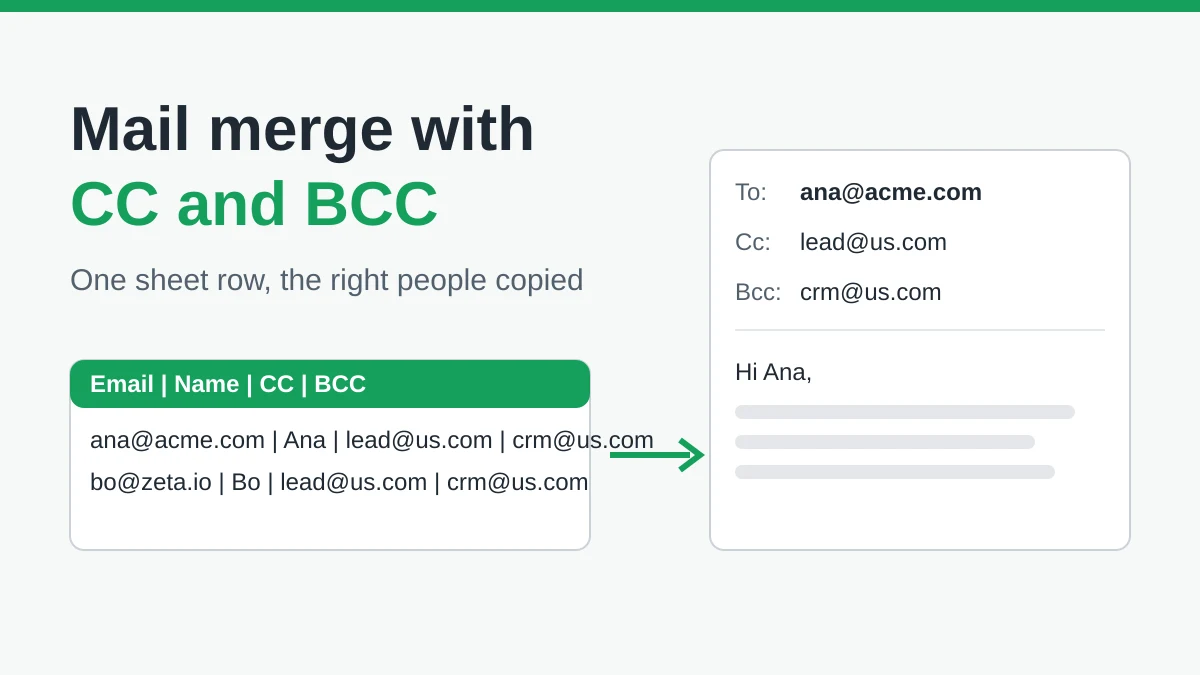
Mail Merge with CC and BCC in Gmail: Copy the Right People on Every Email
Learn how to run a mail merge with CC and BCC from Google Sheets, set up the columns, preview the result and see how copied recipients count toward your daily quota.
Gmail Sending Limit Reached: What It Means and How to Finish Your Campaign
Hit the Gmail sending limit reached error? Learn the real daily limits, when you can send again, and how to split a mail merge into safe daily batches.

Personalized Email Gmail: The Complete Guide
Master your personalized email Gmail workflow. Learn to merge Sheets data, track opens, and scale one-to-one outreach without leaving your inbox.