


















Master Drip Email Campaigns with Mail Merge
Master drip email campaigns: plan, write, personalize, and automate follow-ups using Mail Merge for Gmail. Build effective strategies from scratch.
You’ve probably done this by hand already. Someone fills out a form, downloads a lead magnet, asks for pricing, or buys for the first time. You send one follow-up email right away, then life gets busy, and the second follow-up never goes out. A week later, you remember the lead, send a rushed note, and wonder why the reply rate feels random.
That’s where drip email campaigns stop being a “nice to have” and start acting like infrastructure. A good sequence handles the follow-up you meant to send, sends it on time, and keeps the message tied to what the person did. For a small business, that means less manual chasing, fewer dropped leads, and a cleaner path from first touch to sale.
Most guides stop at copy and timing. That’s not enough anymore. If Gmail and Yahoo don’t trust your setup, even a solid sequence can miss the inbox. So this guide stays practical. You’ll plan the sequence, write the emails, run it from Gmail and Google Sheets, and protect deliverability while stricter sender rules are in play.
What Are Drip Campaigns and Why They Work
Manual follow-up usually breaks in the same place. The first email gets sent because it’s easy. The second and third depend on memory, time, and whether someone updates the spreadsheet. That’s why leads cool off even when the business has real demand.
Drip email campaigns fix that by turning follow-up into a sequence instead of a task list. Mailchimp defines drip marketing as automated emails sent on a set timing based on actions people take, and notes that messages can be personalized using contact data and the action a person took in the first place, which reflects the shift toward milestone-based messaging instead of sending the same blast to the whole list at once in Mailchimp’s drip campaign definition.
A newsletter blast goes wide. A drip sequence goes narrow. One reaches everyone on a list with the same message. The other sends a relevant message because someone subscribed, requested a quote, abandoned a cart, booked a demo, or went inactive.
The real reason they work
Timing does most of the heavy lifting. If someone just requested pricing, they don’t need your company story again. They need the next step, a useful answer, or a clear reason to reply. If someone just became a customer, they need onboarding, not another top-of-funnel pitch.
That’s why drip campaigns tend to outperform ad hoc follow-up in practice. They line up with intent.
Practical rule: Don’t build a drip campaign around what you want to send. Build it around what the recipient just did.
The other reason they work is consistency. A small business can’t rely on perfect memory across sales, support, and marketing. A sequence creates the same follow-up standard every time. New subscriber comes in, same welcome path. Trial starts, same onboarding path. Customer goes quiet, same reactivation path.
Where small businesses usually get it wrong
The common mistake isn’t using automation. It’s automating the wrong thing.
-
Too broad: One sequence tries to speak to prospects, customers, and old leads at the same time.
-
Too long: The campaign keeps sending because nobody defined an end.
-
Too generic: Every email reads like a newsletter instead of a response to behavior.
-
Too aggressive: Messages pile up from different campaigns and train people to ignore you.
A strong drip sequence feels like a timely continuation of a conversation. A weak one feels like software sending reminders. Recipients can tell the difference fast.
Planning Your First Drip Sequence and Cadence
Planning matters more than writing. Most underperforming drip email campaigns don’t fail because the copy is awful. They fail because nobody decided what the sequence is supposed to accomplish.
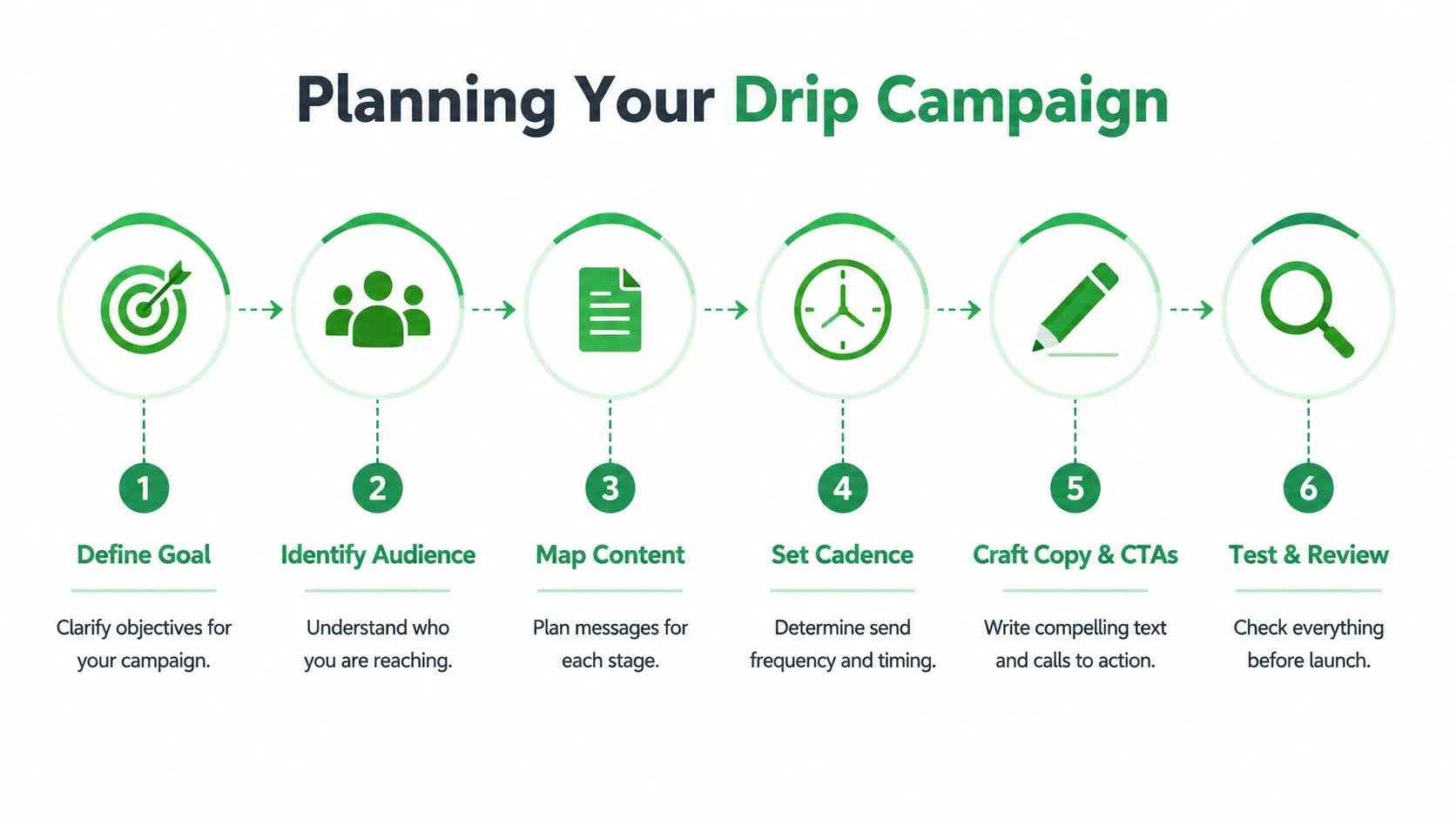
Start with one trigger and one outcome
Pick a single starting event. Good examples include a form submission, first purchase, booked call, free trial signup, or a period of inactivity. Then pick one outcome. Reply. Book a meeting. Complete setup. Return to the store. Don’t mix all of them into one sequence.
That discipline keeps the message focused. It also makes the sequence easier to manage in Google Sheets because each row can clearly represent one stage, one recipient state, and one next action.
A useful way to think about this is with a simple map:
| Trigger | Audience state | Desired next step |
|---|---|---|
| New signup | Interested but not committed | Read the welcome email and take the first action |
| Demo request | Evaluating options | Reply or book time |
| Inactive customer | Familiar but disengaged | Revisit, reply, or purchase again |
If your business needs sales follow-up after form fills, structured lead qualification sequences are a helpful model because they keep the messaging tied to qualification instead of drifting into generic nurturing.
Choose a cadence that matches intent
Cadence should follow urgency. Industry guidance commonly recommends 3 to 7 emails for a standard drip campaign, with welcome sequences often spread across 7–10 business days using 3–5 emails, and retention campaigns often using 4–6 touches in 10–14 days according to MoEngage’s drip campaign guidance.
That doesn’t mean you should always send the maximum. It means most effective sequences are finite, not endless.
Use this as a practical starting point:
-
Welcome sequence: Keep it short. Introduce the business, direct people to one useful next action, and answer the most likely early question.
-
Sales follow-up: Send while the intent is still fresh. The first message should feel immediate and specific to the inquiry.
-
Re-engagement flow: Space emails enough to avoid sounding desperate. The tone should acknowledge inactivity without punishing it.
-
Post-purchase onboarding: Front-load help. Customers need momentum early, not a pile of reminders later.
A sequence should end when the recipient has either taken the intended action or clearly chosen not to. More emails won’t rescue a weak offer.
Build your planning sheet in Google Sheets
Before writing a single subject line, create a basic planning tab in Google Sheets. Small teams overcomplicate this. You don’t need a huge CRM to launch your first sequence.
Use columns like these:
-
Email Address: The recipient field.
-
First Name: Basic personalization.
-
Trigger Type: Signup, purchase, inquiry, inactive, and so on.
-
Sequence Name: Welcome, onboarding, reactivation.
-
Email 1 Date: Planned send date.
-
Email 2 Date: Planned send date.
-
Email 3 Date: Planned send date.
-
Primary CTA: What this person should do next.
-
Status: Pending, sent, replied, completed, paused.
This forces clarity. If you can’t fill out the CTA column in one short phrase, the sequence probably isn’t focused enough.
Writing Emails That Get Opened and Read
Writing for drip email campaigns is different from writing newsletters. You’re not filling space. You’re moving one person to one next step.
Make each email do one job
The fastest way to weaken a sequence is to cram too much into each message. One email introduces the value. Another answers an objection. Another asks for the next action. When one email tries to educate, pitch, reassure, and close all at once, the reader usually does nothing.
Keep the structure plain:
-
Subject line: Make the email recognizable and relevant.
-
Opening: Acknowledge why they’re getting it.
-
Body: One idea only.
-
CTA: One next step.
Benchmarks show open rates typically cluster around 20–30%, with an average open rate of 21.5%, while click-through rates are commonly 2–5%. The same benchmark summary notes that segmented campaigns can produce 101% more clicks, and personalized subject lines can lift opens by about 50% in these email campaign benchmarks from Granicus.
Those numbers point to a practical lesson. Relevance beats cleverness. If you’re writing cute subject lines for a sequence that should feel direct, you’re optimizing the wrong part.
For subject lines, simple formats work well:
-
Question based on the trigger
-
Clear outcome
-
Gentle reminder
-
Resource tied to the person’s last action
If you want more ideas, this roundup of cold email subject line patterns is useful because many of the same clarity rules apply to drip emails too.
Personalize the reason for the email
Personalization isn’t just FirstName. In drip email campaigns, the strongest personalization often comes from context.
Mention the behavior that triggered the sequence:
-
downloaded the guide
-
booked the call
-
started the trial
-
bought the product
-
stopped engaging
That instantly answers the recipient’s silent question: “Why am I getting this?”
If the email could be sent to anyone on your list without changing a word, it probably belongs in a newsletter, not a drip sequence.
You can also personalize by stage. A first-time buyer needs reassurance and setup help. A repeat customer may need a faster path to the next purchase. A lead who asked for pricing needs a shorter distance between the email and the reply.
A simple three-email welcome sequence
Below is a clean structure for a first welcome series. It works because each email has a narrow role.
Email 1
Subject: Welcome, here’s the best place to start
Goal: Confirm the signup and direct attention to one useful page, video, or setup action
CTA: Start here
Email 2
Subject: The mistake most new customers make
Goal: Remove friction early by answering a common question or showing how to get a quick win
CTA: See the example or reply with a question
Email 3
Subject: Ready for the next step?
Goal: Ask for the action that matters most, such as booking a call, completing setup, or making a first purchase
CTA: Book, activate, or browse
A few writing habits make these perform better in practice:
-
Write like a person: Short sentences. Plain wording. No brochure language.
-
Front-load value: Put the useful part near the top. Don’t bury it under brand story.
-
Use preview text on purpose: It should support the subject line, not repeat it.
-
Sound current: Refer to the trigger event so the email feels tied to timing.
Bad drip copy sounds automated. Good drip copy sounds expected.
Automating Your Campaign with Mail Merge for Gmail
Once the sequence is planned, the simplest build is inside Google Sheets and Gmail. That’s enough for many small businesses, especially when the campaign needs straightforward personalization and scheduled sends.
Set up the sheet before you touch Gmail
Start with one tab that contains your active recipients. Keep it clean. Don’t dump in every old contact you’ve ever collected.
Useful columns include:
-
Email
-
First Name
-
Company
-
Trigger
-
Email 1 Send Date
-
Email 2 Send Date
-
Email 3 Send Date
-
Custom CTA URL
-
Segment
-
Do Not Send
-
Reply Status
That structure gives you room to personalize both the content and the timing. It also makes it easier to pause a recipient if they reply or convert before the full sequence finishes.
If you’re new to the workflow, this overview of how mail merge works in Gmail gives the core setup pattern.
Build the email template and schedule the send
Next, draft each email in Gmail. Keep templates separate by sequence stage. Don’t create one monster draft with every possible branch baked in.
A practical workflow looks like this:
-
Write Email 1 in Gmail using merge fields for details you want to personalize.
-
Match those fields to your Google Sheets columns so each recipient gets the right version.
-
Preview before sending because personalization breaks are easier to catch in preview than after launch.
-
Schedule against the date columns in your sheet if your tool supports date-based sends.
-
Pause recipients who reply so they don’t continue receiving automated nudges after a human conversation starts.
Mail Merge for Gmail fits this setup because it sends personalized campaigns from Gmail using Google Sheets data, supports custom fields in subject lines and message bodies, and can write delivery and engagement statuses back to the sheet. That’s useful when you want campaign execution and tracking to stay inside your Google Workspace workflow.
After you’ve drafted one email, check formatting on desktop and mobile. Drip sequences often fail on small details: broken merge tags, awkward line breaks, or a CTA link that points to the wrong page.
A walkthrough helps if you want to see the flow before building it yourself:
Use one sequence first before adding branches
Small teams often overbuild. They add separate branches for every click, every non-open, and every possible objection before they’ve learned what the first version does.
Don’t start there.
Launch one clean sequence:
-
a trigger
-
a finite set of emails
-
one CTA per email
-
a stop rule when someone replies or completes the intended action
Build the boring version first. A simple sequence that sends on time beats a “smart” sequence nobody finishes setting up.
Once the first campaign runs cleanly, then add complexity. Maybe different versions for hot leads versus cold leads. Maybe one branch for people who clicked but didn’t reply. But earn that complexity with real behavior, not guesses.
Measuring Success and Optimizing Your Campaign
The first question after launch is simple. Did people engage enough to justify the sequence?
What to track first
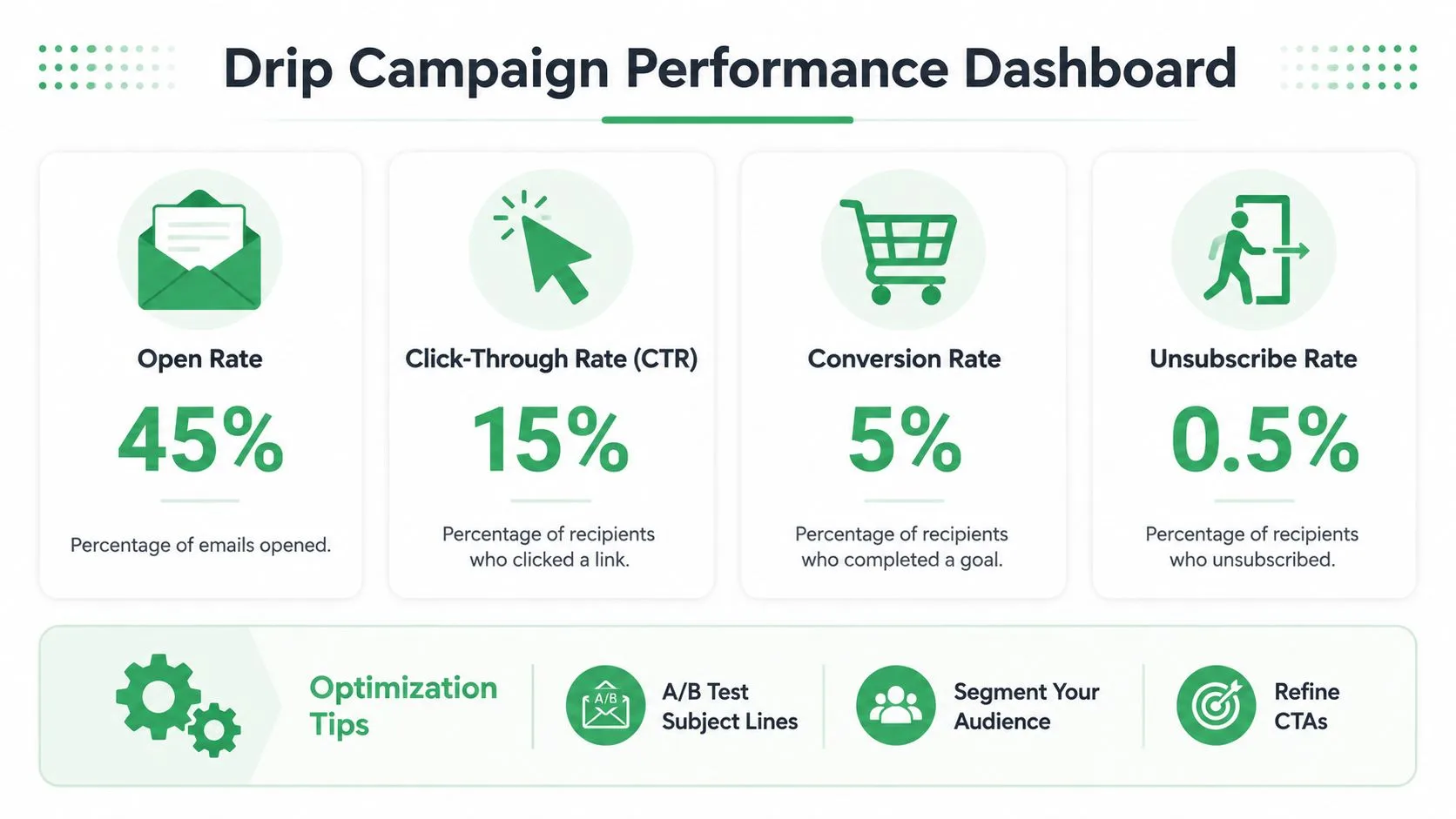
For most small businesses, the core readout is enough:
-
Opened: Your subject line and sender reputation earned attention.
-
Clicked: The email body and CTA created interest.
-
Replied: The message felt relevant enough to start a conversation.
-
Unsubscribed: The sequence missed the mark on fit, timing, or expectation.
When your send tool writes statuses back into Google Sheets, the campaign becomes much easier to review with a team. You can filter for people who opened but didn’t click, clicked but didn’t reply, or never engaged at all. That makes optimization more concrete than staring at one summary dashboard.
A useful reference point is this guide to email performance metrics that matter, especially if you need a shared vocabulary across sales and marketing.
How to improve results without rewriting everything
Don’t overhaul the whole campaign after one weak send. Diagnose by stage.
If opens are soft, the likely issues are:
-
subject line clarity
-
poor audience fit
-
weak timing
-
inbox placement problems
If opens are fine but clicks are low, look at:
-
whether the email asked for too much
-
whether the CTA was buried
-
whether the email body promised one thing and linked to another
If clicks are fine but replies or conversions are weak, the landing step may be the problem. The sequence might be doing its job, but the page, calendar flow, or form experience may be adding friction.
A practical review rhythm looks like this:
| Signal | Likely issue | First fix to test |
|---|---|---|
| Low opens | Subject line or inbox placement | Rewrite subject line for clarity |
| Opens but few clicks | Body copy or CTA | Reduce to one action |
| Clicks but no replies | Offer or landing step | Tighten the next-step page |
| Rising unsubscribes | Wrong fit or too much frequency | Narrow the segment or slow the cadence |
One strong optimization habit is changing one variable at a time. If you rewrite the subject line, CTA, audience, and timing all at once, you won’t know what helped.
Advanced Tips for Deliverability and Troubleshooting
A drip campaign that never lands in the inbox doesn’t have a copy problem. It has a deliverability problem.
Why deliverability now decides whether the campaign works
This matters more now because inbox providers have tightened expectations for bulk senders. Google’s requirements include one-click unsubscribe, a spam rate below 0.3%, and valid SPF, DKIM, and DMARC. Yahoo has also tightened authentication and complaint-rate expectations. At the same time, the global average email deliverability rate fell to 83.1% in 2024, according to Instapage’s discussion of email drip campaigns and deliverability.
Those numbers change the job. You can’t treat deliverability as a technical detail someone fixes later. It directly affects whether your automation produces revenue or silent failure.
The big mistake is assuming good copy solves poor trust signals. It doesn’t. Gmail weighs technical setup, complaint rates, and sender behavior. If your campaign sends to cold, stale, or confused recipients, inbox placement gets harder fast.
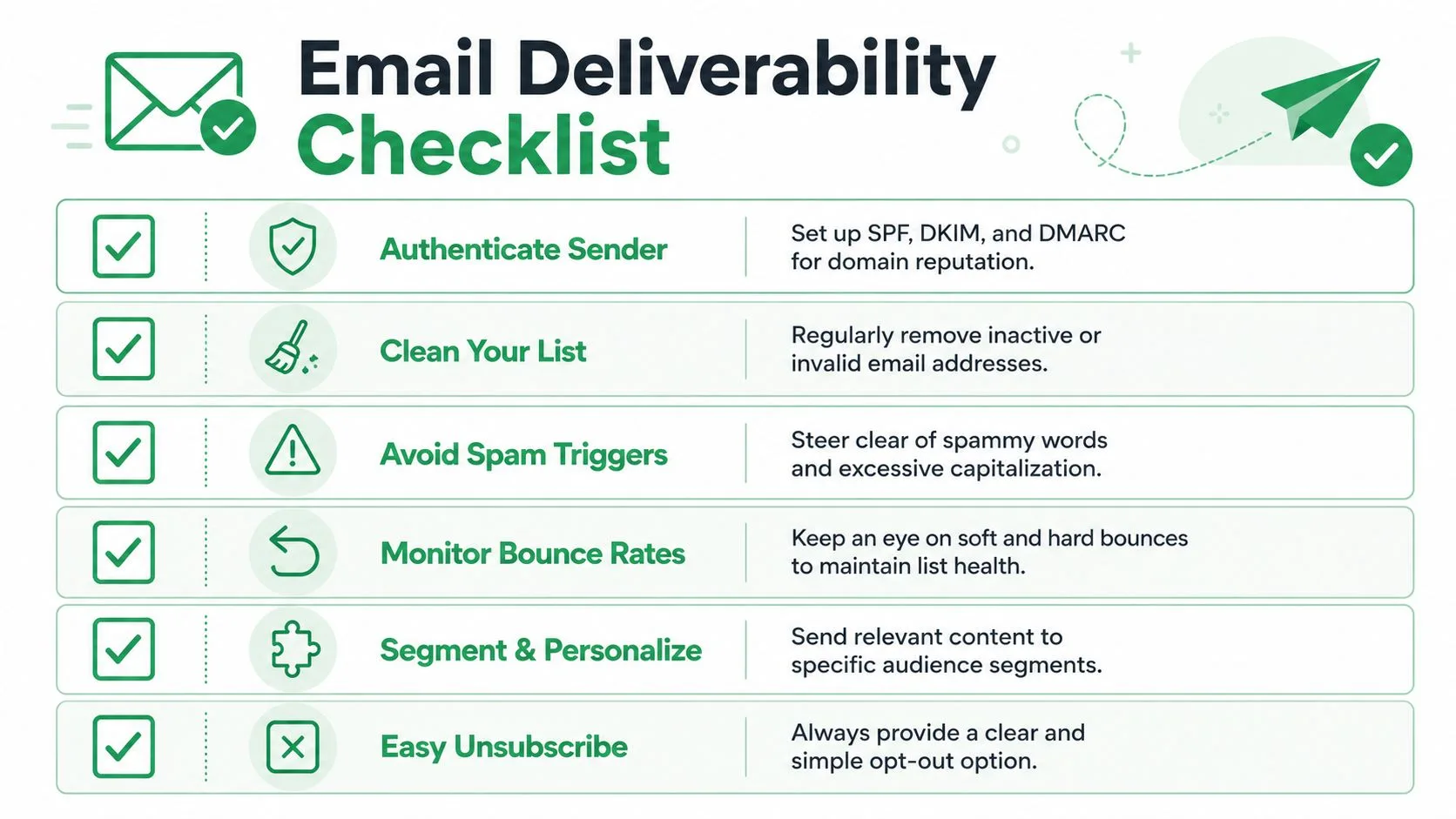
A practical inbox placement checklist
Use this checklist before scaling a sequence:
-
Authenticate your sending domain: SPF, DKIM, and DMARC aren’t optional if you want steady inbox placement.
-
Use clear unsubscribe handling: If people can’t leave easily, they’ll mark the email as spam instead.
-
Watch complaint patterns: A sequence that gets complaints is usually mismatched on audience, expectation, or frequency.
-
Keep lists tight: Old contacts, vague opt-ins, and imported lists create avoidable risk.
-
Limit overlapping sequences: If one person qualifies for multiple automations, coordinate them before you send.
-
Pause after replies or conversions: Continuing the sequence after a real interaction feels robotic and can generate complaints.
Better targeting often improves deliverability because the inbox providers see engagement and fewer complaints.
For a deeper operational checklist, this guide on how to improve email deliverability is worth reviewing alongside your own send setup.
When something goes wrong, check the basics first. Did the recipient opt in clearly? Did the sequence promise what the signup form implied? Are multiple campaigns hitting the same person at once? Most deliverability problems start upstream, before the email body is ever written.
If you want to run personalized drip email campaigns from Google Sheets and Gmail without moving to a heavier system, Mail Merge for Gmail is a practical place to start. It lets you map spreadsheet fields into emails, schedule sends, and track per-recipient status in the same workflow many small teams already use.
Ready to send your first campaign?
Install Mail Merge for Gmail from the Google Workspace Marketplace and send up to 50 personalized emails per day for free.
Get started for freeMore reading
More from Guides
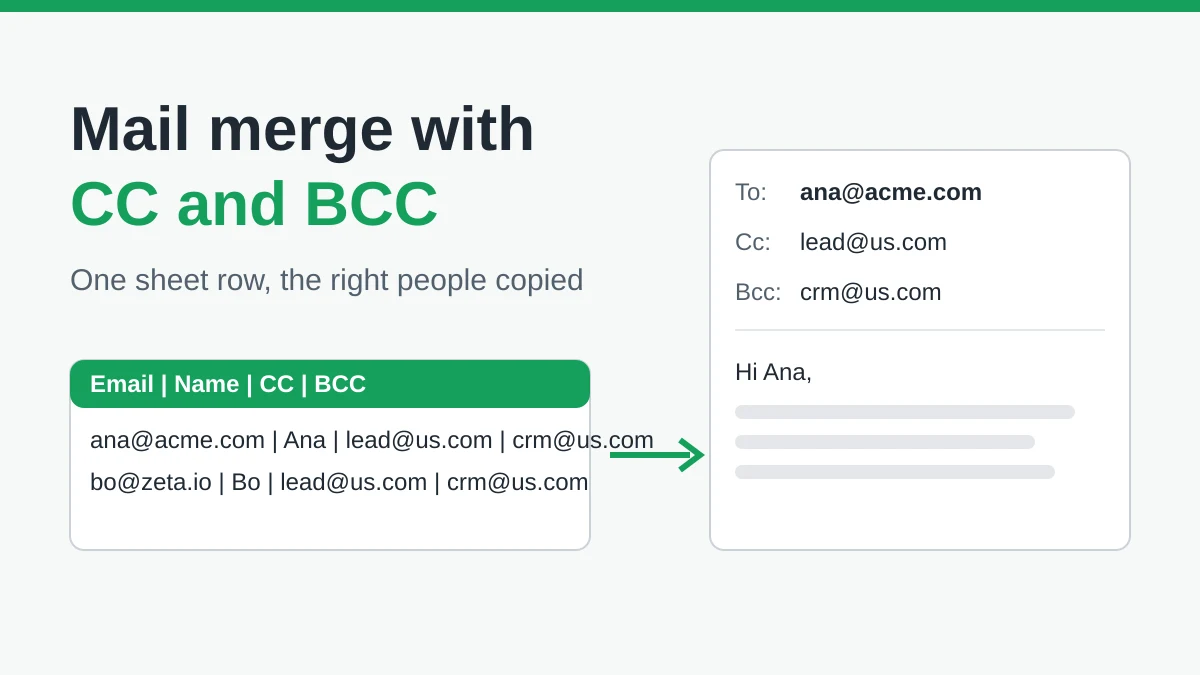
Mail Merge with CC and BCC in Gmail: Copy the Right People on Every Email
Learn how to run a mail merge with CC and BCC from Google Sheets, set up the columns, preview the result and see how copied recipients count toward your daily quota.
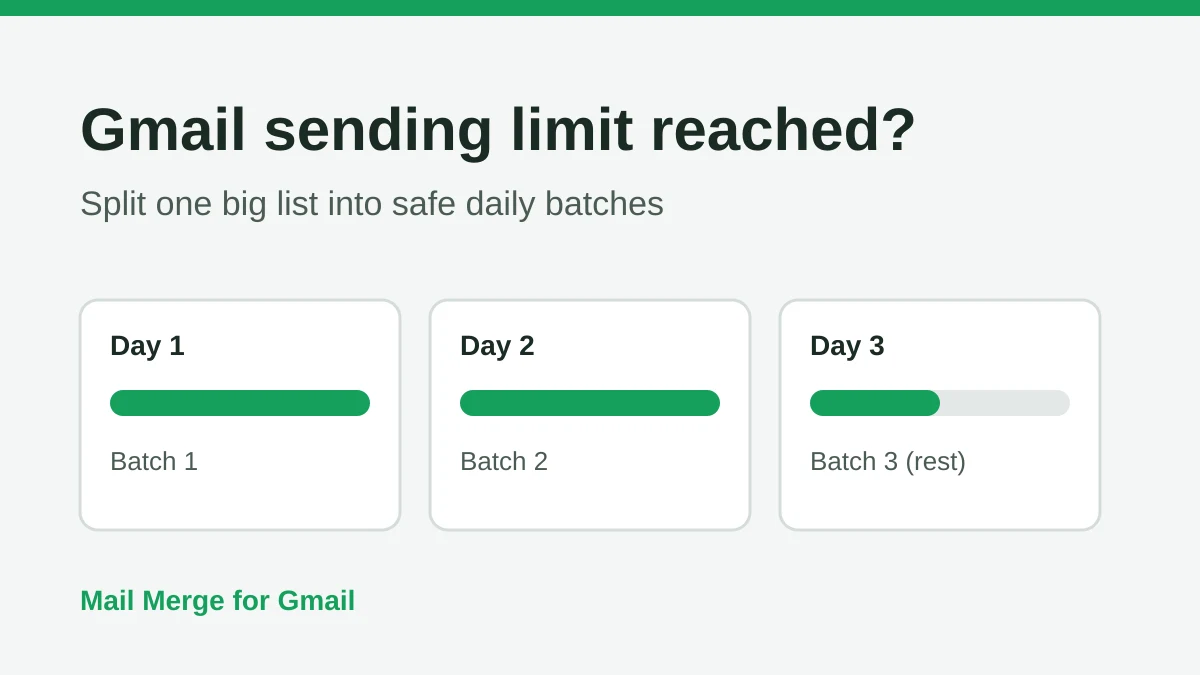
Gmail Sending Limit Reached: What It Means and How to Finish Your Campaign
Hit the Gmail sending limit reached error? Learn the real daily limits, when you can send again, and how to split a mail merge into safe daily batches.
Personalized Email Gmail: The Complete Guide
Master your personalized email Gmail workflow. Learn to merge Sheets data, track opens, and scale one-to-one outreach without leaving your inbox.