


















Email Sender Reputation: Avoid Spam & Boost Deliverability
Improve your email sender reputation to avoid spam. Learn how it's calculated, why it matters, and boost deliverability.
You send a campaign from Gmail. The subject line is solid. The offer is clear. A few customers reply, but most of the campaign seems to vanish. No obvious error. No warning message. Just weak opens, missing replies, and that sinking suspicion that Gmail pushed your emails into spam.
That usually isn’t a copy problem first. It’s a trust problem.
Mailbox providers judge every sender by behavior over time. If they trust you, your emails reach the inbox more often. If they don’t, even good messages struggle. That hidden trust layer is called email sender reputation, and for many small businesses it’s the underlying reason email results feel inconsistent.
If you’ve been trying to fix deliverability by rewriting subject lines over and over, you’re probably solving the wrong problem. You need to know how reputation works, what hurts it fastest, and what to fix first. If spam placement is already hurting your campaigns, this guide on how to prevent email from going to spam is a useful companion.
Why Your Emails Are Landing in Spam
A small business owner usually notices the problem in fragments.
One newsletter gets fewer replies than usual. A follow-up campaign produces almost no clicks. A customer later says, “I found your email in spam.” At that point, it’s tempting to blame Gmail, your template, or bad timing.
But inbox providers rarely make random decisions. They look at your past sending behavior and ask a simple question: Should this sender be trusted?
Consider lending. If someone has a long history of paying bills on time, lenders feel comfortable. If they miss payments, change behavior suddenly, or trigger warnings, trust drops. Email works the same way. Gmail, Outlook, Yahoo, and other providers keep track of signals tied to your domain and sending activity. Those signals shape whether your next email gets inbox placement, lands in promotions, goes to spam, or gets blocked.
Why good emails still fail
A well-written email can still perform badly when the sender’s reputation is weak. That’s why two businesses can send similar messages and get very different results.
Common warning signs include:
- Falling open rates: Your emails still send, but fewer people seem to see them.
- Delayed delivery: Messages arrive late, especially during larger campaigns.
- Spam folder placement: Recipients tell you your email wasn’t in the inbox.
- Inconsistent results: One send performs fine, the next collapses without a clear reason.
Practical rule: Deliverability problems often start before the recipient reads a single word. Mailbox providers judge the sender before they judge the message.
Why small senders get confused
Enterprise teams usually have deliverability specialists, dedicated tools, and technical support. Small businesses often send from a regular domain through Gmail or a lightweight add-on. That setup can work well, but it also means reputation issues are easier to overlook.
You might think, “I only send a few campaigns. Why would reputation matter?” It matters because even modest-volume senders still generate the same trust signals: bounces, complaints, unsubscribes, engagement, and authentication checks.
The good news is that sender reputation isn’t mysterious. It’s measurable, and in most cases it’s fixable.
What Is Email Sender Reputation
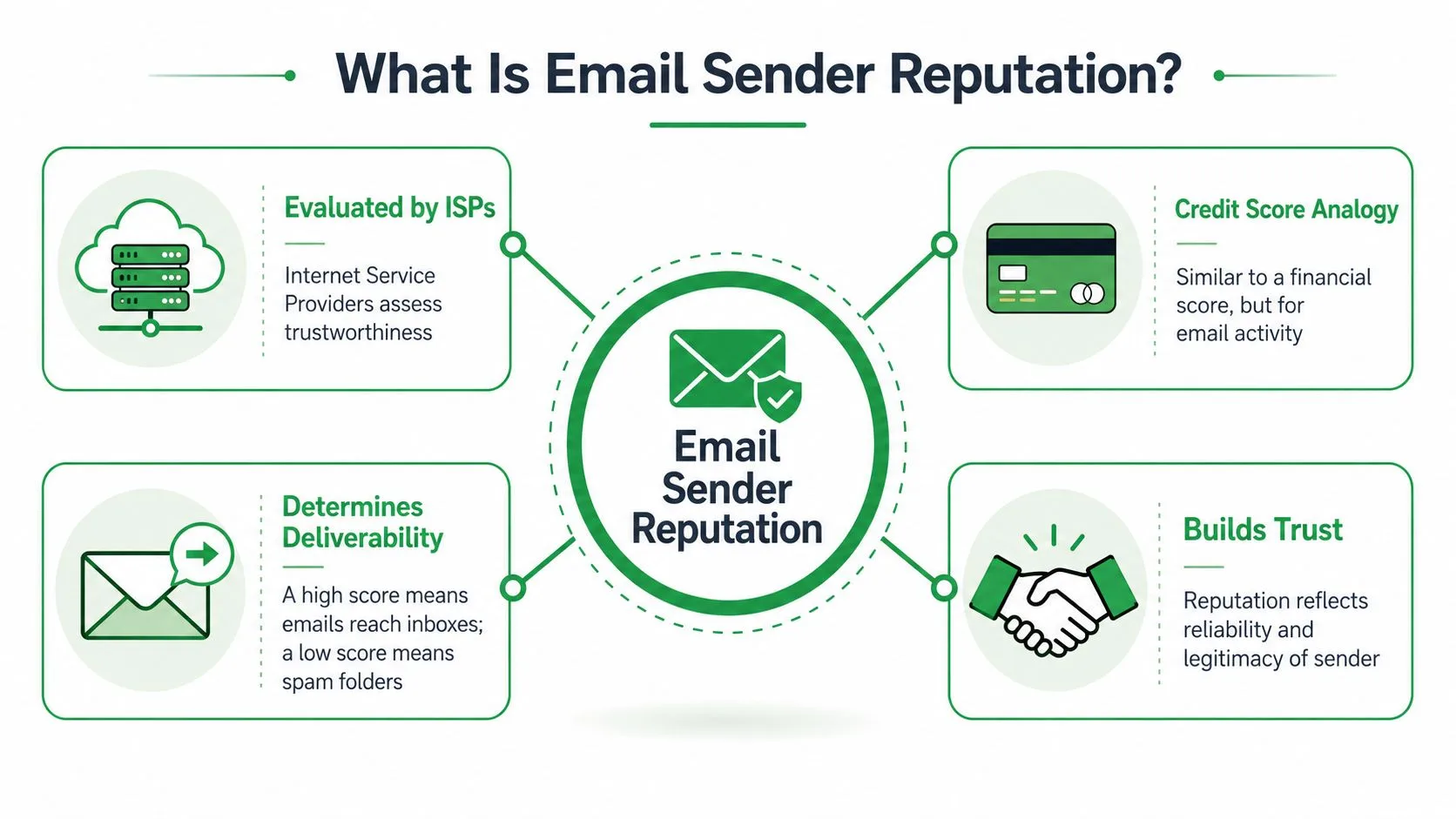
Email sender reputation is the trust score mailbox providers assign to your sending identity. That identity usually includes your domain and the systems used to send your mail. Gmail and Outlook use that reputation to decide what to do with each message.
The easiest way to understand it is the credit score analogy. A strong score tells providers you’ve built a pattern of legitimate, wanted email. A weak score tells them your mail may be unwanted, risky, or poorly managed.
Who evaluates it
Mailbox providers are the judges. They include Gmail, Outlook, Yahoo, and other inbox services. Every provider has its own internal systems, but they all try to answer the same practical question: when this sender shows up again, should we trust them with inbox placement?
That means sender reputation isn’t one universal public score. It’s a collection of trust judgments across providers. Some tools give you a proxy view of that trust, which helps you diagnose problems, but the final decision still happens inside each provider’s filtering system.
If you want a second explanation from another angle, CartBoss has a straightforward primer on what is sender reputation that complements this credit-score model well.
What the score means in practice
A high reputation gives you access to the inbox, which is the most valuable real estate in email. A low reputation pushes you toward spam filtering, throttling, or outright blocking.
One widely used benchmark is Sender Score, which works on a 0 to 100 scale. According to Validity, a score above 90 is considered excellent, while dropping below 70 is often where major providers like Gmail start sending emails to the spam folder (Validity’s sender reputation guide).
That doesn’t mean a score alone controls everything. It means your sending behavior creates a reputation profile, and that profile strongly influences deliverability.
What reputation is tied to
Many small businesses assume reputation belongs only to the email address they send from. In reality, it’s broader than that.
Here’s a simple way to understand it:
| Element | What it affects |
|---|---|
| Your domain | The long-term trust attached to your brand’s sending identity |
| Your sending setup | Whether providers see your mail as properly authenticated and consistent |
| Your behavior over time | Whether recipients and inbox providers treat your mail as wanted |
This is why changing templates alone doesn’t solve reputation problems. If the underlying trust is damaged, the next campaign inherits that history.
Your reputation isn’t based on what you intended to send. It’s based on what inbox providers observed you sending.
The Key Signals That Determine Your Score
Mailbox providers don’t read your mind. They read your behavior.
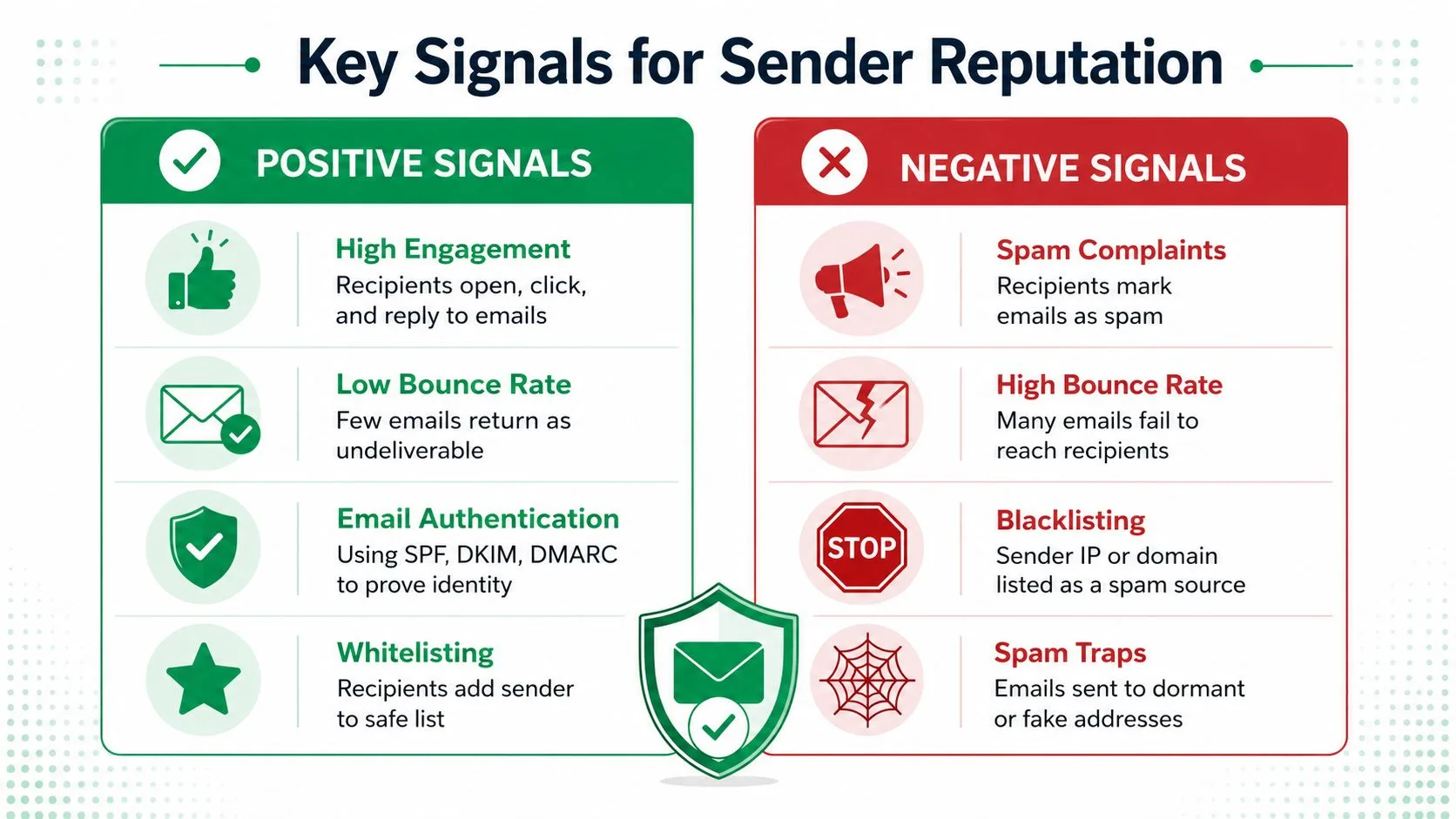
They look for patterns that suggest recipients want your emails, that your list is healthy, and that your sending setup looks legitimate. Some signals help your reputation. Others damage it quickly.
Negative signals that hurt fast
The two most important warning signs are usually hard bounces and spam complaints.
A hard bounce means the address doesn’t exist or can’t receive mail. That’s a strong clue that your list is outdated or low quality. A spam complaint is even more serious because a real person actively told the mailbox provider your message wasn’t wanted.
According to ZeroBounce, a spam complaint rate of just 0.1% (one complaint per 1,000 emails) is often enough to trigger severe reputation penalties (ZeroBounce on sender reputation signals).
Other negative signals include:
- Spam trap hits: These are addresses used to identify poor list practices.
- Blacklist appearances: If your sending identity gets listed, inbox trust can drop sharply.
- Erratic sending patterns: Sudden spikes can look suspicious, especially if they don’t match your normal history.
- Low recipient satisfaction: If people ignore, delete, or report your emails, providers notice.
Positive signals that build trust
Positive signals are simpler. People engage with your email, and they keep showing providers that your mail belongs in the inbox.
Useful positive signals include:
- Opens and clicks: These suggest recipients recognize and value your messages.
- Replies: A reply is one of the clearest signs that an email was wanted.
- Low bounce rates: Clean lists send a strong trust signal.
- Authentication passing: SPF, DKIM, and related checks help prove that your messages are legitimate.
- Users rescuing your email from spam: When recipients move messages into the inbox, it can reinforce trust.
If engagement is weak, improving the email itself matters. This guide on strategies to boost open rates is useful because better engagement doesn’t just help campaign performance. It also strengthens the behavioral signals that support reputation.
You can also tighten your technical trust signals by reviewing email authentication basics.
A simple mental model
Think of reputation like a running background check.
| Signal type | What providers infer |
|---|---|
| High complaints | Recipients don’t want this mail |
| High bounces | The sender uses poor data |
| Strong replies and clicks | Recipients value this mail |
| Clean authentication | The sender is legitimate |
| Sudden sending changes | This may be risky or unusual |
Small businesses often over-focus on wording and under-focus on these signals. But inbox providers care more about what recipients do than what marketers intended.
Key takeaway: If recipients behave like your email is unwanted, mailbox providers trust that behavior more than your campaign goals.
Your Prioritized Reputation Improvement Checklist
If your sender reputation needs work, don’t start everywhere at once. Fix the biggest levers first.
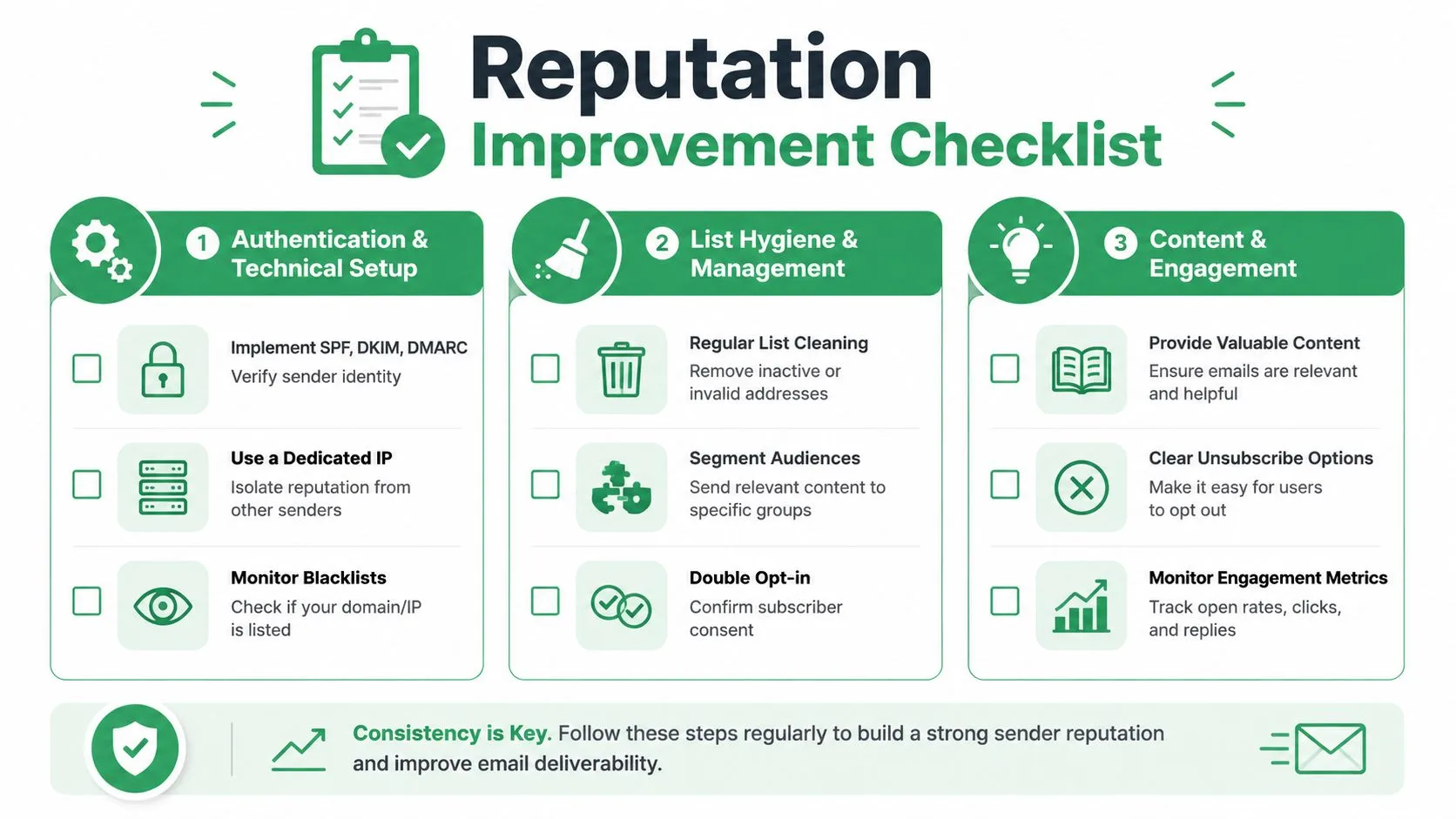
For most small businesses, the highest-impact framework is simple: list, content, tech. That order matters. Clean data prevents damage. Better content reduces complaints and improves engagement. Proper technical setup supports the trust you’ve already earned.
Pillar one starts with list quality
If you only fix one thing, fix your list.
Email addresses go stale faster than is often understood. According to Infobip, email lists decay at a rate of 28% per year, which means without regular cleaning, nearly one in three contacts can become a source of bounces or spam traps (Infobip on sender reputation monitoring).
That reality changes the math. A list that looked healthy months ago may already be hurting you now.
Start here:
- Remove unsubscribed contacts immediately: Never keep people on a list after they’ve opted out.
- Cut inactive recipients: If someone never opens your emails, keeping them forever usually hurts more than it helps.
- Avoid shady list sources: Purchased, scraped, or loosely sourced contacts create risk from the first send.
- Verify new data early: It’s easier to block bad addresses before they enter your workflow than after they damage results.
For practical day-to-day cleanup, this guide to email list management is a good operational reference.
Pillar two fixes your content signals
Many senders hear “don’t use spammy content” and stop there. That’s too vague to be useful.
A better rule is to send emails that clearly match recipient expectations. If someone signed up for product updates, don’t suddenly send aggressive sales blasts. If your email sounds misleading, overhyped, or disconnected from why the person knows you, complaints rise.
Review your campaigns against these questions:
- Was this recipient expecting to hear from us?
- Does the subject line match the body?
- Is the email useful enough to earn a click or reply?
- Is the unsubscribe path obvious and easy?
This is also where relevance matters more than cleverness. Segment your audience. Match the message to the person. Keep your cadence steady instead of blasting long gaps followed by heavy bursts.
A broader email strategy for businesses can help if your content feels disconnected from audience intent.
If people feel tricked, confused, or interrupted, they don’t send you feedback. They hit spam.
A short walkthrough can help you connect these habits to deliverability outcomes:
Pillar three supports trust with technical setup
Technical setup doesn’t create permission, but it proves legitimacy.
That means your domain should be configured so inbox providers can verify that your emails really come from you. In practical terms, small businesses should make sure SPF, DKIM, and DMARC are in place and aligned with the way they send mail.
This pillar is often the most intimidating because it sounds very technical. It doesn’t have to be. The goal is simple: reduce ambiguity. If providers can authenticate your mail cleanly, they have fewer reasons to distrust it.
Use this quick checklist:
| Technical area | Why it matters |
|---|---|
| SPF | Helps providers verify approved sending sources |
| DKIM | Confirms message integrity and sender legitimacy |
| DMARC | Tells providers how to handle failures and supports alignment |
| Consistent sending patterns | Makes your behavior easier to trust over time |
The content owner’s three best practices line up neatly here: keep your recipient list clean, avoid spam-triggering content, and respect the technical setup of your domain.
How to Monitor and Diagnose Reputation Issues
You can’t manage sender reputation by guessing. You need a routine for checking signals and connecting them to likely causes.
For Gmail-heavy audiences, Google Postmaster Tools is one of the most useful places to start. It shows how Google views your sending, especially around spam complaints and domain reputation trends. Another helpful reference point is Sender Score, which gives you a broader reputation benchmark.
What to watch first
Most small businesses don’t need a long dashboard. They need a short list of metrics with clear meaning.
Watch these closely:
- Spam complaint rate: If this rises, review expectations, targeting, and message tone.
- Bounce rate: If this climbs, your list hygiene likely needs work.
- Open and click trends: Falling engagement can be an early warning sign.
- Reply patterns: Replies are often a healthy trust signal.
- Unsubscribe behavior: A rise here can mean the content or cadence is off.
According to Apollo’s sender reputation guide, Google has a strict 0.3% spam complaint threshold, and if your rate in Google Postmaster Tools exceeds that, inbox placement is significantly degraded. The same source says 83% of non-delivery cases trace back to reputation issues (Apollo on sender reputation and complaint thresholds).
How to connect symptoms to causes
A dashboard becomes useful when you treat it like diagnosis instead of reporting.
| Symptom | Likely issue to inspect |
|---|---|
| High complaints | Audience mismatch, misleading content, weak permission |
| High bounces | Old list, bad imports, poor source quality |
| Low opens | Reputation decline, weak subject lines, poor targeting |
| Few replies | Low relevance or low trust |
| Sudden performance drop | Sending pattern change or reputation event |
Don’t look at these metrics in isolation. If complaints rise and opens fall together, that’s a stronger warning than either one alone. If bounce rate increases after a list import, the source of the problem is usually obvious.
The best monitoring habit is simple. Check after every meaningful send, not only when results collapse.
Keep the feedback loop short
The fastest senders improve quickly because they act on signals right away. They don’t wait through multiple campaigns hoping the issue fixes itself.
If you see complaints rising, suppress those segments and review your opt-in path. If you see bounce problems, clean the list before the next send. If Gmail reputation weakens, slow down and fix the cause before volume makes it worse.
Maintain Reputation with Mail Merge for Gmail
Small businesses often assume reputation management requires enterprise software. It doesn’t. What it does require is a sending workflow that supports clean lists, relevant messages, and controlled sending behavior.
That’s where a simple Gmail-based system can help, provided it supports the right habits.
The best tools reduce avoidable mistakes
A lightweight workflow is often better than a complicated platform if your team uses it consistently.
For reputation, the most useful capabilities are the ones that help you avoid repeat errors:
- Unsubscribe handling: This helps you stop mailing people who no longer want your messages.
- Per-recipient tracking: You can spot unengaged contacts and remove them over time.
- Personalization fields: Better relevance usually creates stronger engagement signals.
- Scheduling and send control: A measured cadence is easier for inbox providers to trust than chaotic bursts.
- Spreadsheet visibility: When statuses flow back into your working sheet, it’s easier to act on results.
These aren’t flashy features. They’re the operational details that keep a healthy sender reputation from slipping.
Why this matters for Gmail users
Gmail-based senders often live in a middle ground. They’re not huge enterprise senders, but they still need discipline. They need enough structure to clean lists, suppress disengaged contacts, and personalize emails without turning every campaign into a manual process.
That matters because list quality still decides a lot. As covered earlier, bad addresses damage trust quickly. ZeroBounce notes that any hard bounce rate above the 2% threshold is a clear red flag for inbox providers like Gmail because it signals outdated lists and triggers a sender reputation downgrade.
For a small team, the practical goal isn’t to game the system. It’s to build a workflow where bad data gets removed, unsubscribes are respected, and each send is more targeted than the last.
A simple operating model
If you’re sending outreach, updates, invitations, or follow-ups through Gmail, a good routine looks like this:
- Import only permission-based or carefully vetted contacts.
- Personalize the message so it feels relevant, not mass-sent.
- Watch opens, clicks, replies, unsubscribes, and bounces.
- Remove weak or risky contacts before the next campaign.
- Keep your technical setup and sending habits consistent.
That cycle is what protects reputation over time. The tool matters because it makes the cycle easier to follow.
If you want a simpler way to run personalized campaigns from Gmail while keeping list hygiene, tracking, unsubscribes, and sending control in one workflow, try Mail Merge for Gmail. It helps small teams send relevant emails at scale without leaving Gmail or losing visibility into the signals that shape deliverability.
Ready to send your first campaign?
Install Mail Merge for Gmail from the Google Workspace Marketplace and send up to 50 personalized emails per day for free.
Get started for freeMore reading
More from Guides
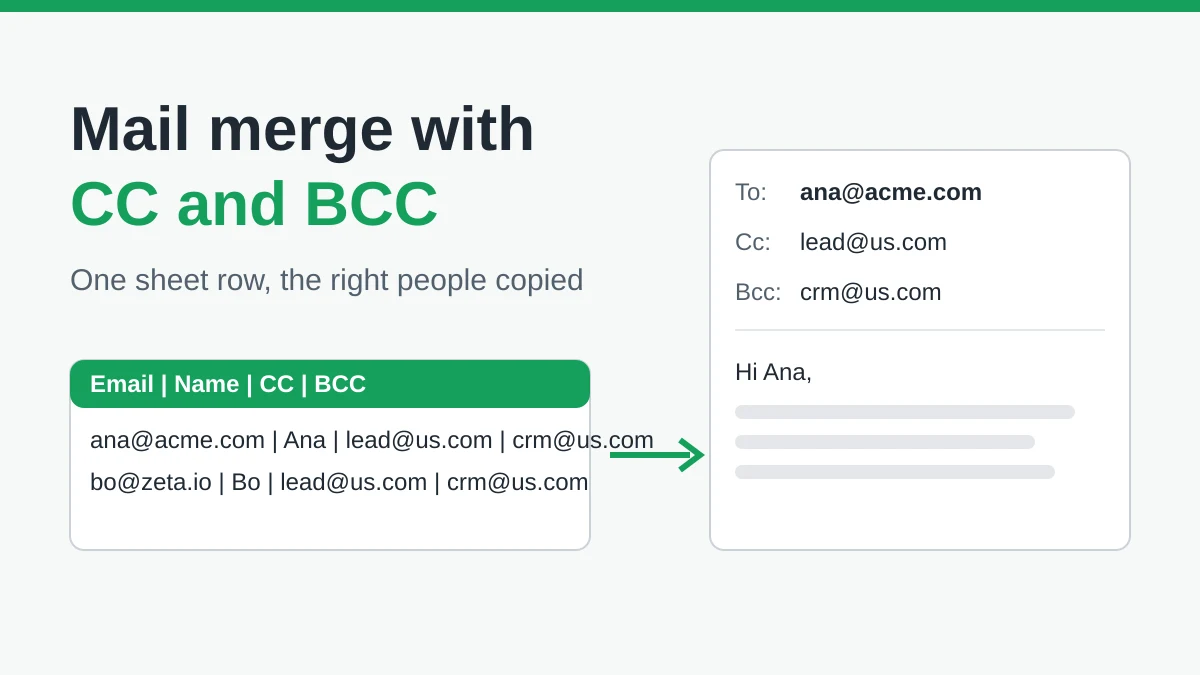
Mail Merge with CC and BCC in Gmail: Copy the Right People on Every Email
Learn how to run a mail merge with CC and BCC from Google Sheets, set up the columns, preview the result and see how copied recipients count toward your daily quota.
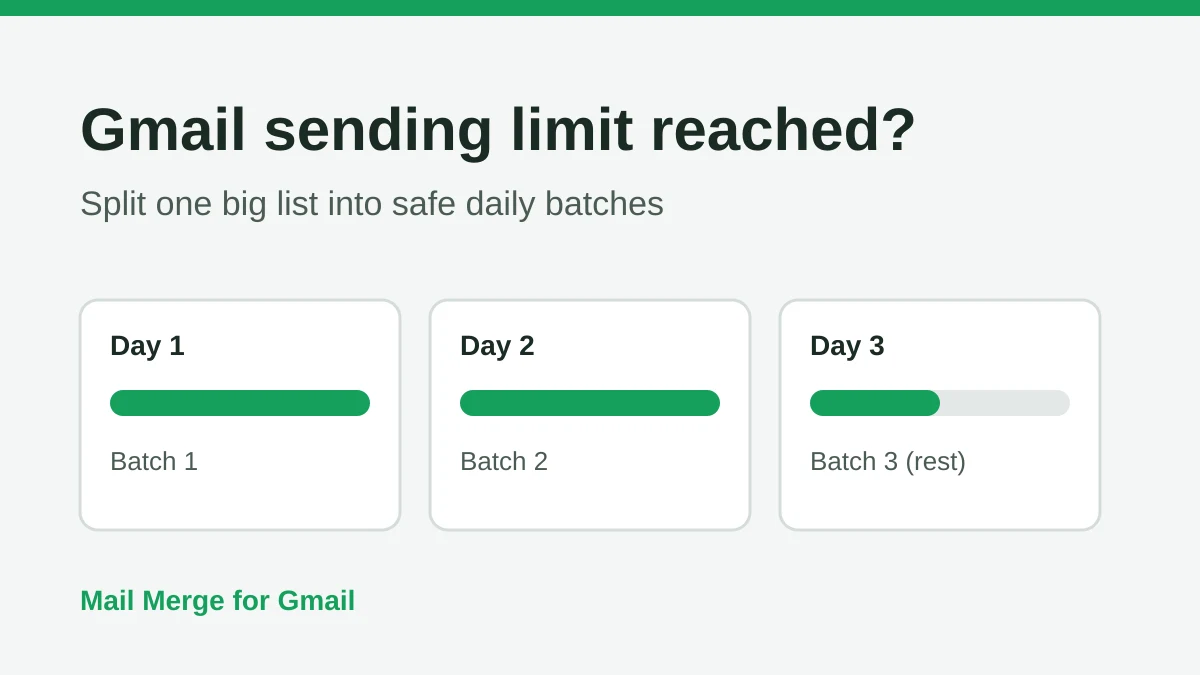
Gmail Sending Limit Reached: What It Means and How to Finish Your Campaign
Hit the Gmail sending limit reached error? Learn the real daily limits, when you can send again, and how to split a mail merge into safe daily batches.

Personalized Email Gmail: The Complete Guide
Master your personalized email Gmail workflow. Learn to merge Sheets data, track opens, and scale one-to-one outreach without leaving your inbox.