


















How to Build an Onboarding Email Sequence That Converts
Learn how to build an onboarding email sequence that drives activation with proven cadence, templates, triggers, and A/B testing strategies for 2026.
You know the moment. A new signup lands in your inbox, the product is still fresh in their head, and you’ve got one shot to make the first reply feel useful instead of noisy. That’s where an onboarding email sequence either earns its keep or turns into another buried automation nobody trusts.
The mistake I see most often is treating onboarding like a small welcome note when it’s really a behavior-driven system. The best sequences don’t just greet people, they react to what users do, what they haven’t done yet, and whether they’ve already reached the first win. That’s the difference between a fixed drip and a sequence that moves people toward activation.
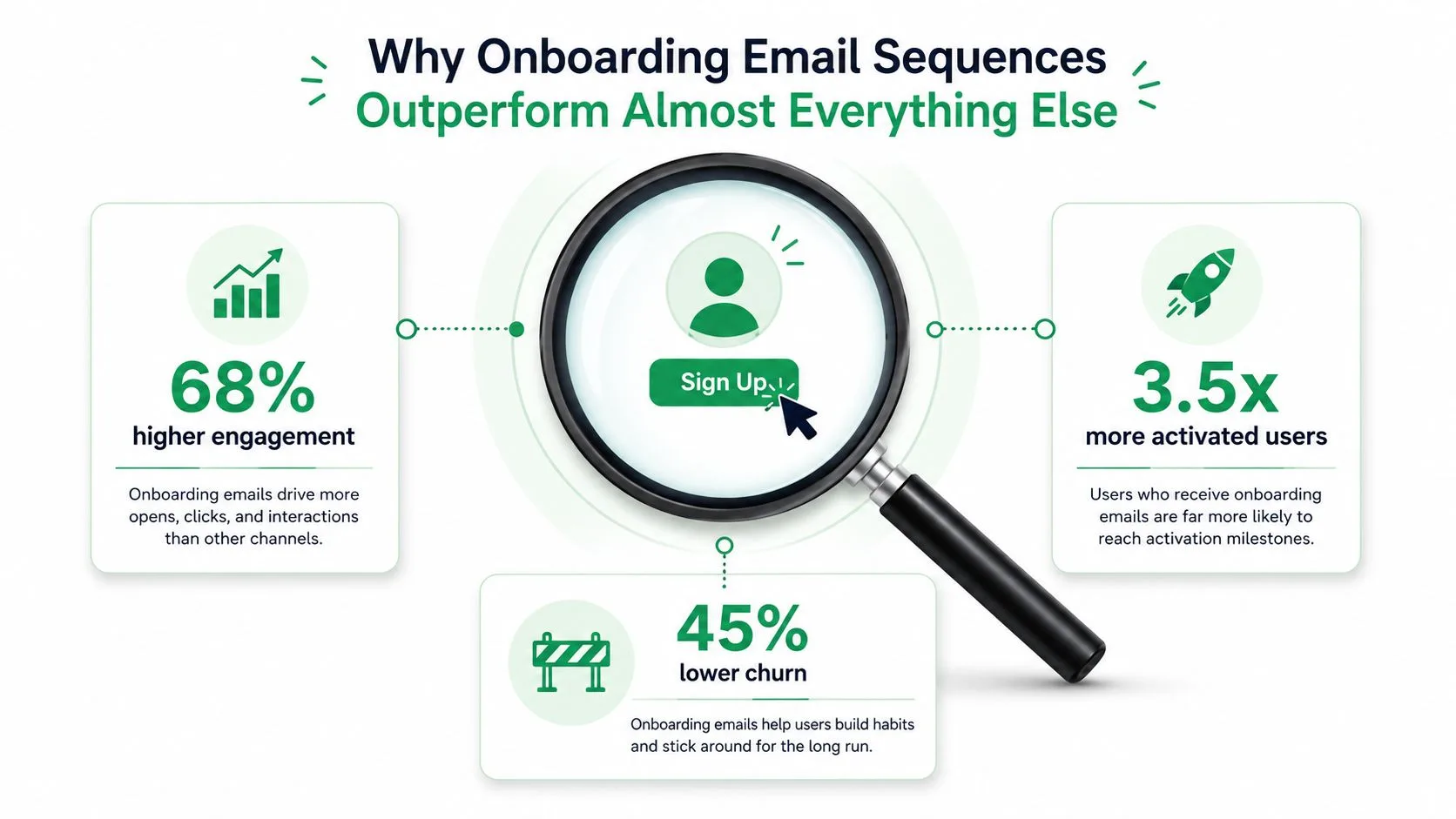
Why Onboarding Email Sequences Outperform Almost Everything Else
The first signup is the high-intent moment, not the twelfth newsletter touch. Someone just raised their hand, and that makes the next email the most impactful message in the whole relationship. In benchmark data for customer onboarding sequences, open rates sit at 40% to 60%, CTR at 10% to 25%, and activation milestone completion at 20% to 45%. The same source says the first email significantly outperforms later sends, which is exactly what you’d expect when intent is still hot and the user is still deciding whether to keep going. Customer onboarding benchmarks
The first email does the heavy lifting
That early touchpoint has to do more than say hello. It needs to confirm the signup, show the first path forward, and reduce the number of decisions the user has to make. If you try to teach the product, sell the upgrade, and answer every objection in one message, you usually end up weakening all three jobs.
I’ve seen small SaaS teams fall into that trap because it feels efficient. It isn’t. A single email with too many goals gets skimmed, while a sequence that gives each message one job tends to earn stronger clicks and clearer activation signals.
Practical rule: the first onboarding message should be the most focused one in the sequence, not the most impressive-looking one.
Welcome emails are not the same as onboarding
A welcome email can be a greeting. An onboarding email sequence is a short system that follows signup and pushes a specific activation outcome. That distinction matters because newsletters broadcast, welcome notes greet, and onboarding moves behavior.
Modern lifecycle programs lean on behavior-triggered automated sequences instead of one-off notes. That shift is reflected in benchmark reporting that found automated welcome emails averaged a 35.53% open rate, a 3.94% click rate, an 11.19% click-to-open rate, and a 2.11% conversion rate across more than 20 billion campaign emails and hundreds of millions of automated sends. Welcome email onboarding framework Those numbers matter less as bragging rights and more as proof that onboarding is now a core lifecycle channel, not a support afterthought.
The business case is simple. Onboarding sequences capture the highest-intent moment, move users toward their first value moment, and create a clean path to later revenue actions. The teams that win here don’t cram extra goals into one send, they split the journey into separate emails and let each one earn the next click.
Define One Activation Metric and Segment Your Audience
Before subject lines, before templates, before timing, pick the one outcome the sequence exists to produce. If the goal is vague, the emails get vague. If the goal is concrete, every decision gets easier, from the CTA to the suppression rule to the last check-in.
A good activation metric sounds boring on purpose. “User creates their first project within 7 days” is much better than “engage users.” “Candidate finishes profile setup” is better than “improve onboarding.” “Event organizer sends the first invitation” is better than “increase adoption.” The point is to measure one visible action that signals the user has crossed from curiosity into use.
Segment by state, not by guesswork
The most useful segmentation usually falls into three groups. New signups need a guided path. Users who started but stalled need rescue. Already-active users need a different experience, or no onboarding at all.
That last group gets ignored more often than it should. If someone has already completed setup or reached the first success moment, sending them a remedial email is usually a waste and sometimes a trust problem. For practical planning, a segmentation framework like this pairs well with the ideas in this guide to email list segmentation.
Practical rule: don’t build one onboarding flow for “everyone who signed up.” Build one path for people who still need help, and another rule that gets out of the way once they’re already active.
Match the segment to the product
A small SaaS team might measure activation as the first project created. A recruiter newsletter might care more about whether the reader clicks into the latest role or updates preferences. An event organizer might treat first RSVP or first invitation sent as the milestone.
The same structure still applies, but the content changes. New signups should get the shortest path to value. Stalled users should get a message that identifies the missing step and removes friction. Already-active users should receive either a different message tree or a suppression rule that keeps them out of the sequence entirely.
The cleanest way to write the sequence is to make the first email about what happens next, not about everything the product can do. Then build each later send around one part of the activation path, one CTA, and one reason to continue. That’s the part teams often skip, and it’s also why the sequence ends up noisy.
Cadence and Timing That Match Real User Behavior
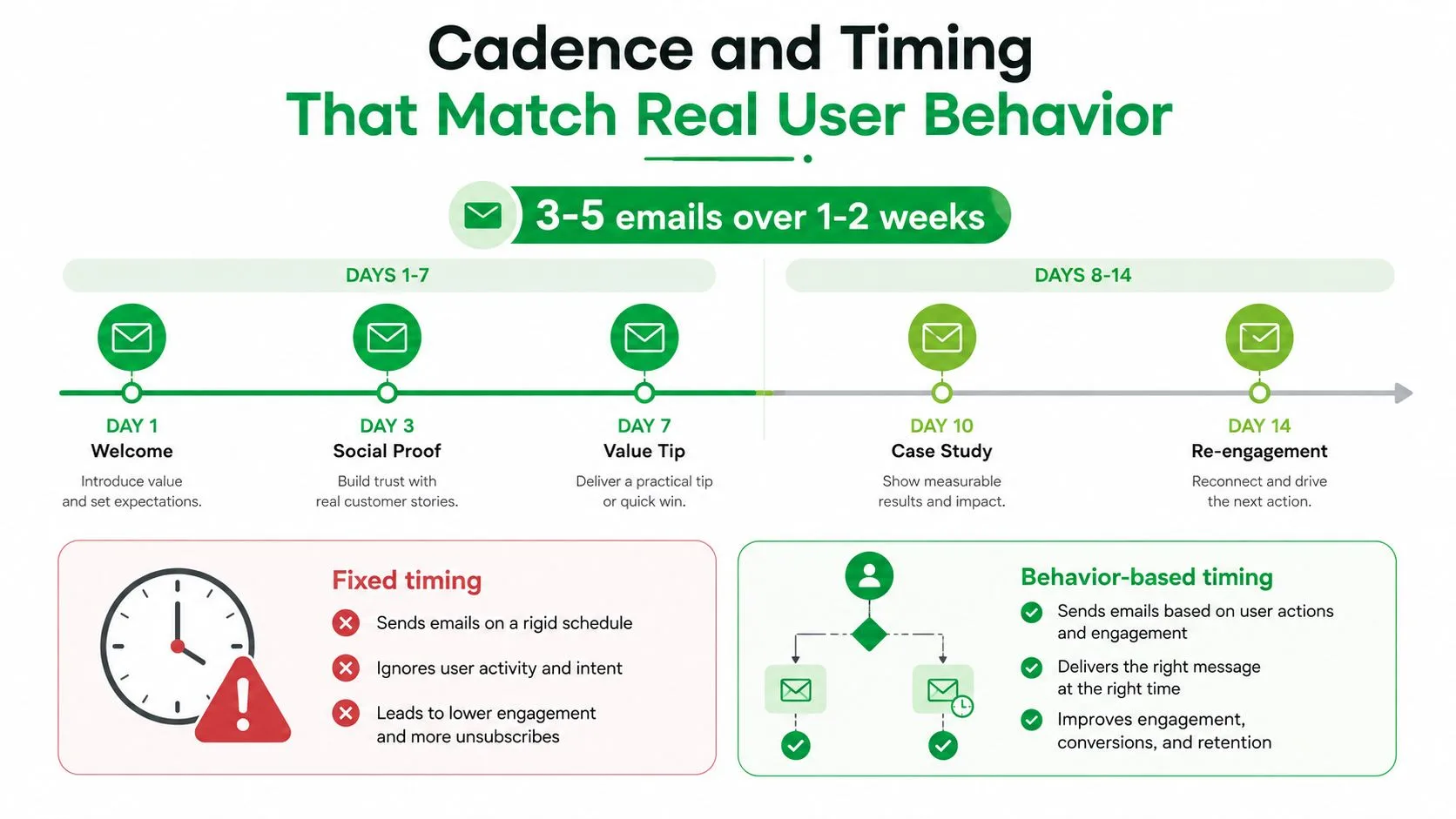
A workable onboarding cadence usually starts with 3 to 5 emails spread across 1 to 2 weeks, and the first message goes out immediately after signup. That gives you enough room to teach, nudge, and follow up without turning the inbox into a complaint thread. Panoramata and MailGenius both describe that same range, and MailGenius adds that each email should have one primary CTA. Onboarding sequence benchmarks
If the sequence includes a social or content touchpoint, keep the timing just as intentional. For example, a product-led team promoting a publishing workflow can point users to Best Twitter Scheduling Tools after setup, but only once the user has reached the point where that message fits the next action.
A usable 14-day skeleton
A practical default I’ve used starts with the welcome email immediately, then moves to the setup nudge on day 1 to 3, the activation email on day 3 to 7, and the check-in on day 7 to 14. Lettr describes that same timing pattern as the core structure for onboarding campaigns, with each message mapped to a different stage of progress. Onboarding email best practices
The value of this skeleton is that it tracks real user behavior. People do not move in neat calendar blocks, but they do move through stages. First they decide whether to start, then they try the first task, then they either succeed or stall. A fixed calendar keeps sending even when the user has already reached the next step.
Behavior beats a fixed drip
Behavior-triggered delivery is the better default. Loops recommends sending a “finish setup” email only when the user has not completed the required step, and Lettr recommends combining timing with behavioral signals so the sequence arrives just in time instead of feeling generic. Behavior-triggered onboarding examples Automated follow-up email tactics That approach matters because the same message can be useful, irrelevant, or annoying depending on what the user has already done.
The two timing mistakes that show up most are easy to spot. Teams wait too long to send the first email, and they keep sending after activation. If the user has already crossed the milestone, suppress the remedial email and route them to a different path. If they are active but not yet fully adopted, shift them into a lighter branch instead of repeating the same reminder.
For teams running multiple campaigns at once, operational discipline matters too. A sequence that lands after signup should feel like part of the product experience, not a random batch message. If the send time ignores what the user has already done, the sequence starts to feel late even when the copy is good.
Templates and Subject Lines That Get Replies
The easiest way to write the sequence is to build four shells and keep each one narrow. Welcome email, setup nudge, activation email, and check-in. That’s enough structure for most SaaS products, and it keeps the writing honest because each message has one job and one CTA.
Welcome, setup, activation, check-in
For the welcome email, use a subject line that sets expectation and lowers friction. A simple formula is “Welcome, [First Name], here’s your first quick win”. The body should greet the user, confirm what they signed up for, and point to the first action. Put the user’s first name near the top, mention the specific product area they’ll use next, and keep the CTA singular, such as “Complete setup” or “Start here.”
The setup nudge should sound like help, not pressure. A good structure is “One question about your setup” or “Need help finishing [feature]?” If they haven’t started the core action, the email should show the shortest path to completion and remove one obvious obstacle. If they have started, the same email can become a reminder with a lighter tone.
If a recipient has already done the thing, don’t ask them to do it again. Move the next send forward or suppress it.
Subject line patterns that usually pull weight
Two hooks are useful because they’re flexible. The first is the one-question opener, which works well for stalled users because it feels conversational and specific. The second is the “you are halfway there” hook, which works when the user has started but hasn’t finished.
A rough subject line map can look like this:
- Welcome email: “Welcome, [First Name], here’s your first step”
- Setup nudge: “One question about [feature]”
- Activation email: “You’re halfway to your first result”
- Check-in: “Still stuck on [task]?”
That structure gives you room to drop in merge fields like first name, company, and the feature they haven’t tried yet. It also keeps the email from sounding like a newsletter with a login problem, which is where too many onboarding sequences go wrong.
For teams that want a fuller follow-up framework, automated follow-up email templates can be adapted into the same logic without changing the core sequence design.
Triggers, Suppression, and Branching Logic
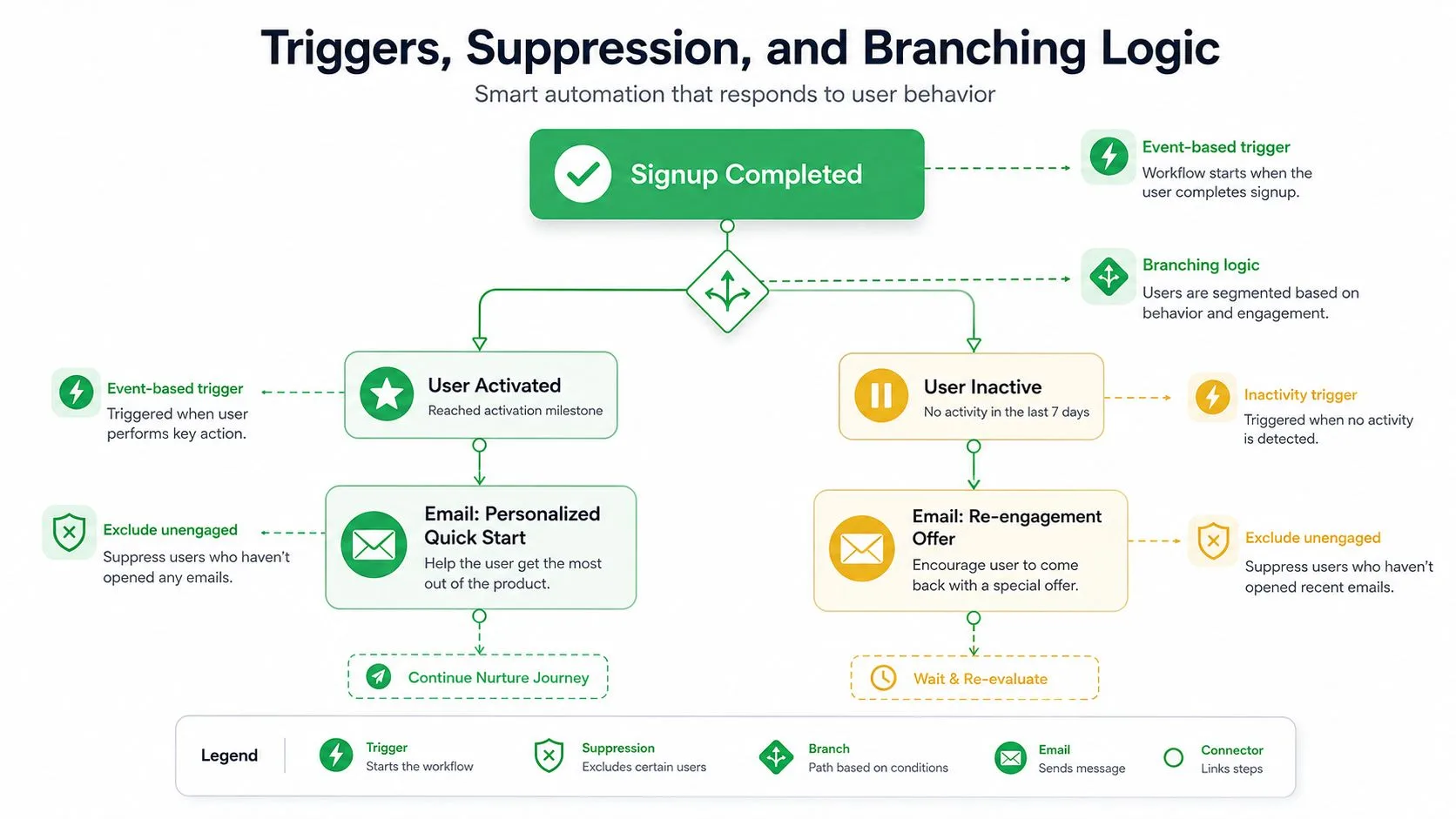
The part most articles skip is the actual decision tree. That’s a mistake, because the sequence only feels smart when it behaves differently for different users. If everyone gets the same path, you don’t have onboarding logic, you have a delayed broadcast.
Build the tree around events
Start with three triggers. Signup completed, first key action finished, and 7 days of inactivity. From there, branch on progress. If the user completes setup, skip the setup nudge and move them to the activation email. If they don’t complete setup after 48 hours, send the “finish setup” message. If they’re inactive for a week, route them into a re-engagement path instead of continuing the core sequence.
Suppression rules matter as much as the triggers. Once a user activates, stop the remedial emails. If they connect an integration, stop the setup reminders that no longer apply. If they reply asking for help, don’t keep sending automated nudges as if nothing happened. That kind of overlap is where sequences start to feel careless.
Keep the workflow visible
A workflow-style setup makes this much easier to manage. In a Gmail-based environment, Mail Merge for Gmail can organize contacts and statuses in a Google Sheet, then use the per-row state to decide what gets sent next. That means the branching logic stays visible instead of buried inside a black-box automation. The sequence can pause when a row changes state, resume when the next trigger fires, and stay aligned with the user’s actual progress.
Practical rule: every onboarding email should have a suppression condition attached to it. If the user already completed the target action, the email should never leave the queue.
That logic is especially valuable for already-active users. They don’t need the same remediation path as stalled users, and they definitely don’t need repeated “finish setup” reminders after they’ve already finished. The point of branching is to make the sequence feel like a guided path, not a repeated nudge.
Metrics That Actually Matter for Onboarding
Open rate is useful, but it isn’t the scorecard. Apple Mail Privacy Protection makes opens noisy, and onboarding should be judged on whether users reach the activation moment, not whether a pixel fired. If you want the sequence to do its job, track the behavior it’s supposed to change.
Rank the metrics in the right order
Start with activation rate within 30 days. That’s the clearest sign the sequence is moving users toward the first success moment. Next, look at the click-to-open rate on each email, because it tells you whether the message earned a real interaction after the subject line did its job.
After that, measure time-to-first-value, then the drop-off point in the sequence, and finally reply or support rate as a qualitative signal. A high reply rate can mean confusion, but it can also mean the sequence is surfacing real friction early enough for humans to help.
| Onboarding Email Metrics That Actually Matter | Why It Matters | Target Range |
|---|---|---|
| Activation rate within 30 days | Shows whether the sequence actually moved users to the milestone | Use your activation goal as the benchmark |
| Click-to-open rate | Tells you if the content matched the subject line and intent | Higher than the rest of the sequence, where possible |
| Time-to-first-value | Measures how quickly users reach the first meaningful win | Shorter is better |
| Drop-off point | Shows which email or branch loses momentum | Investigate the weakest step |
| Reply or support rate | Surfaces confusion, objections, or a need for human follow-up | Treat as a diagnostic signal |
Use the spreadsheet as the source of truth
The cleanest setup is to write delivery and engagement status back to one sheet. Mail Merge for Gmail logs row-level statuses such as Sent, Opened, Clicked, and Replied, which makes it easier to see which step converts and which one just creates noise. That kind of row-level visibility is more useful than a dashboard that only tells you the sequence was “performing.”
A 60%+ open rate can be realistic when the sequence is tightly matched to intent, but that number only means something when the activation goal is moving too. If opens look fine and activation is flat, the issue is usually content or trigger logic, not the list. In onboarding, that’s the difference between a cosmetic win and a working system.
A/B Testing and Deliverability Hygiene
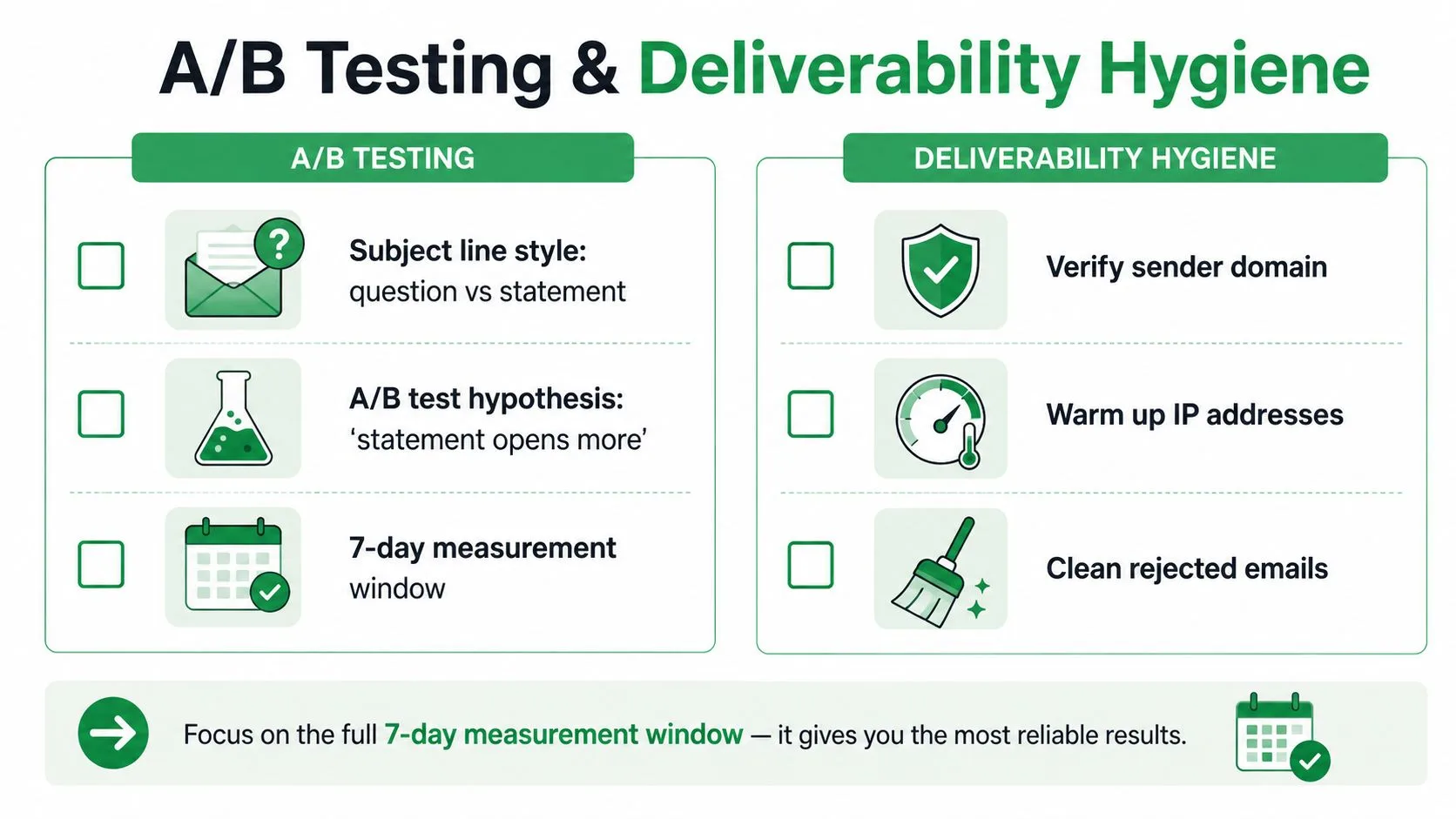
If you only run one test this week, test the welcome subject line. Use a question version against a statement version, keep the rest of the email the same, and give it a 7-day measurement window so the result isn’t distorted by a tiny sample or a short spike. Email template testing
Test one thing, not five
The strongest test hypothesis is simple. “A statement subject line will produce more clicks than a question subject line on the welcome email.” That’s measurable, and it keeps the learning clean. If you change the subject, preview, CTA, and design all at once, you won’t know what moved the result.
The 7-day window matters because onboarding sends happen fast and the early signal is what you need most. A short test on the first email gives you a quick read on the part of the sequence that affects everything downstream. If the welcome subject line underperforms, the rest of the sequence has to work much harder.
Get the inbox basics right
Deliverability hygiene is not glamorous, but it’s what keeps the sequence visible. SPF, DKIM, and DMARC should be in place before the first send. Keep the copy plain enough that it doesn’t look like a promo blast, and make sure the unsubscribe link works cleanly.
A basic pre-send checklist should include:
- Authenticated sender domain so mailbox providers can trust the source.
- Clean recipient list so stale contacts don’t poison engagement.
- No spammy trigger words that make the message feel like a sales blast.
- Working unsubscribe link so users can opt out without frustration.
A workflow that logs sends back to the sheet makes deliverability issues easier to spot. If open behavior drops sharply after a template change, or unsubscribe status starts climbing, you can see it in the same row-level record instead of hunting through separate tools. That visibility matters because onboarding is too important to debug by guesswork.
The larger truth is straightforward. Behavior-triggered onboarding outperforms a fixed linear sequence because it respects what each user has already done. Build the flow around action, suppress what no longer fits, and the sequence starts behaving like product guidance instead of bulk email.
Mail Merge for Gmail lets you run personalized, trackable email campaigns from Gmail with Google Sheets as the control layer, which makes onboarding flows easier to branch, suppress, and measure row by row. If you want to ship a behavior-triggered onboarding email sequence without moving your team into another platform, visit Mail Merge for Gmail and use it to draft the first send, track the replies, and keep the next message tied to what each user actually does.
Ready to send your first campaign?
Install Mail Merge for Gmail from the Google Workspace Marketplace and send up to 50 personalized emails per day for free.
Get started for freeMore reading
More from Tutorials
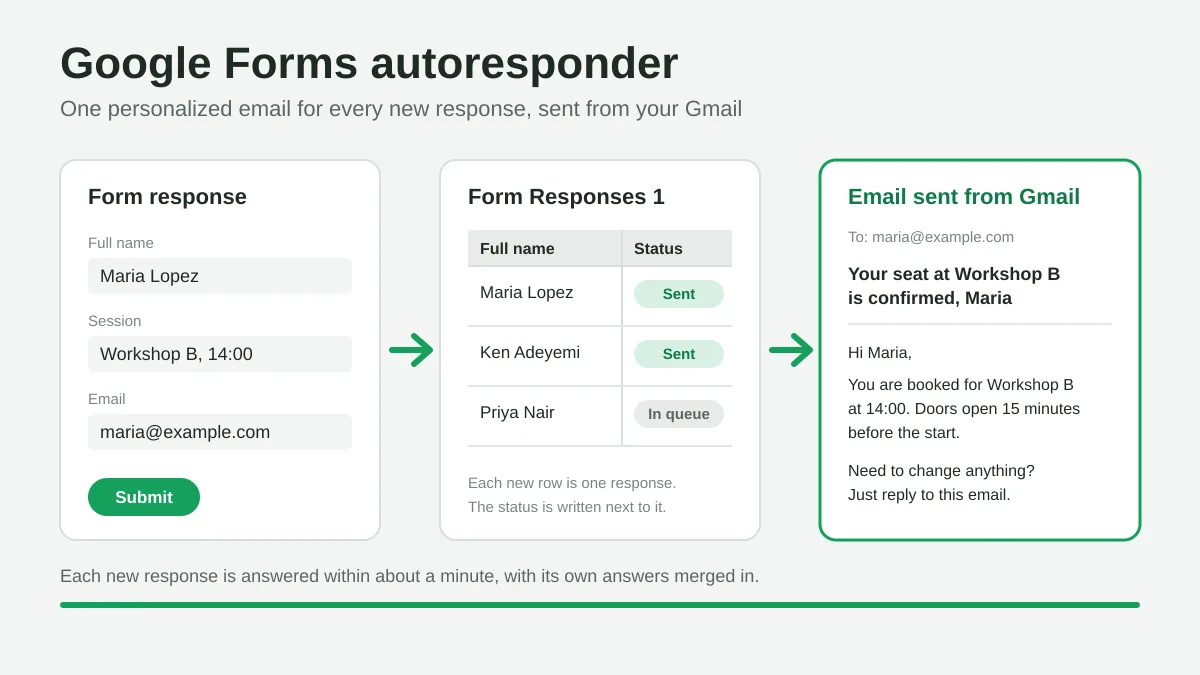
Google Forms Autoresponder: A Personalized Email for Every Response
Set up a Google Forms autoresponder that emails every new response from Gmail, personalized with the answers, using Google Sheets and Mail Merge for Gmail.
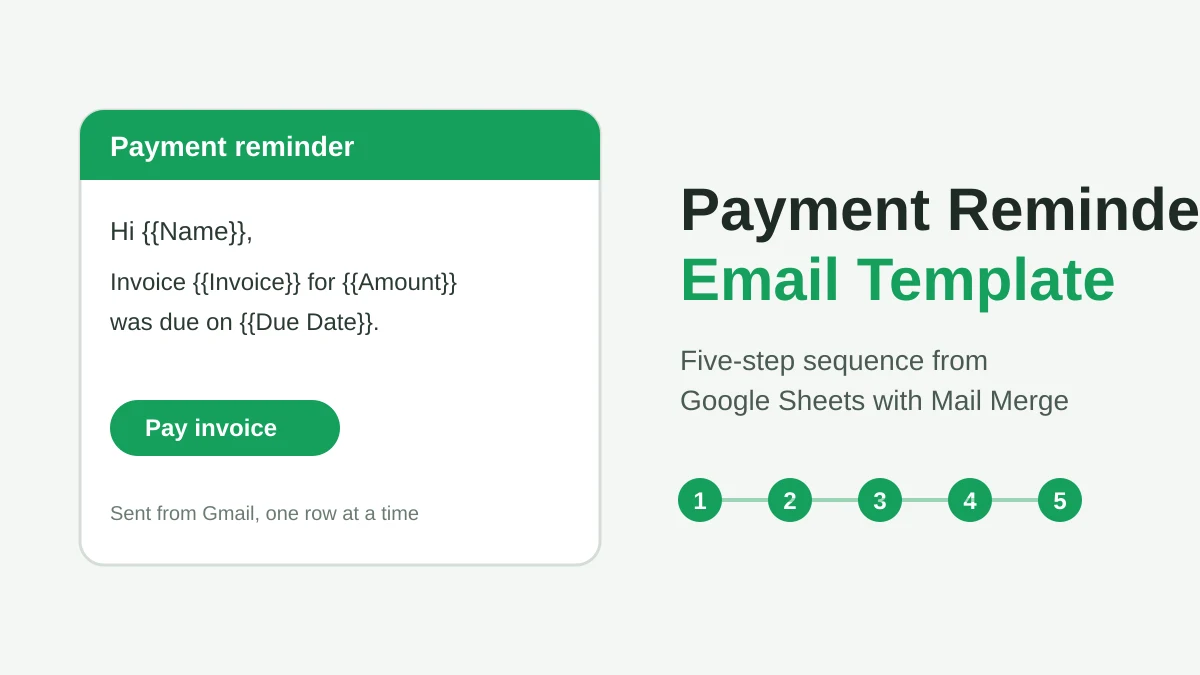
Payment Reminder Email Template: Five Messages You Can Send from Google Sheets
Copy a payment reminder email template for each stage of an overdue invoice, then send every reminder from Google Sheets through Gmail with personalized merge fields.
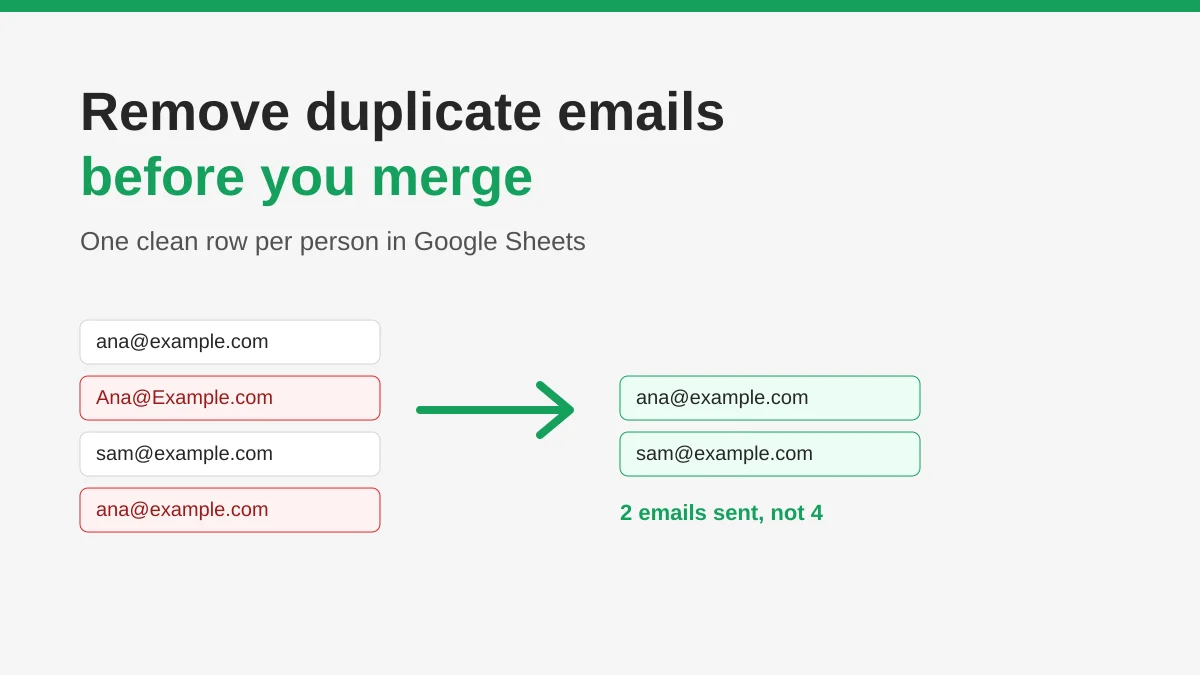
How to Remove Duplicate Emails in Google Sheets Before a Mail Merge
Learn how to remove duplicate emails in Google Sheets before a mail merge with Remove duplicates, UNIQUE and COUNTIF, so no contact gets the same message twice.