


Donation Receipt Template: Email Every Donor from Google Sheets
Copy a donation receipt template for cash, in-kind and year-end gifts, see what the IRS asks for, and email each donor their receipt from Google Sheets.
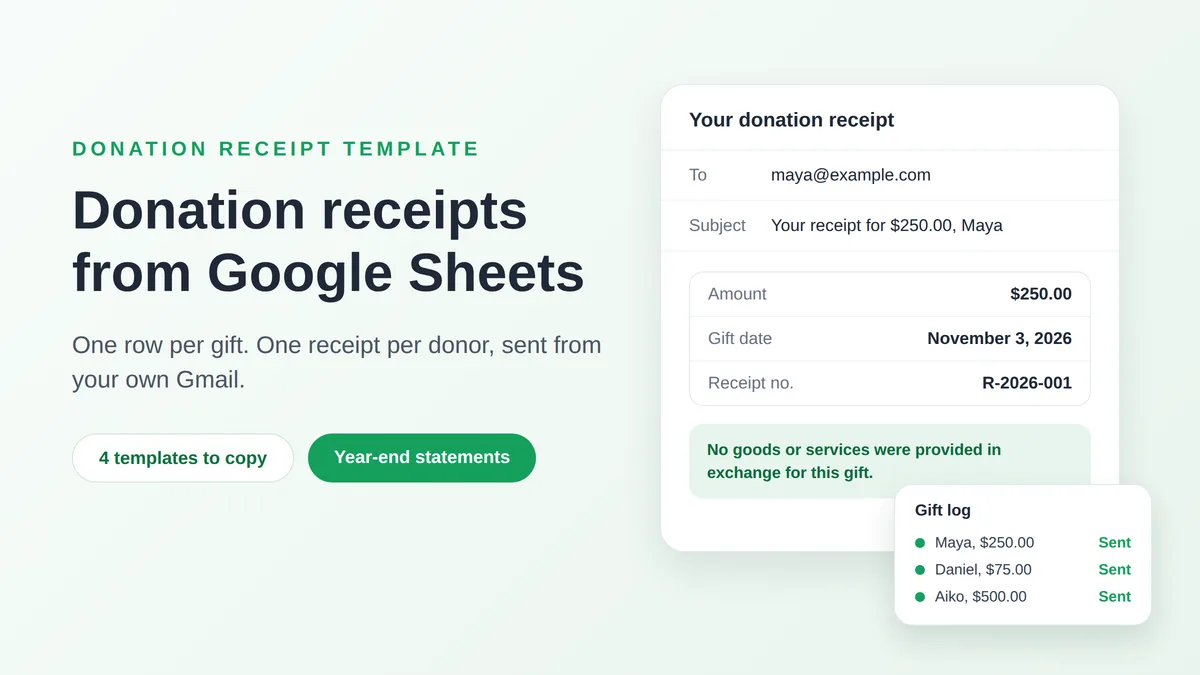
A donation receipt template is a short email with blanks for the donor’s name, the amount and the date of the gift, plus the one sentence the IRS looks for: whether the donor received anything in return. Write it once, keep one row per gift in a Google Sheet, and each donor gets a correct receipt from your own Gmail account instead of a letter you retype forty times in January. This guide gives you four templates to copy (a cash gift, a gift with a benefit, an in-kind gift and a year-end statement), the IRS rule behind each sentence, the sheet that feeds them and the steps to send them.
The rules quoted here are United States federal rules for organizations that can receive tax-deductible contributions. They are general information, not tax advice, and other countries set their own requirements for receipts.
What the IRS expects a donation receipt to say
The IRS publishes no receipt form. Its guide for charities, Publication 1771 (revised November 2023), accepts letters, postcards and computer-generated forms, and states that an organization can provide the acknowledgment electronically, such as via an email addressed to the donor. What counts is the content, and that depends on the gift:
| The gift | What the donor needs from you |
|---|---|
| Any gift of money: cash, check, card or online payment | A record showing your organization’s name, the date and the amount. A bank statement also works, but your email is the easiest proof to find. |
| A single gift of $250 or more | A written acknowledgment with your name, the amount, and a statement of whether you provided goods or services in return. If you did, a description and a good faith estimate of their value. |
| A payment of more than $75 that bought something, such as a gala seat | A written disclosure that only the part above the value of what they received is deductible, with a good faith estimate of that value. |
| A non-cash gift such as furniture, equipment or food | A description of what was given, without a value. |
The IRS page on written acknowledgments lists the same items for gifts of $250 or more, and adds one for religious organizations: when the only thing the donor received was an intangible religious benefit, the acknowledgment says so.
Four details from Publication 1771 shape the templates below:
- The $250 test applies per gift. Separate contributions of less than $250 are not added together. Twelve monthly gifts of $50 never trigger the acknowledgment rule, although the donor still needs a dated record of each one.
- One statement can cover a year. You may acknowledge each gift separately, or send one acknowledgment, such as an annual summary, for several gifts.
- No Social Security number. The publication says it is not necessary to include the donor’s Social Security or tax identification number.
- The deadline is the donor’s tax return. The donor must have the acknowledgment by the day they file the return for the year of the gift, or by its due date including extensions if that comes first. The publication adds that charities typically send acknowledgments no later than January 31 of the following year.
Skipping an acknowledgment brings the organization no penalty, but the donor cannot claim the deduction without it. The disclosure for payments over $75 is stricter: the IRS page on quid pro quo contributions sets a penalty of $10 per contribution, up to $5,000 per fundraising event or mailing.
Why receipts matter more for gifts made in 2026
Small donors have a new reason to keep your email. In a reminder published on November 10, 2026, the IRS says that, beginning with tax year 2026, taxpayers who do not itemize may deduct up to $1,000 of cash contributions, or $2,000 on a joint return. Non-cash gifts do not qualify, and neither do gifts to donor advised funds or supporting organizations. The release tells donors to keep receipts, canceled checks, bank records or written communications from the charity that show the organization’s name, the date and the amount. So put the date on every receipt, whatever the size of the gift.
Donation receipt template: four emails to copy
Each template uses merge fields in double curly braces. A field is the name of a column in your sheet, so {{Amount}} is replaced by the Amount cell of that donor’s row. The organization’s name, the EIN and the signature are the same for everyone: type your own over the sample ones (Riverbend Food Bank is a made-up example). Many organizations print their EIN and a line about their tax-exempt status. Neither is on the IRS list above, but both save a donor’s accountant an email.
A receipt is a record, not the thank-you. Keep it short and factual, and send the warm message separately: our collection of thank you email template examples includes one for donors.
1. Cash gift, nothing given in return
Subject: Your donation receipt: {{Amount}} on {{Gift date}}
Hi {{First name}},
Thank you for your gift of {{Amount}} to Riverbend Food Bank, received on {{Gift date}}.
No goods or services were provided in exchange for your contribution.
Receipt number: {{Receipt no}}. Riverbend Food Bank is a 501(c)(3) organization, EIN 00-0000000. Please keep this email with your tax records.
Dana Whitfield, Treasurer
The second paragraph is the one a gift of $250 or more depends on. It repeats the sample wording of Publication 1771 word for word.
2. Gift with a benefit: event ticket, dinner or auction item
Subject: Your receipt for {{Event}}: {{Deductible amount}} is deductible
Hi {{First name}},
Thank you for your payment of {{Amount}} on {{Gift date}} for {{Event}}.
In exchange, you received {{Benefit}}, with an estimated fair market value of {{Benefit value}}. For federal income tax purposes, the deductible part of your payment is limited to the amount you paid minus the value of what you received, which comes to {{Deductible amount}}.
Receipt number: {{Receipt no}}. Riverbend Food Bank, EIN 00-0000000.
Dana Whitfield, Treasurer
Publication 1771 gives the classic case: a donor pays $100 for a concert ticket worth $40. The deduction cannot exceed $60, and because the payment is above $75 the charity must send the disclosure. It has to be likely to come to the donor’s attention, so keep it in the body of the email, not in small print.
3. In-kind gift
Subject: Your in-kind donation receipt from Riverbend Food Bank
Hi {{First name}},
Thank you for your contribution of {{Item description}}, which Riverbend Food Bank received on {{Gift date}}.
No goods or services were provided in exchange for your contribution.
This receipt describes what you gave and does not state a value, because the IRS asks charities to describe donated property, not to value it.
Receipt number: {{Receipt no}}. Riverbend Food Bank, EIN 00-0000000.
Dana Whitfield, Treasurer
Write the description so that a stranger could picture the gift. The IRS’s own example is “a used oak baby crib and matching dresser”. According to the IRS’s Topic 506, a donor who deducts more than $500 of non-cash gifts completes Form 8283, and an item or group of items above $5,000 needs a qualified appraisal. Both are the donor’s job, which is why your receipt stays out of the valuation.
4. Year-end giving statement
Subject: Your 2026 giving statement from Riverbend Food Bank
Hi {{First name}},
Thank you for supporting Riverbend Food Bank in 2026. Our records show these gifts from you during the year:
{{Gift list}}
Total for 2026: {{Total}}
No goods or services were provided in exchange for these contributions.
Riverbend Food Bank is a 501(c)(3) organization, EIN 00-0000000. Please keep this statement with your tax records, and reply to this email if anything looks wrong.
Dana Whitfield, Treasurer
List every gift with its date and amount, not only the total, because the IRS rules apply gift by gift. Keep event payments out of this list, since they already have their own receipt from template 2 and would make the last sentence untrue.
Build the gift log in Google Sheets
One tab named Gifts, one row per gift. These columns feed templates 1 to 3:
| First name | Gift date | Amount | Receipt no | Receipt PDF | |
|---|---|---|---|---|---|
| maya@example.com | Maya | Nov 3, 2026 | $250.00 | R-2026-001 | Drive link (optional) |
| daniel@example.com | Daniel | Nov 5, 2026 | $75.00 | R-2026-002 | |
| aiko@example.com | Aiko | Nov 9, 2026 | $500.00 | R-2026-003 |
Four habits keep the receipts right:
- Record the day the gift was made. Publication 1771 defines the date of the contribution as the date the donor gave it to you, not the day you deposited it or sent the receipt. That is the date for the Gift date column.
- Format the cells the way the email should read. Mail Merge for Gmail reads each cell as it is displayed. A cell that shows $250.00 arrives as $250.00, and a date shown as Nov 3, 2026 arrives that way. Set both under Format, then Number, in Google Sheets.
- Number the receipts once. Type
="R-2026-"&TEXT(ROW()-1,"000")in E2 and fill it down to get R-2026-001, R-2026-002 and so on. Then copy the column and paste it back as values only, or sorting the sheet later will renumber receipts you have already sent. - Add the columns a template needs. Template 2 needs Event, Benefit, Benefit value and Deductible amount (a formula: Amount minus Benefit value), kept on a tab of its own. Template 3 needs Item description instead of Amount.
A receipt that opens with “Hi MAYA” looks careless, so fix the capitalization of names before a mail merge while the list is still short.
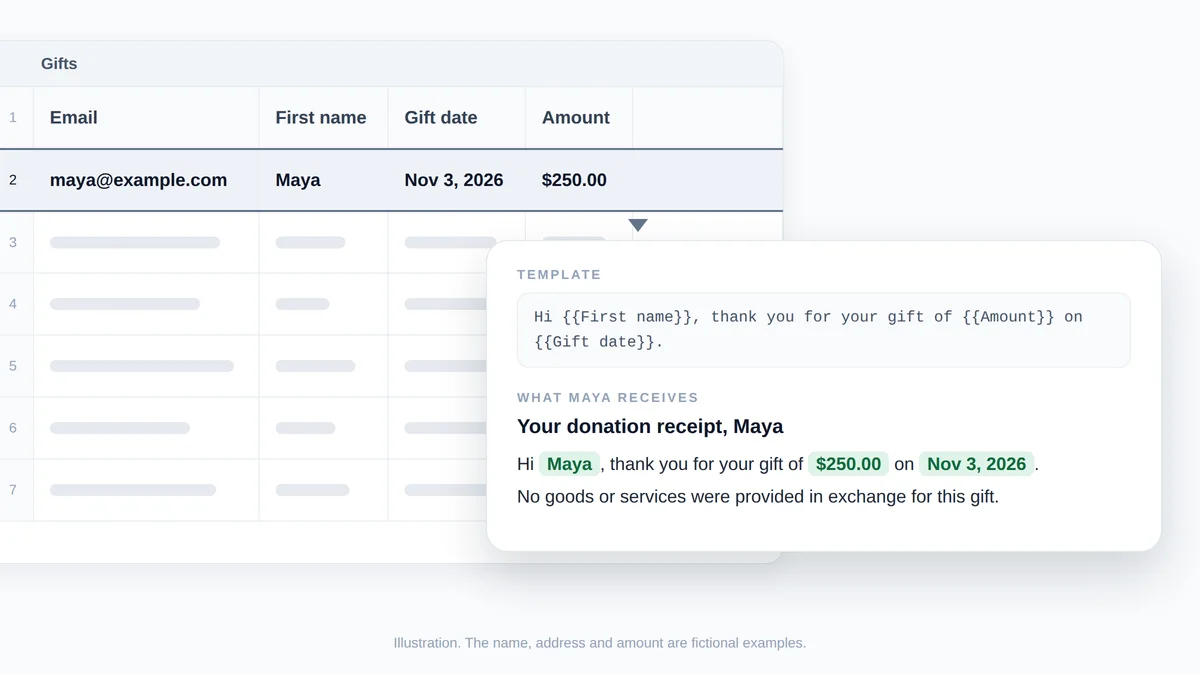
Illustration, not a screenshot: the highlighted row of the gift log fills the three merge fields of the template, and the donor receives the sentence underneath. The name, address and amount are fictional.
One row per donor for the year-end statement
Template 4 needs one row per donor instead of one per gift. First add a helper column named Gift line to the Gifts tab, with =TEXT(C2,"mmm d")&": "&TEXT(D2,"$#,##0.00") filled down. It turns a row into text such as Nov 3: $250.00. The formulas below assume it sits in column G, so adjust the letter if yours is elsewhere. Then create a second tab named Statements with these headers and formulas:
| Column | Formula in row 2 | Result |
|---|---|---|
| A, Email | =UNIQUE(FILTER(Gifts!A2:A, Gifts!A2:A<>"")) | Every donor once. The list fills downward by itself. |
| B, First name | =VLOOKUP(A2, Gifts!A:B, 2, FALSE) | The first name from that donor’s first gift |
| C, Total | =SUMIF(Gifts!A:A, A2, Gifts!D:D) | The sum of the donor’s gifts |
| D, Gift list | =TEXTJOIN(", ", TRUE, FILTER(Gifts!G:G, Gifts!A:A=A2)) | Mar 3: $100.00, Jun 9: $150.00, Nov 3: $250.00 |
Fill B, C and D down as far as the list in A goes, and format C as currency. Google’s page for SUMIF explains the three arguments used here: the range to test, the criterion and the range to add up. An address typed with a stray space or a typo counts as a second donor, so scan column A before you send. Keep one Gifts tab per tax year so that a statement never mixes years. If this is your first merge, our walkthrough of a mail merge from Google Sheets covers the basics.
Send each donor their receipt from Gmail
Install Mail Merge for Gmail from the Google Workspace Marketplace, then open the tab you are sending from: Gifts for templates 1 to 3, Statements for template 4.
- Open the builder. Choose Extensions, then Mail Merge for Gmail, then New campaign. The To row shows the column that holds the addresses, and the send button counts the valid ones.
- Paste the template. Add the subject and the body. Insert each field from the Merge tag menu in the toolbar, which lists your columns, or type the column name between double curly braces. Fields work in the subject too.
- Limit the send to the gifts that need a receipt. Filter the tab first, for example to this week’s dates. The builder then shows an Only visible rows switch, on by default when rows are hidden, and the recipient count follows it.
- Attach a PDF if you issue one. Click Add attachment in the To row and pick the column of Google Drive links. Each donor receives the file their own row points to.
- Preview every receipt. Show preview renders each donor’s email with the fields filled in, and Send me a test delivers the one on screen to your inbox. Page through a few and check an amount against your records.
- Send. Click Send to N recipients and confirm. On a paid plan, Schedule send holds the batch for a date and time at least two hours ahead, which suits a January statement run.

A PDF is optional, since the IRS accepts the email itself. If your board wants a formal document, the help center sets the limits at 5 MB per file and 25 MB of distinct files per campaign, so at 100 KB per receipt one batch holds about 250 donors. A row past a limit is marked Attachment Error and is not sent. A Google Doc is attached as a PDF, and each file must be readable by the account you send from. Our guide to PDF mail merge shows how to produce one PDF per row.
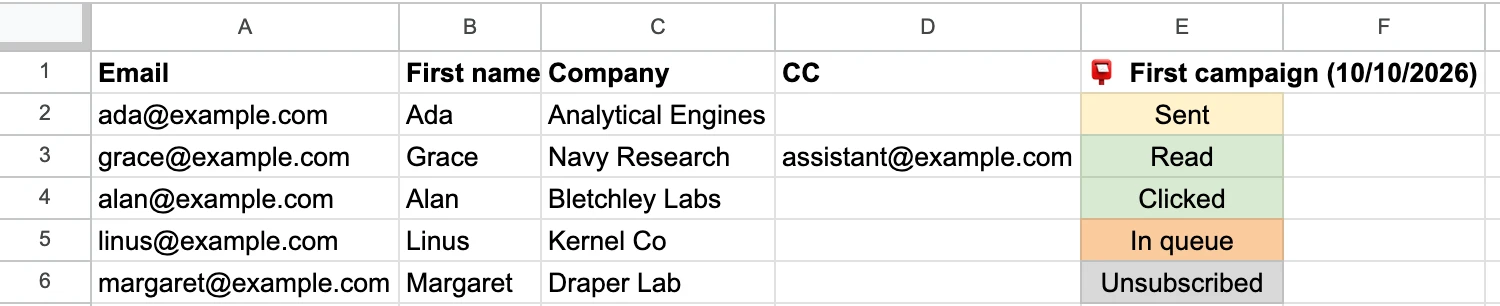
After the send, the add-on writes a status column into the sheet, named after the campaign and its date, with one cell per row: Sent, then Read when open tracking is on. That column is your record of which receipts left and on which day.
How many receipts you can send per day
Receipts leave through your own Gmail account, so the plan’s limit and Google’s limit both apply, and the lower one wins:
| Plan | @gmail.com address | Google Workspace address |
|---|---|---|
| Free | 50 per day | 50 per day |
| Personal | 250 per day | 250 per day |
| Professional | 500 per day | 1,500 per day |
Google’s own ceilings sit above these. Gmail Help says a personal account can hit a limit after more than 500 emails in a day, and Google lists 2,000 messages per day for a Workspace user, counted over a rolling 24 hours. A batch that does not fit is not started halfway: the builder warns you first. On the Free plan, split a long list over several days with the filter from step 3. Paid plans can send what fits today and continue automatically the next day. If Google’s own error ever appears, our guide to the Gmail sending limit reached message explains the wait.
Two options are worth knowing before the first batch:
- Copy your treasurer. Add a Bcc column holding the bookkeeper’s address and map it with Add bcc. Every address counts toward the daily limit, so a receipt with one Bcc uses two. Our guide to mail merge with CC and BCC has the details.
- Receipt on the day of the gift. If gifts are logged through a Google Form, the Professional plan can email each new response within about a minute.
Frequently asked questions
Is an email a valid donation receipt for the IRS?
Yes. Publication 1771 says an organization can provide the acknowledgment on paper or electronically, such as via an email addressed to the donor, and that there are no IRS forms for it. The content is what counts: your organization’s name, the amount or a description of the property, and the goods-or-services statement.
Do I need to send a receipt for donations under $250?
The written acknowledgment rule starts at $250 per gift. A donor still needs a record of any gift of money that shows your name, the date and the amount, and for gifts made in 2026 even donors who do not itemize may deduct up to $1,000, or $2,000 on a joint return. Once the sheet exists, receipting every gift costs no extra work.
When should year-end donation receipts go out?
The legal test is that the donor has the acknowledgment when they file their return, or by its due date including extensions if that comes first. Publication 1771 notes that charities typically send acknowledgments no later than January 31 of the following year. Build the Statements tab in the first days of January and send the batch then.
Can I send donation receipts from a free Gmail account?
Yes. Mail Merge for Gmail works with @gmail.com and Google Workspace addresses. The Free plan sends 50 emails a day, so 180 receipts take four days, and Gmail Help puts the ceiling for a personal account at 500 emails a day whatever tool you use.
Send this year’s receipts from the sheet you already keep
Receipts are the one mailing every donor expects, and the one most small organizations still type by hand. Put the gifts in a sheet, paste the template that fits, preview a few rows and let Mail Merge for Gmail send each donor their own receipt from your Gmail address, with the status column as your record. Install it free, send the receipts for this week’s gifts today, and the January statements will already be half built.
Ready to send your first campaign?
Install Mail Merge for Gmail from the Google Workspace Marketplace and send up to 50 personalized emails per day for free.
Get started for freeMore reading
More from Tutorials
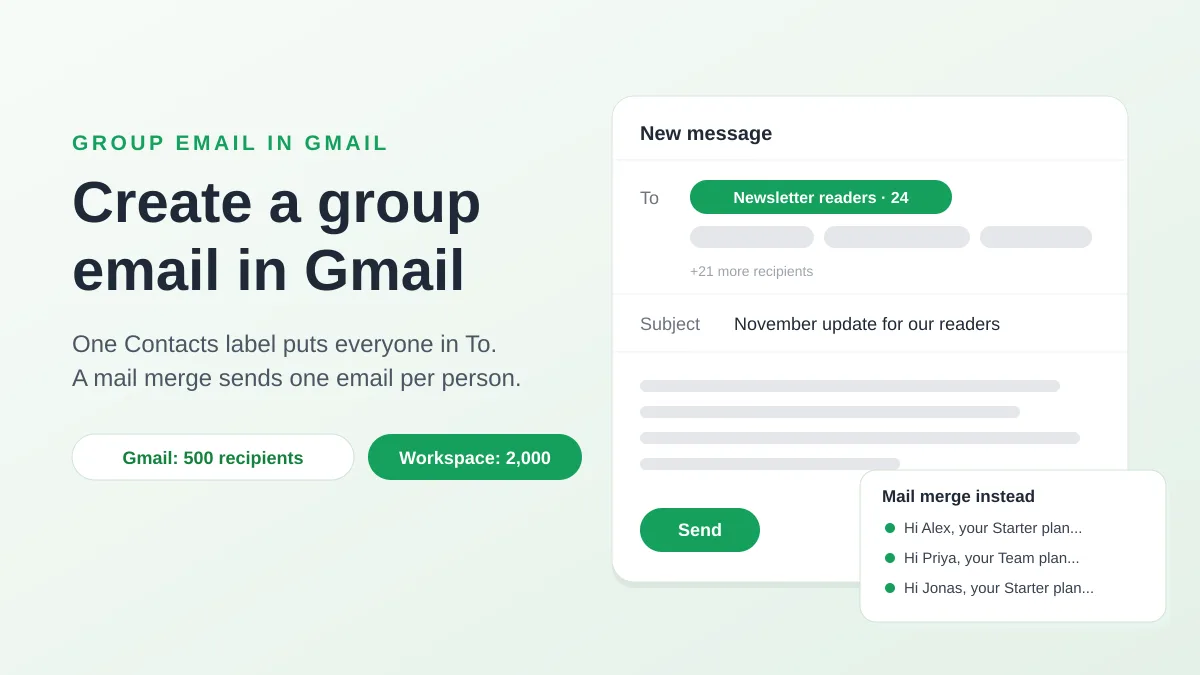
How to Create a Group Email in Gmail, and When to Use a Mail Merge
Create a group email in Gmail with a Google Contacts label, send it with To or Bcc, know Google's recipient limits, and see when a mail merge fits better.
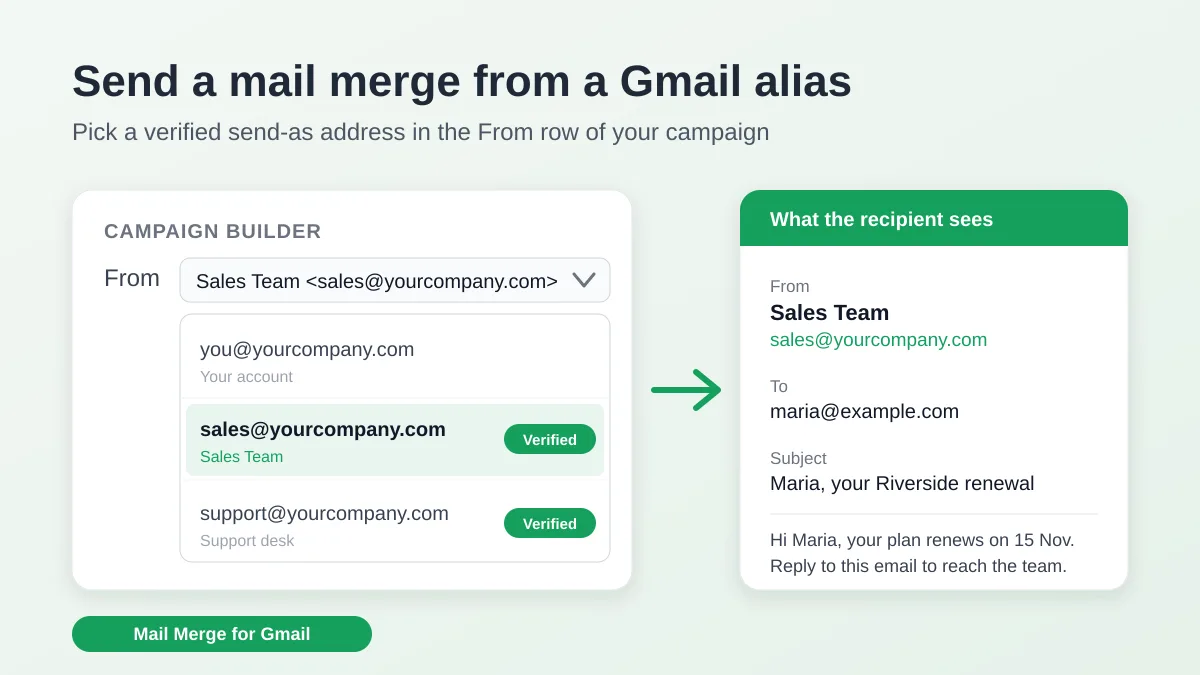
Send a Mail Merge from a Gmail Alias or Shared Mailbox
Send a mail merge from a Gmail alias, group or shared mailbox: set up Send mail as in Gmail, verify the address in Mail Merge and keep replies working.
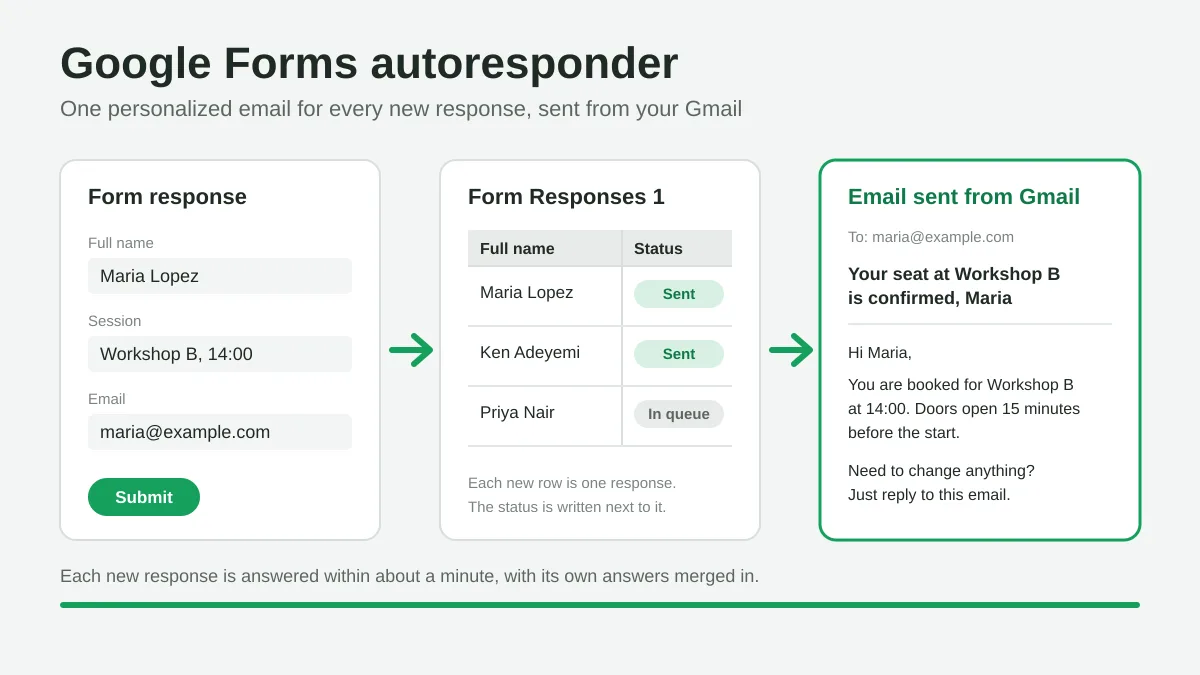
Google Forms Autoresponder: A Personalized Email for Every Response
Set up a Google Forms autoresponder that emails every new response from Gmail, personalized with the answers, using Google Sheets and Mail Merge for Gmail.