


















Opt Out Management: A 2026 Guide for Legal Compliance
Master opt out management with steps for suppression lists and preference centers that protect deliverability.
The most popular advice about opt out management is also the least complete: add an unsubscribe link to every email and move on. That approach treats consent like a footer element, when the primary risk sits inside the systems behind the message. An opt-out request has to stop future sends from every campaign tool, imported list, automation, and messaging channel that can reach the same person.
For small businesses, this distinction matters. A compliant-looking email can still trigger complaints if a recipient unsubscribes from one tool and remains active in another. Effective opt out management protects more than legal standing. It helps preserve deliverability, keeps list data accurate, and gives willing subscribers a practical way to control how often they hear from you.
Why Your Unsubscribe Link Is Not Enough
An unsubscribe link is an interface. Opt out management is the workflow that follows the click. If the request lands in one platform but not another, the recipient may continue receiving messages from a sales sequence, newsletter system, event tool, or spreadsheet-based campaign. The recipient experiences one brand, not your internal software boundaries.
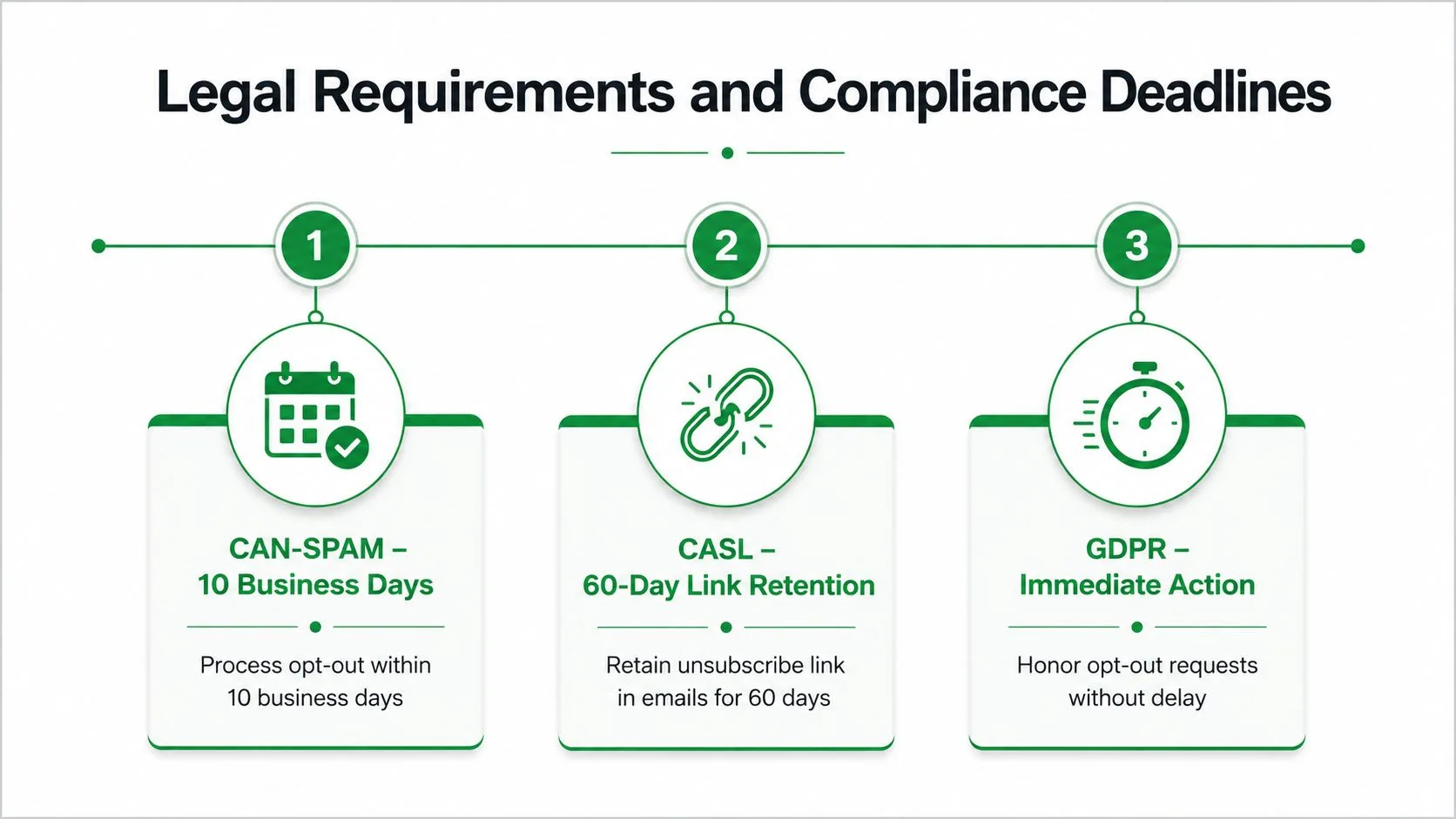
The U.S. CAN-SPAM framework made opt-out management a legal requirement for commercial email in January 2004. It requires a clear unsubscribe mechanism, prohibits fees or extra information demands beyond the recipient’s email address, and requires senders to honor requests within 10 business days. The FTC continues to describe these duties in its CAN-SPAM compliance guide for businesses.

That legal baseline doesn’t guarantee a good operational outcome. A team might process the request inside its newsletter platform while a sales representative continues sending from a separate tool. Another team might delete the contact from an active list, only to re-import the same address during the next data refresh. Both failures come from treating the unsubscribe event as a local record instead of a global suppression signal.
The deliverability cost of slow suppression
Inbox providers don’t need to know your internal architecture. They see recipient behavior, including complaints, ignored messages, and repeated delivery after a recipient has tried to leave. A sender that keeps mailing people who clearly asked to stop creates avoidable friction and can weaken trust in future campaigns.
The Internet Society’s audit work shows why teams need measurable controls. Its 2018 “Opt-Out All Email” score was 99.5%, while the audit series covered earlier years from 2014 through 2017 as well, demonstrating that unsubscribe handling had become a benchmarked operational practice rather than an invisible back-office task. The same broader compliance record still shows that implementation quality varies across senders.
Practical rule: Treat every unsubscribe as a brand-wide suppression event, not as a change to one list.
A useful privacy review should examine the whole journey, from the click to the final suppression decision. Teams that need help mapping broader obligations can use data privacy compliance guidance, but the production test is simple: after a recipient opts out, can any sending path still reach that address?
What a complete control looks like
A reliable system records the request, normalizes the address, timestamps the event, identifies the originating channel, and distributes the suppression state to every authorized sender. It also blocks re-entry when a contact list is imported later. The footer still matters, but it’s only the visible control that starts the process.
Legal Requirements and Compliance Deadlines
Legal compliance starts with a clear distinction between the statutory maximum and the operational target. CAN-SPAM gives senders up to 10 business days to honor an opt-out request, but waiting that long leaves unnecessary exposure. Best-practice guidance from the Internet Society recommends immediate removal, and expert guidance cited in that resource says strong teams aim to process requests within 24 hours. The faster target reduces the chance that another scheduled message goes out after the recipient has opted out.
Build the deadline into the workflow
CAN-SPAM requires a clear unsubscribe mechanism in commercial email. The process can’t charge a fee, require information beyond the recipient’s email address, or make the recipient follow an unnecessarily difficult path. The FTC’s framework also means the unsubscribe route belongs in the message itself, not only in a privacy policy or account portal.
CASL introduces a separate operational detail. Audit guidance recommends keeping unsubscribe links active for 60 days under CASL, while the same guidance identifies a 30-day statutory retention period under CAN-SPAM. Those retention requirements affect how long your landing pages and link handlers must remain functional after messages have been delivered.
The Internet Society and OTA audit data shows that compliance failures remain practical problems. In 2018, 7.1% of retailers violated CAN-SPAM or CASL rules, while the 2017 audit reported 88.1% total violations across its measured criteria. These figures shouldn’t be treated as a prediction for your program, but they do show why a documented process matters even for established senders. The relevant email unsubscribe best-practices guidance emphasizes clear text, mobile readability, whole-brand removal, and reliable link handling.
Separate legal minimums from responsible practice
A practical compliance design should:
- Expose the choice clearly: Place unsubscribe language where recipients can find and use it without searching.
- Process requests quickly: Use automation that suppresses the address before the next scheduled send whenever possible.
- Keep evidence: Store the request, timestamp, source, and resulting suppression state for internal review.
- Protect the retention window: Keep required unsubscribe mechanisms available for the relevant statutory period.
- Review regional obligations: Businesses operating across jurisdictions may benefit from complete GDPR compliance services when email preferences intersect with wider privacy operations.
A compliance platform can support the process, but software doesn’t replace ownership. Someone must decide which systems receive the suppression event, how exceptions are handled, and how the team verifies that a removed contact doesn’t return through an import.
For teams evaluating workflow support, email compliance software guidance can help frame the choice around auditability, automation, and control rather than the presence of a single unsubscribe button.
Building a Master Suppression List Workflow
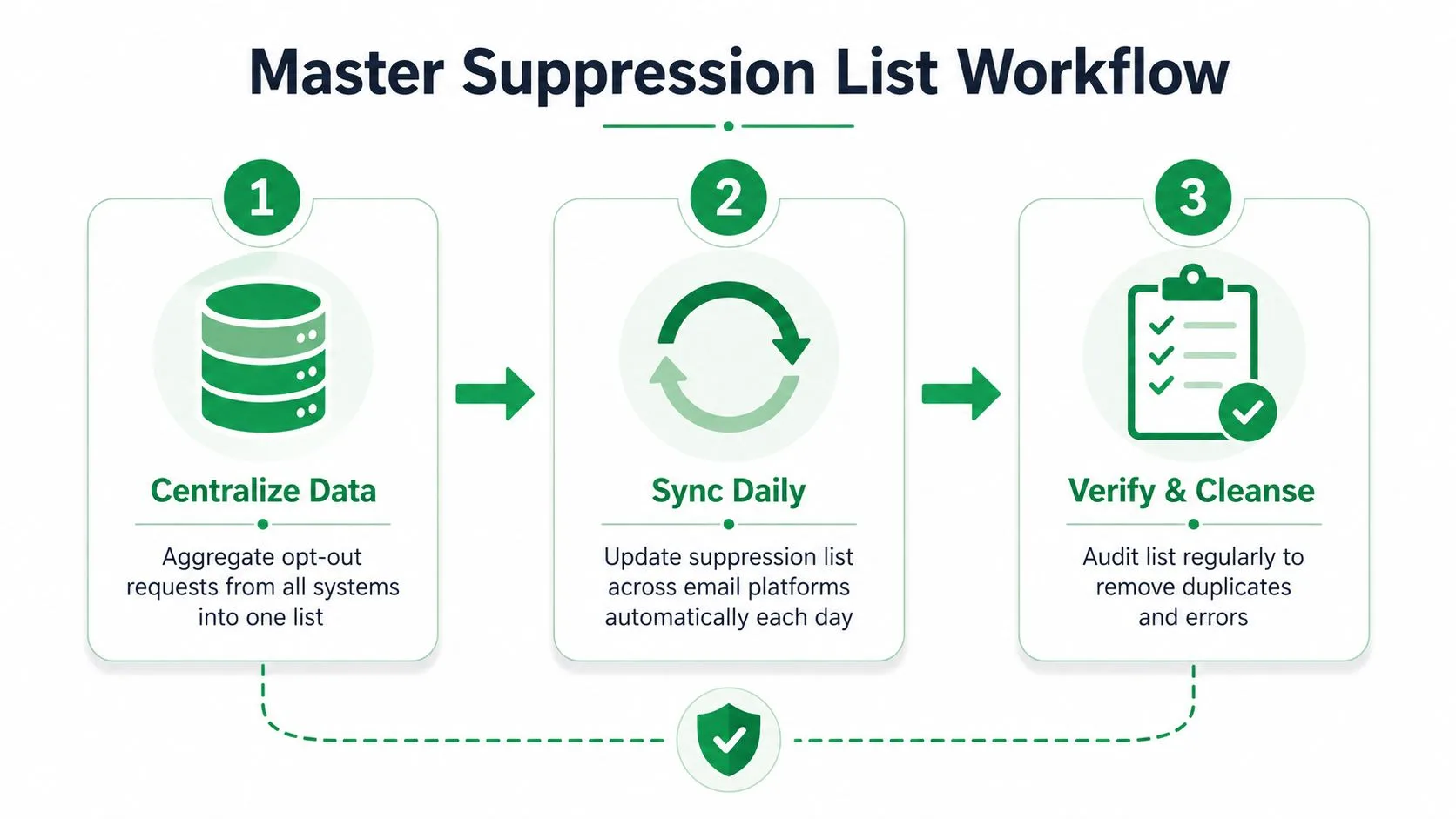
The most dependable design uses one master suppression list across every sending system. That list should act as a deny rule. If an address appears there, campaign tools, automations, imports, and manual send workflows must treat it as ineligible for promotional communication.
Start with one authoritative record
Create a central record for each opt-out using a normalized email address, request timestamp, source system, channel, and reason when the recipient provides one. Don’t overwrite a previous suppression because a contact later appears in a CRM as active. A renewed marketing permission should require a deliberate, documented consent process, not an accidental list update.
The workflow should then propagate the event outward:
- Capture the request: Accept the click, reply, form submission, or channel keyword.
- Write to the master list: Add the address immediately and preserve the original event details.
- Push the state to senders: Update newsletters, CRM sequences, outreach tools, event systems, and other platforms.
- Block re-imports: Check every incoming list against the master suppression list before activating recipients.
- Test the result: Confirm that the address is excluded from a representative campaign in each system.
The contact database management workflow should support this separation between active contact data and suppression data. Deleting a contact isn’t the same as suppressing one. Deletion removes context, while suppression preserves the instruction not to send.
Make the message easy to leave
A compliant implementation should support a one-click opt-out. The Internet Society guidance recommends a List-Unsubscribe header and an easy action, while Adobe’s documentation describes using an unsubscribe link in the header alongside a landing-page option for recipients who need a preference center or confirmation screen. The visible link should remain clear and usable on mobile.
The landing page can offer more choices, but it shouldn’t delay the core removal. If a recipient clicks unsubscribe, suppress the address first. Offer frequency or topic controls as an alternative only when the recipient actively chooses them.
Common production failures include:
- Siloed suppression: One tool records the request while another keeps the address active.
- Import resurrection: A clean-looking spreadsheet reactivates someone already on the master list.
- Alias confusion: Systems fail to apply consistent normalization and treat the same mailbox as separate records.
- Manual delay: A request waits for a person to update several platforms.
- Unprotected exceptions: VIP, transactional, or sales lists bypass the global suppression rule without a documented legal basis.
Use an automated sync wherever possible, then audit the output. A daily synchronization schedule can be useful for organizations that can’t support real-time propagation, but high-volume or tightly timed campaigns need a shorter path between request and suppression.
The objective isn’t a complicated architecture. It’s a single decision that every sender respects: this recipient has withdrawn from this communication, so future eligible sends must stop.
Designing Preference Centers That Reduce Churn
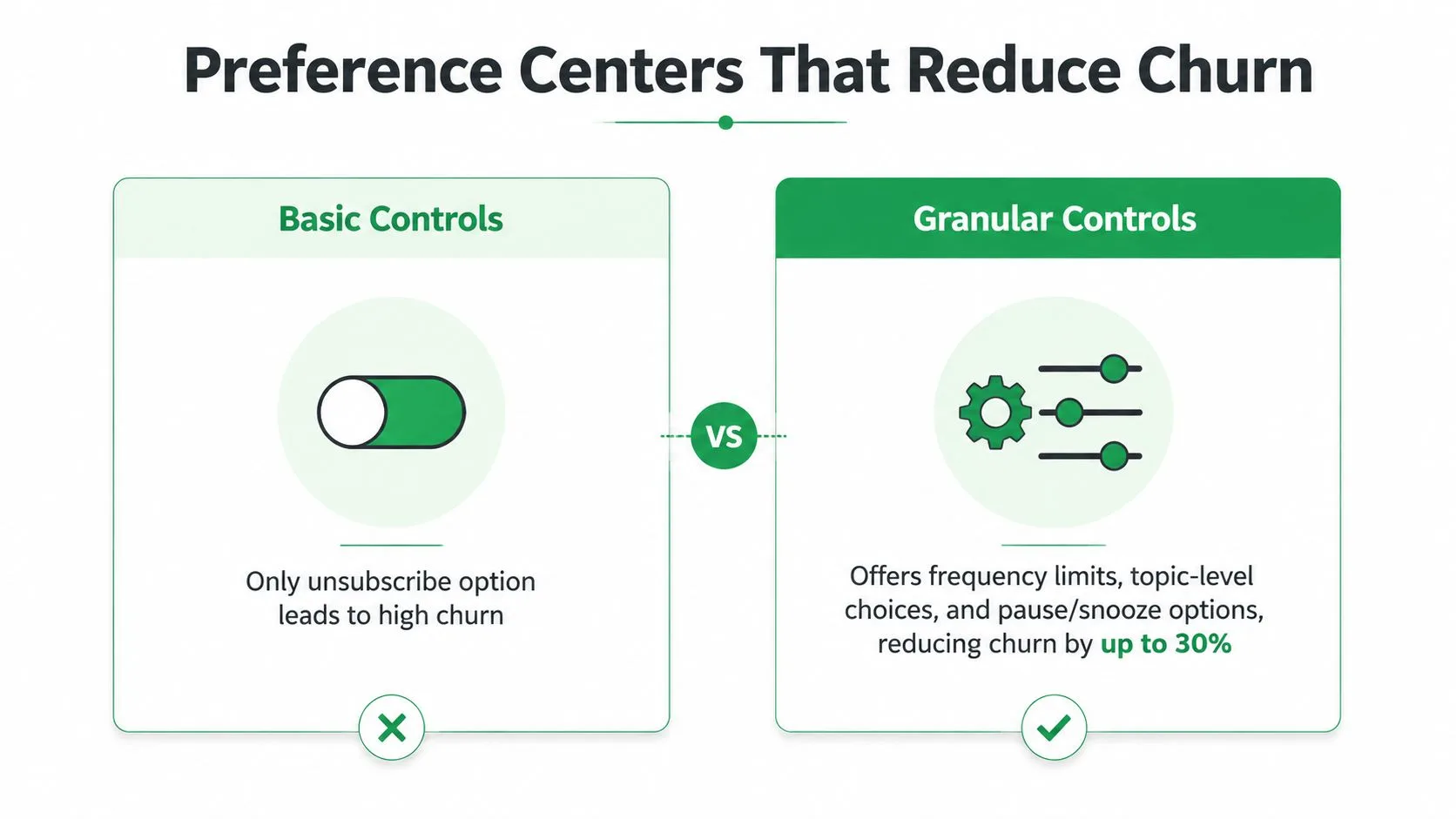
Binary unsubscribe flows force a false choice. A recipient may not want every message, but that doesn’t mean they want to leave the brand entirely. Frequency limits, topic-level controls, and pause options give people a way to reduce noise without turning a temporary mismatch into a permanent suppression.
One 2026 analysis reports that adding holiday snooze or event-specific opt-outs can cut unsubscribe rates by over 80% according to its coverage. The same source says 52% of consumers who unsubscribe would have stayed if frequency control had been available, while only 40% of brands offer a functional preference center. These figures point to a design gap, not a reason to make opting out harder.
Give subscribers useful choices
A lightweight preference center can present a small set of understandable decisions:
- Frequency: Let recipients choose fewer updates instead of receiving every campaign.
- Topics: Separate product news, events, educational content, and promotional offers.
- Pause: Offer a temporary snooze for holidays, travel, busy periods, or event-specific fatigue.
- Complete removal: Keep the full unsubscribe option prominent and immediate.
The strongest preference centers describe what each option changes. “Reduce email” is vague. “Receive the monthly digest instead of individual updates” gives the recipient a clear expectation and gives your team an actionable rule.
Keep the system maintainable
Granularity can create its own failure mode. If every campaign uses a different topic label, the preference center becomes difficult to understand and the sending logic becomes difficult to test. Start with categories your team can honor across every tool. A small business may need only a full unsubscribe, a lower-frequency digest, a pause control, and a few durable content categories.
Don’t use the preference center as a persuasion wall. A recipient should be able to leave without viewing a survey, accepting a discount, or clicking through several screens. The retention benefit comes from control, not friction.
The contrarian advantage is that better opt-out management can reduce churn more effectively than sending more reminders about why someone should stay. A person who pauses holiday messages may remain receptive to future updates. A person forced to choose between constant email and permanent removal has little reason to preserve the relationship.
Monitoring Opt-Out Metrics and List Health
Opt-out volume is a diagnostic signal, not a score to improve in isolation. A sudden rise after one campaign can indicate excessive frequency, weak targeting, unclear value, or a gap between the signup promise and the messages delivered. A steady baseline across comparable sends usually calls for segmentation and content review rather than an emergency workflow change.
Track recipient behavior and operations together. Processing time shows whether suppression reaches every sending system before the next scheduled campaign. Complaint activity can indicate that recipients resort to mailbox controls because the unsubscribe path is difficult to find or does not work. Preference-center adoption shows whether subscribers choose narrower controls, such as fewer messages or a specific topic, instead of complete removal.
Opt-Out Compliance Benchmarks
| Metric | How to interpret it | Action |
|---|---|---|
| All-email opt-outs | A material gap in completion suggests broken links, incomplete processing, or inconsistent sender coverage, as documented in the audit report | Test the full request path, then trace the suppression state through every sending tool |
| Retailer rule compliance | Any violation signals a workflow defect, not merely a template problem, according to the audit report | Review identity matching, queue handling, and campaign eligibility |
| Suppression latency | Requests that remain active long enough to enter scheduled sends create avoidable complaints. Use the guidance to set an internal operating target | Measure receipt-to-suppression time by system, not only as a monthly average |
| Legal-window dependence | Treating the CAN-SPAM period as normal operating speed leaves recipients exposed to more messages. Review the FTC guidance when setting escalation rules | Set alerts for delays and investigate the queue before campaigns continue |
Read spikes as diagnostic signals
Break results down by campaign, audience, topic, and sending system. A spike limited to one topic points toward relevance or targeting. A rise across the program points toward frequency, consent expectations, or a broken suppression process.
Inspect re-entry on a recurring schedule. If suppressed addresses return to active audiences, fix data governance rather than campaign copy. Compare active lists with the master suppression state, test links, and verify that each tool receives the same status.
Cross-Channel Consent Infrastructure
Recipients don’t think in terms of email platform, SMS vendor, CRM, or event software. They think in terms of one organization contacting them. That makes opt out management a cross-channel consent infrastructure problem, especially when a person revokes permission through a channel other than the one that originally captured it.
A 2026 legal update notes that CAN-SPAM requires honoring opt-outs within 10 business days and that companies managing multiple choices need a central database plus an unsubscribe management page (legal update). Separate mobile messaging research cited in the same verified guidance describes FCC rules allowing consent to be revoked by any reasonable means, including recognizable keywords such as STOP, REVOKE, OPT OUT, or UNSUBSCRIBE, with a 10-business-day outer limit.
That doesn’t mean every channel has identical legal treatment. It does mean your systems need a shared view of what the recipient revoked, which channel is affected, and whether the request should suppress a broader category of communication. A central consent record should distinguish email, SMS, transactional notices, event reminders, and other permitted messages rather than collapsing everything into one ambiguous status.
Practical controls include a common identity key, channel-specific preference fields, event logging, immediate propagation, and import checks before each campaign. Teams should also document what happens when someone opts out through a reply, a keyword, a footer link, or a support request.
Operational consistency extends to other customer-facing communication details. A resource such as this email signature management guide 2026 can help teams keep sender identity and contact information consistent while consent systems handle communication choices.
The 2025 report cited in the verified guidance says 70% of consumers had unsubscribed from at least three brands in three months because of excessive messaging. Treat that fatigue as a design signal. Reduce unnecessary sends, honor revocations quickly, and let recipients control frequency before frustration becomes a complete withdrawal.
Mail Merge for Gmail offers an unsubscribe link that marks a recipient as permanently unsubscribed from later campaigns, alongside personalized, trackable sending from Gmail and Google Sheets. If your outreach team needs a simple way to connect campaign sending with clearer opt-out handling, visit Mail Merge for Gmail and review how it fits your suppression workflow.
Ready to send your first campaign?
Install Mail Merge for Gmail from the Google Workspace Marketplace and send up to 50 personalized emails per day for free.
Get started for freeMore reading
More from Guides
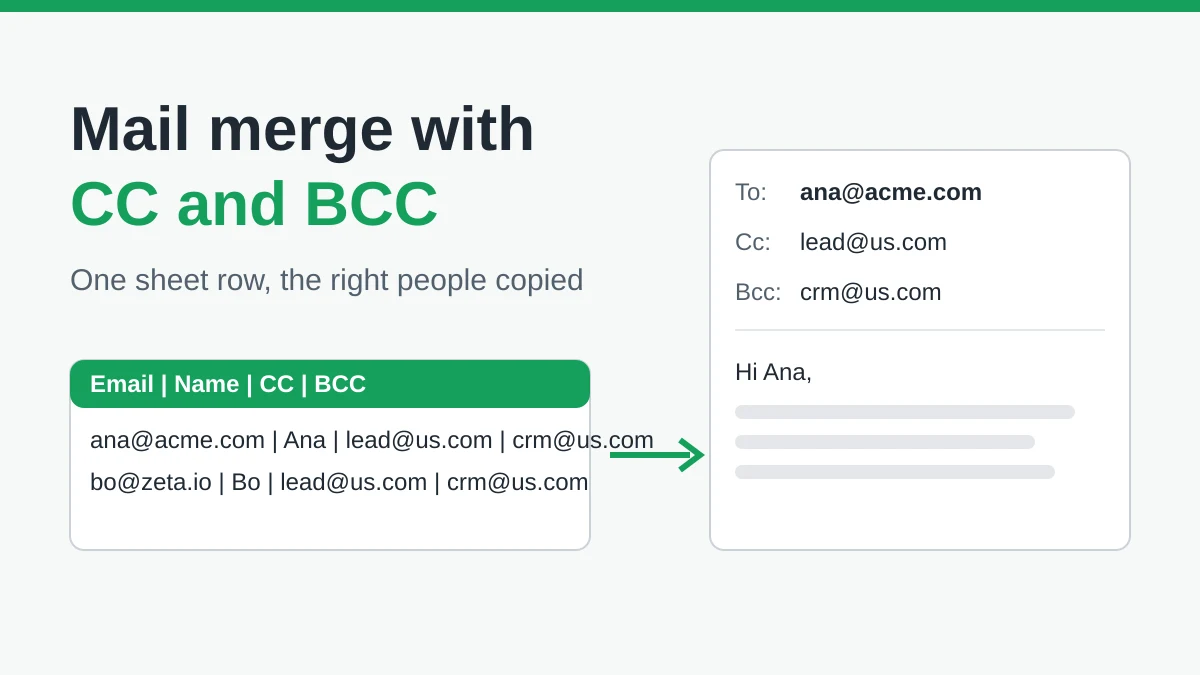
Mail Merge with CC and BCC in Gmail: Copy the Right People on Every Email
Learn how to run a mail merge with CC and BCC from Google Sheets, set up the columns, preview the result and see how copied recipients count toward your daily quota.
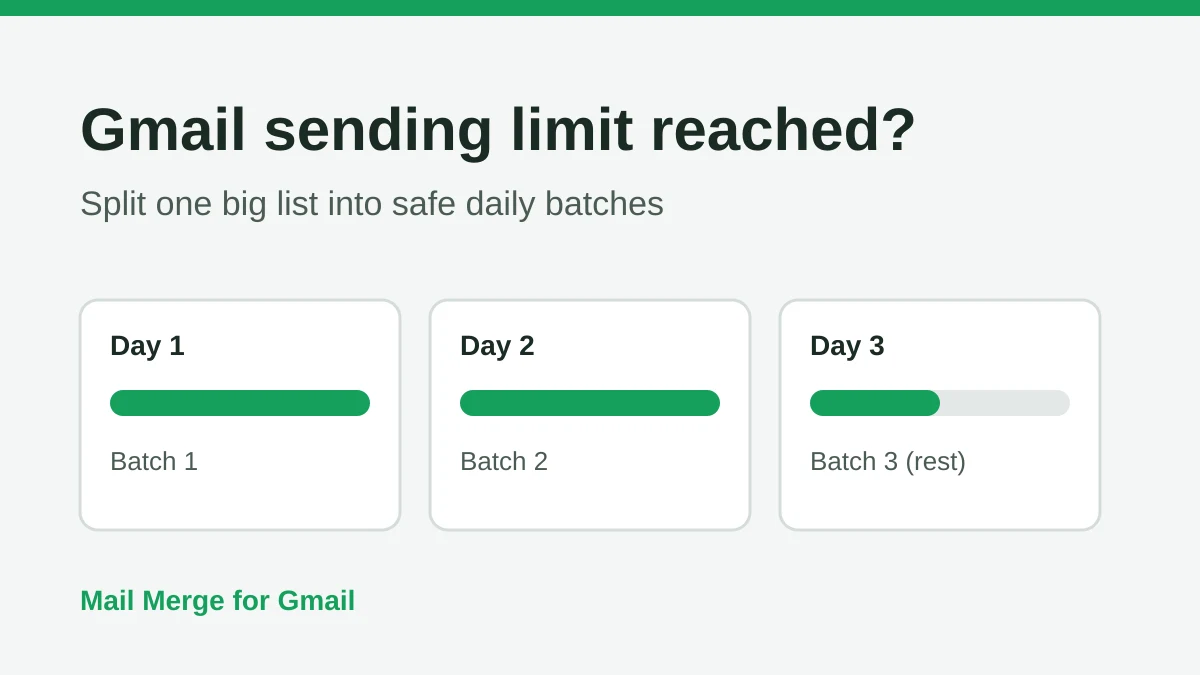
Gmail Sending Limit Reached: What It Means and How to Finish Your Campaign
Hit the Gmail sending limit reached error? Learn the real daily limits, when you can send again, and how to split a mail merge into safe daily batches.

Personalized Email Gmail: The Complete Guide
Master your personalized email Gmail workflow. Learn to merge Sheets data, track opens, and scale one-to-one outreach without leaving your inbox.