


















Personalized Email Marketing: The Complete Playbook
Master personalized email marketing with proven tactics on subject lines, segmentation, dynamic copy, and deliverability. Includes real workflow examples
You can feel the problem before you can name it. The newsletter goes out on time, the template looks polished, and the subject line sounds decent, but replies keep thinning out because the same message lands in front of people who want very different things.
That’s the trap of generic email. A founder evaluating pricing, a buyer comparing features, and a developer reading implementation docs shouldn’t get identical copy, even if they sit in the same list. Personalized email marketing fixes that mismatch by making the message fit the person, the moment, and the action you want next.
When One-Size-Fits-All Stops Working
A small SaaS team can miss this for months because the process feels orderly. Every Monday, someone exports 1,200 contacts, pastes them into the sending tool, and ships the same update to everyone. The team debates subject lines in meetings, but the issue is simpler, the founder pitching CFOs and the developer comparing API docs are receiving the same email.
That mismatch does more than lower replies. It trains subscribers to ignore the next send, because they’ve learned the content won’t reflect their situation. Over time, that kind of pattern can drag down engagement signals, weaken sender reputation, and create avoidable compliance risk if the list was never built around clear permission or stated preferences.
The real diagnosis
The strongest way to think about personalization is not “better copy.” It’s better recognition. A subscriber isn’t a row in a spreadsheet, they’re a person with a job to do, a stage in a journey, and a reason to care or not care.
That’s why the useful question is not “Did we add a first name?” It’s “Did we send the right message to the right person for the right reason?” If the answer is no, the campaign isn’t personalized, even if it uses merge tags.
Industry summaries show why this matters financially. Segmented and targeted emails generate 58% of all email revenue, and personalized email marketing has been reported to produce a median ROI of 122% and even $36 in return for every $1 spent in broader email marketing, according to the industry overview on marketing personalization statistics. Personalized promotional mailings also post 29% higher unique open rates and 41% higher unique click rates than non-personalized mailings, which is why this is a workflow problem, not just a wording problem, as summarized in the overview of proven email marketing tactics.
What Personalized Email Marketing Actually Means
A subscriber opens a message and feels it speaks to their situation. That is the goal of personalized email marketing. The email changes because the person is a fit for a specific offer, a specific moment, or a specific next step, whether that context comes from role, location, clicks, purchases, or something they ignored last time.
A working definition you can actually use
Personalized email marketing is any campaign that uses subscriber information to send a message that would be less useful if it were sent unchanged to everyone else.
That definition helps separate real personalization from decoration. A greeting with {{First Name}} is only a small signal if the rest of the message is generic. Relevance in the body, the offer, and the timing usually matters more than name insertion alone.
The performance history supports that view. Benchmarks show personalized promotional mailings achieve 29% higher unique open rates and 41% higher unique click rates than non-personalized mailings, while personalized subject lines are 26% more likely to be opened and personalized calls-to-action convert 202% better than default CTAs, according to the Campaign Monitor benchmark summary of email marketing stats. Those numbers matter because they show personalization changes behavior, not just the surface of the message.
The practical inputs are straightforward:
- Identity data, who the person is, such as role, company, or customer type.
- Behavioral data, what they’ve done, such as clicks, purchases, or page visits.
- Contextual data, where they are in the lifecycle, such as new lead, active customer, or lapsed account.
Practical rule: If the email would still make sense with the same exact copy sent to everyone, it isn’t personalized enough for a campaign that depends on response.
For teams looking for practical execution ideas, the guide to proven email marketing tactics is useful, especially if you want personalization to run as a repeatable workflow instead of a one-off send.
Five Levers That Move the Numbers
A personalized send works better when you treat it like a workflow with moving parts, not a single copy tweak. Some parts are easy to set up and useful across the whole list. Others take more coordination, but they give you tighter targeting and cleaner reporting. The right mix depends on list quality, team size, and how often you send.
Subject lines and body copy
A subject line can help, but only if the added detail is real. A name token or company name that fits the recipient’s context can make the line feel relevant, while a wrong name or blank field does the opposite and makes the email look careless. The martech benchmark summary on personalized subject lines reports that personalized subject lines are 26% more likely to be opened than nonpersonalized ones, and controlled evidence showed that adding a recipient’s name increased open probability by about 20%, from roughly 9% to 11%, while also raising sales leads by about 30% and reducing unsubscribes by 17%.
Body copy usually carries more weight than the subject line because it can refer to a purchase, a page visit, or a known need. That is where personalization starts to feel specific instead of decorative. Analysts at world metrics on personalized email marketing reported that personalized body content produced a 23.4% open rate and 3.18% click-through rate, compared with 20.59% opens and 2.4% clicks for generic text. The trade-off is accuracy. If the detail is off, the message feels intrusive instead of useful.
Segmentation, dynamic content, and timing
Segmentation keeps the offer aligned with intent. A trial user, an active customer, and a lapsed account should not receive the same promise, because each group is at a different point in the buying cycle. Dynamic content lets you swap images, calls to action, or short blocks inside one template, which is a practical middle ground for teams that need variety without building a separate email for every segment.
Timing is the last lever, and it should support consistency rather than replace it. Send time can help when your audience checks email at different moments, but B2B readers often have stable routines, so a steady schedule may matter more than chasing a perfect hour. A solo operator can usually manage three levers well. Larger teams can run all five once the list, rules, and reporting are stable.
| Lever | Typical Lift | When It Helps | When It Hurts | Min. Team Size |
|---|---|---|---|---|
| Subject lines | Open-rate lift when accurate | When the token matches real context | When the name or detail is wrong | 1 |
| Body content | Stronger click behavior | When you can reference behavior or need | When the message feels intrusive | 1 |
| Segmentation | Better reply relevance | When lifecycle or role changes the offer | When buckets are too broad | 2 |
| Dynamic content | More relevance without many sends | When one template must serve several groups | When setup is too complex to maintain | 2 |
| Send timing | Modest open improvement | When audience schedules vary widely | When timing overrides consistency | 3 |
These levers work best when the team can see what changed and why. A subject line test, a segment split, and a timing adjustment all mean more when they are tied to a clear send goal and a clean way to review response.
Running a Personalized Campaign From Google Sheets
A small team doesn’t need a heavy system to start. If your contacts already live in Google Sheets and you send from Gmail, you can run a personalized campaign with a simple merge workflow and still keep the process auditable. One practical option is Mail Merge for Gmail, which sends personalized campaigns from Gmail using data stored in Google Sheets and writes delivery status back into the sheet.
Start with one row per recipient. Add columns for first name, company, last purchase date, and status. Then build a Gmail draft with merge variables like {{First Name}} and {{Company}}, and map those fields to the matching columns before you send.
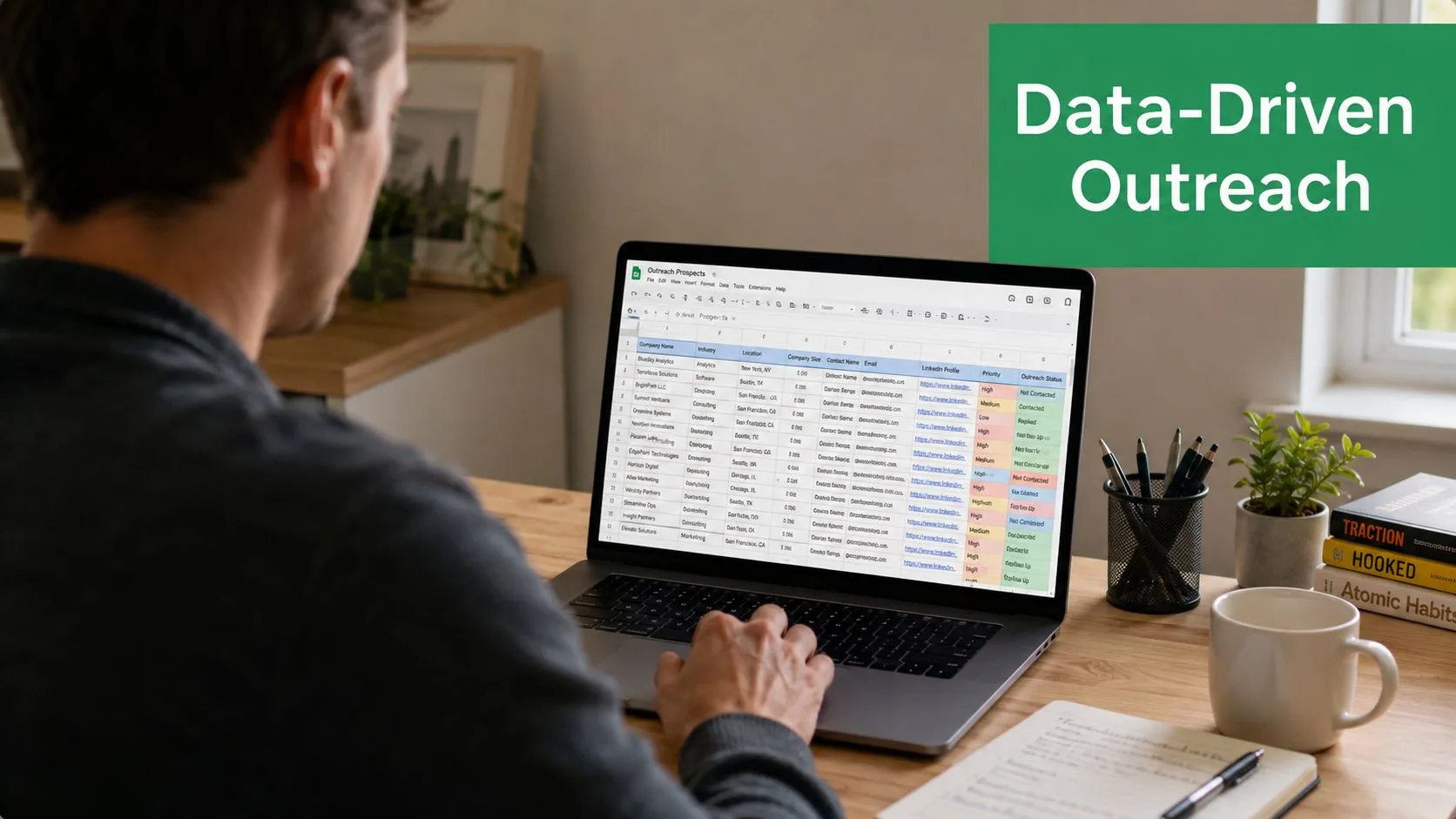
Preview mode matters because it catches broken variables before anyone sees them. It also helps you spot awkward cases, like a blank company name or a contact whose last purchase date makes the email irrelevant. For a setup guide that shows the spreadsheet side in more detail, the walkthrough on Google Sheets mail merge add-on is a useful companion.
Once the draft looks right, send from Gmail rather than a relay if you want the workflow to feel native to your team. Keep an eye on volume, because Gmail’s practical recipient limits mean you need to throttle sends instead of blasting the entire list at once. A good merge workflow writes Sent or Error back into the sheet so someone can audit each row later.
After a few sends, the sheet becomes your control panel. That’s especially useful for a reactivation campaign, where a 240-row list of customers who bought 90 days ago can be sorted, filtered, and tracked without opening a separate dashboard. The trade-offs are real, Gmail branding stays on the From address, basic merge tags don’t replace true dynamic content, and unsubscribe handling takes more care than in a full ESP. But for straightforward one-to-one-style outreach, the workflow is easy to understand and easy to review.
Segmentation Strategies and How Deep to Go
Segmentation is where personalization either stays useful or turns into busywork. A good rule is to choose the shallowest setup that changes what the recipient sees. If the message only needs to match broad fit, use simple buckets. If it needs to reflect action, add behavior. If the email is about moving someone from one stage to another, use lifecycle rules.
Three tiers that make sense in practice
| Tier | Data Source | Maintenance | Best For |
|---|---|---|---|
| Basic list segmentation | Role, industry, geography | Low | Small lists and early-stage campaigns |
| Behavior-based segmentation | Opens, clicks, purchases, page visits | Medium | Campaigns tied to intent or recent action |
| Lifecycle stages | New, active, at-risk, lapsed, win-back | High | Mature programs with clear rules |
Basic segmentation is the easiest place to start. It keeps the workflow manageable and still prevents obvious mismatches. For a smaller list, it often gives enough structure without turning the sheet into a maze of rules. A role-based message for a sales lead should not read like one for a customer success manager, and geography can change the offer, timing, or legal copy.
Behavior-based segmentation fits campaigns where timing matters. If someone clicked pricing, viewed a product page, or bought recently, the next message should reflect that signal. The trade-off is upkeep. You need reliable event tracking and a clear cutoff for how recent an action must be before it still counts.
Lifecycle segmentation goes one layer deeper. New subscribers need onboarding, active customers need education or expansion, at-risk contacts need a reason to stay, and lapsed users need a win-back path. That structure works well when you want to change behavior over time, but it asks for cleaner rules and more review.
For teams deciding how far to go, the email list segmentation guide is a useful reference for picking campaign buckets, and the how to segment email lists guide helps translate those buckets into practical setup. The point is not to slice the list as finely as possible. It is to stop at the level where the message starts to matter.
Start with the lowest tier that supports the campaign you’re sending today, then add the next tier only when the metric you care about stops moving.
Metrics That Still Tell the Truth
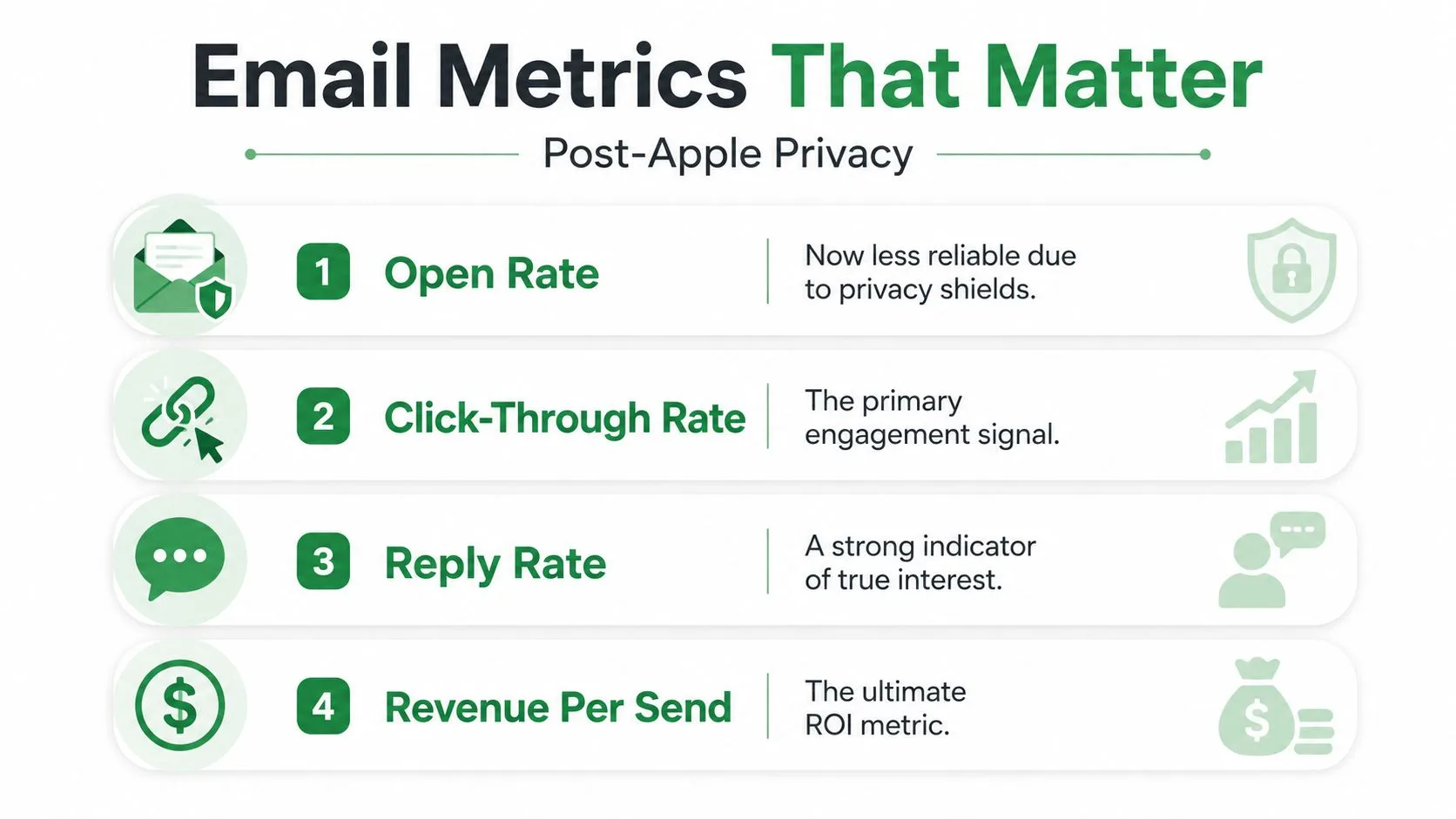
Privacy changes made one thing clear, open rate is no longer a clean source of truth on its own. That doesn’t mean it’s useless, but it does mean it should be treated as a directional signal rather than the final answer. The metrics that still matter are the ones tied to active behavior and business outcomes.
What to trust and what to treat carefully
Clicks are still strong because someone had to act. Replies are even better when you want a real conversation, and unsubscribes matter because they tell you whether the list is getting tired or the message is missing the mark. Spam complaints are rare but important, because they can signal deeper list or consent problems.
Opens are now partially reliable at best. They can still help you compare one campaign against another, but they’re no longer the best headline metric for performance. Revenue per send and revenue per recipient are better because they tie email activity back to the business result that pays for the work.
A simple calculation is enough for a sheet-based report. Revenue per send = total revenue attributed to the send divided by the number of emails sent. Revenue per recipient = total revenue attributed to the send divided by the number of recipients. Put those formulas in a Google Sheets export, and you’ll have a cleaner view than a dashboard built only around opens.
For cadence, check clicks, replies, unsubscribes, and complaint trends weekly. Review revenue per send and revenue per recipient monthly, because those numbers need enough time to stabilize. The two list-health indicators that deserve a permanent spot on the dashboard are unsubscribe rate and reply rate, since they tell you whether the audience is staying receptive and whether the content is still drawing real interest.
Deliverability and Privacy Working Together
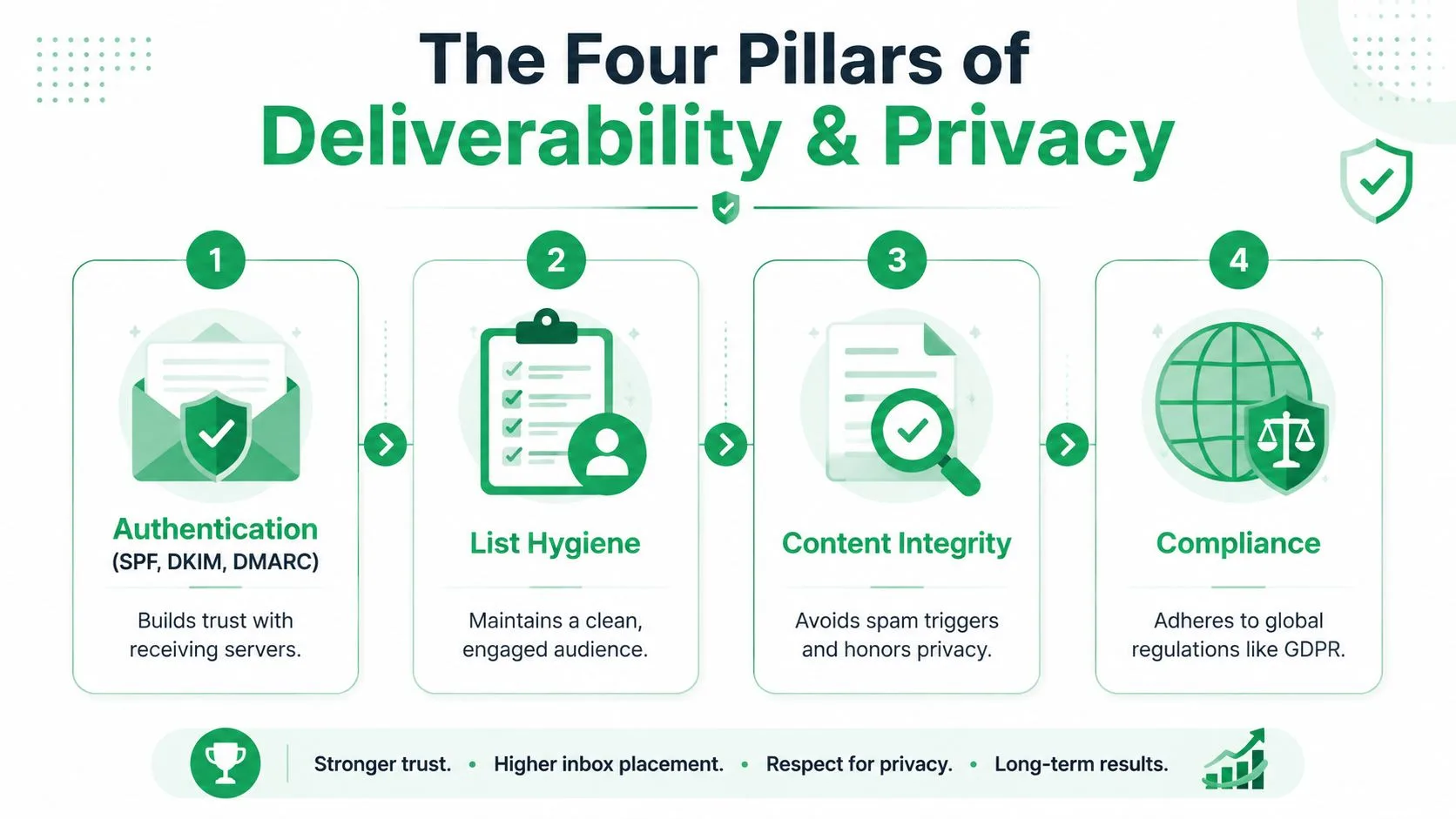
Treat deliverability and privacy as one system. If subscribers trust the message and the mailbox provider trusts the sender, campaigns have a much better chance of reaching the inbox and surviving review. Splitting those concerns into separate checklists usually leads to blind spots.
The four pillars
Authentication comes first. SPF, DKIM, and DMARC help receiving servers trust the From address, which is the foundation for stable inbox placement.
List hygiene comes next. Double opt-in, bounce monitoring, complaint monitoring, and sunsetting inactive subscribers after a defined period all protect engagement quality. The trade-off is simple, tighter hygiene can slow list growth, but it usually improves the quality of the audience that remains.
Consent capture has to be clean. Use clear opt-in language, keep dated proof of permission, allow granular preferences when possible, and make withdrawal easy. That gives the program a defensible compliance posture if someone asks how the list was built.
Preference centers give subscribers a way to choose both topic and cadence. That usually improves relevance and reduces spam complaints because people can narrow what they receive instead of leaving entirely.
A cleaner list is usually a smaller list, but it’s also a list that can keep receiving email.
The practical review before sending is short. Confirm authentication is live, verify suppression lists are current, check consent records for the campaign audience, and make sure the unsubscribe link is visible and working. For a deeper internal reference on this topic, the guide to data privacy compliance is worth keeping handy when you’re tightening the process.
Your First 90 Days of Personalization
The easiest way to fail is to try everything at once. A better plan is to phase the work so each month gives you something the next month can build on. That keeps the team moving without turning the workflow into a permanent project.
A rollout a small team can finish
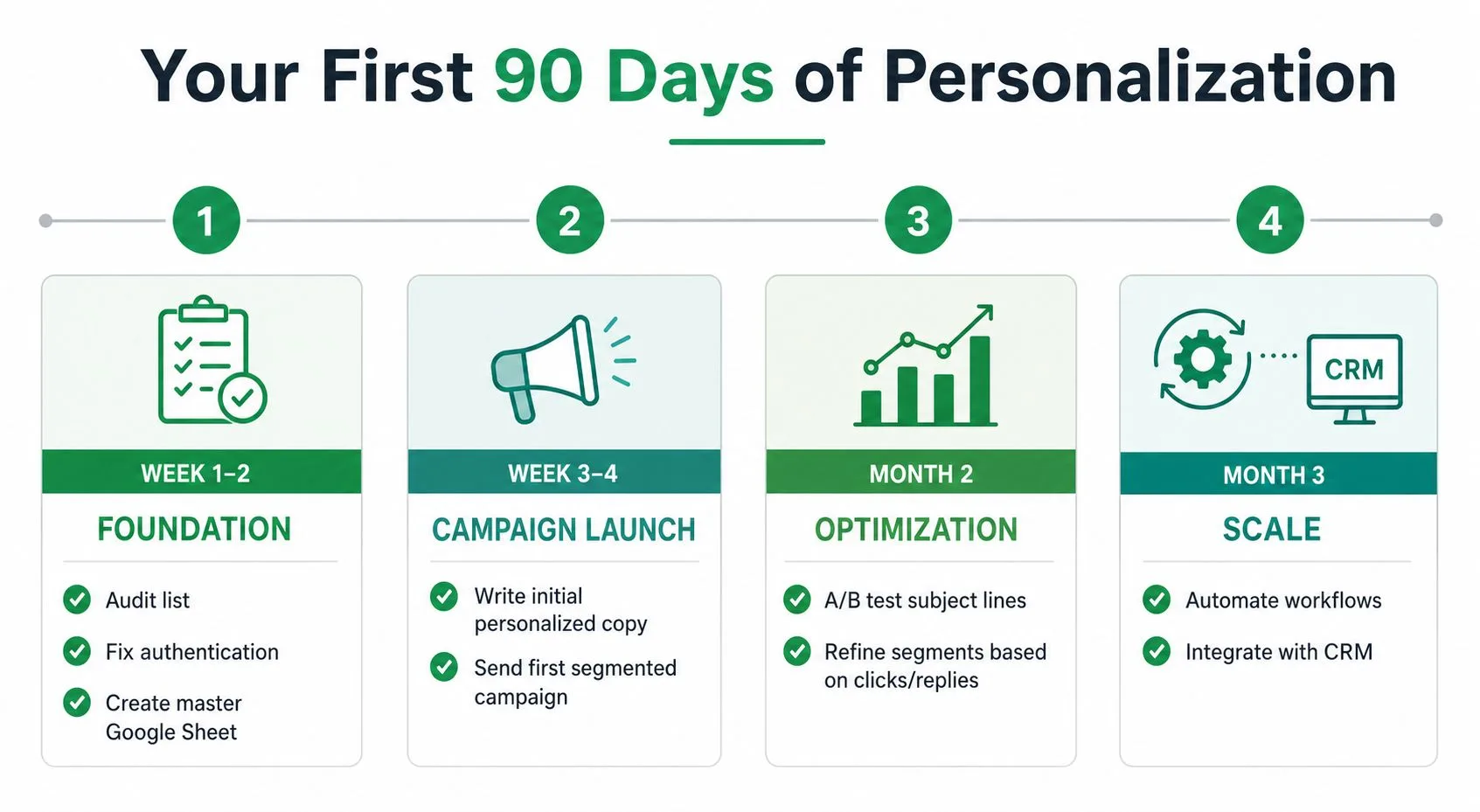
Weeks 1 to 2 are for foundation. Audit the list, fix authentication, set up a Google Sheet with name, company, segment tag, and last engagement date, and write one personalized template with merge fields. If the list lives in shared folders or gets reused for other outreach, the organizational discipline matters as much as the copy.
Weeks 3 to 4 are for the first send. Ship to three behavior groups, watch reply rate and clicks per recipient, and remove anything that falls below your engagement threshold. You’ll see whether the segmentation rules are helping or just adding complexity.
Month 2 is for better relevance. Add dynamic content blocks based on segment and create a preference center so subscribers can state what they want. That gives you a cleaner path than guessing from clicks alone, especially when interests are broad.
Month 3 is for refinement. Layer in send-time optimization, run a controlled subject-line test, and review the full metric stack before deciding what stays permanent. If a tactic improves opens but weakens replies or drives unsubscribes up, it doesn’t earn a lasting place.
For teams sending community updates, event reminders, or photo-sharing notices, the same phased thinking works outside software too. A tool like wedding photo sharing tool still benefits from the same logic, because relevance and timing shape response in any list-based campaign.
The most common mistakes are easy to spot. Skipping authentication, personalizing copy without segmenting the audience, treating opens as the main success signal, and reading unsubscribe requests as failures instead of list-quality wins all slow progress. The teams that move faster are the ones that accept the trade-offs early and build around them.
Mail Merge for Gmail helps teams send personalized campaigns from Gmail with contacts stored in Google Sheets, so the workflow stays simple while the message still feels one-to-one. If you want to run personalized email marketing without leaving your existing Google stack, visit Mail Merge for Gmail and see how the merge, tracking, and spreadsheet status updates fit into your process.
Ready to send your first campaign?
Install Mail Merge for Gmail from the Google Workspace Marketplace and send up to 50 personalized emails per day for free.
Get started for freeMore reading
More from Guides
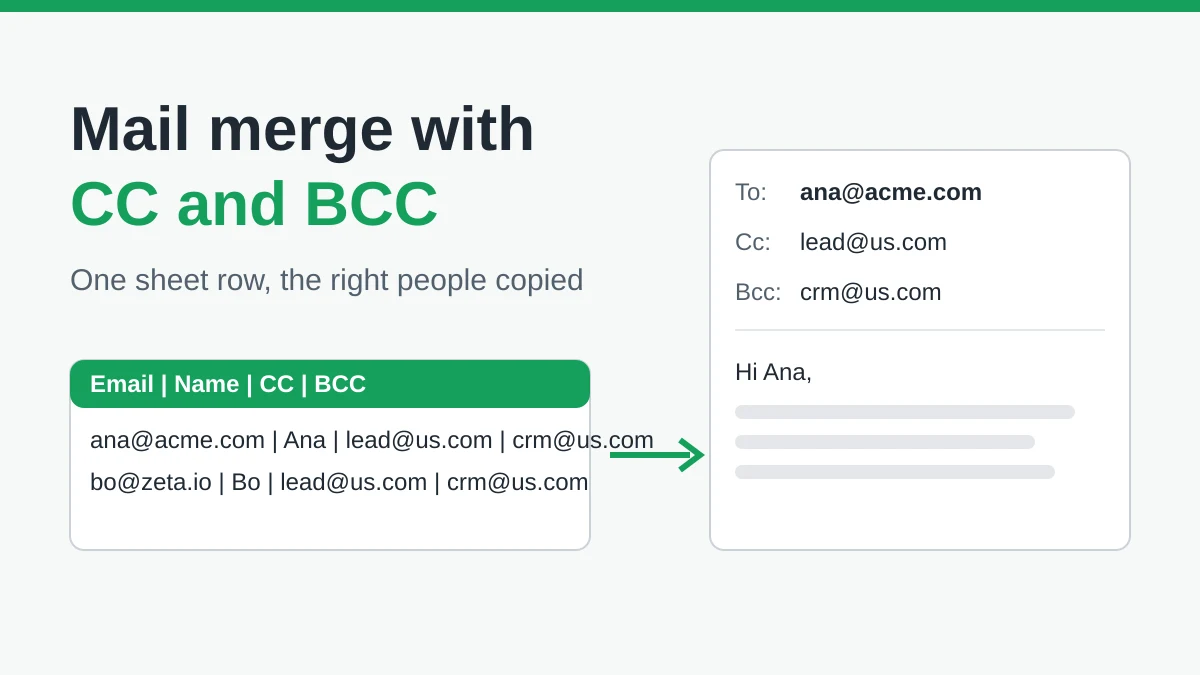
Mail Merge with CC and BCC in Gmail: Copy the Right People on Every Email
Learn how to run a mail merge with CC and BCC from Google Sheets, set up the columns, preview the result and see how copied recipients count toward your daily quota.
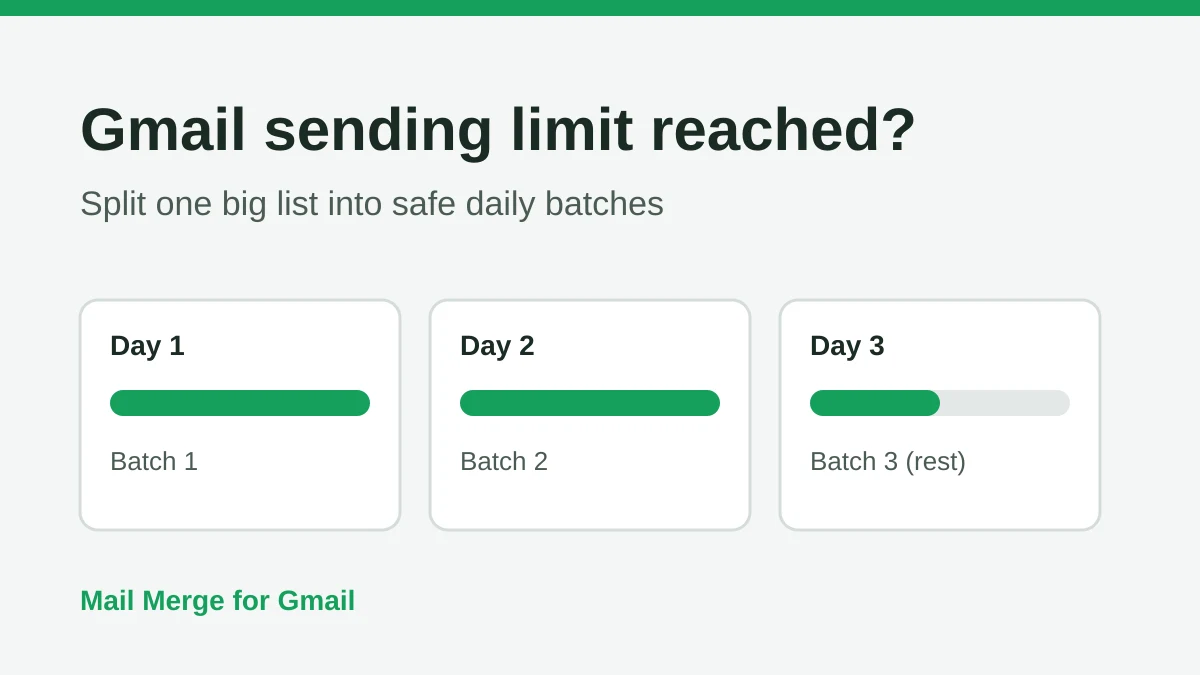
Gmail Sending Limit Reached: What It Means and How to Finish Your Campaign
Hit the Gmail sending limit reached error? Learn the real daily limits, when you can send again, and how to split a mail merge into safe daily batches.
Personalized Email Gmail: The Complete Guide
Master your personalized email Gmail workflow. Learn to merge Sheets data, track opens, and scale one-to-one outreach without leaving your inbox.