


















10 Thank You Email Template Examples That Work
Use these 10 thank you email template examples for purchases, interviews, donors, clients, and more,with personalization and Mail Merge for Gmail tips.
You’ve just sent a post-purchase confirmation, finished an interview, received a donation, or wrapped up a partnership. Each situation calls for a thank-you, but none should sound interchangeable. A customer needs reassurance and next steps, while an interviewer needs a concise reminder of fit. A donor needs to understand impact, and a partner needs recognition for shared work.
This guide provides 10 ready-to-use thank you email templates, each organized around a real relationship moment. You’ll get subject-line options, tone choices, personalization fields, and a practical workflow for sending targeted messages through Mail Merge for Gmail with Google Sheets. The templates are short enough to adapt, but specific enough to avoid the lifeless wording that makes a message feel automated.
One product caution matters before you publish or implement any workflow. Mail Merge for Gmail is a specific Google Workspace add-on, and its descriptive name can be confused with other Gmail mail merge tools. Verify that any product claim refers to Mail Merge for Gmail, not a similarly named competitor.
1. Post-Purchase Thank You Email Template
A purchase confirmation has two jobs. It should thank the customer, then remove uncertainty by confirming what happens next. Sending a polished note immediately after checkout helps establish a reliable communication pattern for an online retailer, subscription business, or service provider.
Subject-line options:
- Thank you for your order, [First Name]
- We’ve received your [Product or Service]
- Your order [Order Number] is confirmed
Template:
Hi [First Name],
Thank you for your order with [Company Name]. We’ve received order [Order Number] for [Product or Service], and we’re preparing it for [shipping, activation, or delivery].
You can review your order details and follow the next steps here: [Tracking or Dashboard Link]. We expect [delivery or fulfillment detail] and will send another update when [specific milestone] is complete.
If you have any questions, reply to this email and our team will help.
Best, [Sender Name]
Use a warm, reassuring tone for consumer purchases, or a more direct professional tone for business services. Personalize the customer’s name, order number, product, fulfillment status, and tracking destination. Don’t add irrelevant promotional copy to a confirmation. The customer’s immediate concern is whether the transaction went through and what happens next.
Practical rule: A thank-you confirmation should answer the customer’s next question before asking for another action.
For a Mail Merge for Gmail workflow, place customer names, order numbers, product details, delivery dates, and tracking links in Google Sheets. Build the message from a Gmail draft or select an existing template, then preview records before sending. Tracking can help you review engagement with the confirmation, but the primary success test is whether customers receive accurate information without needing support.
2. Job Interview Thank You Email Template
An interview follow-up should sound like a continuation of the conversation, not a form letter. Send it within 24 hours, while the discussion is still fresh, and mention one subject the interviewer raised. Career guidance commonly favors a brief note, often three to four sentences, rather than a long recap. The Muse’s interview thank-you templates also emphasize concise follow-up and a concrete conversational detail.
Subject-line options:
- Thank you for discussing [Job Title]
- Thank you for your time, [Interviewer Name]
- Appreciated our conversation about [Specific Topic]
Template:
Hi [Interviewer Name],
Thank you for taking the time to discuss the [Job Title] role at [Company Name]. I especially enjoyed hearing about [specific project, challenge, or team priority], and our conversation made me even more interested in contributing my experience with [relevant skill].
I believe my background in [specific experience] could support the team’s work on [related responsibility]. Please let me know if I can provide any additional information.
Best regards, [Your Name]
Choose a professional and interested tone, but avoid exaggerated enthusiasm that the interview itself didn’t support. If you spoke with several interviewers, send separate notes rather than copying the same paragraph to everyone. Each message can reference the recipient’s role and the topic they discussed.
A Google Sheet can hold the interviewer’s name, role, conversation detail, relevant skill, and follow-up status. With Mail Merge for Gmail, personalize each recipient’s message while keeping the core structure consistent. For more examples of adaptable copy, see these email template examples.
A simple follow-up decision is better than an elaborate sequence. Send the thank-you first, then use a later message only if the hiring timeline calls for it. For additional context on following up after an interview, keep the second message distinct from the initial thank-you.

3. Customer Service Resolution Thank You Email Template
A support thank-you should acknowledge both the customer’s patience and the resolution. Don’t imply that the issue is permanently solved before the customer has had an opportunity to verify the fix. A follow-up sent after the customer confirms the outcome feels more responsible than an automatic message fired immediately after a ticket closes.
Subject-line options:
- Checking in on ticket [Ticket Number]
- Thank you for your patience, [First Name]
- Following up on your [Issue] request
Template:
Hi [First Name],
Thank you for your patience while we worked on [specific issue]. We’ve completed the resolution associated with ticket [Ticket Number], including [brief action taken].
Please try [verification step] when you have a moment. If the issue returns or anything still doesn’t look right, reply directly to this email and we’ll continue helping. We’d also appreciate any feedback about the support experience.
Best, [Support Representative]
The right tone is accountable and calm, not defensive. Personalize the customer’s name, issue, ticket number, resolution, verification step, and support representative. If your team sends a support history or custom HTML summary, include only information the recipient needs. A dense transcript can make a resolved issue feel unresolved.
Mail Merge for Gmail can use a Google Sheet containing the customer record, issue summary, ticket number, and follow-up instruction. Use a custom HTML template only when formatting improves clarity. Reply tracking can identify responses, but don’t treat silence as proof that the customer is satisfied. A non-response may mean the customer is busy, missed the message, or still needs help.
A resolution email should make it easy to reopen the conversation. The customer shouldn’t have to search for the old ticket or explain the entire problem again.
Send the note once the fix has been verified, then route replies to the right support owner. If the issue is sensitive, limit spreadsheet access and avoid placing unnecessary account details in merge fields.

4. Networking Event Thank You Email Template
A networking note has a narrower purpose than a general introduction. It should help the recipient remember where you met, what you discussed, and why a next conversation would be worthwhile. Send it within 48 hours, while the event context is still recognizable.
Subject-line options:
- Great meeting you at [Event Name]
- Following up on [Specific Conversation Topic]
- [Resource or Topic] after [Event Name]
Template:
Hi [First Name],
It was great meeting you at [Event Name]. I enjoyed our conversation about [specific detail], especially your perspective on [relevant point].
I’m sharing [resource, article, introduction, or link] because it connects with what we discussed. Would [specific day or time option] work for a short conversation about [clear next step]?
Best, [Your Name]
Use a conversational professional tone. The personalization field that matters most is the concrete detail from the conversation. Add the recipient’s company, role, and a relevant resource only if each one supports the reason for writing. “Let’s stay in touch” is easy to ignore because it gives the reader no decision to make.
For an event attendee list, use Google Sheets columns for first name, company, role, conversation detail, resource link, and suggested next step. Mail Merge for Gmail can then generate individual follow-ups while preserving the unique detail for each contact. If you’re sending at scale, segment contacts by relationship, such as prospect, recruiter, partner, or peer, and adjust the call to action for each group.
Event organizers can also adapt the workflow for invitations and post-event follow-ups using this event invitation email template resource. Keep the thank-you focused on the relationship created at the event, not on a broad sales pitch.

5. Donor and Fundraising Thank You Email Template
Donor communication needs warmth, accuracy, and respect. A contribution acknowledgment should confirm that the organization received the gift, recognize the donor’s choice, and connect the contribution to an understandable impact without overstating what one donation can accomplish.
Subject-line options:
- Thank you for supporting [Organization Name]
- Your generosity is helping [Mission or Program]
- We received your contribution
Template:
Hi [First Name],
Thank you for your contribution to [Organization Name]. Your support helps us advance [specific program or mission], including [clear impact statement tied to the campaign].
We’re grateful that you chose to stand with [community, cause, or group]. You can learn more about the work your support makes possible in this [impact report, video, or update].
Thank you again for being part of [Organization Name]’s community.
With appreciation, [Leader or Fundraising Team]
Use a heartfelt but specific tone. Personalize the donor’s name, contribution details where appropriate, campaign, program, and impact resource. Create separate versions when the relationship calls for different language, but don’t reduce appreciation to a transaction or make unsupported promises about outcomes.
A Google Sheet can include donor name, campaign, preferred message, impact link, and acknowledgment owner. Mail Merge for Gmail supports a practical way to draft or select the message and preview each row before sending. A link to a video from organizational leadership can add a human voice, while a custom HTML layout may help present an impact update clearly.
For guidance on tailoring messages beyond a generic acknowledgment, review personalized email marketing guidance. Don’t place sensitive donor information in fields that aren’t necessary for the recipient. Confirm the contribution record before sending, especially when multiple campaigns are active.
A short video can reinforce the human outcome of the message when it adds context rather than replacing the written acknowledgment.
6. Client Project Completion Thank You Email Template
The best completion note closes one phase without making the relationship feel finished. Thank the client, summarize what was delivered, point to the final materials, and invite useful feedback. Agencies, consultants, contractors, and freelancers can use the message to create a clean handoff and open a natural path to future work.
Subject-line options:
- Project completion and thank you
- [Project Name] final delivery
- Thank you for partnering on [Project Name]
Template:
Hi [Client Name],
Thank you for trusting [Company Name] with [Project Name]. We’ve completed [deliverables], including [specific deliverable or milestone], and the final materials are available here: [Project Link].
We appreciated your collaboration, particularly your work on [specific contribution or decision]. If you’re willing, we’d value feedback on [specific aspect of the project] through this short form: [Feedback Link].
We’d be glad to discuss how we can support [next priority] when the time is right.
Best, [Sender Name]
Choose a confident, appreciative tone. Personalize the project name, deliverables, client contribution, final link, feedback request, and possible next priority. Avoid inventing results. If you have verified outcomes, describe them accurately and link to supporting material. If you don’t, focus on completed work and the client’s experience.
Mail Merge for Gmail works well when a client management spreadsheet stores the project status, final asset link, feedback form, and account owner. Use a separate template for a testimonial request if the client needs time to assess the work. Combining delivery, feedback, and a sales proposal in one email can make the thank-you feel transactional.
A useful decision is whether the message should come from the project lead or account executive. The person who worked most closely with the client usually has the strongest personal detail. A senior sender can be appropriate for a major partnership, but the body should still name the people who did the work.
7. Meeting or Phone Call Thank You Email Template
After a meeting, speed and accuracy matter more than ceremony. Send the note while the details are fresh, confirm the decisions, and separate agreed actions from open questions. This email becomes a lightweight record that keeps everyone aligned.
Subject-line options:
- Thank you and next steps for [Project or Topic]
- Recap of our [Meeting or Call]
- Action items from [Date or Meeting Name]
Template:
Hi [Name],
Thank you for taking the time to discuss [topic] today. I appreciated your perspective on [specific detail].
Here’s my understanding of the next steps:
- [Owner] will [action] by [deadline].
- [Owner] will [action] by [deadline].
- We’ll revisit [open question] after [milestone].
The relevant documents are here: [Link]. Please reply if I’ve missed or misunderstood anything.
Best, [Your Name]
Use a clear, collaborative tone, especially when the message documents commitments. Personalization includes the recipient’s name, meeting topic, specific insight, owners, deadlines, and document links. Don’t bury action items in a paragraph. A reader should be able to scan the email and understand who does what.
Best use of automation: Standardize the structure, not the substance. The meeting detail and assigned action should come from the notes for that specific conversation.
A Google Sheet can hold attendee names, meeting topics, individual actions, deadlines, and document URLs. With Mail Merge for Gmail, you can create a Gmail draft or custom HTML template and preview each recipient’s version before sending. For a meeting with several attendees, decide whether everyone should receive the same recap or whether each person needs a role-specific action list. A single identical message may be efficient, but it can expose irrelevant internal notes.
Track replies when you need confirmation, not as a substitute for ownership. If an action is critical, ask the responsible person to acknowledge it directly.
8. Guest Speaker or Presenter Thank You Email Template
A speaker thank-you should recognize the intellectual and practical contribution the guest made. It can also preserve the relationship for future events, but the invitation should come after genuine appreciation, not replace it.
Subject-line options:
- Thank you for speaking at [Event Name]
- Your [Presentation Topic] session
- Appreciation for your contribution to [Event Name]
Template:
Hi [Speaker Name],
Thank you for presenting [Presentation Topic] at [Event Name]. Your explanation of [specific idea or moment] gave attendees a useful way to think about [subject].
We’ve included [attendee feedback, event photos, recording, or analytics] here: [Link]. Several participants also highlighted [representative feedback or theme], which reflects the value your session brought to the program.
We’d be pleased to stay in touch about future opportunities that fit your work. Thank you again for sharing your time and expertise.
Warm regards, [Organizer Name]
Use a warm, respectful tone. Personalize the speaker’s name, presentation topic, contribution, event materials, and verified audience feedback. If you include attendance or engagement information, pull it from the event system and check it before merging. Do not manufacture testimonials or inflate participation details.
The workflow starts with a speaker spreadsheet containing the session title, event name, approved feedback, recording link, photo link, and organizer contact. Mail Merge for Gmail can populate those fields in a consistent format. Custom HTML may help display a speaker photo or event highlight, but a plain-text message can feel more personal for a small workshop.
A thank-you sent promptly is easier to write well because the organizer still remembers the presentation and audience response. If analytics aren’t ready, send the appreciation now and share the post-event report later. Delaying gratitude until every metric is available weakens the human moment.
9. Partnership or Collaboration Thank You Email Template
Partnership messages should credit shared work without turning the note into a performance report. Acknowledge the partner’s contribution, name the joint outcome accurately, and suggest the next conversation only if there’s a real reason to schedule it.
Subject-line options:
- Thank you for partnering on [Initiative]
- Celebrating our work together on [Project]
- Next steps for [Partnership or Collaboration]
Template:
Hi [Partner Name],
Thank you for collaborating with us on [Project or Initiative]. Your team’s work on [specific contribution] helped us complete [shared deliverable or milestone], and we appreciated the way [specific individual or team] handled [relevant responsibility].
We’re pleased with [verified joint result or completed outcome]. I’d like to schedule a partnership review to discuss [specific topic], including what we should carry forward and where we can improve.
Would [meeting option] work for you?
Best, [Executive or Decision-Maker Name]
A senior sender can signal that the partnership matters, but leadership should understand the details before signing. Personalize the partner organization, named contributors, initiative, verified result, and review agenda. Referring only to company names can make the email feel corporate and distant. Naming the people who solved problems makes the recognition credible.
Use a partner management sheet with separate fields for organization, contact, contribution, outcome, account owner, and review link. Mail Merge for Gmail can generate partner-specific notes, but review every result field manually. A shared campaign or integration may have different outcomes for different partners, so one universal “success” sentence is risky.
Custom HTML can include partner logos or a joint results graphic when the relationship is formal and both sides have approved the assets. For a smaller collaboration, plain text often feels more direct. Don’t attach a sales proposal to the thank-you unless the partner already expects that discussion.
10. Customer Referral Thank You Email Template
A referral thank-you should arrive when the referral is identified, not after the new opportunity has disappeared into a sales system. Recognize the advocate’s effort, explain what you can share about the referral, and make any reward or next action easy to understand.
Subject-line options:
- Thank you for referring [Referred Name]
- We appreciate your introduction
- Your referral made a difference
Template:
Hi [Referrer Name],
Thank you for introducing us to [Referred Name]. We appreciate your confidence in [Company Name], and we’ve started the conversation about [basic referral context].
Your recommendation gave us a valuable opportunity to help with [relevant need]. [Incentive or reward detail] is available here: [Referral Dashboard or Program Link], and we’ll keep you updated where appropriate.
Thank you again for advocating for our work. We’re grateful for your support.
Best, [Sender Name]
Use a personal and appreciative tone, not a commission-first tone. Personalize the referrer’s name, referred person, referral context, reward information, and dashboard link. Be careful about privacy. Share only the referral details the referred person has permitted you to share, and don’t promise an outcome before the sales or service process has progressed.
A referral spreadsheet can include referrer, referred contact, referral date, status, reward eligibility, and program URL. Mail Merge for Gmail can produce timely acknowledgments and write engagement statuses back to the corresponding row. Tracking can help identify active advocates, but don’t turn every open into an invitation for another referral.
For a high-value relationship, have an account owner review the message before sending. Automation should shorten the delay between recognition and acknowledgment, not remove judgment from the process.
Comparison of 10 Thank-You Email Templates
| Template | Implementation complexity | Resource requirements | Expected outcomes | Ideal use cases | Key advantages |
|---|---|---|---|---|---|
| Post-Purchase Thank You Email Template | Low, standard transactional automation | Order system integration, templating, tracking | Confirms purchase, reduces anxiety, opportunity for upsell | E‑commerce, SaaS subscriptions, service bookings | Immediate confirmation, automatable, proof of transaction |
| Job Interview Thank You Email Template | Low, manual personalization and timing sensitive | Candidate time, interviewer details, concise copy | Differentiates candidate, reinforces fit, keeps candidate top‑of‑mind | Post‑interview follow‑up for hiring processes | Signals professionalism, reiterates qualifications |
| Customer Service Resolution Thank You Email Template | Moderate, ties to support workflow and timing | Support/ticket system integration, resolution notes, feedback mechanism | Restores trust, gathers feedback, reduces churn and negative reviews | Post‑ticket resolution for support teams | Documents resolution, builds loyalty, solicits feedback |
| Networking Event Thank You Email Template | Low–Moderate, requires personalized references | Attendee list, CRM or spreadsheet, suggested next steps | Converts contacts into relationships, increases follow‑ups | Conferences, trade shows, meetups, business networking | Strengthens connections, proposes concrete next steps |
| Donor and Fundraising Thank You Email Template | Moderate, requires compliance and impact reporting | Donor database, receipts/tax info, impact metrics, personalization | Increases repeat giving, strengthens emotional bond, ensures compliance | Nonprofits, universities, crowdfunding campaigns | Drives donor retention, provides tax documentation, conveys impact |
| Client Project Completion Thank You Email Template | Moderate, needs project summary and results | Project deliverables, metrics, portfolio assets, testimonial request | Improves satisfaction, generates testimonials and repeat business | Agencies, consultants, freelancers after delivery | Encourages referrals, documents completion, opens future work |
| Meeting or Phone Call Thank You Email Template | Low, quick recap and action items | Meeting notes, action owners, calendar links | Ensures alignment, assigns accountability, reduces miscommunication | Sales calls, internal meetings, client consultations | Creates written record, clarifies next steps, assigns owners |
| Guest Speaker or Presenter Thank You Email Template | Moderate, includes event metrics and materials | Attendance/engagement data, recordings, feedback highlights | Strengthens relations, encourages future speaking, shares promotion | Conferences, webinars, workshops, podcasts | Provides social proof, shares metrics, invites future collaboration |
| Partnership or Collaboration Thank You Email Template | Moderate–High, requires accurate attribution and sign‑off | Joint results data, leadership approval, co‑branded assets | Solidifies partnership, documents outcomes, enables future deals | Co‑marketing, strategic alliances, joint ventures | Builds goodwill, records shared ROI, opens next phases |
| Customer Referral Thank You Email Template | Low–Moderate, depends on referral tracking & fulfillment | Referral tracking system, incentive fulfillment, personalization | Increases referrals, turns customers into advocates, boosts LTV | Referral programs for SaaS, services, real estate | Cost‑effective acquisition, incentivizes ambassadors, scalable |
Turn Appreciation Into the Next Conversation
Choosing the right thank you email template starts with the relationship moment, not the wording. A post-purchase note should reassure the buyer. An interview message should reinforce interest and fit. A support follow-up should make the resolution easy to verify. A donor acknowledgment should connect gratitude with mission, while a partnership note should recognize shared contribution. If the recipient’s next question changes, the template should change too.
Replace generic lines with one specific detail. Use the interviewer’s question, the customer’s issue, the donor’s campaign, the speaker’s presentation topic, or the partner’s contribution. Personalization research summarized by MarTech reports that personalized promotional emails produced 29% higher unique open rates and 41% higher unique click rates than non-personalized messages in one benchmark, while personalized subject lines produced 26% higher unique open rates. Those figures come from promotional email research, so they shouldn’t be treated as a guarantee for thank-you notes. They do support a practical editorial rule, specific context is more useful than decorative warmth.
Brevity matters because appreciation emails compete with ordinary work. One professional format recommends 50 to 125 words for a thank-you message, according to MailGenius. That range gives you room for a greeting, direct thanks, a contextual detail, a personal touch, and a professional closing without turning the message into a report. For a meeting recap or project completion email, action items and links may require more space, but every sentence should earn its place.
Before sending through Mail Merge for Gmail, use a controlled workflow:
- Import recipients: Put contacts and approved personalization fields in Google Sheets.
- Build or select a template: Start from a Gmail draft or create a template, including custom HTML when formatting serves the message.
- Map fields carefully: Match names, links, dates, order details, and relationship-specific content to the correct columns.
- Preview messages: Inspect several rows, including records with long names, missing optional fields, and unusual links.
- Send a test: Deliver a small sample internally or to approved recipients before broader distribution.
- Review statuses: Use per-row records such as Sent, Opened, Clicked, and Replied to understand delivery and downstream engagement.
Open rates deserve caution because privacy protections can weaken open tracking. A 2026 personalization benchmark recommends treating reply rate as the primary success metric when open data becomes less reliable, while reporting 29% open rates for personalized emails versus 17% for non-personalized messages. Read the benchmark’s guidance on personalization and reply-focused measurement for context, then choose the metric that matches your goal. A post-meeting note may succeed when the recipient confirms an action, while a referral note may succeed when the advocate uses the program link.
A large analysis of more than 350,000 email threads found that gratitude-based sign-offs performed above an average baseline response rate of 47.5%. In that analysis, “thanks in advance” reached 65.7%, “thanks” reached 63.0%, and “thank you” reached 57.9%. Emails with a thankful closing had a 62% response rate compared with 46% for emails without one, described by the analysis as a 36% relative increase in average response rate. Boomerang’s analysis of email sign-offs offers useful foundational evidence, but the numbers don’t remove the need for relevance. “Thanks” attached to an inaccurate or generic message won’t repair poor targeting.
Finally, handle scale responsibly. Use unsubscribe management where appropriate, limit spreadsheet access, verify recipient data, and avoid merging sensitive information unnecessarily. Mail Merge for Gmail is a Google Workspace add-on that works with Gmail and Google Sheets, so teams should still apply their own consent, privacy, and data-retention procedures. A careful preview and small test send protect both the recipient experience and your sending reputation.
Mail Merge for Gmail lets you create personalized, trackable thank-you campaigns from Gmail using recipient data in Google Sheets, with support for subject-line and body fields, scheduling, unsubscribe management, and per-row engagement statuses. Visit Mail Merge for Gmail to turn these templates into reviewed, relevant messages without leaving your Gmail workflow.
Ready to send your first campaign?
Install Mail Merge for Gmail from the Google Workspace Marketplace and send up to 50 personalized emails per day for free.
Get started for freeMore reading
More from Guides
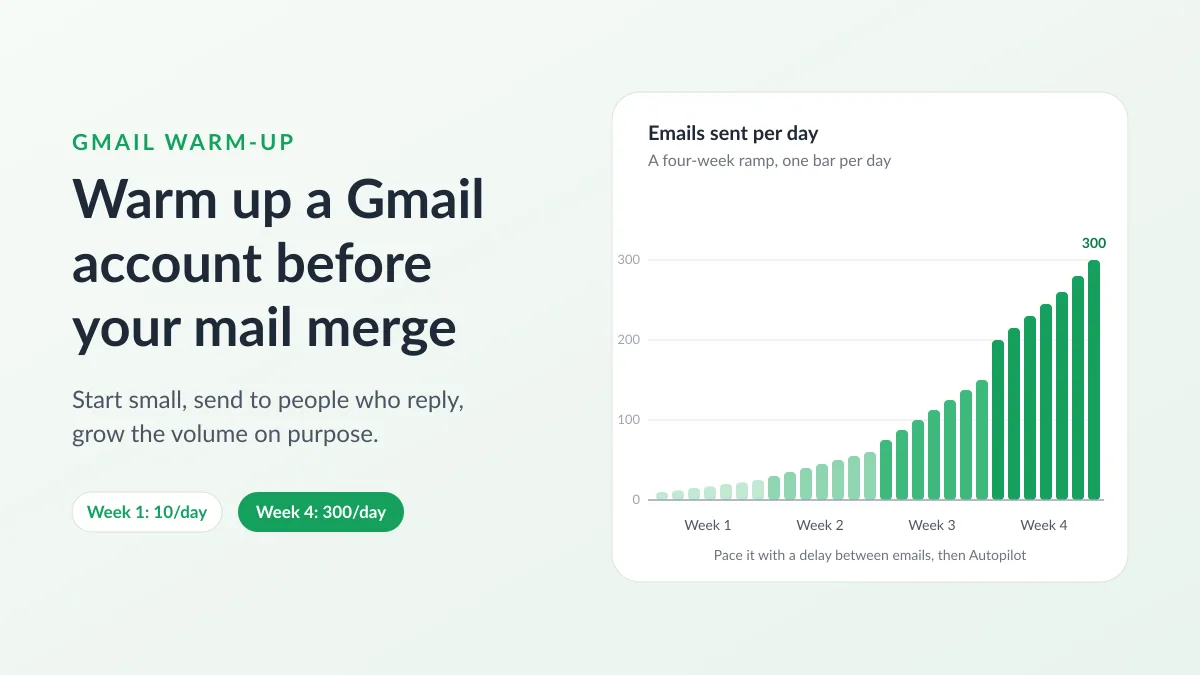
Gmail Warm-Up: How to Warm Up a Gmail Account Before a Mail Merge
Gmail warm-up explained with Google's own ramp-up rules: who needs it, a four-week manual schedule from Google Sheets, and how Mail Merge's warm-up works.
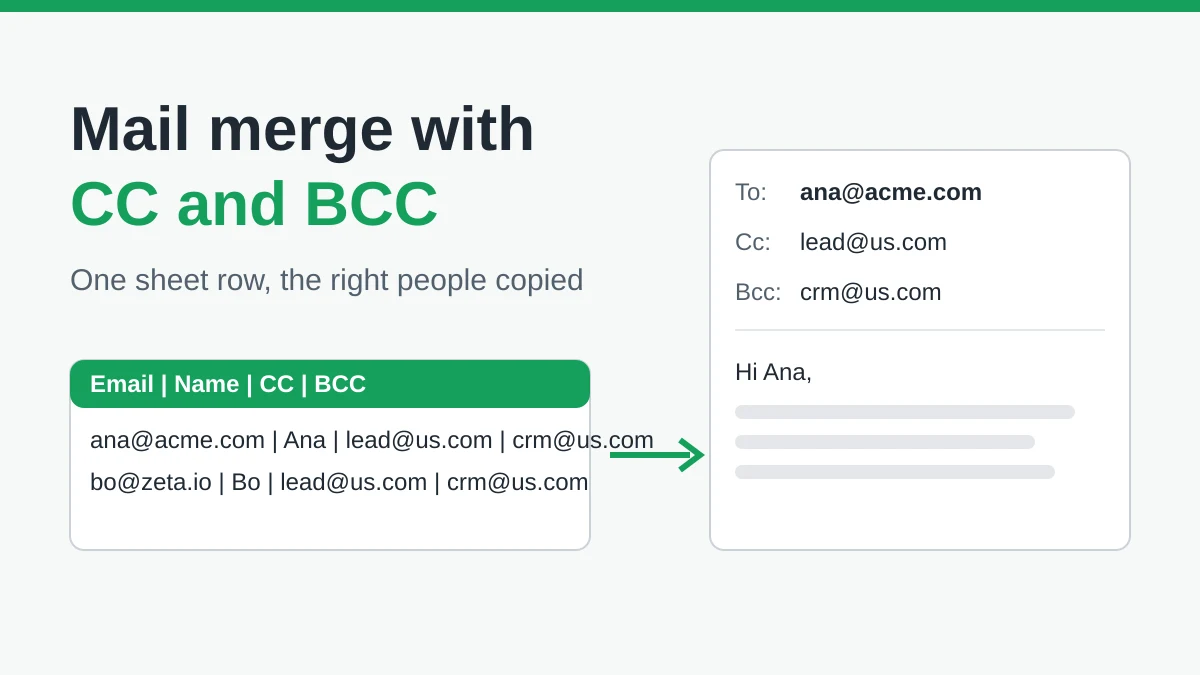
Mail Merge with CC and BCC in Gmail: Copy the Right People on Every Email
Learn how to run a mail merge with CC and BCC from Google Sheets, set up the columns, preview the result and see how copied recipients count toward your daily quota.
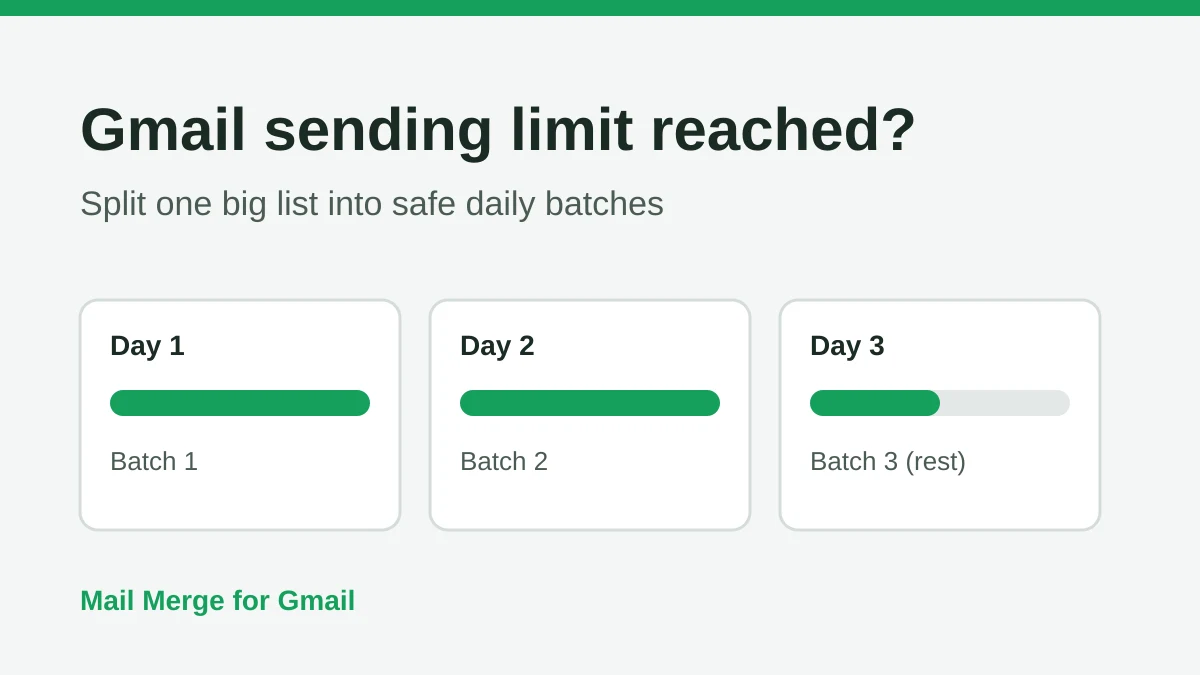
Gmail Sending Limit Reached: What It Means and How to Finish Your Campaign
Hit the Gmail sending limit reached error? Learn the real daily limits, when you can send again, and how to split a mail merge into safe daily batches.