


















What Is Email Tracking and How Does It Work
Learn what is email tracking, how pixels and link tracking work, what open and click rates really mean, and the privacy rules that govern them in 2026.
Email tracking is the set of techniques senders use to detect when a recipient opens, clicks, or replies to a message, most commonly through a hidden 1x1 tracking pixel and rewritten links that route through the sender’s server. Modern tracking can record an image request, link interaction, or reply, but an open signal no longer proves that a person read the email.
You send an important message, close your laptop, and later notice an “opened” notification. Then a click appears. For a sales representative sending 50 cold emails, those alerts can feel like a direct view into recipient interest. The difficulty is that each signal represents a technical event, not necessarily a human thought or decision.
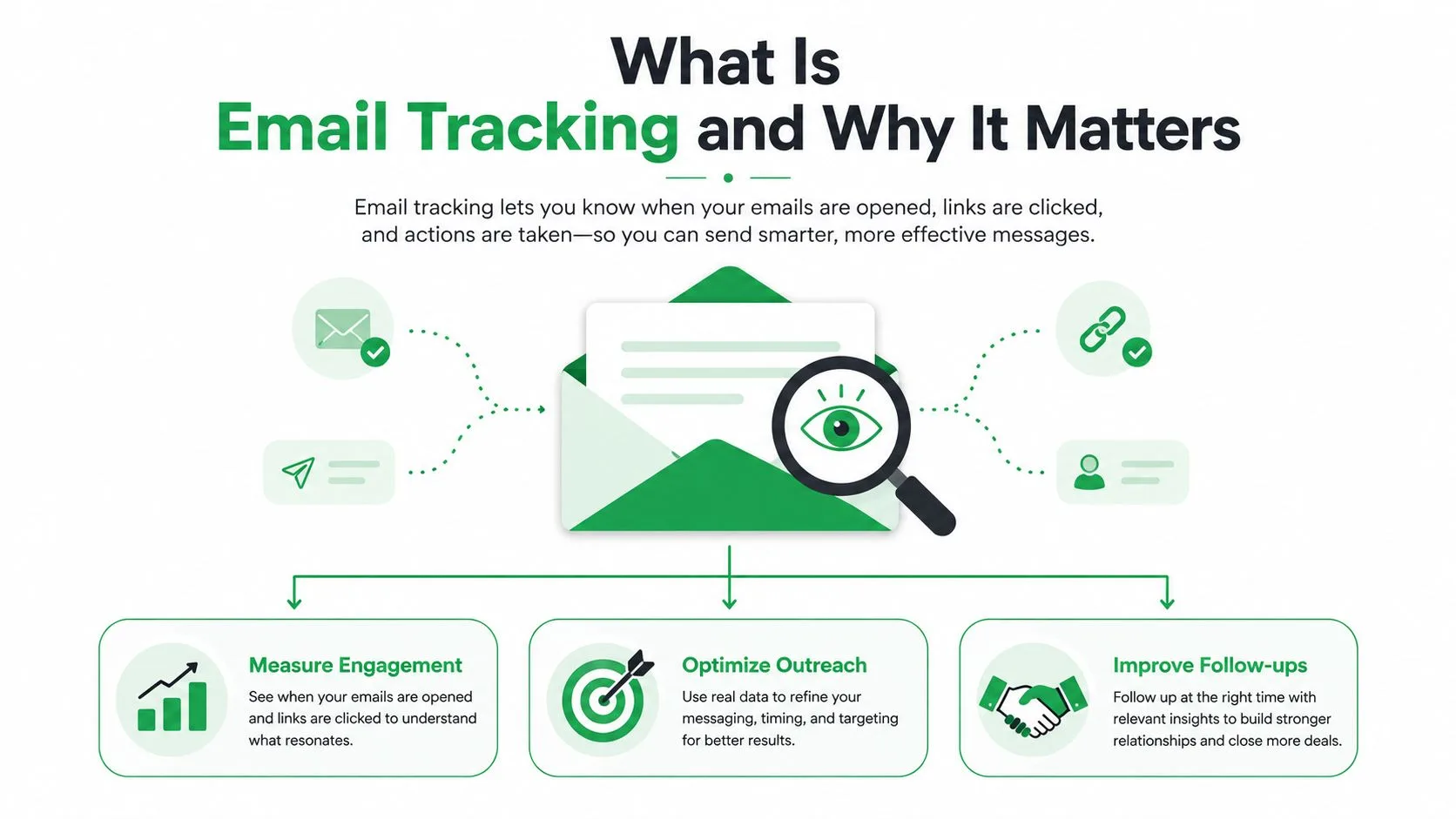
What Is Email Tracking and Why It Matters
Email tracking means using technology to detect what happens after a message leaves the sender. Depending on the system, it can identify an image load, record a link click, match a reply to the original message, or show an engagement timeline for a campaign.
The basic process is straightforward:
- The sender adds tracking technology to the email.
- The recipient’s mail client loads an image or follows a tracked link.
- A server records the event and associated metadata.
- The sender views the result in an inbox, dashboard, or spreadsheet.
That sounds like a clean measurement system, but each event has limits. An open usually means that a remote image was requested. A click generally requires a deliberate interaction with a link. A reply is stronger evidence of direct engagement because the recipient sent a message back.
Why the distinction matters
Email tracking evolved from simple delivery logs into a wider analytics system combining opens, clicks, and downstream behavior. A historical study of 42,200 emails from 713 unique domains, covering 2010 through 2017, found that up to 24.7% of examined messages contained at least one tracking beacon (University of Delaware study). The finding shows how established tracking pixels became in everyday email traffic.
The rest of the subject becomes easier once you separate the mechanisms. Tracking pixels explain how open events are generated. Redirect links explain click tracking. Reply detection supplies a different kind of signal. Apple Mail Privacy Protection, Gmail image caching, and corporate scanners explain why open rates have become difficult to interpret in 2026.
Legal status matters just as much as technical capability. EU guidance increasingly treats individual-level tracking as a consent-based practice, while privacy-conscious recipients can often prevent pixels from loading. Even when a tool can collect a signal, the sender still needs to ask whether collection is transparent, permitted, and useful.
How Tracking Pixels Detect an Email Open
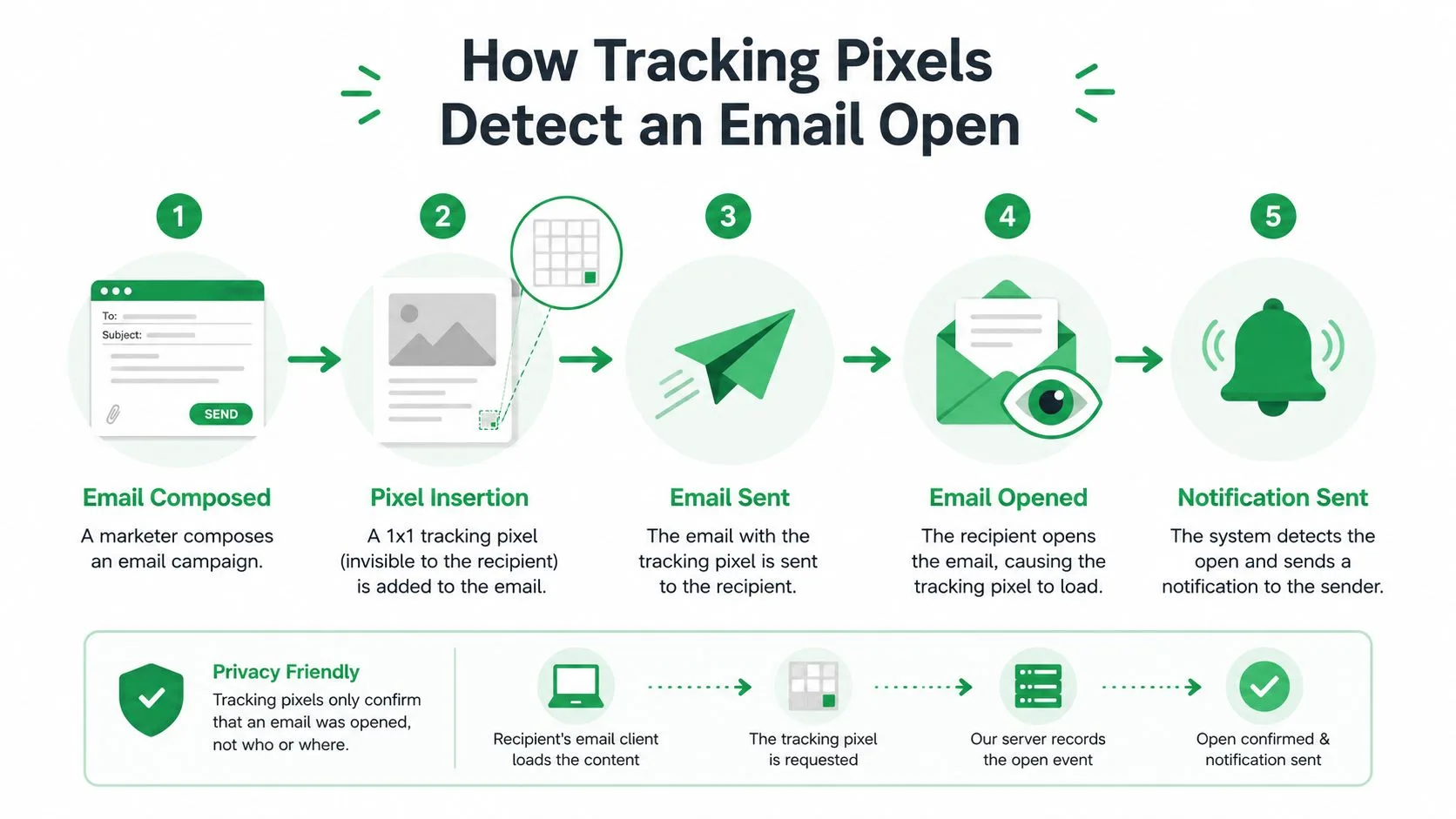
An open-tracking pixel is usually a remote 1x1 transparent image embedded in an HTML email. It’s too small to see, and its visual appearance is irrelevant. The image exists so the recipient’s email client can request a particular file from a server.
The request-response chain
Suppose a sender creates a message for one recipient. The tracking system inserts an image reference with a unique identifier into the HTML body. That identifier may represent the recipient, the campaign, the message, or a combination of those values.
When the recipient opens the message, the mail client may attempt to load remote images. It sends a request to the server hosting the pixel. The server returns the transparent image, while the tracking database records the request as an open event. This technical flow is described in how email open and click tracking works.
The logged fields can include:
- Timestamp: When the server received the image request.
- IP address: The network address visible to the server, though privacy proxies can obscure it.
- User agent: Information associated with the mail client or device.
- Message identifier: A value used to associate the event with a particular email.
- Campaign context: The mailing or sequence connected to the message.
The key limitation is that the system measures image retrieval, not reading comprehension. A recipient can open an email with images disabled and produce no open event. A privacy system can load the image before the person views the message and produce an open event anyway.
A unique pixel helps distinguish one message from another, but it doesn’t turn an imperfect proxy into proof of attention. If the same email is opened several times, the system may record multiple requests. If a mail client caches or preloads the image, the timing and location may no longer describe the recipient’s actual behavior.
For a practical look at open notifications in Gmail workflows, see tracking an email open.
Practical rule: Treat an open as evidence that content was requested, not as confirmation that a person read every line.
Click Tracking, Reply Detection, and Other Metrics
Click tracking uses a different route. Instead of sending the recipient directly to the destination, the sender replaces the original URL with a tracking link. The recipient first reaches the sender’s redirect server, which records the event and then forwards the browser to the intended page. Email click tracking follows this redirect model.
Because clicking requires an action on a link, it generally provides a stronger engagement signal than an image load. It still doesn’t prove that the recipient valued the page or completed an action there. A curious reader, a mistaken click, or an automated process can create activity without meaningful intent.
Reply detection works differently again. The sender can use a unique reply address or a message-specific token so an incoming response can be matched to the original campaign. A reply is usually the clearest evidence that the recipient actively engaged, although automated replies, out-of-office notices, and forwarded messages need separate interpretation.
Tools may also display device type, approximate geographic information, and message-level timelines. These fields can be distorted by privacy proxies, shared networks, scanners, or client settings. For broader measurement context, The Social Search on email KPIs offers a useful framework for thinking about email metrics rather than treating one number as the whole story.
| Metric | Mechanism | What It Actually Measures | Reliability |
|---|---|---|---|
| Open | Remote pixel request | Image retrieval by a client or proxy | Low to mixed |
| Click | Redirect server request | Interaction with a tracked link | Generally stronger |
| Reply | Incoming message match | Direct response associated with the email | Strongest for active engagement |
| Device or location | Request metadata | Technical or network clues | Variable and privacy-sensitive |
A sender comparing options for implementation can also review click tracking software, while keeping the central distinction clear: opens are passive technical signals, clicks are active link events, and replies are direct communication.
Why Open Rates Are No Longer Reliable in 2026
A recipient can read an email without producing an open, and a system can record an open before anyone reads it. That mismatch is why open rate now works better as a directional signal than as proof of attention.
Apple Mail Privacy Protection may preload tracking pixels through proxy infrastructure. The recorded event can therefore occur before the message reaches the recipient’s screen, while the same process may blur location, device, and mail-client details. Gmail may cache images, serving a stored response instead of creating a request that corresponds neatly to a new viewing event.
Security and inbox software add more ambiguity. Outlook settings, mobile preview panes, corporate gateways, and automated scanners can fetch or inspect content before a person reads it. Remote-image blocking creates the reverse problem: a genuine reading session may produce no open at all.
The intended sequence is straightforward: a recipient opens the message, the mail client requests the pixel, and the sender logs that request. Privacy and security controls can interrupt every part of this sequence. A proxy may request the image early, a cache may reuse an earlier response, a scanner may inspect images and links, or a client may block remote content. A preview pane can also load the message without showing that the recipient sustained attention.
A community discussion has described practical pixel accuracy as roughly 70% to 85%, but that figure is an unverified estimate, not a controlled universal benchmark (email open accuracy discussion). Treat it as a caution about uncertainty, not as a dependable expectation for every audience or mail-client mix.
| Email Client | Pixel Handling | Open Reliability |
|---|---|---|
| Apple Mail with Mail Privacy Protection | Images may be preloaded through a proxy | Low for individual attention |
| Gmail | Images may be cached or proxied | Mixed |
| Outlook and corporate environments | Policies, previews, or scanners may fetch content | Mixed to low |
| Clients blocking remote images | Pixel request may never occur | Under-counted |
| Clients loading images directly | Request can reflect a viewing event more closely | Better, but still imperfect |
A lower open rate in 2026 does not by itself establish a deliverability problem. It may reflect different privacy settings or a different client mix. Clicks usually support stronger operational decisions because they involve interaction with a link, although security scanners can still create false activity. Replies provide an even clearer engagement signal when interpreted alongside automated responses and other exceptions.
Use open data to compare broad patterns within a consistent audience. Do not use it alone to prove that a person noticed, read, or understood the message.
Privacy Rules and How Recipients Can Protect Themselves
A tracking pixel may record an IP address, user agent, and timestamp when an email client requests it. The privacy question therefore has two parts: what the technology can collect and whether the sender has a lawful basis to collect it. An open event can represent a server request, not proof that someone read or understood the message.
For recipients in the EU, individual-level open tracking is generally treated as a consent-based practice. GDPR principles address personal-data processing, while ePrivacy-style rules cover access to a user’s device or communications environment. The guidance on EU tracking pixels describes consent as prior, free, specific, informed, and unambiguous, with limited exceptions for communications that are strictly necessary.
French guidance has also been described as requiring prior consent for tracking pixels in most cases, subject to narrow deliverability-related exceptions (BCLP analysis of email tracking pixels). The result depends on the jurisdiction, purpose, audience, and message type. A marketing-email opt-in may not automatically authorize behavioral tracking, so senders should obtain advice from a qualified privacy professional.
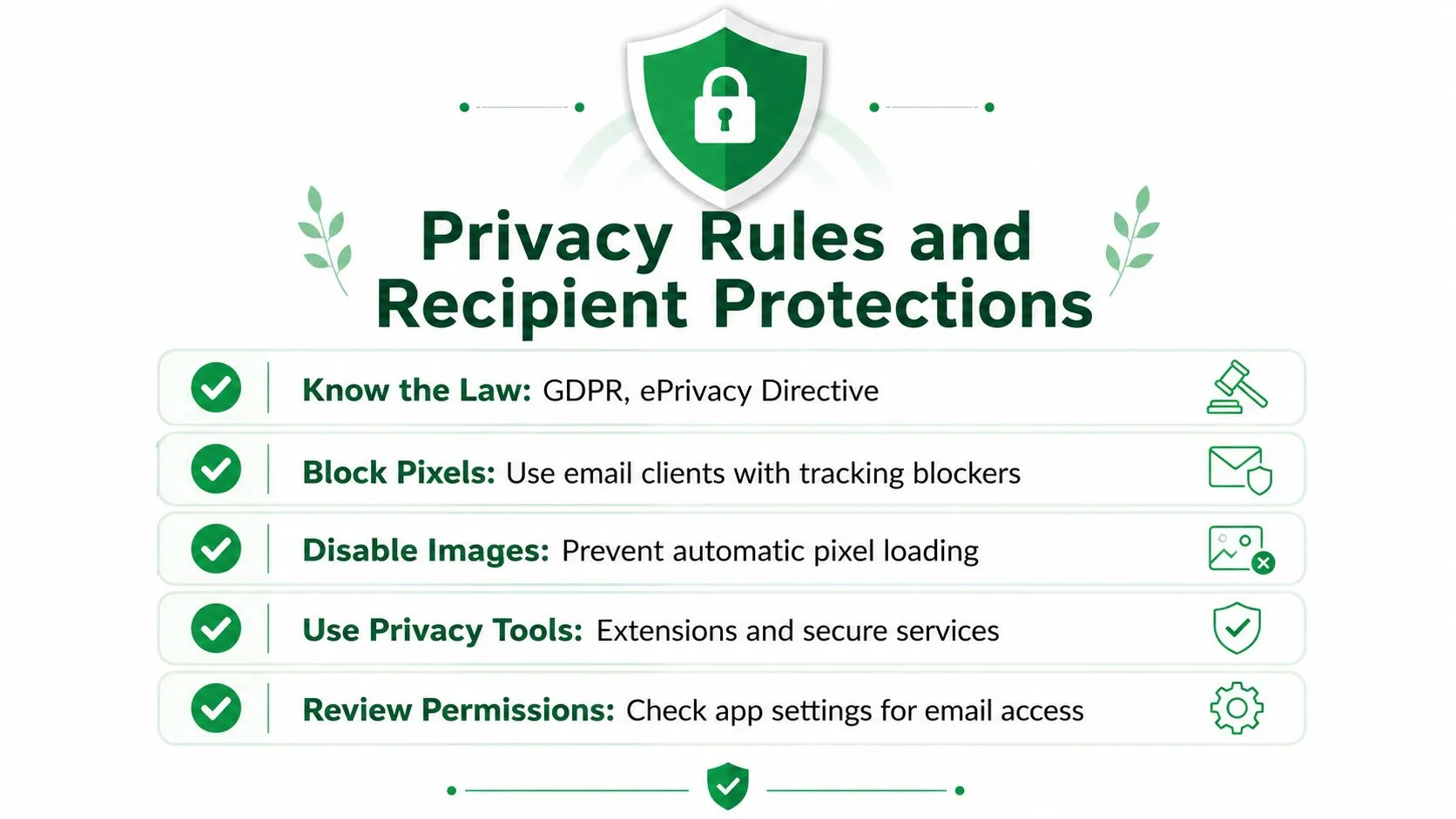
Recipients can reduce exposure by changing how their email client handles remote content. Disabling automatic image loading or blocking external resources prevents the client from fetching the pixel. Privacy-focused providers and applications may apply similar protections by default.
Link tracking needs separate attention. A recipient can block images yet still reveal an interaction by clicking a measured link. Avoiding unnecessary tracked links, unsubscribing, or withdrawing permission can limit future collection, though these choices do not erase events already recorded.
Application permissions and provider policies also deserve review. A privacy notice, such as the Talantrix privacy policy, illustrates how an organization may describe its collection and use of personal information. California, Canada, and other US states may impose additional requirements, so businesses serving those audiences need a jurisdiction-specific legal review.
How Mail Merge for Gmail Implements Tracking Responsibly
A recipient agrees to receive a tracked message, then later withdraws that permission. A responsible add-on needs to handle both moments clearly. Measurement shouldn’t be hidden from the people being measured, and an open event still cannot prove that someone read the message.
Mail Merge for Gmail is a Google Workspace add-on that sends personalized campaigns from Gmail with recipient data stored in Google Sheets. The workflow can display statuses such as Sent, Opened, Clicked, and Replied, alongside unsubscribe management and scheduling. Those labels are useful for organizing follow-up, but each signal has limits. An image request can come from a proxy or scanner, while a click or reply usually represents a more deliberate action.
The add-on’s consent process belongs in the sender’s setup, not in the dashboard alone. Before enabling tracking, the sender should identify the audience, purpose, and permission that apply to the campaign. A consent record can be associated with the recipient data used for the mail merge, so the sender can show why tracking was enabled for that communication. The add-on does not create a lawful basis because a tracking option is available.
Withdrawal should be practical. If a recipient unsubscribes or asks not to be tracked, the sender should update the relevant Google Sheet or unsubscribe controls before later sends. Future messages can then exclude that address from tracking or from the campaign, without treating an earlier event as erased. This distinction matters: stopping new collection does not remove an open, click, or reply already recorded.
For teams assessing a spreadsheet workflow, the Google Sheets mail merge add-on provides a product overview. The publisher describes the add-on as keeping data within the user’s Google account and not reading the inbox. Those statements describe the tool’s stated operation, while the sender remains responsible for configuring campaigns appropriately.
Use the product-specific controls as part of a broader decision. Give recipients a clear notice, make withdrawal visible, and treat open status as a weak signal in 2026. Clicks and replies may support follow-up decisions, but they still require transparent handling under the rules governing the audience.
Key Takeaways and a Quick Privacy Checklist
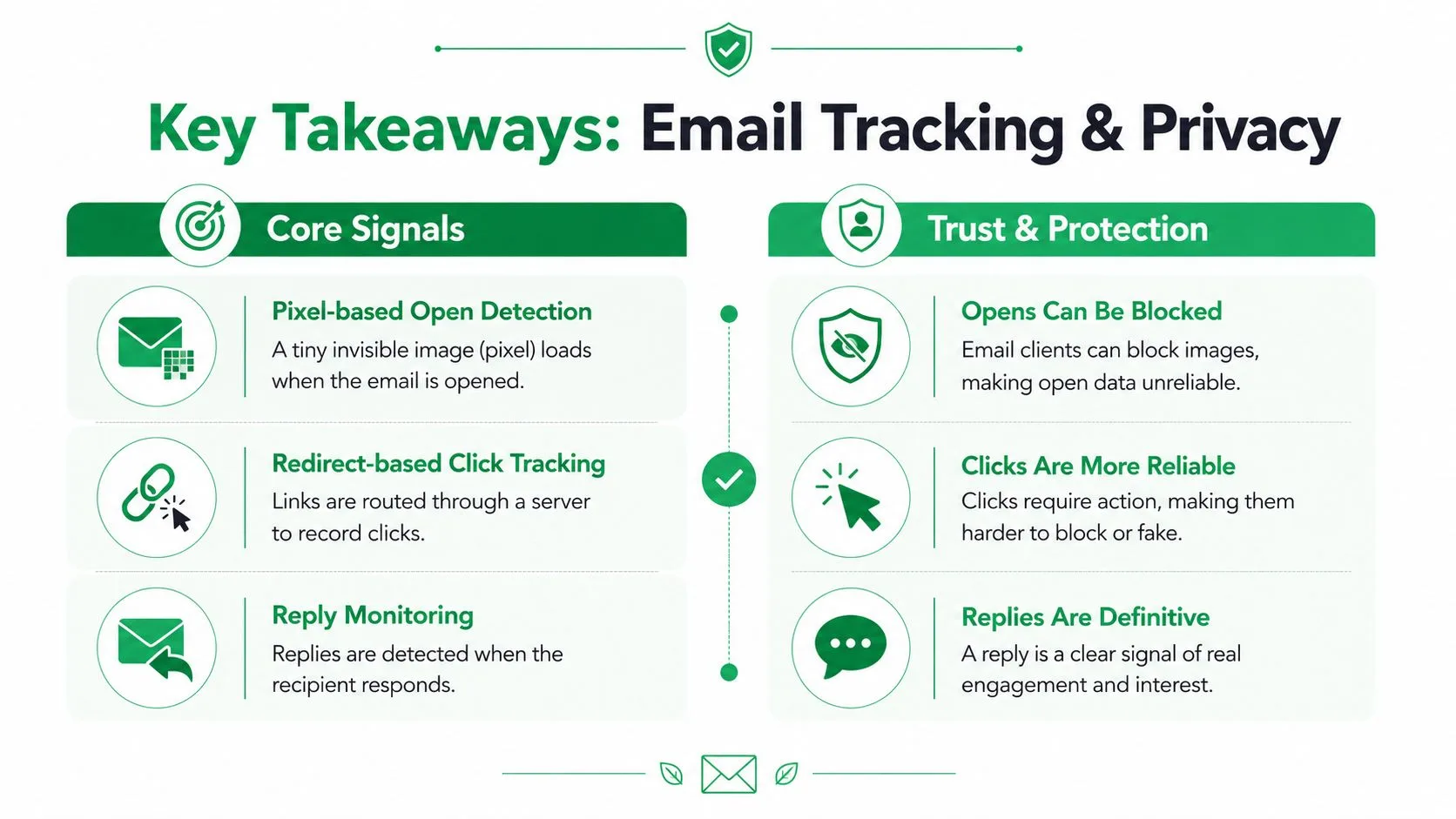
Email tracking combines three main signals. Pixel-based open detection records a remote image request. Redirect-based click tracking records a visit through a tracking server. Reply monitoring matches an incoming response to the original message.
Their practical value differs:
- Opens: Low to mixed reliability because clients, proxies, caches, and scanners can trigger or suppress image requests. Individual open tracking generally needs a clear consent analysis under GDPR and ePrivacy-style rules.
- Clicks: More useful for measuring active interaction, though redirects can still be affected by security tools and automated checks. Senders should disclose tracking and assess the applicable legal basis.
- Replies: Strong evidence of direct engagement, but automated messages and shared inboxes require review. Matching replies still involves personal data and should be handled transparently.
An eight-point routine
Use this checklist before sending tracked mail or deciding how to handle a tracked message:
- Capture consent: Record permission for tracking where the applicable rules require it.
- Minimize data: Collect only the metadata needed for a defined purpose.
- Block by default when receiving: Disable automatic images if you don’t want pixels to load.
- Provide an unsubscribe path: Make stopping future messages easy to find and use.
- Explain link wrapping: Tell recipients when links pass through a redirect service.
- Set a retention window: Delete or anonymize event records when they no longer serve the stated purpose.
- Honor opt-out responses: Stop tracking when a recipient withdraws permission, even if they continue receiving permitted communications.
- Choose providers carefully: Review privacy controls, data handling, access permissions, and reporting detail before enabling tracking.
The most defensible routine treats open rates as directional context, clicks as stronger behavioral evidence, and replies as the clearest sign of active conversation. That approach helps teams make better decisions without pretending that a technical event reveals more than it does.
Mail Merge for Gmail offers personalized mail merge campaigns from Gmail and Google Sheets, with delivery, open, click, and reply statuses, scheduling, and unsubscribe management. Visit Mail Merge for Gmail to review how its tracking workflow can fit an outreach process built around clearer measurement and privacy-aware sending.
Ready to send your first campaign?
Install Mail Merge for Gmail from the Google Workspace Marketplace and send up to 50 personalized emails per day for free.
Get started for freeMore reading
More from Guides
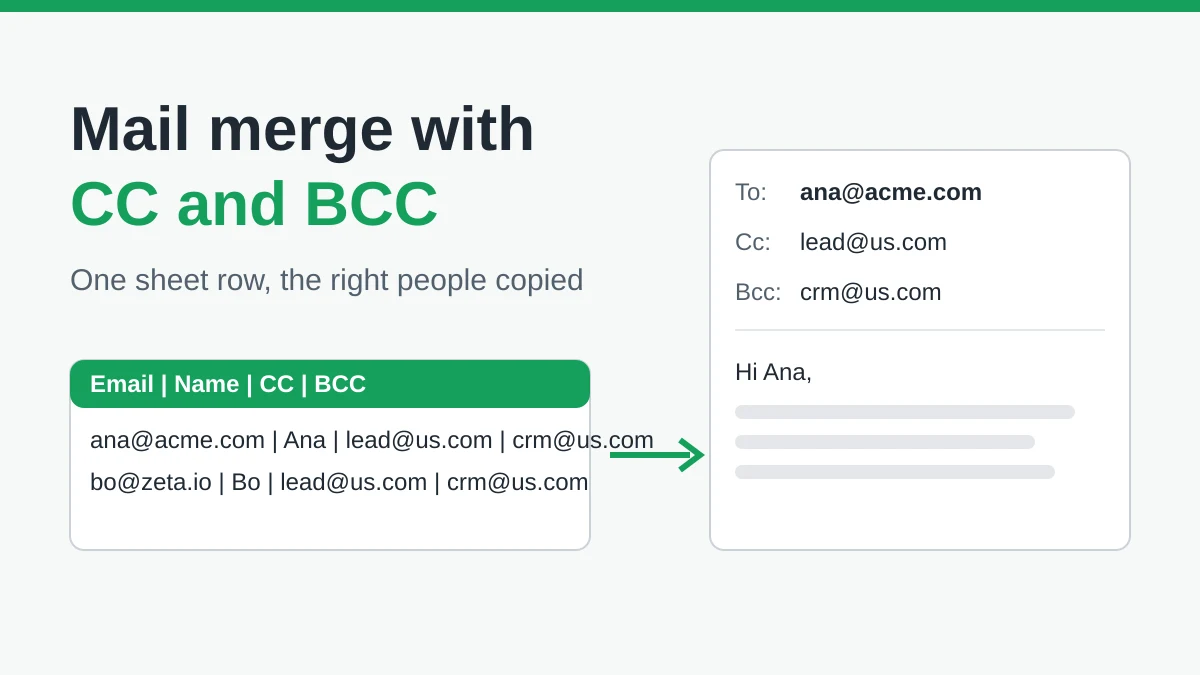
Mail Merge with CC and BCC in Gmail: Copy the Right People on Every Email
Learn how to run a mail merge with CC and BCC from Google Sheets, set up the columns, preview the result and see how copied recipients count toward your daily quota.
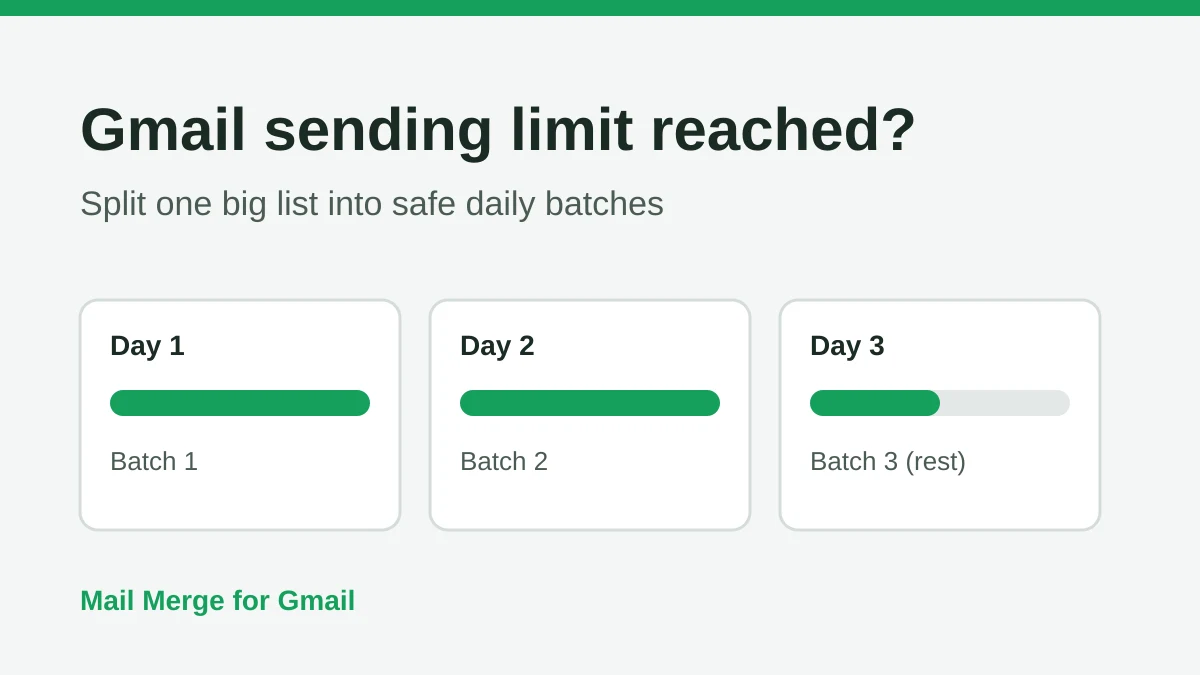
Gmail Sending Limit Reached: What It Means and How to Finish Your Campaign
Hit the Gmail sending limit reached error? Learn the real daily limits, when you can send again, and how to split a mail merge into safe daily batches.

Personalized Email Gmail: The Complete Guide
Master your personalized email Gmail workflow. Learn to merge Sheets data, track opens, and scale one-to-one outreach without leaving your inbox.