


















Click Tracking Software: A Practical Guide for 2026
Learn what click tracking software is, how it works, and its impact on privacy and deliverability. Our practical guide helps you choose and use it effectively.
Most advice about click tracking software still treats a click like a clean signal. It isn’t. In email outreach, a click can come from a person, a security scanner, a privacy layer, or a rewritten link that never behaves the way you expect.
That doesn’t make click tracking useless. It makes it context-dependent. If you run outreach from Gmail, send campaigns to mixed inbox environments, or rely on click signals to time follow-ups, the hard part isn’t enabling tracking. The hard part is deciding which signals deserve action and which ones deserve skepticism.
Click tracking still matters because it gives teams a way to connect engagement to campaigns, pages, and downstream outcomes. But the old habit of treating every click as intent is where people get into trouble. Good operators use click data directionally, not blindly.
Why Click Tracking Data Is No Longer Simple
The biggest mistake I see is assuming more click data means better understanding. In practice, some of the noisiest datasets are also the most detailed.
A lot of content about click tracking software explains dashboards, link builders, and click maps. What it usually doesn’t answer is the question teams face after sending a campaign: how much of this activity came from humans, and how much came from systems sitting between the email and the recipient? That gap matters because link scanners, corporate security gateways, and privacy protections can prefetch, rewrite, or otherwise distort click behavior, which changes how you should read your reports, as noted in Cometly’s discussion of link tracking reliability.
Why a click isn’t always intent
A recipient can click because they’re interested. But a mailbox provider or security layer can also touch the link before the person ever sees the message. In Gmail-based outreach, that creates a practical problem: a “clicked” status may tell you the link was accessed, but not always why.
That changes how smart teams use click tracking software:
- For campaign analysis: Use clicks to compare messaging, offers, and link placement over time.
- For contact-level decisions: Be careful about treating a single click as a buying signal.
- For follow-up timing: Look for patterns, not isolated events.
Practical rule: The more sensitive the follow-up decision, the less you should rely on a lone click.
What still works
Click data is still useful when you stop asking it to do too much. It works well for directional questions:
| Use case | Reliable enough | Needs caution |
|---|---|---|
| Comparing one email version to another | Yes, directionally | Only if audience and send conditions are comparable |
| Seeing whether any links attract attention | Yes | Watch for automated traffic |
| Scoring individual leads or prospects | Sometimes | Better with multiple signals |
| Judging true human intent from one event | Rarely | Often too noisy on its own |
The practical shift is simple. Don’t ask, “Did this click prove engagement?” Ask, “What does this click add to the rest of the evidence?”
How Click Tracking Software Actually Works
At the technical level, click tracking software is simpler than many people think. The link in your email usually doesn’t send the user straight to the final page. It first passes through a tracking layer that records the event, then redirects the user to the destination.
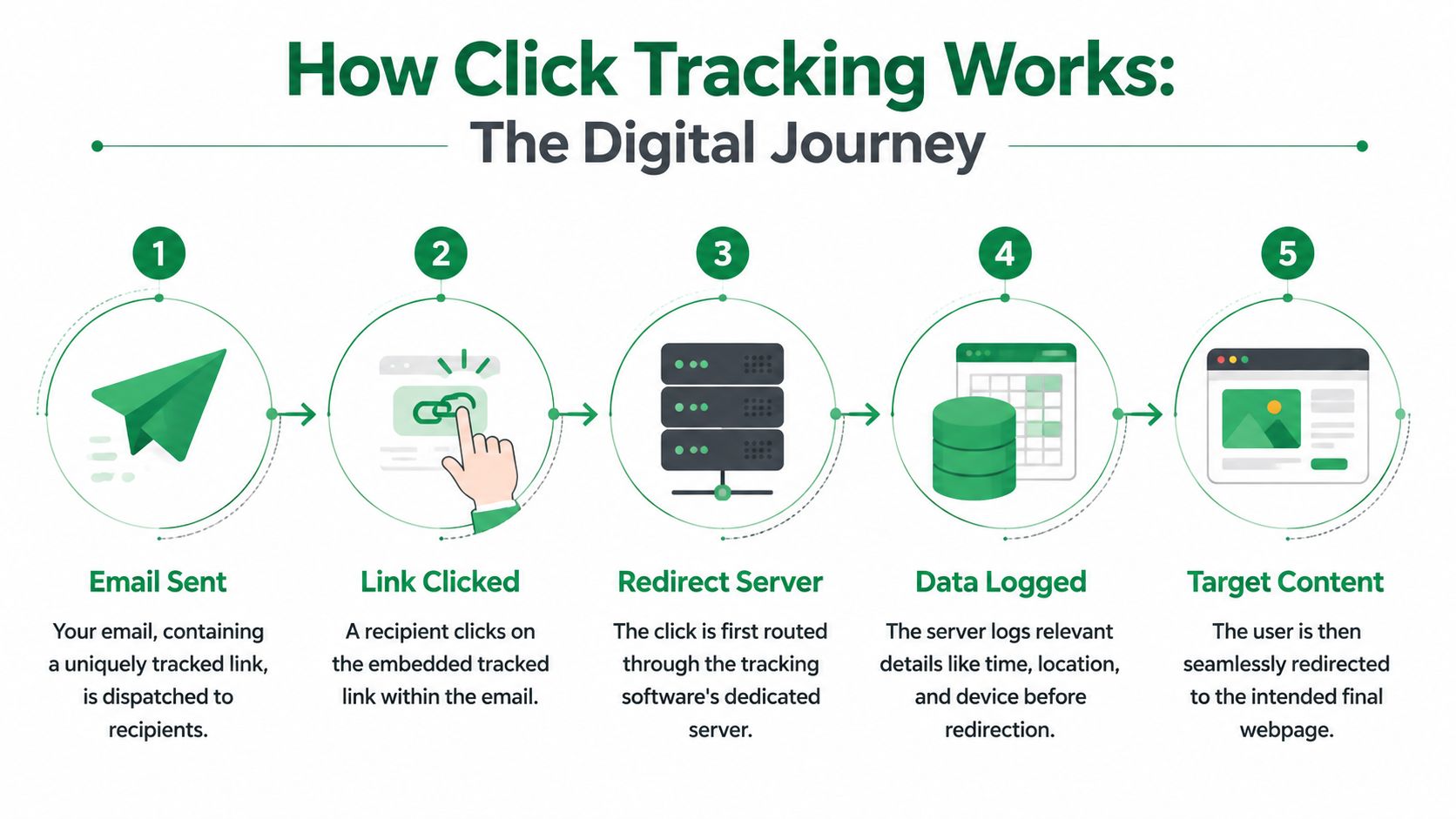
That redirect layer is the core of the system. According to Bitly’s explanation of click tracking architecture, the platform captures the click before the visitor reaches the destination, which allows it to log details such as timestamp, device type, referrer or UTM parameters, location, and the clicked URL in a single event stream.
The simplest way to think about it
Imagine a mail forwarding desk. Someone sends a letter to a forwarding address first. The desk logs who it came from and where it’s going, then passes it along to the final address.
That’s what a tracked link does.
- Your email includes a tracked URL.
- The recipient clicks it.
- The tracking service receives that click first.
- The service logs the event.
- The user is redirected to the final page.
If the tool also supports attribution, the click record may include campaign labels from UTM parameters already attached to the URL.
What gets recorded
Not every tool captures the same level of detail, but this is the kind of data click tracking software often uses to make reports useful:
- Traffic source context: UTM tags or referrer information tied to campaign analysis
- Environment signals: device type and sometimes location
- Link-level detail: which URL was clicked and when it happened
- Attribution fields: labels that help map one click back to a campaign or channel
None of that is magic. It’s just event logging plus redirection.
A click tracker is only as trustworthy as the layer that records the event and the environment the click passed through.
Where implementation goes wrong
Most tracking problems aren’t caused by the dashboard. They start earlier.
Teams often break tracking in one of three ways:
- Unclear link setup: The destination URL changes mid-campaign or gets copied without tracking parameters.
- Inconsistent campaign naming: UTM values vary from one send to the next, so reports fragment.
- Overcomplicated routing: Too many redirects create friction, confusion, or filtering issues.
The important lesson is that click tracking software doesn’t “discover” engagement on its own. It records events based on how links are instrumented and routed. If the setup is sloppy, the reporting will be sloppy too.
Essential Features and Metrics to Understand
The useful part of click tracking software isn’t the raw count. It’s the structure around the count. A dashboard becomes valuable when it tells you which campaign drove the click, which link got attention, and whether the click should influence a decision.
Metrics worth watching closely
Some metrics help immediately. Others look impressive but don’t change your next move.
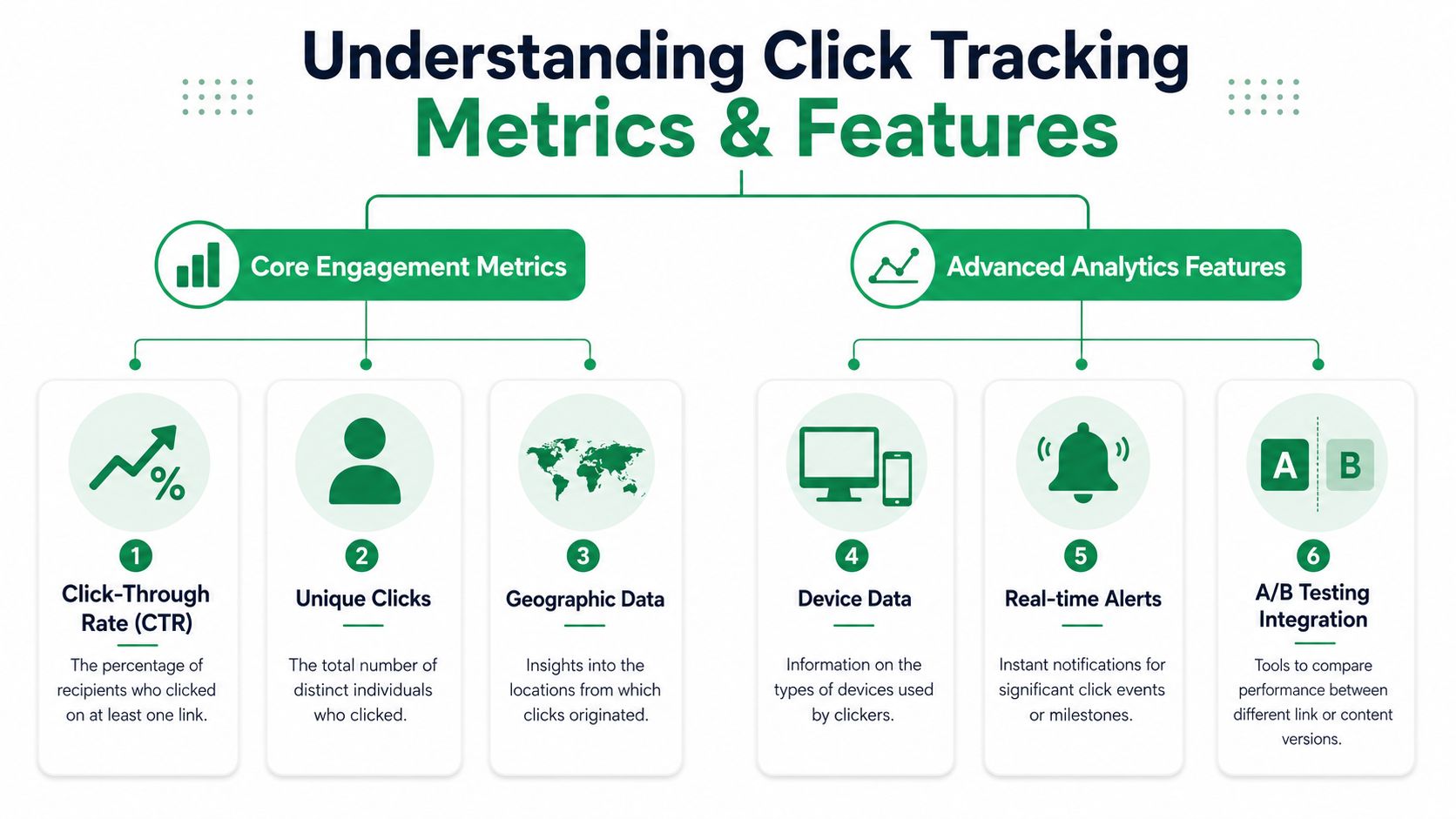
- Unique clicks matter because they show how many distinct recipients interacted, not how many total events were logged.
- Total clicks are still useful, but they’re better for understanding repeated engagement than reach.
- Click-through rate helps compare email performance at a campaign level, especially when audiences are similar.
- Geographic and device data can explain behavior differences, but they shouldn’t be treated as perfect truth in every inbox environment.
If you’re sorting out terminology, this guide on click rate vs click-through rate from Mail Merge is useful alongside the broader Ecommerce Boost insights on email metrics. The key is to keep the definitions consistent inside your own reporting.
Why attribution matters more than the click itself
Modern click tracking moved beyond simple event counting and into attribution. By using utm_source, utm_medium, and utm_campaign, teams can connect clicks to channels and downstream conversion behavior, especially in SaaS and ecommerce, as described in Wikipedia’s overview of click tracking.
That changes the role of the software. You’re no longer asking only, “Did someone click?” You’re asking:
| Question | Metric or feature that helps |
|---|---|
| Which campaign generated this visit? | UTM parameters |
| Which link in the email drew attention? | Link-level click reporting |
| Did one segment respond differently? | Recipient-level or segment views |
| Should this affect budget or follow-up? | Attribution connected to later outcomes |
Features that actually earn their keep
A feature list gets long quickly, but in practice I look for a smaller set:
- Clean link attribution: If the software can’t preserve campaign labels properly, reports become guesswork.
- Recipient-level visibility: Helpful when outreach is relational, not just promotional.
- Exportable data: You need to manipulate data outside the vendor dashboard.
- Simple reporting: If the team can’t answer basic questions quickly, the feature set is too heavy.
Metrics are useful when they support a decision. If they only make the dashboard look busier, they’re noise.
Navigating Privacy and Email Deliverability Risks
A lot of click tracking software content treats privacy and deliverability like side notes. They aren’t side notes. In email outreach, they shape whether your message gets trusted, filtered, or acted on.
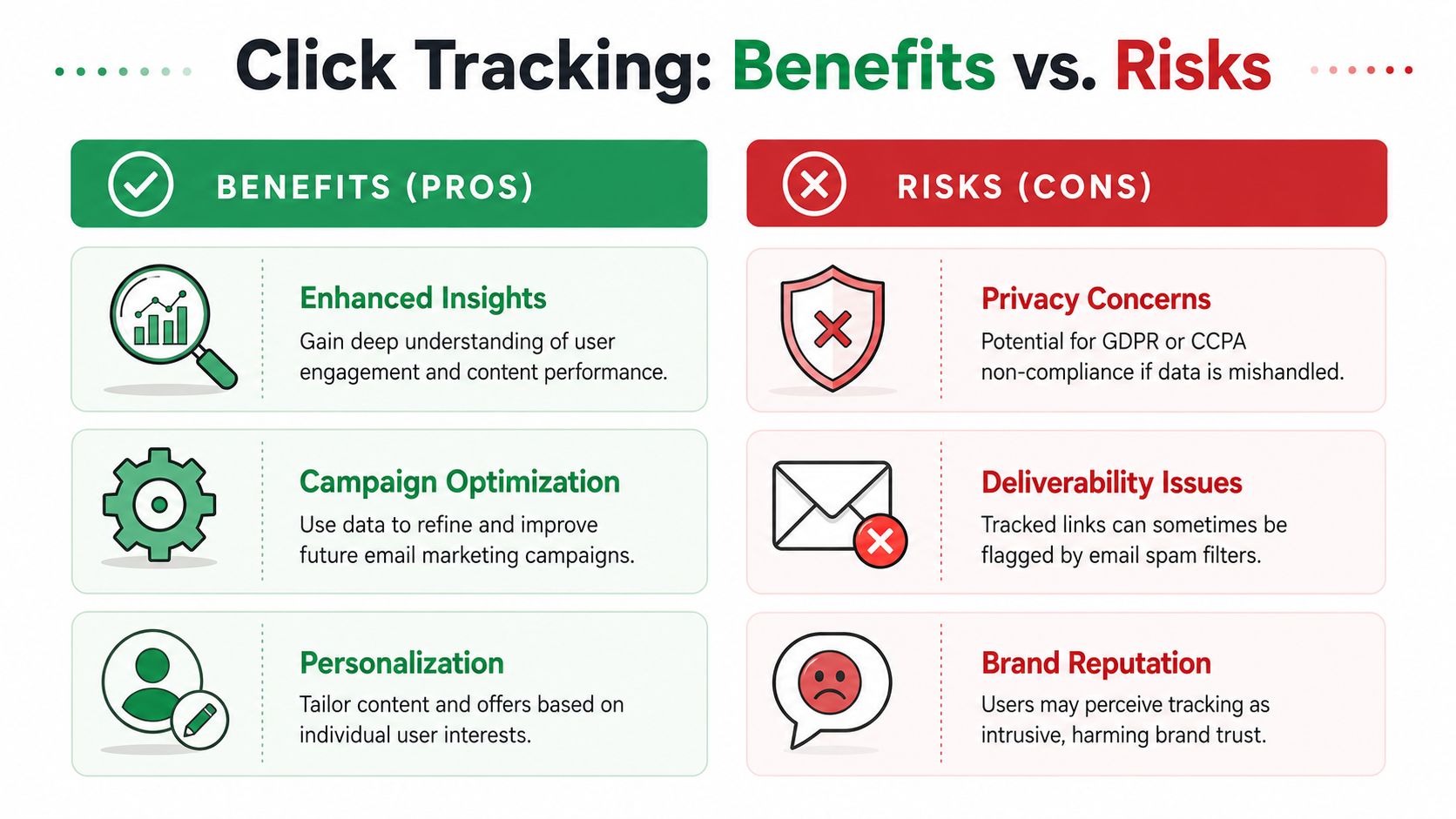
Recent guidance has pushed this issue into the foreground. Click tracking doesn’t just create analytics. It can also create trust, compliance, and inbox placement problems, especially when the setup looks invasive or excessive. That’s part of why Zoho’s discussion of click tracking software highlights trust, compliance, and deliverability as an underserved part of the conversation, including the operational impact of Google’s tighter anti-spam expectations for bulk senders.
Where tracking starts to hurt
Tracking can backfire in two different ways.
The first is recipient trust. Some people notice rewritten links, unusual redirect behavior, or heavily instrumented messages. Even if they don’t know the technical details, they can still feel that the email is watching too closely.
The second is deliverability risk. Every extra tracking layer introduces complexity into the message. If your setup looks suspicious, contains too many tracked links, or behaves in a way filters dislike, inbox placement can suffer.
This doesn’t mean you should never track links. It means you should stop treating maximum tracking as the default.
A more balanced operating model
The best senders usually apply restraint. They don’t track every possible interaction just because the software allows it.
Consider this working approach:
- Track links with a real purpose: If a click won’t change analysis or action, don’t instrument it.
- Avoid cluttered messages: A dense block of tracked links can create avoidable risk.
- Set expectations clearly: Transparency matters when you’re collecting engagement data.
- Review by audience: What feels normal in a product newsletter may feel intrusive in cold outreach or recruiting.
If tracking creates more suspicion than insight, the setup is too aggressive.
Compliance isn’t just a legal checkbox
Privacy discussions around click tracking often get framed as legal housekeeping. In real campaigns, it’s broader than that. Consent, transparency, and data minimization affect how recipients perceive the sender.
That matters even before anyone files a complaint. A prospect who distrusts the email won’t click the second message. A candidate who feels monitored may stop replying. A nonprofit supporter may unsubscribe because the experience feels off.
For operational habits that support inbox placement, Yalc for email deliverability success is a helpful companion read. And if you’re sending outreach across regions or regulated contexts, it’s worth reviewing cold emailing and regulations before deciding how aggressively to track.
When less tracking is the smarter choice
There are cases where reduced tracking is the disciplined option:
| Scenario | Better approach |
|---|---|
| Cold outreach to new contacts | Track sparingly and prioritize reply signals |
| Sensitive recruiting or nonprofit communication | Favor trust and clarity over granular monitoring |
| Audiences likely to use corporate email security | Interpret clicks conservatively |
| Campaigns focused on inbox placement recovery | Simplify the message and reduce instrumentation |
People often look for one universal rule. There isn’t one. The right level of click tracking depends on the audience, the message type, and how much uncertainty you’re willing to accept in the data.
Implementing Click Tracking in Your Gmail Outreach
Gmail outreach changes the buying decision. You usually don’t need the heaviest analytics platform on the market. You need a setup your team will use, trust, and analyze without exporting data into five different places.
Start with the workflow, not the feature list
Reliable click tracking depends on implementation. At the setup level, that usually means specific elements are instrumented, or the software rewrites links automatically so clicks can be measured without manual setup for each link, as explained in Qualtrics’ click tracker overview.
For Gmail senders, that immediately creates a choice:
| Option | Best fit | Main trade-off |
|---|---|---|
| Standalone click tracking platform | Teams with broader web analytics needs | More setup and more moving parts |
| Gmail-integrated sending tool | Small teams running campaigns from inbox and Sheets | Narrower scope, but simpler workflow |
If you’re comparing sending approaches inside Google’s ecosystem, this breakdown of Gmail mail merge native vs add-on helps frame the trade-offs.
What to look for in a Gmail-based setup
The practical checklist is short.
- Automatic link rewriting: You shouldn’t have to manually generate a tracked version of every URL.
- Recipient-level reporting: Outreach teams need to know which row, contact, or conversation the activity belongs to.
- Usable exports or spreadsheet sync: Data needs to land somewhere the team already works.
- Simple campaign status visibility: Sent, opened, clicked, or replied should be easy to inspect.
One useful pattern for large email campaigns is keeping tracking data inside the same spreadsheet used to send the campaign. In Mail Merge for Gmail, campaign results are written back into Google Sheets next to each recipient row, which makes it easier to sort, filter, and compute results in a familiar environment instead of switching to a separate analytics interface. That matters when each row already represents one recipient and the team wants engagement status tied directly to the sending list.
A practical setup sequence
Teams don’t need a complicated rollout. They need a disciplined one.
-
Clean the sending sheet first
Make sure each row represents one recipient and the core fields are stable before launch. -
Decide which links deserve tracking
Track the links that matter for action. Landing page, booking page, document, or registration link. Skip decorative or low-value links. -
Keep campaign naming consistent
If you use campaign labels or UTM structures, decide the naming convention before the first send. -
Launch with one audience segment first
Small-scale sends reveal weird click behavior faster than a full rollout. -
Review clicks next to recipient data
This is where spreadsheet-based workflows shine. You can filter engaged contacts, compare messages, and spot odd patterns quickly.
Here’s a walkthrough that shows the kind of workflow many Gmail senders prefer:
What usually doesn’t work
The weak setups tend to fail in predictable ways:
- Treating click tracking as a standalone reporting task: If the data lives far from the sending workflow, people stop using it.
- Tracking every link in every email: That often creates more noise than insight.
- Comparing metrics across tools without context: Different software can record clicks differently, especially as providers apply privacy measures and automated scanning that create false positives or hide genuine activity.
- Using clicks as the only follow-up trigger: In Gmail outreach, replies and conversation quality still matter more.
The best implementation isn’t the one with the most data. It’s the one the team can interpret correctly without friction.
How to Interpret and Troubleshoot Your Click Data
Once the campaign is out, the actual work starts. Click tracking software gives you signals, not verdicts. If you treat the report like a courtroom transcript, you’ll overreact to bad data. If you treat it like a pattern-finding tool, it becomes useful again.
Read for patterns, not isolated events
One click on one contact can be misleading. A cluster of clicks across a message variant is more informative. Repeated engagement tied to the same recipient is stronger than a single event that appears without any later response.
A practical reading model looks like this:
- Stronger signal: click plus reply, click plus later conversion behavior, or repeat engagement over time
- Medium signal: click on a core action link from a contact already interacting with your emails
- Weak signal: one isolated click with no reply, no later visit, and no other engagement markers
Spotting data that deserves skepticism
Some click patterns are worth treating carefully:
| Pattern | Likely interpretation |
|---|---|
| Immediate click activity that doesn’t match later behavior | Could be automated scanning |
| Clicks without any reply or follow-on action across many recipients | Useful for campaign direction, weak for individual intent |
| Stronger engagement on one link type across multiple sends | More likely a real content signal |
| Sporadic recipient-level anomalies | Investigate, but don’t overread |
Troubleshooting without overcomplicating things
When click data looks off, start with simple checks:
- Review the link path: Confirm the destination and tracking behavior are what you intended.
- Compare across segments: If one inbox environment behaves differently, interpret that segment carefully.
- Check timing: Strange timing can reveal automated activity.
- Use adjacent signals: Replies, form submissions, booked meetings, or on-site actions can help validate what the click report suggests.
The practical advantage of spreadsheet-based reporting is speed. When statuses are tied to recipient rows, you can sort by engagement, flag questionable patterns, and decide who deserves a follow-up without building a separate analysis project.
Click tracking hasn’t disappeared. It has become noisier, more conditional, and more dependent on judgment. That’s fine. Good operators don’t need perfect data. They need data they can question intelligently.
If you run campaigns from Gmail and want click data tied directly to each recipient row in Google Sheets, Mail Merge for Gmail is worth considering. It lets teams send personalized campaigns from Gmail, track engagement, and review statuses inside the spreadsheet workflow many small teams already use.
Ready to send your first campaign?
Install Mail Merge for Gmail from the Google Workspace Marketplace and send up to 50 personalized emails per day for free.
Get started for freeMore reading
More from Guides
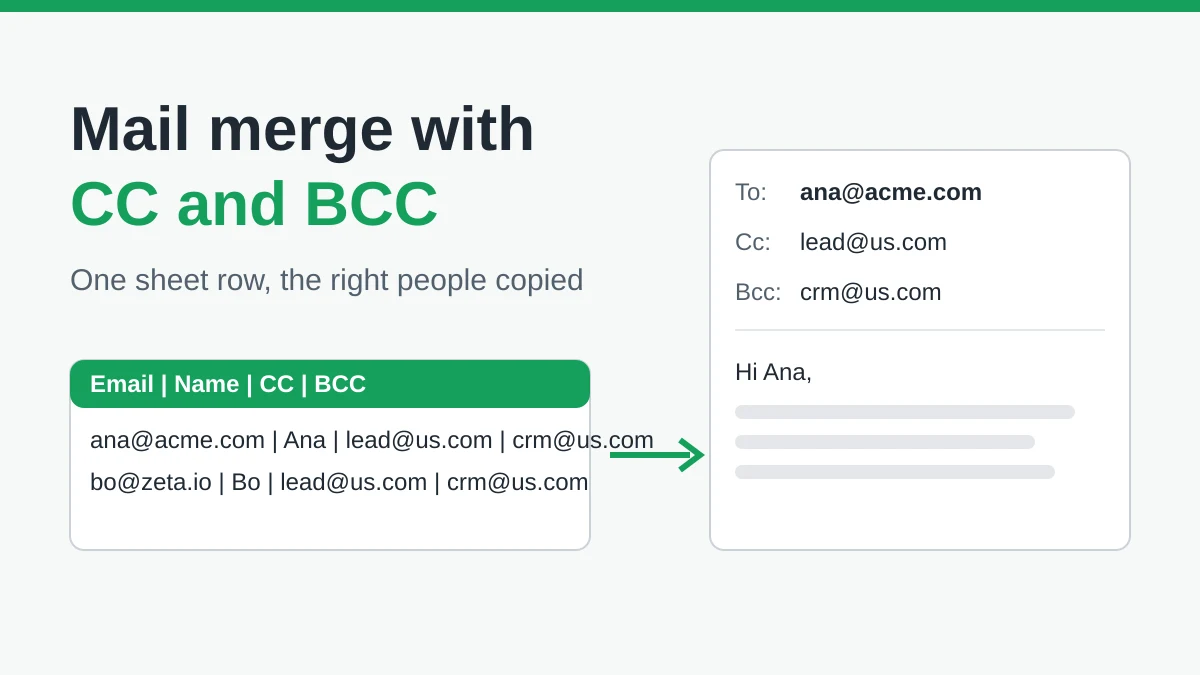
Mail Merge with CC and BCC in Gmail: Copy the Right People on Every Email
Learn how to run a mail merge with CC and BCC from Google Sheets, set up the columns, preview the result and see how copied recipients count toward your daily quota.
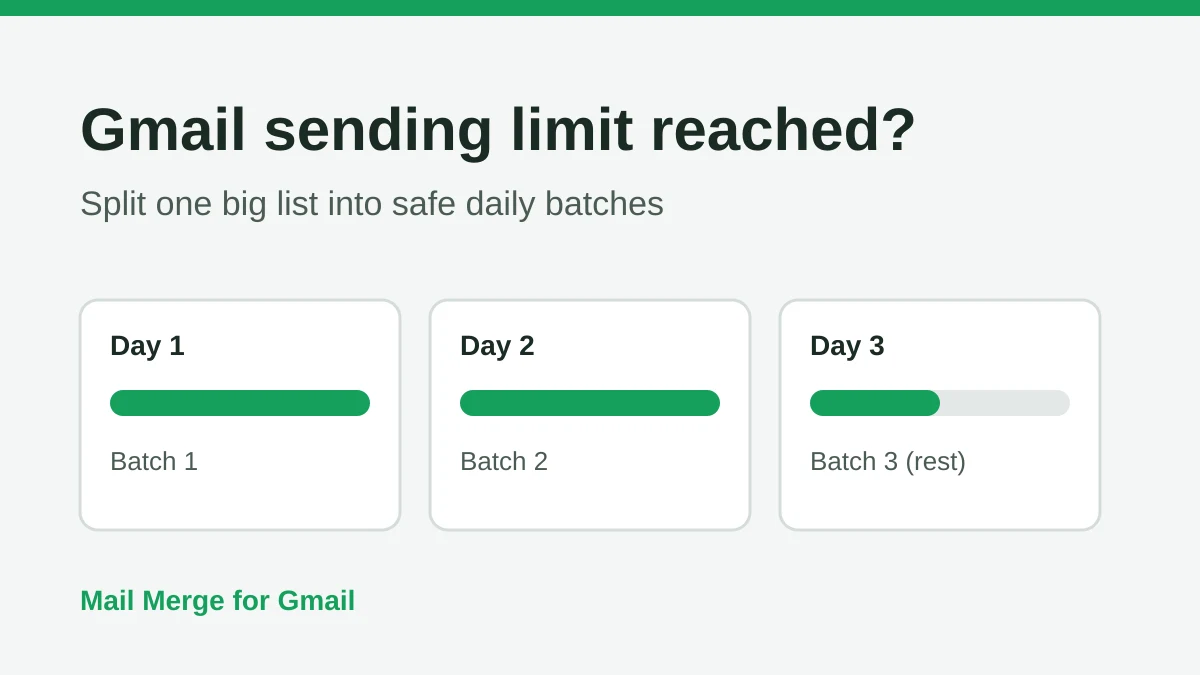
Gmail Sending Limit Reached: What It Means and How to Finish Your Campaign
Hit the Gmail sending limit reached error? Learn the real daily limits, when you can send again, and how to split a mail merge into safe daily batches.
Personalized Email Gmail: The Complete Guide
Master your personalized email Gmail workflow. Learn to merge Sheets data, track opens, and scale one-to-one outreach without leaving your inbox.